

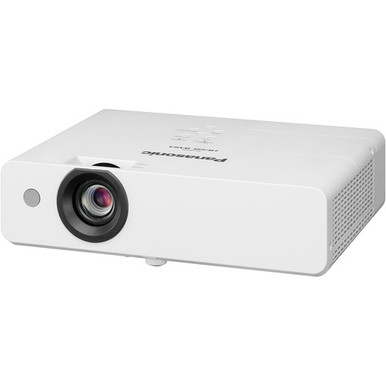
This Panasonic PT-LW335U Setup Guide and Buying Considerations resource starts with a practical question: can a 3,100-lumen WXGA projector meet the room, content, and installation plan? The PT-LW335U gives you two firm planning facts. Its listed brightness is 3,100 lumens, and its resolution is WXGA. Those facts do not settle screen size, throw geometry, mounting, source connections, control, audio, or the result under the room’s actual lighting.
That uncertainty creates the real buying problem for a church, school, or conference room team. A projector can match a resolution requirement yet still conflict with the physical layout or signal plan. This guide turns those unknowns into a pre-purchase checklist, then walks through placement, infrastructure, commissioning, and handoff. It also compares the PT-LW335U with the PT-CMZ50U, PT-VMZ72BU8, PT-VMZ51, and PT-VMZ51S using only the supplied brightness, resolution, throw, and category facts. You can decide whether the PT-LW335U fits or whether a documented requirement points to another Panasonic option.
Products at a Glance
- Option 1: Panasonic PT-LW335U 3100-Lumen WXGA 3LCD Projector
- For plans that require ultra-short-throw placement an…: Panasonic PT-CMZ50 WUXGA Ultra-Short Throw Laser Projector – Professional Golf Simulator Display
- For projects with a documented need for a 7,300-lumen…: Panasonic PT-VMZ72BU8 7,300 Lumens WUXGA Laser Golf Simulator Projector – High-Brightness, Vivid Green Mode
- For buyers whose approved design calls for the PT-VMZ…: Panasonic PT-VMZ51 5200-Lumen WUXGA Laser 3LCD Projector
- For buyers who have confirmed PT-VMZ51S as the requir…: Panasonic PT-VMZ51S 5200-Lumen WUXGA Laser 3LCD Projector
Quick Comparison Table
| Feature | Panasonic PT-LW335U 3100-Lumen WXGA 3LCD Projector | Panasonic PT-CMZ50 WUXGA Ultra-Short Throw Laser Projector – Professional Golf Simulator Display | Panasonic PT-VMZ72BU8 7,300 Lumens WUXGA Laser Golf Simulator Projector – High-Brightness, Vivid Green Mode | Panasonic PT-VMZ51 5200-Lumen WUXGA Laser 3LCD Projector | Panasonic PT-VMZ51S 5200-Lumen WUXGA Laser 3LCD Projector |
|---|---|---|---|---|---|
| Brightness | 3100 lumens | 5200 lumens | 7,300 Lumens | 5200 lumens | 5200 lumens |
| Resolution | WXGA | WUXGA | WUXGA | WUXGA | WUXGA |
| Best For | Rooms where a verified design confirms that 3,100 lumens and WXGA resolution meet the content and installation requirements. | Plans that require ultra-short-throw placement and specify 5,200-lumen brightness with WUXGA resolution. | Projects with a documented need for a 7,300-lumen brightness figure and WUXGA resolution. | Buyers whose approved design calls for the PT-VMZ51 SKU, 5,200-lumen brightness, and WUXGA resolution. | Buyers who have confirmed PT-VMZ51S as the required SKU and need the supplied 5,200-lumen and WUXGA specifications. |
| Throw Type | Ultra short throw | ||||
| Recommended Buyer | Rooms where a verified design confirms that 3,100 lumens and WXGA resolution meet the content and installation requirements. | Plans that require ultra-short-throw placement and specify 5,200-lumen brightness with WUXGA resolution. | Projects with a documented need for a 7,300-lumen brightness figure and WUXGA resolution. | Buyers whose approved design calls for the PT-VMZ51 SKU, 5,200-lumen brightness, and WUXGA resolution. | Buyers who have confirmed PT-VMZ51S as the required SKU and need the supplied 5,200-lumen and WUXGA specifications. |
Product Images

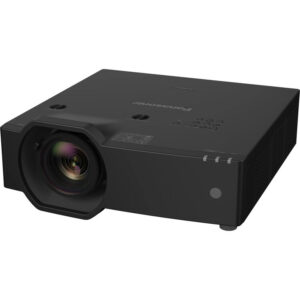
Projector Options from AudioVideoNation
1. Panasonic PT-LW335U 3100-Lumen WXGA 3LCD Projector
Who should compare it: Rooms where a verified design confirms that 3,100 lumens and WXGA resolution meet the content and installation requirements.
Why it belongs here: The PT-LW335U is the exact subject of this guide and establishes the 3,100-lumen WXGA baseline for the room-design checks.
SKU: PT-LW335U
Key Features
- Brightness listed at 3,100 lumens
- WXGA resolution
- PT-LW335U model identifier
- Multimedia projector classification
Things to Consider
Confirm throw geometry, supported inputs, control, audio routing, mounting, power, and service requirements before approving the installation.
2. Panasonic PT-CMZ50 WUXGA Ultra-Short Throw Laser Projector – Professional Golf Simulator Display
Who should compare it: Plans that require ultra-short-throw placement and specify 5,200-lumen brightness with WUXGA resolution.
Why it belongs here: The PT-CMZ50U adds a documented ultra-short-throw option to the comparison, along with a 5,200-lumen brightness figure and WUXGA resolution.
SKU: PT-CMZ50U
Key Features
- Brightness listed at 5,200 lumens
- WUXGA resolution
- Ultra-short-throw classification
- PT-CMZ50U model identifier
Things to Consider
Ultra-short throw does not remove the geometry check. Verify the intended image size, mounting position, supported interfaces, and required accessories.
3. Panasonic PT-VMZ72BU8 7,300 Lumens WUXGA Laser Golf Simulator Projector – High-Brightness, Vivid Green Mode
Who should compare it: Projects with a documented need for a 7,300-lumen brightness figure and WUXGA resolution.
Why it belongs here: The PT-VMZ72BU8 provides a 7,300-lumen WUXGA comparison for projects whose written requirements exceed the PT-LW335U’s supplied brightness and resolution figures.
SKU: PT-VMZ72BU8
Key Features
- Brightness listed at 7,300 lumens
- WUXGA resolution
- PT-VMZ72BU8 model identifier
- Listed in the Golf Simulator Projectors category
Things to Consider
Verify throw geometry, mounting, dimensions, signal connections, control needs, and room-specific image performance before selection.
4. Panasonic PT-VMZ51 5200-Lumen WUXGA Laser 3LCD Projector
Who should compare it: Buyers whose approved design calls for the PT-VMZ51 SKU, 5,200-lumen brightness, and WUXGA resolution.
Why it belongs here: The PT-VMZ51 supplies another Panasonic comparison point at 5,200 lumens and WUXGA resolution.
SKU: PT-VMZ51
Key Features
- Brightness listed at 5,200 lumens
- WUXGA resolution
- PT-VMZ51 model identifier
- Listed in the Home Theater Projectors category
Things to Consider
Confirm its throw, interfaces, mounting needs, and exact differences from the similarly named PT-VMZ51S before procurement.
5. Panasonic PT-VMZ51S 5200-Lumen WUXGA Laser 3LCD Projector
Who should compare it: Buyers who have confirmed PT-VMZ51S as the required SKU and need the supplied 5,200-lumen and WUXGA specifications.
Why it belongs here: The PT-VMZ51S carries the same supplied 5,200-lumen and WUXGA facts as the PT-VMZ51 while retaining a distinct SKU that procurement teams must verify.
SKU: PT-VMZ51S
Key Features
- Brightness listed at 5,200 lumens
- WUXGA resolution
- PT-VMZ51S model identifier
- Listed in the Home Theater Projectors category
Things to Consider
The supplied data does not explain how PT-VMZ51S differs from PT-VMZ51. Confirm the exact configuration, interfaces, mounting needs, and package contents.
Panasonic PT-LW335U 3100-Lumen WXGA 3LCD Projector vs Panasonic PT-CMZ50 WUXGA Ultra-Short Throw Laser Projector – Professional Golf Simulator Display: Main Differences
- Choose Panasonic PT-LW335U 3100-Lumen WXGA 3LCD Projector if Rooms where a verified design confirms that 3,100 lumens and WXGA resolution meet the content and installation requirements..
- Choose Panasonic PT-CMZ50 WUXGA Ultra-Short Throw Laser Projector – Professional Golf Simulator Display if Plans that require ultra-short-throw placement and specify 5,200-lumen brightness with WUXGA resolution..
- Choose Panasonic PT-VMZ72BU8 7,300 Lumens WUXGA Laser Golf Simulator Projector – High-Brightness, Vivid Green Mode if Projects with a documented need for a 7,300-lumen brightness figure and WUXGA resolution..
- Choose Panasonic PT-VMZ51 5200-Lumen WUXGA Laser 3LCD Projector if Buyers whose approved design calls for the PT-VMZ51 SKU, 5,200-lumen brightness, and WUXGA resolution..
- Choose Panasonic PT-VMZ51S 5200-Lumen WUXGA Laser 3LCD Projector if Buyers who have confirmed PT-VMZ51S as the required SKU and need the supplied 5,200-lumen and WUXGA specifications..
Define projector deployment fit
Start by defining what the room must accomplish. A church may need readable lyrics, presentation slides, and video. A school may display lesson material from several source devices. A conference room team may prioritize spreadsheets, diagrams, and shared presentations. List the actual content, the farthest viewing position, the planned screen area, and the lighting states used during normal operation. The smallest critical text deserves special attention.
Turn those observations into acceptance criteria. Record the required image boundaries, source types, operating workflow, mounting preference, and any limits imposed by furniture or ceiling construction. Then place the PT-LW335U’s 3,100-lumen brightness and WXGA resolution against that list. Brightness and resolution are useful filters, but they cannot approve the deployment alone. Throw range, supported connections, image geometry, control options, mounting provisions, audio routing, and service clearance still need confirmation from current product documentation. This requirement-first approach also gives installers a clear reason to reject a proposed location before hardware is ordered.
Panasonic PT-LW335U setup starts with a room survey
Walk the room with a tape measure and make a simple plan drawing. Record the available screen width and height, intended image area, possible projector locations, mounting height, nearest power location, cable routes, obstructions, windows, and controllable lighting. Include the seating area and the farthest viewer. For a renovation, note any existing screen, mount, conduit, wall plates, or signal extender that the project expects to reuse.
Next, separate confirmed facts from items requiring verification. The supplied PT-LW335U data confirms 3,100 lumens and WXGA resolution. Before finalizing the design, check current Panasonic documentation and the linked product page for throw calculations, image offset, adjustment limits, physical dimensions, mounting requirements, supported inputs, power needs, control methods, and ventilation clearances. Confirm each mandatory item rather than assuming a familiar Panasonic model works the same way. Decide whether the room needs a fixed installation or a movable setup, since that choice changes cable protection, security planning, alignment repeatability, and operator workflow. Do not purchase a mount, lens-related accessory, or signal adapter until the exact requirement has been checked.
Plan screen geometry and projector placement
Treat the screen as the fixed reference point. Choose the intended image width and height, then use current installation data to calculate an acceptable projector location. The supplied facts do not identify a throw type or throw range for the PT-LW335U, so room measurements alone cannot establish the final lens position. Verify lens-to-screen distance, the allowed vertical and horizontal relationship, mounting orientation, and the clear path between the projector and screen.
Mark the proposed image boundaries and mounting position in the room. Check sightlines from the front and rear seats, and look for lights, beams, fans, signs, or furniture that could interfere with the projection path or physical installation. Base the layout on documented optical geometry. If digital correction is available, reserve it for final adjustment instead of using an unverified correction range to justify a poor mounting position. A room that cannot accommodate the documented placement may need a different screen position or a projector with another throw classification. The PT-CMZ50U is the supplied ultra-short-throw alternative worth evaluating when shallow placement is a firm requirement.
Build a Panasonic projector installation checklist
Create a source-to-display map before cabling begins. List every computer, media player, presentation system, or other source that must reach the projector. Record each source output, the planned cable path, run length, switching point, adapter, and required signal format. The supplied PT-LW335U facts do not identify its inputs or control interfaces, so confirm those details before selecting cables, extenders, switchers, or control hardware. For long paths, choose a transport method only after the distance and supported interfaces are known.
Keep audio on the same drawing. If the room uses a sound system, document how audio leaves the source and reaches that system. Do not assume the projector can handle the required audio task. Plan accessible, code-compliant power at the approved location, and have mounting and electrical work completed by qualified personnel where required. Add cable labels, strain relief, service loops, equipment access, and remote-control storage to the checklist. Finish with a written startup, source-selection, and shutdown sequence that staff can follow without changing installation settings.
Read the 3,100-lumen WXGA projector facts in context
The 3,100-lumen figure gives buyers a numerical starting point. It does not predict the final image by itself. Image size, screen surface, ambient light, content, and viewing distance all affect the result. A larger image spreads the available output across a larger area, while uncontrolled room light can reduce visible contrast. Evaluate the PT-LW335U against the intended screen and the lighting conditions used during real meetings, lessons, or services. An installer calculation or an on-site content test can turn the lumen figure into a room-specific decision.
WXGA is the supplied resolution label. Confirm the exact pixel dimensions, aspect relationship, supported input formats, and scaling behavior in current documentation because the provided data does not include those details. Test representative material at the planned viewing distance. Small spreadsheet cells, detailed diagrams, lyric slides, and video place different demands on the image. If WUXGA is a written project requirement, compare the supplied WUXGA alternatives rather than expecting setup adjustments to change the PT-LW335U’s listed resolution. Source configuration matters too. Verify that each source can send a format the projector accepts without unwanted cropping or distortion.
Compare Panasonic projector alternatives by requirement
Alternative models make sense when the project requirement changes. The PT-CMZ50U is listed at 5,200 lumens with WUXGA resolution and ultra-short-throw placement. Put it on the evaluation list when the room requires a shallow projector position, then verify its exact image-size and installation chart. The PT-VMZ72BU8 is listed at 7,300 lumens with WUXGA resolution. It belongs in a design review when those brightness and resolution figures match the approved brief. Neither specification removes the need to check geometry, interfaces, mounting, and room conditions.
The PT-VMZ51 and PT-VMZ51S are each listed at 5,200 lumens with WUXGA resolution. The supplied facts do not establish the practical differences between those two SKUs, so do not infer finish, connectivity, accessories, or package contents from the suffix. Check each linked page and current documentation before choosing one or treating them as interchangeable.
This creates a clean decision path. Keep the PT-LW335U under consideration when a verified room design supports 3,100 lumens and WXGA. Evaluate the PT-CMZ50U when ultra-short throw is mandatory. Consider the PT-VMZ72BU8 when the brief calls for its 7,300-lumen and WUXGA figures. Review the PT-VMZ51 or PT-VMZ51S when 5,200 lumens and WUXGA fit the plan, with the exact SKU confirmed before purchase.
Check projector price-to-performance, stock, and availability
Calculate projector price-to-performance from the approved room design. Start with a current quote, then include the full installed cost: screen work, mount, cabling, signal transport, adapters, electrical work, installation labor, commissioning, and staff training. Match that cost against the capabilities the room requires. A lower initial cost loses value if it forces a layout change or misses a mandatory brightness, resolution, or throw condition. A larger specification number adds little value when the room has no documented need for it.
Commerce details can change. Use each linked product page close to the purchase date for live purchasing information, including current stock and availability. For a multi-room rollout, confirm the available quantity, expected fulfillment timing, exact SKU, substitution policy, and quote validity before issuing a purchase order. Keep the PT-LW335U and alternatives on separate bill-of-material lines so a suffix or similar model name cannot slip through procurement unnoticed. Recording the date and source of every commercial confirmation gives installers and buyers a clean approval trail without freezing changeable information inside the design document.
Commission the room and document the handoff
Commission the installation with the sources, screen, and lighting states the room will use. Display representative slides, text, spreadsheets, diagrams, and video as applicable. Verify that the image stays within the intended boundaries, text is readable from the designated seats, content is not cropped, and the selected source format produces the expected shape. Check the physical installation and power arrangement against current instructions before the room enters service.
Run the staff workflow from beginning to end. Test startup, source selection, presentation changes, and shutdown using the controls assigned to everyday users. Label cables and control points clearly. Record the installed product ID, SKU, serial information, mounting position, cable routes, source settings, and final image settings. Give the technology team a short operating guide plus an escalation contact for faults or configuration changes. Archive the current manual, room drawing, purchase record, and commissioning notes. A repeatable handoff protects the setup after the installer leaves and gives future technicians a reliable baseline.
Related AudioVideoNation Links
- Browse Projector at AudioVideoNation
- Panasonic PT-LW335U product page
- Panasonic PT-CMZ50U product page
- Panasonic PT-VMZ72BU8 product page
- Panasonic PT-VMZ51 product page
Product Information Sources
- Panasonic PT-LW335U 3100-Lumen WXGA 3LCD Projector product information
- Panasonic PT-CMZ50 WUXGA Ultra-Short Throw Laser Projector – Professional Golf Simulator Display product information
- Panasonic PT-VMZ72BU8 7,300 Lumens WUXGA Laser Golf Simulator Projector – High-Brightness, Vivid Green Mode product information
- Panasonic PT-VMZ51 5200-Lumen WUXGA Laser 3LCD Projector product information
- Panasonic PT-VMZ51S 5200-Lumen WUXGA Laser 3LCD Projector product information
FAQ
What are the supplied brightness and resolution specifications for the Panasonic PT-LW335U?
The Panasonic PT-LW335U is listed at 3,100 lumens with WXGA resolution. Use those figures as planning inputs, then verify screen size, room lighting, throw geometry, and source requirements before purchase.
What should I confirm before installing the PT-LW335U?
Confirm the documented throw range, image geometry, mounting allowances, power, supported inputs, cable path, control needs, audio routing, and service access before installing the PT-LW335U. The supplied facts establish brightness and resolution but do not define those installation details.
Is the PT-LW335U suitable for a room with windows or ambient light?
The supplied facts are not enough to confirm the PT-LW335U for a room with windows or significant ambient light. Evaluate its 3,100-lumen figure against the intended image size, screen surface, actual lighting states, content, and viewing distance.
Which provided Panasonic alternative has ultra-short-throw placement?
The PT-CMZ50U is the provided Panasonic alternative identified as ultra short throw, with 5,200-lumen brightness and WUXGA resolution. Verify its exact placement chart and image-size range against the room before selection.
How should buyers compare projector price-to-performance?
Compare projector price-to-performance by matching the current quoted cost and total installation cost to the brightness, resolution, and throw requirements the room actually needs. Include mounting, screen work, cabling, signal transport, labor, and commissioning in the project calculation.
How should I check stock and availability for these projectors?
Check the linked product page close to the purchase date for current stock and availability details. Large deployments should also confirm quantity, fulfillment timing, exact SKU, substitution policy, and quote validity before a purchase order is issued.
Conclusion
Use this Panasonic PT-LW335U Setup Guide and Buying Considerations comparison to match documented specifications to the room and installation requirements. Review the linked product pages for current purchase details before ordering.
Products Used
| SKU | Product Name | URL |
|---|---|---|
| PT-LW335U | Panasonic PT-LW335U 3100-Lumen WXGA 3LCD Projector | View product |
| PT-CMZ50U | Panasonic PT-CMZ50 WUXGA Ultra-Short Throw Laser Projector – Professional Golf Simulator Display | View product |
| PT-VMZ72BU8 | Panasonic PT-VMZ72BU8 7,300 Lumens WUXGA Laser Golf Simulator Projector – High-Brightness, Vivid Green Mode | View product |
| PT-VMZ51 | Panasonic PT-VMZ51 5200-Lumen WUXGA Laser 3LCD Projector | View product |
| PT-VMZ51S | Panasonic PT-VMZ51S 5200-Lumen WUXGA Laser 3LCD Projector | View product |