

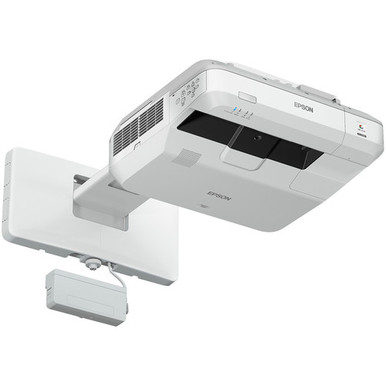
An ultra-short-throw purchase can go wrong long before anyone turns on the projector. Wall structure, image geometry, cabling, source formats, control, audio, and the buying timeline all need answers first. This Epson BL-710UI Setup Guide and Buying Considerations article gives AV buyers, installers, churches, schools, and conference room teams a practical way to make those decisions. The Epson BrightLink 710Ui is identified as a WUXGA ultra-short-throw projector. Two Epson comparison options are the PowerLite 875E and BrightLink 870Ei, both ultra-short-throw products identified with 4K Enhancement. The goal is simple: decide whether the BL-710UI fits the room and workflow, then verify every project-critical detail before ordering. This guide covers the site survey, resolution choice, system compatibility, purchase checks, and commissioning plan. Visit each linked product page for live commerce details tied to the exact SKU.
Products at a Glance
- Option 1: Epson BrightLink 710Ui WUXGA 1080p 3LCD Projector with Speaker
- For teams comparing a PowerLite ultra-short-throw dis…: Epson PowerLite 875E 5 Ultra Short Throw Display with 4K Enhancement (V11HC04120)
- For brightLink buyers investigating a different resol…: Epson BrightLink 870Ei Ultra Short Throw Interactive Display with 4K Enhancement (V11HC03020)
Quick Comparison Table
| Feature | Epson BrightLink 710Ui WUXGA 1080p 3LCD Projector with Speaker | Epson PowerLite 875E 5 Ultra Short Throw Display with 4K Enhancement (V11HC04120) | Epson BrightLink 870Ei Ultra Short Throw Interactive Display with 4K Enhancement (V11HC03020) |
|---|---|---|---|
| Resolution | WUXGA | 4K | 4K |
| Best For | Teams specifying or replacing an Epson BL-710UI and prepared to validate the full room design before purchase. | Teams comparing a PowerLite ultra-short-throw display with 4K Enhancement against the WUXGA BL-710UI. | BrightLink buyers investigating a different resolution path while retaining an ultra-short-throw format. |
| Throw Type | Ultra short throw | Ultra short throw | Ultra short throw |
| Recommended Buyer | Teams specifying or replacing an Epson BL-710UI and prepared to validate the full room design before purchase. | Teams comparing a PowerLite ultra-short-throw display with 4K Enhancement against the WUXGA BL-710UI. | BrightLink buyers investigating a different resolution path while retaining an ultra-short-throw format. |
Product Images
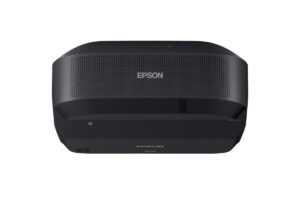
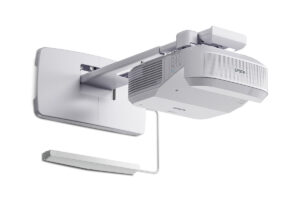
Projector Options from AudioVideoNation
1. Epson BrightLink 710Ui WUXGA 1080p 3LCD Projector with Speaker
Who should compare it: Teams specifying or replacing an Epson BL-710UI and prepared to validate the full room design before purchase.
Why it belongs here: This is the exact product addressed by the guide. Its confirmed WUXGA resolution and ultra-short-throw format make it the reference point for placement, content, and replacement planning.
SKU: BL-710UI
Key Features
- WUXGA resolution
- Ultra short throw format
- Epson BrightLink product family
- Exact BL-710UI SKU for procurement matching
Things to Consider
Confirm brightness for the room, image-size geometry, connections, mounting hardware, control support, included accessories, and audio routing in current documentation.
2. Epson PowerLite 875E 5 Ultra Short Throw Display with 4K Enhancement (V11HC04120)
Who should compare it: Teams comparing a PowerLite ultra-short-throw display with 4K Enhancement against the WUXGA BL-710UI.
Why it belongs here: It gives buyers a PowerLite ultra-short-throw comparison path when 4K Enhancement is part of the project brief.
SKU: PL-875E
Key Features
- Ultra short throw format
- 4K Enhancement designation
- Epson PowerLite product family
- Exact PL-875E SKU for procurement matching
Things to Consider
Confirm native imaging behavior, accepted input formats, brightness, mounting requirements, connections, control, and audio before treating the 4K Enhancement label as a complete compatibility statement.
3. Epson BrightLink 870Ei Ultra Short Throw Interactive Display with 4K Enhancement (V11HC03020)
Who should compare it: BrightLink buyers investigating a different resolution path while retaining an ultra-short-throw format.
Why it belongs here: It keeps the comparison within the BrightLink family while providing an ultra-short-throw option identified with 4K Enhancement.
SKU: BL-870Ei
Key Features
- Ultra short throw format
- 4K Enhancement designation
- Epson BrightLink product family
- Exact BL-870Ei SKU for procurement matching
Things to Consider
If interactive use is required, verify the complete hardware and software package for the intended workflow. Also confirm brightness, geometry, mounting, connections, control, and audio.
Epson BrightLink 710Ui WUXGA 1080p 3LCD Projector with Speaker vs Epson PowerLite 875E 5 Ultra Short Throw Display with 4K Enhancement (V11HC04120): Main Differences
- Choose Epson BrightLink 710Ui WUXGA 1080p 3LCD Projector with Speaker if Teams specifying or replacing an Epson BL-710UI and prepared to validate the full room design before purchase..
- Choose Epson PowerLite 875E 5 Ultra Short Throw Display with 4K Enhancement (V11HC04120) if Teams comparing a PowerLite ultra-short-throw display with 4K Enhancement against the WUXGA BL-710UI..
- Choose Epson BrightLink 870Ei Ultra Short Throw Interactive Display with 4K Enhancement (V11HC03020) if BrightLink buyers investigating a different resolution path while retaining an ultra-short-throw format..
Epson BrightLink 710Ui installation: define deployment fit
Start with a one-page deployment brief. State whether the project replaces an existing BL-710UI or creates a new installation. A replacement still requires verification. An old mount, cable path, source connection, or control command should never be treated as compatible solely because another Epson projector occupied the room.
Set measurable acceptance criteria next. Record the required image area, ambient light conditions, nearest and farthest viewing positions, content sources, operating roles, and any interaction requirements. Confirm brightness against the actual room and image surface before approving the projector. Model-family assumptions are not evidence.
Match those criteria to the daily workflow. A school may need to account for teacher devices and rapid room changes. A church should map presentation, video, and operator positions. A conference room team should document conferencing sources, room control, and support ownership. These needs shape the entire system. The WUXGA resolution and ultra-short-throw format establish a starting point for the BL-710UI, but they do not settle the full deployment decision.
Ultra short throw projector setup: survey the wall and mount
Plan the image geometry from Epson documentation for the exact BL-710UI SKU and intended image size. Ultra-short-throw placement is sensitive to the relationship between the projector, mount, and image surface. Do not position it by eye or substitute a mounting template from another BrightLink or PowerLite product.
Measure the usable wall area and mark the proposed image boundary with removable tape. Review it from normal seats. Check for boards, trim, outlets, switches, windows, speakers, and other objects that could conflict with the projected area or mounting location. Inspect the surface condition and flatness, then decide whether the existing wall is suitable or a dedicated projection surface belongs in the scope.
Have a qualified installer confirm the wall structure and anchoring method. The survey should also identify power, signal, network, and control cable routes without inventing an unverified clearance. Use the current installation instructions for ventilation and service access. Save dimensions, photos, cable paths, and the intended mount details in the project record. That evidence lets procurement and installation teams work from the same plan.
Confirm source, control, audio, and interaction compatibility
Draw the signal flow before selecting accessories. List every source, switcher, extender, adapter, wall plate, destination, and required output format. The BL-710UI has a listed WUXGA resolution, but that fact alone does not define every accepted signal or available connection. Confirm input formats and connector requirements in current technical documentation.
Plan audio as its own path. Decide whether sound will use the room system, another endpoint, or a projector connection, then verify how the selected design handles switching and volume control. Do the same for control. Establish whether users will operate the room manually, by remote, or through a control system, and confirm the necessary interfaces before programming begins.
If interactive use is required, document the exact workflow. Identify the computers, operating systems, applications, user count, calibration process, and required hardware or software. Do not rely on a product-family name as proof that every part is included or compatible. Network-connected deployments also need an owner for addressing, security review, updates, and support. A short compatibility review now prevents adapters and workflow changes from appearing during installation.
WUXGA projector buying guide: choose the resolution path
The BL-710UI is the WUXGA option in this group. The PowerLite 875E and BrightLink 870Ei are ultra-short-throw alternatives whose product names identify 4K Enhancement. Choose among them using real content and an end-to-end signal plan, not the resolution label alone.
Collect representative slides, spreadsheets, diagrams, videos, and conferencing layouts. Evaluate the required detail from normal viewing positions and at the planned image size. Then check every link in the chain. Source devices, adapters, switchers, extenders, and collaboration systems all affect which format reaches the display. Confirm accepted input resolutions and imaging behavior in the current documentation for each candidate.
The BL-710UI deserves focused consideration when the requirement is specifically WUXGA or the project calls for that exact SKU. The 875E and 870Ei belong on the comparison list when 4K Enhancement is part of the brief. A higher resolution designation cannot correct unsuitable image geometry, inadequate brightness, or an incompatible signal path. Treat resolution as one acceptance criterion within the complete room design.
Epson BrightLink alternatives: compare by requirement
Use the BL-710UI as the baseline. Its confirmed comparison points are WUXGA resolution and an ultra-short-throw format. It is also the exact model addressed by this setup guide, which matters when a quote, replacement request, or standardized room design names that SKU.
The PowerLite 875E changes the product family while retaining an ultra-short-throw format and adding a 4K Enhancement designation. The BrightLink 870Ei keeps the BrightLink family name and also carries an ultra-short-throw, 4K Enhancement description. Those shared labels do not make the products interchangeable.
Request the same evidence for every candidate: brightness, exact image-size geometry, mounting requirements, accepted source formats, connections, control support, audio routing, interaction package, included accessories, and service requirements. For a replacement, compare each item with the installed infrastructure and mark it compatible, change required, or awaiting confirmation. For a new room, compare each candidate against the same acceptance criteria and drawing. This keeps the decision accountable and prevents an attractive specification from obscuring a costly system mismatch.
Stock and availability: protect the buying timeline
Do not base the project schedule on a status copied into an article or an old quote. Visit the linked AudioVideoNation product page for live commerce details, then confirm the exact SKU and required quantity close to the order date. The relevant identifiers are BL-710UI, PL-875E, and BL-870Ei.
Ask for expected fulfillment timing, the complete accessory list, and the process for handling a proposed substitute. A substitute needs a fresh technical review. A similar name does not prove compatibility with the planned mount, image geometry, cabling, control, or workflow.
Keep purchase approval separate from the installation commitment until the projector and project-critical accessories are confirmed. Archive the dated quote, approved model number, technical documentation, and final bill of materials. Schools, churches, and corporate teams can then align installers, room access, training, and support around evidence instead of an assumed delivery date.
Assess projector price-to-performance without guesswork
Assess price-to-performance against capabilities the deployment will use. Divide requirements into mandatory, preferred, and outside scope. The mandatory column should contain measurable items such as throw geometry, resolution path, brightness for the room, source compatibility, mounting, control, audio, and interaction needs. Count a capability only after it is documented for the exact product.
Include the installed system in the value review. The projector may affect the surface, mount, cable extensions, adapters, control programming, audio work, installation labor, and user training. An equipment saving can disappear if the room needs redesign or daily operation becomes harder. Conversely, a feature adds little value when the audience and content do not require it.
For a BL-710UI replacement, confirm whether the exact model reduces infrastructure changes before assigning that benefit. For the 4K Enhancement options, show which sources and content make that resolution path useful. Use each linked product page for live purchase details, then compare the documented total scope rather than inserting fixed figures into the guide.
Commissioning and handoff
Commission the room against the written acceptance criteria. Follow the official setup procedure, verify image placement and focus across the planned area, and test every normal source through the complete signal path. Exercise switching, control, audio routing, network functions, and interactive workflows that belong to the approved scope. Use representative content rather than a single setup screen.
Record the installed model, SKU, serial information, cable destinations, source settings, and support contacts. Photograph concealed connections before closing the installation. Give everyday users a short operating guide covering startup, source selection, shutdown, and problem reporting. Give the support team the drawings and configuration record.
Finish with a signed acceptance check. Each unresolved issue needs an owner and target date. That final discipline turns a successful installation into a supportable AV system.
Related AudioVideoNation Links
- Browse Projector at AudioVideoNation
- Epson BrightLink 710Ui product page
- Epson PowerLite 875E product page
- Epson BrightLink 870Ei product page
Product Information Sources
- Epson BrightLink 710Ui WUXGA 1080p 3LCD Projector with Speaker product information
- Epson PowerLite 875E 5 Ultra Short Throw Display with 4K Enhancement (V11HC04120) product information
- Epson BrightLink 870Ei Ultra Short Throw Interactive Display with 4K Enhancement (V11HC03020) product information
FAQ
Is the Epson BL-710UI an ultra short throw projector?
Yes, the Epson BL-710UI is identified as an ultra short throw projector. Its listed resolution is WUXGA, and its exact placement should be calculated from current installation documentation for the planned image size.
What resolution is listed for the Epson BL-710UI?
The Epson BL-710UI has a listed WUXGA resolution. Confirm accepted source formats and the complete signal path before assuming that every connected device will operate at its preferred output.
How should I choose between the BL-710UI and the 4K Enhancement alternatives?
Choose among them by matching the BL-710UI's WUXGA path or the alternatives' 4K Enhancement path to documented room and content requirements. Resolution is only one factor, so verify brightness, geometry, mounting, sources, control, audio, and interaction needs for each exact SKU.
Can I reuse an existing BrightLink mount for the BL-710UI?
Do not assume an existing BrightLink mount will fit the BL-710UI. Confirm the exact mount, wall structure, image geometry, hardware, and installation procedure against current documentation before reuse.
Where should I check stock and purchasing details?
Check the linked AudioVideoNation product page for live stock and purchasing details tied to the exact SKU. Reconfirm the model, quantity, accessories, and expected fulfillment timing when the order is prepared.
What should be tested before the projector installation is accepted?
Test image placement, focus, normal content sources, switching, control, audio routing, and every approved interactive or network workflow before acceptance. Record the installed SKU, connections, settings, support contacts, and any unresolved issue with its owner.
Conclusion
Use this Epson BL-710UI Setup Guide and Buying Considerations comparison to match documented specifications to the room and installation requirements. Review the linked product pages for current purchase details before ordering.
Products Used
| SKU | Product Name | URL |
|---|---|---|
| BL-710UI | Epson BrightLink 710Ui WUXGA 1080p 3LCD Projector with Speaker | View product |
| PL-875E | Epson PowerLite 875E 5 Ultra Short Throw Display with 4K Enhancement (V11HC04120) | View product |
| BL-870Ei | Epson BrightLink 870Ei Ultra Short Throw Interactive Display with 4K Enhancement (V11HC03020) | View product |