

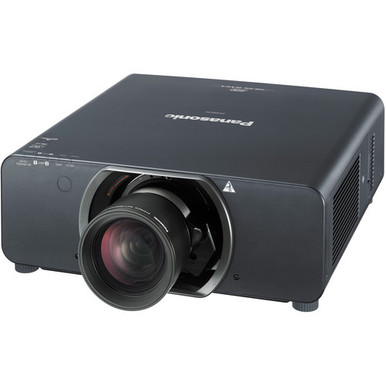
The Panasonic PT-DW11KU Setup Guide and Buying Considerations below centers on one clear pairing: 11,000-lumen brightness and 720p resolution. Buyers can easily overvalue the first number and overlook the second. Others may choose a higher-resolution alternative without confirming whether its placement and stated output suit the room.
This guide helps AV buyers, installers, churches, schools, and conference room teams turn those labels into a deployment brief. It covers room fit, content, mounting and signal questions, purchase checks, and acceptance testing. It also compares four Panasonic alternatives from the supplied selection: the 5,200-lumen WUXGA PT-CMZ50U with ultra-short-throw placement, the 7,300-lumen WUXGA PT-VMZ72BU8, and the 5,200-lumen WUXGA PT-VMZ51 and PT-VMZ51S. The goal is a defensible shortlist. Match each known fact to the site, then verify every remaining installation detail before ordering.
Products at a Glance
- Option 1: Panasonic PT-DW11KU 3D HD 720p DLP Projector
- For buyers specifically seeking an ultra-short-throw…: Panasonic PT-CMZ50 WUXGA Ultra-Short Throw Laser Projector – Professional Golf Simulator Display
- For teams that require WUXGA resolution and have a do…: Panasonic PT-VMZ72BU8 7,300 Lumens WUXGA Laser Golf Simulator Projector – High-Brightness, Vivid Green Mode
- For buyers evaluating the exact PT-VMZ51 SKU against…: Panasonic PT-VMZ51 5200-Lumen WUXGA Laser 3LCD Projector
- For buyers comparing the PT-VMZ51S configuration agai…: Panasonic PT-VMZ51S 5200-Lumen WUXGA Laser 3LCD Projector
Quick Comparison Table
| Feature | Panasonic PT-DW11KU 3D HD 720p DLP Projector | Panasonic PT-CMZ50 WUXGA Ultra-Short Throw Laser Projector – Professional Golf Simulator Display | Panasonic PT-VMZ72BU8 7,300 Lumens WUXGA Laser Golf Simulator Projector – High-Brightness, Vivid Green Mode | Panasonic PT-VMZ51 5200-Lumen WUXGA Laser 3LCD Projector | Panasonic PT-VMZ51S 5200-Lumen WUXGA Laser 3LCD Projector |
|---|---|---|---|---|---|
| Brightness | 11,000 lumens | 5200 lumens | 7,300 Lumens | 5200 lumens | 5200 lumens |
| Resolution | 720P | WUXGA | WUXGA | WUXGA | WUXGA |
| Best For | Buyers whose documented room plan calls for 11,000 lumens and whose content passes an approval test at 720p. | Buyers specifically seeking an ultra-short-throw layout with WUXGA resolution and 5,200 lumens. | Teams that require WUXGA resolution and have a documented target aligned with 7,300-lumen brightness. | Buyers evaluating the exact PT-VMZ51 SKU against a requirement for WUXGA resolution and 5,200 lumens. | Buyers comparing the PT-VMZ51S configuration against other Panasonic WUXGA choices with verified installation requirements. |
| Throw Type | Ultra short throw | ||||
| Recommended Buyer | Buyers whose documented room plan calls for 11,000 lumens and whose content passes an approval test at 720p. | Buyers specifically seeking an ultra-short-throw layout with WUXGA resolution and 5,200 lumens. | Teams that require WUXGA resolution and have a documented target aligned with 7,300-lumen brightness. | Buyers evaluating the exact PT-VMZ51 SKU against a requirement for WUXGA resolution and 5,200 lumens. | Buyers comparing the PT-VMZ51S configuration against other Panasonic WUXGA choices with verified installation requirements. |
Product Images

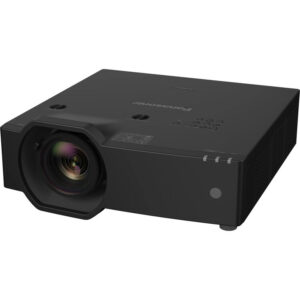
Projector Options from AudioVideoNation
1. Panasonic PT-DW11KU 3D HD 720p DLP Projector
Who should compare it: Buyers whose documented room plan calls for 11,000 lumens and whose content passes an approval test at 720p.
Why it belongs here: It is the subject of this guide and the only supplied product with 11,000-lumen brightness. Its 720p resolution defines the central content and deployment decision.
SKU: PT-DW11KU
Key Features
- 11,000-lumen stated brightness
- 720p stated resolution
- Listed across Multimedia Projectors, Projectors, and Video categories
Things to Consider
Confirm lens and throw geometry, inputs, signal support, controls, physical requirements, power, environmental limits, and included components before approving the installation.
2. Panasonic PT-CMZ50 WUXGA Ultra-Short Throw Laser Projector – Professional Golf Simulator Display
Who should compare it: Buyers specifically seeking an ultra-short-throw layout with WUXGA resolution and 5,200 lumens.
Why it belongs here: It provides the only ultra-short-throw placement classification in the supplied selection, paired with WUXGA resolution and 5,200-lumen brightness.
SKU: PT-CMZ50U
Key Features
- 5,200-lumen stated brightness
- WUXGA stated resolution
- Ultra-short-throw classification
- Listed in Golf Simulator Projectors and Install Projectors 5000 Lumen+ categories
Things to Consider
Ultra short throw does not define the exact installation distance. Verify image geometry, screen relationship, mounting requirements, connections, and signal support for the planned room.
3. Panasonic PT-VMZ72BU8 7,300 Lumens WUXGA Laser Golf Simulator Projector – High-Brightness, Vivid Green Mode
Who should compare it: Teams that require WUXGA resolution and have a documented target aligned with 7,300-lumen brightness.
Why it belongs here: It pairs WUXGA resolution with 7,300 lumens, creating an intermediate stated brightness option between the 5,200-lumen alternatives and the PT-DW11KU.
SKU: PT-VMZ72BU8
Key Features
- 7,300-lumen stated brightness
- WUXGA stated resolution
- Listed in the Golf Simulator Projectors category
Things to Consider
Confirm throw geometry, physical requirements, inputs, control methods, and supported signal formats. Choose it from the completed room design, not from the lumen figure alone.
4. Panasonic PT-VMZ51 5200-Lumen WUXGA Laser 3LCD Projector
Who should compare it: Buyers evaluating the exact PT-VMZ51 SKU against a requirement for WUXGA resolution and 5,200 lumens.
Why it belongs here: It adds a 5,200-lumen WUXGA option for buyers who do not require the PT-DW11KU’s stated output or the PT-CMZ50U’s ultra-short-throw classification.
SKU: PT-VMZ51
Key Features
- 5,200-lumen stated brightness
- WUXGA stated resolution
- Listed in the Home Theater Projectors category
Things to Consider
Do not infer its differences from the similarly specified PT-VMZ51S. Compare the exact product pages and verify configuration, placement, connectivity, included items, and purchasing terms.
5. Panasonic PT-VMZ51S 5200-Lumen WUXGA Laser 3LCD Projector
Who should compare it: Buyers comparing the PT-VMZ51S configuration against other Panasonic WUXGA choices with verified installation requirements.
Why it belongs here: It gives buyers a second exact SKU to evaluate at the supplied 5,200-lumen and WUXGA specification point.
SKU: PT-VMZ51S
Key Features
- 5,200-lumen stated brightness
- WUXGA stated resolution
- Listed in the Home Theater Projectors category
Things to Consider
The shared brightness and resolution facts do not establish how it differs from PT-VMZ51. Verify configuration, placement, connectivity, included items, and purchasing terms for this exact SKU.
Panasonic PT-DW11KU 3D HD 720p DLP Projector vs Panasonic PT-CMZ50 WUXGA Ultra-Short Throw Laser Projector – Professional Golf Simulator Display: Main Differences
- Choose Panasonic PT-DW11KU 3D HD 720p DLP Projector if Buyers whose documented room plan calls for 11,000 lumens and whose content passes an approval test at 720p..
- Choose Panasonic PT-CMZ50 WUXGA Ultra-Short Throw Laser Projector – Professional Golf Simulator Display if Buyers specifically seeking an ultra-short-throw layout with WUXGA resolution and 5,200 lumens..
- Choose Panasonic PT-VMZ72BU8 7,300 Lumens WUXGA Laser Golf Simulator Projector – High-Brightness, Vivid Green Mode if Teams that require WUXGA resolution and have a documented target aligned with 7,300-lumen brightness..
- Choose Panasonic PT-VMZ51 5200-Lumen WUXGA Laser 3LCD Projector if Buyers evaluating the exact PT-VMZ51 SKU against a requirement for WUXGA resolution and 5,200 lumens..
- Choose Panasonic PT-VMZ51S 5200-Lumen WUXGA Laser 3LCD Projector if Buyers comparing the PT-VMZ51S configuration against other Panasonic WUXGA choices with verified installation requirements..
Start with the deployment fit
Write the room brief before selecting the projector. Record the screen dimensions and material, mounting position, viewing distances, ambient-light controls, operating schedule, and content types. Brightness is one input to that plan. It cannot establish a suitable screen size by itself because the surrounding light, screen, image criteria, and optical configuration also matter.
Content is the next gate. The PT-DW11KU has 720p resolution, so review the actual presentations, videos, lyrics, menus, diagrams, and other files the room will display. Test representative material at the intended viewing distance. Small text and detailed interfaces deserve close inspection. Document the minimum acceptable result instead of relying on a resolution label alone.
Placement must be resolved early as well. The supplied facts do not establish the PT-DW11KU throw configuration, so obtain the applicable lens and image-geometry information for SKU PT-DW11KU before approving a mount location. Confirm that the proposed position can produce the required image within the room’s physical limits.
Finish the brief with a one-sentence decision rule. For example: select the PT-DW11KU only if the design calls for 11,000 lumens, 720p passes the content review, and the verified installation data fits the planned location. That statement gives purchasing, facilities, and AV teams the same target.
What 11,000 lumens and 720p mean for the PT-DW11KU
The PT-DW11KU has the highest stated brightness figure among the five supplied products: 11,000 lumens. That makes it the relevant candidate when a completed room design specifically calls for that output level. It does not settle the purchase on its own. Screen characteristics, ambient light, image size, placement, and optical details still shape the installed result.
Its stated resolution is 720p. Make that an explicit acceptance criterion. A church may need to examine lyrics, announcements, and video feeds. A school may need to review slides, diagrams, and application interfaces. A conference room team should include spreadsheets, remote-participant layouts, and shared desktops in its sample files. The test should reflect what people will actually see.
Do not assume the projector’s supported inputs, scaling behavior, aspect handling, or signal-format limits from the resolution label. Verify those details for the exact SKU against every source and switcher in the planned signal chain. The same applies to any specialized content workflow.
Use the 11,000-lumen figure to create the shortlist. Then give resolution and installation geometry equal authority in the final decision. A bright specification cannot correct a content or placement mismatch.
Panasonic PT-DW11KU setup checks before installation
A clean installation begins with verified measurements and product documentation. Complete these checks before drilling, pulling cable, or scheduling final commissioning:
1. Resolve image geometry. Record screen width, aspect ratio, image position, and the available projector locations. Obtain the correct throw and lens information for PT-DW11KU, then confirm the required geometry against the site measurements.
2. Check structure and access. Verify projector dimensions, weight, approved orientation, mounting interface, service access, and all mounting requirements. Have qualified personnel review the supporting structure and installation method.
3. Plan power and the operating environment. Confirm electrical requirements, power consumption, heat-management needs, airflow clearances, and operating limits from the applicable documentation. Coordinate any facility work before installation day.
4. Map the signal and control paths. List every source, switcher, extension device, wall connection, cable route, and control endpoint. Confirm supported projector inputs, signal formats, cable-distance limits, and control methods for the complete design.
5. Prepare content tests. Build a small approval set containing the finest text, busiest layout, most-used video, and any unusual source format. Define who can approve the image and what counts as a pass.
6. Account for the wider room system. Decide how audio, accessibility needs, source selection, shutdown procedures, and user support will work. Confirm any required external equipment rather than assuming the projector handles those functions.
Compare Panasonic WUXGA projector alternatives
The four supplied alternatives have WUXGA resolution, but their brightness and placement facts differ. Those distinctions create a useful decision path.
The PT-CMZ50U combines WUXGA resolution, 5,200 lumens, and an ultra-short-throw classification. It is the only supplied option identified as ultra short throw. Consider it when the design calls for that placement category, but obtain its exact image-size and projector-to-screen requirements before laying out the room. “Ultra short throw” is a category, not a substitute for installation measurements.
The PT-VMZ72BU8 pairs WUXGA resolution with 7,300 lumens. Its stated output sits between the 5,200-lumen alternatives and the 11,000-lumen PT-DW11KU. It gives teams another defined brightness point while preserving WUXGA as a requirement. Throw geometry and the rest of the installation data still need confirmation.
The PT-VMZ51 and PT-VMZ51S each have a stated brightness of 5,200 lumens and WUXGA resolution. The supplied facts do not establish the differences between these two SKUs. Do not treat them as interchangeable based on the shared headline specifications. Compare their linked pages and quotes for configuration, placement requirements, connections, included items, and purchasing terms.
Start the selection with the nonnegotiable requirement. If it is 11,000-lumen output, evaluate the PT-DW11KU and validate 720p. If it is WUXGA, compare the three stated brightness levels and confirm placement. If it is ultra-short-throw positioning, focus first on the PT-CMZ50U and verify the exact geometry.
Buying guidance for churches, schools, and conference rooms
Church teams should build the content review around their real service material. Include lyric slides, announcements, videos, and any live source used in the room. If the site plan calls for 11,000 lumens, the PT-DW11KU belongs on the shortlist. The team must still approve that material at 720p. If WUXGA is a firm content requirement, compare the supplied Panasonic alternatives by brightness and placement.
Schools need a repeatable room standard. Check the smallest instructional text, detailed diagrams, source-device formats, control workflow, and the support process for staff. Installation access matters too. A projector that fits one room may require different geometry elsewhere, so validate each room or define a verified standard layout before buying in quantity.
Conference room teams should test the dense material that appears during meetings. Spreadsheets, dashboards, shared desktops, and remote-participant layouts are useful acceptance samples. Decide whether 720p passes that review. If it does not, the WUXGA products provide documented alternatives at 5,200 or 7,300 lumens, with the PT-CMZ50U adding ultra-short-throw placement.
Installers should protect all three groups from SKU drift. Put the exact product SKU, approved mounting position, verified optical configuration, source formats, cable design, and acceptance files into the scope of work. A model family name is not enough for procurement or commissioning.
Stock, availability, and price-to-performance checks
Use each linked AudioVideoNation product page for live price and availability details, then confirm the exact SKU when requesting a quote. Planning copy cannot replace a current commerce check. Align the quote date with the installation schedule, especially if purchasing approval will take time.
Price-to-performance starts with requirements, not the lowest projector price. Build a short comparison sheet with the supplied facts: 11,000 lumens and 720p for the PT-DW11KU, 7,300 lumens and WUXGA for the PT-VMZ72BU8, and 5,200 lumens with WUXGA for the remaining alternatives. Mark the PT-CMZ50U as ultra short throw. Then add verified installation data once it is obtained.
Compare the complete installed plan. Account for any required lens, mount, signal extension, switching, control equipment, cabling, electrical work, access equipment, installation labor, configuration, training, and support. Include only items confirmed for the proposed design. Shared headline specifications do not prove that two SKUs will carry the same installed cost.
Ask the quote to identify the projector SKU, included items, purchasing terms, and any support or warranty details that matter to the organization. Verify those points on the linked page or with the sales team because they are not established by the supplied technical facts. The strongest value choice is the one that clears every documented requirement without paying for a capability the site cannot use.
Move from site survey to acceptance testing
Turn the buying decision into a controlled handoff. First, document the room, screen, content, ambient-light conditions, sources, and proposed projector position. Second, reduce the product list using only confirmed requirements such as brightness, resolution, and throw category.
Next, request the missing installation details for each surviving SKU. Resolve lens and throw geometry, physical requirements, power, environmental limits, connections, signal support, control, and included components. Update the design with verified information. If any detail changes the mount position, cable plan, or project scope, revise it before purchase approval.
Create an acceptance worksheet before installation. It should name the test sources, sample files, intended lighting conditions, image alignment criteria, content legibility checks, control functions, and the people authorized to sign off. Keep the test tied to the organization’s real workflow.
After commissioning, save the approved configuration, source settings, cable map, control notes, and shutdown procedure with the room documentation. Record the exact installed SKU. That closes the gap between buying and daily operation, and it gives support teams a clear starting point if the room changes later.
Related AudioVideoNation Links
- Browse Projector at AudioVideoNation
- Panasonic PT-DW11KU product page
- Panasonic PT-CMZ50U product page
- Panasonic PT-VMZ72BU8 product page
- Panasonic PT-VMZ51 product page
Product Information Sources
- Panasonic PT-DW11KU 3D HD 720p DLP Projector product information
- Panasonic PT-CMZ50 WUXGA Ultra-Short Throw Laser Projector – Professional Golf Simulator Display product information
- Panasonic PT-VMZ72BU8 7,300 Lumens WUXGA Laser Golf Simulator Projector – High-Brightness, Vivid Green Mode product information
- Panasonic PT-VMZ51 5200-Lumen WUXGA Laser 3LCD Projector product information
- Panasonic PT-VMZ51S 5200-Lumen WUXGA Laser 3LCD Projector product information
FAQ
Is the Panasonic PT-DW11KU suitable for my AV deployment?
The Panasonic PT-DW11KU is suitable only if its 11,000-lumen brightness and 720p resolution meet your documented room and content requirements. Confirm placement, signal, physical, power, and environmental details for SKU PT-DW11KU before approving it.
Is the PT-DW11KU an ultra-short-throw projector?
The supplied product facts do not identify the PT-DW11KU as ultra short throw, so its placement geometry must be verified before installation. The PT-CMZ50U is the only supplied alternative explicitly classified as ultra short throw.
Which supplied Panasonic alternatives have WUXGA resolution?
The PT-CMZ50U, PT-VMZ72BU8, PT-VMZ51, and PT-VMZ51S all have WUXGA resolution in the supplied facts. Their stated brightness levels are 5,200 lumens for the PT-CMZ50U, PT-VMZ51, and PT-VMZ51S, and 7,300 lumens for the PT-VMZ72BU8.
How should I compare the PT-DW11KU’s price-to-performance?
Compare the PT-DW11KU’s live price and complete installed cost against a requirement for 11,000 lumens and 720p resolution. Include verified costs for mounting, optics, signals, control, cabling, facility work, labor, and support rather than comparing projector prices alone.
Where should I check current stock and availability?
Check the linked AudioVideoNation product page or confirm with the sales team for current stock and availability. Use the exact SKU in every request because availability and purchasing details must match the intended configuration.
What should be confirmed before installing a PT-DW11KU?
Confirm image geometry, lens requirements, mounting details, physical dimensions, weight, power, airflow, environmental limits, inputs, signal support, controls, and included components before installation. Test representative 720p content under the room’s intended operating conditions before final acceptance.
Conclusion
Use this Panasonic PT-DW11KU Setup Guide and Buying Considerations comparison to match documented specifications to the room and installation requirements. Review the linked product pages for current purchase details before ordering.
Products Used
| SKU | Product Name | URL |
|---|---|---|
| PT-DW11KU | Panasonic PT-DW11KU 3D HD 720p DLP Projector | View product |
| PT-CMZ50U | Panasonic PT-CMZ50 WUXGA Ultra-Short Throw Laser Projector – Professional Golf Simulator Display | View product |
| PT-VMZ72BU8 | Panasonic PT-VMZ72BU8 7,300 Lumens WUXGA Laser Golf Simulator Projector – High-Brightness, Vivid Green Mode | View product |
| PT-VMZ51 | Panasonic PT-VMZ51 5200-Lumen WUXGA Laser 3LCD Projector | View product |
| PT-VMZ51S | Panasonic PT-VMZ51S 5200-Lumen WUXGA Laser 3LCD Projector | View product |