

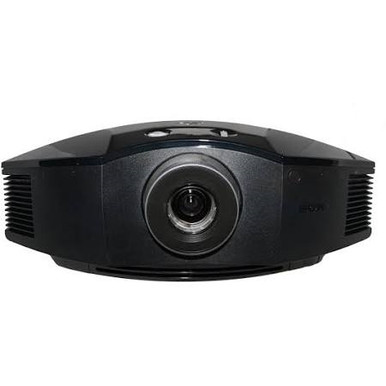
Projector deployments can go wrong long before anyone powers up the projector. Common causes include an unverified throw calculation, the wrong resolution target, uncontrolled room light, an incomplete signal or audio plan, or a purchase order tied to the wrong catalog code. This Sony VPL-FHZ57-WH Setup Guide and Buying Considerations resource centers on the AudioVideoNation item named VPL-FHZ57 – 4,100 Lumens Wuxga Laser Light Source Projector – SONY. Its catalog SKU is VPL-FHZ57, and its documented baseline is 4,100 lumens at WUXGA resolution. Those facts are useful. They are not a finished system design. This guide shows schools, churches, conference room teams, AV buyers, and installers how to test deployment fit, survey the room, plan mounting and signal flow, commission the system, and compare alternatives. It also explains how to check live commerce details and judge price-to-performance without assuming an unverified capability is present.
Products at a Glance
- Option 1: VPL-FHZ57 – 4,100 Lumens Wuxga Laser Light Source Projector – SONY
- For installers keeping WUXGA on the requirement sheet…: Sony VPL-FHZ90L 9000-Lumen WUXGA Laser Theater Projector VPLFHZ90L/W (NO LENS)
- For dedicated home theater buyers who have documented…: Sony VPL-XW5000ES 2000-Lumen 4K UHD Home Theater Laser SXRD Projector
Quick Comparison Table
| Feature | VPL-FHZ57 – 4,100 Lumens Wuxga Laser Light Source Projector – SONY | Sony VPL-FHZ90L 9000-Lumen WUXGA Laser Theater Projector VPLFHZ90L/W (NO LENS) | Sony VPL-XW5000ES 2000-Lumen 4K UHD Home Theater Laser SXRD Projector |
|---|---|---|---|
| Brightness | 4,100 Lumens | ||
| Resolution | WUXGA | WUXGA | 4K UHD |
| Best For | AV teams whose written design brief calls for WUXGA resolution and a 4,100-lumen projector, subject to room and geometry verification. | Installers keeping WUXGA on the requirement sheet while comparing a different Sony projector configuration. | Dedicated home theater buyers who have documented 4K UHD resolution as a requirement. |
| Recommended Buyer | AV teams whose written design brief calls for WUXGA resolution and a 4,100-lumen projector, subject to room and geometry verification. | Installers keeping WUXGA on the requirement sheet while comparing a different Sony projector configuration. | Dedicated home theater buyers who have documented 4K UHD resolution as a requirement. |
Product Images
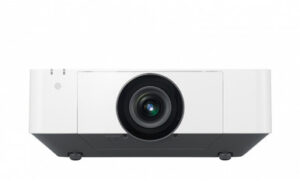
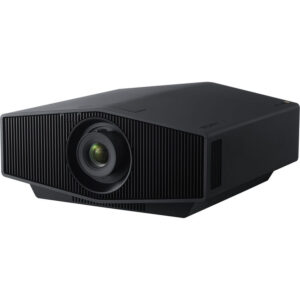
Projector Options from AudioVideoNation
1. VPL-FHZ57 – 4,100 Lumens Wuxga Laser Light Source Projector – SONY
Who should compare it: AV teams whose written design brief calls for WUXGA resolution and a 4,100-lumen projector, subject to room and geometry verification.
Why it belongs here: This is the cataloged projector at the center of the guide. Its documented 4,100-lumen brightness and WUXGA resolution create a concrete baseline for room, content, and installation planning.
SKU: VPL-FHZ57
Key Features
- Documented 4,100-lumen brightness
- Documented WUXGA resolution
- Exact catalog SKU VPL-FHZ57 for procurement checks
Things to Consider
Verify throw data, lens behavior, dimensions, mounting requirements, connectors, control options, audio planning, and included accessories before design sign-off. The supplied catalog uses SKU VPL-FHZ57, so confirm any VPL-FHZ57-WH reference against the exact item being quoted.
2. Sony VPL-FHZ90L 9000-Lumen WUXGA Laser Theater Projector VPLFHZ90L/W (NO LENS)
Who should compare it: Installers keeping WUXGA on the requirement sheet while comparing a different Sony projector configuration.
Why it belongs here: It gives buyers another Sony WUXGA projector to evaluate when the room brief calls for that resolution but the VPL-FHZ57 cannot be approved until installation details are resolved.
SKU: VPL-FHZ90L/W
Key Features
- Documented WUXGA resolution
- Listed in the Projectors category
- Exact catalog SKU VPL-FHZ90L/W for configuration checks
Things to Consider
Confirm the lens package, throw data, brightness, mounting requirements, connectors, control options, and included components. Build the total installed cost only after those details are fixed.
3. Sony VPL-XW5000ES 2000-Lumen 4K UHD Home Theater Laser SXRD Projector
Who should compare it: Dedicated home theater buyers who have documented 4K UHD resolution as a requirement.
Why it belongs here: It adds a documented 4K UHD, home-theater-category path for buyers whose content and room brief differ from a presentation-led WUXGA deployment.
SKU: VPLXW5000ES
Key Features
- Documented 4K UHD resolution
- Listed in the Home Theater Projectors category
- Exact catalog SKU VPLXW5000ES for procurement checks
Things to Consider
Treat it as a different-use-case option, not an automatic substitute for the VPL-FHZ57. Verify brightness, throw, mounting, connectors, control, and audio requirements against the planned room.
VPL-FHZ57 – 4,100 Lumens Wuxga Laser Light Source Projector – SONY vs Sony VPL-FHZ90L 9000-Lumen WUXGA Laser Theater Projector VPLFHZ90L/W (NO LENS): Main Differences
- Choose VPL-FHZ57 – 4,100 Lumens Wuxga Laser Light Source Projector – SONY if AV teams whose written design brief calls for WUXGA resolution and a 4,100-lumen projector, subject to room and geometry verification..
- Choose Sony VPL-FHZ90L 9000-Lumen WUXGA Laser Theater Projector VPLFHZ90L/W (NO LENS) if Installers keeping WUXGA on the requirement sheet while comparing a different Sony projector configuration..
- Choose Sony VPL-XW5000ES 2000-Lumen 4K UHD Home Theater Laser SXRD Projector if Dedicated home theater buyers who have documented 4K UHD resolution as a requirement..
Deployment fit: define the job before the projector
Start with a one-page deployment brief. State the room type, planned image dimensions, seating area, normal lighting conditions, source devices, content formats, operating schedule, and the people who will run the system. Add measurable acceptance criteria such as readable text from the farthest seat and reliable source switching during normal operation.
The priorities will change by venue. A school may focus on slides, documents, and straightforward daily operation. A church may need to account for lyrics, video, and camera content. A conference room team may care about several meeting sources and predictable controls. These are design requirements, not assumed VPL-FHZ57 capabilities.
Now compare the brief with the documented 4,100-lumen WUXGA baseline. A match on paper keeps the projector under consideration, but it does not settle room brightness, image geometry, connectivity, control, or audio. Record each unresolved item as a procurement gate. That keeps a familiar model name from replacing an actual system design.
Sony VPL-FHZ57 setup starts with a room survey
Measure before choosing hardware locations. Record the planned image width and height, the distance from the image surface to possible projector positions, ceiling height, structural mounting points, obstructions, service access, power locations, and available cable routes. Note windows, room-lighting zones, reflective surfaces, and any restrictions on shutting lights off.
Survey the operator position too. Identify where sources will connect, where any switching or control equipment will sit, and how staff will reach the controls. A short cable path on a drawing can become a difficult route once walls, ceilings, fire barriers, and access panels are considered.
Create a scaled sketch with a proposed lens centerline and mount location, but keep both provisional. Final placement depends on verified throw and lens information. Take room measurements from fixed architectural points so the installer can reproduce them. If the screen or image surface has not been chosen, keep its dimensions open until brightness, viewing distance, and geometry have been evaluated together.
Plan around 4,100-lumen WUXGA output
The AudioVideoNation data identifies the VPL-FHZ57 at 4,100 lumens. Treat that number as an input to the lighting and image-size decision, not a promise that every room will look the same. Planned image area, screen surface, ambient light, content contrast, and viewing distance all affect the result buyers care about: whether the material remains clear under normal operating conditions.
Define those conditions in advance. A useful acceptance test might call for representative slides, detailed text, video, and the room-lighting scenes staff will use. Have the design validated against the planned image size, then repeat the test during commissioning. If the room has large windows or lighting that cannot be controlled, resolve that risk before ordering.
WUXGA is the documented resolution. Inventory the output formats of every planned source and decide where any necessary scaling will occur after confirming supported signal details. If the project requires a 4K UHD display endpoint, make that a formal decision point. The VPL-XW5000ES alternative in this guide is documented as 4K UHD, but its home-theater category signals a different deployment path that needs its own review.
Verify throw, lens, and mounting data
Obtain current installation information for throw ratio, compatible lens configuration, zoom, image adjustment, orientation limits, physical dimensions, weight, ventilation clearance, and service access before fixing the mount location. Use values for the exact SKU being purchased. A calculation borrowed from a related Sony projector can put the image or mounting point in the wrong place.
Run the geometry calculation for the minimum and maximum planned image sizes. Confirm that the proposed position leaves practical adjustment room instead of sitting at the edge of an allowable range. Then check sightlines, ceiling fixtures, beams, sprinklers, doors, and any moving partitions. The mount and supporting structure also need to be selected against verified physical and installation requirements.
Catalog identity matters here. The topic may be searched as VPL-FHZ57-WH, while the provided AudioVideoNation listing uses SKU VPL-FHZ57. Do not infer what the added suffix means. Match the quotation, installation documentation, ordered product, and mounting design to one confirmed catalog configuration.
Design signal, control, and audio paths
Draw the complete signal path from each source to the projector. Include switchers, extenders, wall plates, adapters, and other intermediate equipment only where the room design calls for them. For every link, record the intended signal format, cable route, approximate run length, power needs, and responsible endpoint. Then verify the VPL-FHZ57 connector and supported-signal details before buying the surrounding components.
Build the control plan the same way. Decide who needs to start the system, select a source, adjust the planned operating settings, and shut it down. Confirm the available control methods before specifying a room controller or writing an operating procedure. Avoid basing the design on an assumed network, serial, trigger, or remote-control function.
Treat audio as a separate design lane. List the microphones, program sources, loudspeakers, processing, amplification, and room-coverage needs that apply to the venue. Verify any projector audio connections or capabilities before relying on them. This prevents a video-first purchase from leaving the installer with an incomplete sound path.
Commission the projector with real room content
Commissioning should turn the design brief into recorded evidence. Start by matching the delivered SKU to the approved purchase record. Install and align the projector using the instructions for that exact configuration, then verify each signal path with the actual sources and intermediary equipment planned for daily use.
Test representative material under normal room conditions:
- Check fine text, graphics, motion, and the content formats the venue uses.
- Run every intended lighting scene, including the brightest normal condition.
- Exercise source changes, startup, and shutdown using the approved staff workflow.
- Inspect the full image for alignment, focus, obstruction, and unwanted spill.
- Confirm the separate control and audio plans from end to end.
Record final settings, source formats, cable labels, equipment locations, and operating steps. Give staff a short procedure that reflects the installed system rather than a generic projector guide. Keep the room survey, geometry calculations, approved SKU, and acceptance results together. That file will be useful when equipment is serviced, sources change, or another room is designed.
Stock and availability: match the exact SKU
Use the linked AudioVideoNation product page for current stock, availability, and other live commerce details. A static buying guide cannot confirm what will be available when a purchase order is released. Schedule-sensitive projects should also verify the exact SKU, expected fulfillment timing, package contents, and any accessories required for installation before committing the room calendar.
Do not treat small catalog-code differences as cosmetic. The primary listing supplied for this guide is product ID 16936 with SKU VPL-FHZ57. If a quotation, design drawing, or internal request uses VPL-FHZ57-WH, ask the seller to confirm the exact item represented by that code. Apply the same discipline to alternatives. The WUXGA option uses SKU VPL-FHZ90L/W, while the selected 4K UHD home theater listing uses SKU VPLXW5000ES.
Put the confirmed product ID, SKU, display name, and permalink on the approval record. Procurement and installation teams will then be working from the same item.
Price-to-performance: compare the installed system
Price-to-performance only makes sense after the job is defined. Check each linked product page for live pricing, then compare complete deployed costs against the same acceptance criteria. Include the projector, any required lens or accessories, mount, structural work, cabling, signal distribution, control, audio, installation labor, commissioning, and staff training where those items apply.
Separate documented facts from open questions. The VPL-FHZ57 gives you two firm comparison points in the supplied data: 4,100 lumens and WUXGA resolution. The VPL-FHZ90L alternative is documented as WUXGA. The selected VPL-XW5000ES listing is documented as 4K UHD and belongs to the Home Theater Projectors category. Brightness, throw, lens, connector, control, and audio comparisons should wait until those details are verified for each exact item.
This approach prevents an unnecessary specification from dominating the decision. It also exposes hidden system costs early. The better value is the option that meets the written room requirements with the fewest unresolved risks, not the one with the most impressive name or the lowest isolated projector cost.
Compare the Sony projector alternatives by use case
Keep the VPL-FHZ57 on the shortlist when the project calls for WUXGA, the documented 4,100-lumen baseline fits the design study, and the remaining installation details can be verified. It is the direct subject of this setup guide and the clearest starting point for the stated deployment question.
Consider the VPL-FHZ90L/W when the shortlist should remain WUXGA but the team wants to evaluate another Sony projector configuration. Resolve lens selection, package contents, brightness, throw, physical installation, connections, and control before comparing total cost. Its shared resolution does not make it a drop-in replacement.
Consider VPLXW5000ES when 4K UHD and a dedicated home theater use case are written requirements. Its documented resolution and category distinguish it from the presentation-led WUXGA decision. Confirm all room and installation details separately rather than carrying assumptions over from the VPL-FHZ57 plan.
Finish with a signed decision sheet. It should contain the exact item, verified technical details, room measurements, geometry calculation, signal and audio drawings, commissioning criteria, live quotation, and availability confirmation. If a field affects installation or acceptance and remains unresolved, pause the purchase until it is confirmed.
Related AudioVideoNation Links
- Browse Projector at AudioVideoNation
- View Sony VPL-FHZ57 product details
- Review the Sony VPL-FHZ90L listing
- See the Sony VPL-XW5000ES product page
Product Information Sources
- VPL-FHZ57 – 4,100 Lumens Wuxga Laser Light Source Projector – SONY product information
- Sony VPL-FHZ90L 9000-Lumen WUXGA Laser Theater Projector VPLFHZ90L/W (NO LENS) product information
- Sony VPL-XW5000ES 2000-Lumen 4K UHD Home Theater Laser SXRD Projector product information
FAQ
Is the Sony VPL-FHZ57 a WUXGA projector?
Yes, the supplied product facts identify the Sony VPL-FHZ57 as a WUXGA projector. Confirm supported source signals and decide where any required scaling will occur before finalizing the signal path.
How bright is the Sony VPL-FHZ57?
The supplied product facts rate the Sony VPL-FHZ57 at 4,100 lumens. Evaluate that figure against the planned image size, screen surface, ambient light, content, and viewing conditions rather than treating it as a guarantee of room performance.
What should be verified before mounting the VPL-FHZ57?
Verify official throw and lens data, image geometry, physical requirements, mounting limits, ventilation clearance, and service access before fixing the mount. Base every calculation on the exact purchased SKU and current installation documentation.
Can I assume VPL-FHZ57-WH is the same item as SKU VPL-FHZ57?
No, you should not assume that VPL-FHZ57-WH and VPL-FHZ57 identify the same catalog configuration. The supplied AudioVideoNation item uses SKU VPL-FHZ57, so confirm the complete quoted code before ordering or approving installation drawings.
How should buyers check VPL-FHZ57 stock and availability?
Buyers should use the linked AudioVideoNation product page for current stock, availability, and other live commerce details. Confirm the exact SKU, fulfillment timing, package contents, and required accessories when the installation schedule depends on delivery.
Which Sony alternative should I compare with the VPL-FHZ57?
Compare VPL-FHZ90L/W for another documented WUXGA path or VPLXW5000ES for a documented 4K UHD home theater path. Neither should be treated as a direct replacement until its brightness, throw, lens, connections, controls, physical requirements, and total installed cost are verified.
Conclusion
Use this Sony VPL-FHZ57-WH Setup Guide and Buying Considerations comparison to match documented specifications to the room and installation requirements. Review the linked product pages for current purchase details before ordering.
Products Used
| SKU | Product Name | URL |
|---|---|---|
| VPL-FHZ57 | VPL-FHZ57 – 4,100 Lumens Wuxga Laser Light Source Projector – SONY | View product |
| VPL-FHZ90L/W | Sony VPL-FHZ90L 9000-Lumen WUXGA Laser Theater Projector VPLFHZ90L/W (NO LENS) | View product |
| VPLXW5000ES | Sony VPL-XW5000ES 2000-Lumen 4K UHD Home Theater Laser SXRD Projector | View product |