

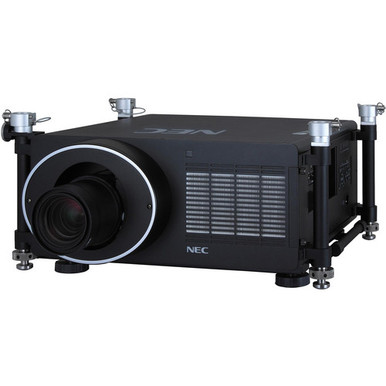
Use this NEC NP-PH1400U Setup Guide and Buying Considerations checklist before you commit to a screen location, mount, signal path, or installation date. The focal projector has a listed brightness of 14,000 lumens and WUXGA resolution. Those facts create a useful starting point, but they cannot settle room fit on their own.
Installers and technology teams still need to match the projector to measured site conditions, content requirements, infrastructure, and a verified installation design. That matters in churches, schools, and conference rooms, where an overlooked lens requirement or connection detail can disrupt the schedule.
This guide walks through deployment planning, setup checks, commissioning, stock and availability checks, and price-to-performance analysis. It also compares the NEC NP-PH1400U with two supplied Epson alternatives: the 5,200-lumen Full HD Powerlite L270F and the 4,000-lumen Full HD PowerLite 992F with Wi-Fi. The goal is simple. Choose from documented facts, then verify every site-specific detail before ordering.
Products at a Glance
- Option 1: NEC NP-PH1400U 3D WUXGA 1080p DLP Projector
- For teams evaluating a Full HD projector with a liste…: Epson Powerlite L270F 5200-Lumen Full HD Laser 3LCD Projector (V11HC68020)
- For teams evaluating a Full HD projector with a liste…: Epson PowerLite 992F 4000-Lumen Full HD Projector with Wi-Fi (V11H988020)
Quick Comparison Table
| Feature | NEC NP-PH1400U 3D WUXGA 1080p DLP Projector | Epson Powerlite L270F 5200-Lumen Full HD Laser 3LCD Projector (V11HC68020) | Epson PowerLite 992F 4000-Lumen Full HD Projector with Wi-Fi (V11H988020) |
|---|---|---|---|
| Brightness | 14,000 Lumen | 5200 lumens | 4000 lumens |
| Resolution | WUXGA | Full HD | Full HD |
| Best For | Organizations whose approved design calls for WUXGA resolution and a listed brightness of 14,000 lumens. | Teams evaluating a Full HD projector with a listed brightness of 5,200 lumens. | Teams evaluating a Full HD projector with a listed brightness of 4,000 lumens and a Wi-Fi requirement. |
| Smart Features | Wi-Fi | ||
| Recommended Buyer | Organizations whose approved design calls for WUXGA resolution and a listed brightness of 14,000 lumens. | Teams evaluating a Full HD projector with a listed brightness of 5,200 lumens. | Teams evaluating a Full HD projector with a listed brightness of 4,000 lumens and a Wi-Fi requirement. |
Product Images
Projector Options from AudioVideoNation
1. NEC NP-PH1400U 3D WUXGA 1080p DLP Projector
Who should compare it: Organizations whose approved design calls for WUXGA resolution and a listed brightness of 14,000 lumens.
Why it belongs here: It is the guide’s focal projector and the only supplied option that combines a 14,000-lumen listing with WUXGA resolution.
SKU: NP-PH1400U
Key Features
- 14,000-lumen listed brightness
- WUXGA listed resolution
- Projector product category
- Exact NP-PH1400U procurement SKU
Things to Consider
Verify lens and throw requirements, mounting, physical clearances, power, connections, control methods, and required accessories before approving the room design or labor schedule.
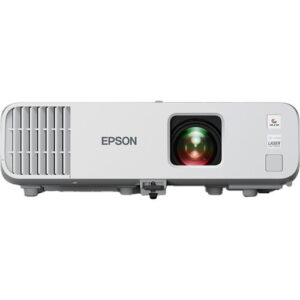
2. Epson Powerlite L270F 5200-Lumen Full HD Laser 3LCD Projector (V11HC68020)
Who should compare it: Teams evaluating a Full HD projector with a listed brightness of 5,200 lumens.
Why it belongs here: It provides a 5,200-lumen Full HD comparison point for teams deciding whether the NEC projector’s listed brightness and WUXGA resolution match the project requirement.
SKU: PL-L270F
Key Features
- 5,200-lumen listed brightness
- Full HD listed resolution
- Projector product category
- Exact PL-L270F procurement SKU
Things to Consider
Confirm throw requirements, mounting, power, connections, control, dimensions, clearances, and accessories against the measured room before treating it as an alternative.
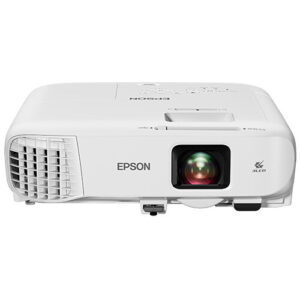
3. Epson PowerLite 992F 4000-Lumen Full HD Projector with Wi-Fi (V11H988020)
Who should compare it: Teams evaluating a Full HD projector with a listed brightness of 4,000 lumens and a Wi-Fi requirement.
Why it belongs here: It adds a Full HD option with a 4,000-lumen listing and Wi-Fi, giving buyers another documented specification set to compare.
SKU: PL-992F
Key Features
- 4,000-lumen listed brightness
- Full HD listed resolution
- Wi-Fi is listed
- Exact PL-992F procurement SKU
- Projector product category
Things to Consider
Verify what the Wi-Fi function supports along with throw requirements, mounting, wired connections, control, power, clearances, and required accessories.
NEC NP-PH1400U 3D WUXGA 1080p DLP Projector vs Epson Powerlite L270F 5200-Lumen Full HD Laser 3LCD Projector (V11HC68020): Main Differences
- Choose NEC NP-PH1400U 3D WUXGA 1080p DLP Projector if Organizations whose approved design calls for WUXGA resolution and a listed brightness of 14,000 lumens..
- Choose Epson Powerlite L270F 5200-Lumen Full HD Laser 3LCD Projector (V11HC68020) if Teams evaluating a Full HD projector with a listed brightness of 5,200 lumens..
- Choose Epson PowerLite 992F 4000-Lumen Full HD Projector with Wi-Fi (V11H988020) if Teams evaluating a Full HD projector with a listed brightness of 4,000 lumens and a Wi-Fi requirement..
NEC NP-PH1400U setup starts with deployment fit
Deployment fit is a room-and-workflow decision. The NEC NP-PH1400U gives you two firm planning facts: 14,000-lumen listed brightness and WUXGA resolution. Treat them as requirement checkpoints, not proof that the projector fits a particular room.
Start by documenting the deployment:
- Intended image dimensions and screen location
- Viewing positions and any sightline restrictions
- Ambient-light conditions during actual use
- Presentation, video, or mixed-content workflows
- Source locations and expected cable paths
- Installation, testing, and handoff dates
Then compare the WUXGA resolution with the content and source requirements approved for the project. Do the same with brightness. The number should trace back to the room design rather than a broad label such as church, classroom, or conference room.
The projector’s throw and lens details must be verified before placement is approved. Confirm the required image size from the measured mounting position using current technical documentation. Check mounting orientation, physical clearance, power, signal connections, control requirements, and required accessories at the same stage. If any one of those items remains unresolved, the deployment fit remains unresolved too.
Projector installation planning before the mount goes up
Measure first. A disciplined projector installation plan protects the room layout and labor schedule from late changes.
1. Mark the image area. Record its width, height, centerline, and distance from the finished floor. Confirm that the planned image does not conflict with speakers, lighting, architectural details, or sightlines.
2. Measure possible projector positions. Record real distances from the image plane. Do not estimate from drawings when finished-room measurements are available.
3. Verify lens and throw requirements. Use current documentation tied to SKU NP-PH1400U. Confirm that the selected lens and position can produce the planned image before choosing a mount.
4. Confirm physical installation needs. Check mounting hardware, orientation rules, ventilation clearance, service access, power, and structural requirements with the appropriate project teams.
5. Map the complete signal path. Identify every source, transmitter, receiver, converter, switcher, and cable run. Verify supported connections and formats across the whole chain instead of assuming the projector will correct an upstream mismatch.
6. Plan control and shutdown procedures. Confirm how operators will select sources, power the system, and report faults. Verify supported control methods before programming begins.
7. Schedule a functional test. Use the planned sources and representative content before final acceptance.
Keep the exact SKU on drawings, quotes, and installation notes. Similar model names can create purchasing or documentation errors. The product page identifies this projector as NP-PH1400U, so that is the reference the team should carry through procurement and commissioning.
Commission the 14,000-lumen WUXGA projector carefully
Commissioning turns an installed projector into a documented system. Use the same source equipment and content types that operators will use after handoff.
Begin with the physical image. Follow the projector documentation to focus and position it, then inspect the center, corners, and edges. Confirm that the image reaches the intended area without hiding content or relying on an unapproved geometry correction. Recheck the mount if physical alignment is wrong.
Next, test every planned source route. Verify that the source format, transport equipment, and displayed content behave as expected. WUXGA is the projector’s listed resolution, but that fact alone does not confirm the behavior of a laptop, media player, switcher, adapter, or distribution system. Each part needs its own compatibility check.
Run representative material under the room’s real operating conditions. Record the approved settings, source selections, cable labels, and startup procedure. Short instructions help occasional users. Detailed records help support teams.
The 14,000-lumen listing is valuable for comparison, but it does not replace on-site validation. Final acceptance should follow the approved room requirements and observed system behavior.
Compare the NEC NP-PH1400U with Epson alternatives
The three supplied projectors separate clearly on listed brightness, resolution, and one connectivity detail.
The NEC NP-PH1400U is listed at 14,000 lumens with WUXGA resolution. The Epson Powerlite L270F is listed at 5,200 lumens with Full HD resolution. The Epson PowerLite 992F is listed at 4,000 lumens with Full HD resolution, and Wi-Fi appears in its supplied facts.
That comparison narrows the shortlist, but it does not finish the design. If the project requirement calls for WUXGA and the highest listed brightness among these options, the NEC is the relevant candidate. If the approved plan calls for Full HD and aligns with a 5,200-lumen listing, review the L270F. The 992F belongs in the discussion when Full HD, a 4,000-lumen listing, and Wi-Fi align with the brief.
Do not treat Wi-Fi as a promise of support for every wireless source or workflow. Confirm what the function supports, which client devices are approved, and how the network team expects it to be configured.
Apply the same installation checks to all three projectors. Verify throw range, lens requirements, mounting, connections, control, power, dimensions, clearances, and accessories. Brightness and resolution are documented comparison points. They do not establish interchangeability.
Judge projector price-to-performance against the requirement
Projector price-to-performance starts with the approved requirement and the live product-page price. A simple cost-per-lumen calculation misses resolution, installation needs, signal infrastructure, and the cost of correcting a poor fit.
Build a short evaluation sheet for each candidate:
- Does its listed resolution match the project requirement?
- Does its listed brightness align with the completed room design?
- What lens, mount, cabling, transport, and control items are required?
- Can the proposed position produce the intended image after throw requirements are verified?
- What installation and commissioning work does the complete design require?
- Have current support and warranty terms been reviewed without assumptions?
Assign value only to capabilities the deployment will use. The NEC’s supplied facts support a 14,000-lumen and WUXGA comparison. The L270F supports a 5,200-lumen and Full HD comparison. The 992F supports a 4,000-lumen, Full HD, and Wi-Fi comparison.
Use current quotes and a complete bill of materials before approving the budget. Check the linked product pages for live commerce details. That approach keeps the analysis tied to the finished system rather than a projector price viewed in isolation.
Check stock and availability before scheduling labor
Check live stock and availability at the point of purchase. Product supply can affect installation dates, alternate-product planning, and the sequence of related work, so confirm commerce details before crews or rooms are booked.
Use the exact SKU during every check:
- NEC NP-PH1400U
- Epson PL-L270F
- Epson PL-992F
Open the linked AudioVideoNation product page for the current information attached to that exact item. Confirm the required quantity and needed-by date. Verify any separately required lens, mount, cable, transport, or control items as their own line items rather than assuming they accompany the projector.
If an alternate is needed, return to the room requirements. A different brightness figure, resolution, throw requirement, or connection set can force a design review. Record who approved the substitution and update drawings, purchase records, programming notes, and commissioning documents to match.
Final buyer checklist for churches, schools, and conference rooms
Use four approval gates before committing the project.
Requirement gate: The team has documented the image size, viewing positions, ambient-light conditions, content, sources, and operating workflow. Listed brightness and resolution have been checked against the approved design.
Design gate: Lens and throw requirements have been verified from measured positions. Mounting, structure, clearances, power, signal transport, control, and service access are resolved.
Procurement gate: The exact SKU is on the quote and purchase documents. Live price, stock and availability, quantity, accessories, needed-by date, and current commercial terms have been checked on the linked product page.
Commissioning gate: Every planned source route has been tested with representative content. The image has been inspected across the screen, operating steps are documented, and support records identify the installed product and settings.
Among the supplied projectors, the NEC NP-PH1400U has the highest listed brightness and is the only one with WUXGA resolution. That makes it the focal candidate when those two specifications match the approved requirement. It is not an automatic fit. The room measurements and verified installation details still decide whether it belongs in the final design.
Related AudioVideoNation Links
- Browse Projector at AudioVideoNation
- View the NEC NP-PH1400U
- Review the Epson Powerlite L270F
- Review the Epson PowerLite 992F
Product Information Sources
- NEC NP-PH1400U 3D WUXGA 1080p DLP Projector product information
- Epson Powerlite L270F 5200-Lumen Full HD Laser 3LCD Projector (V11HC68020) product information
- Epson PowerLite 992F 4000-Lumen Full HD Projector with Wi-Fi (V11H988020) product information
FAQ
How bright is the NEC NP-PH1400U?
The NEC NP-PH1400U has a listed brightness of 14,000 lumens. Match that figure to a completed room design that accounts for the planned image, viewing conditions, and content.
What is the listed resolution of the NEC NP-PH1400U?
WUXGA is the listed resolution of the NEC NP-PH1400U. Confirm that the complete source and signal chain supports the project’s required formats before installation.
Is the NEC NP-PH1400U suitable for churches, schools, and conference rooms?
The NEC NP-PH1400U is a candidate for churches, schools, and conference rooms only when its 14,000-lumen listing, WUXGA resolution, and verified installation requirements match the room plan. Venue type alone cannot establish deployment fit.
What should be verified before choosing a mount location?
Verify the documented lens, throw, orientation, clearance, mount, power, and connection requirements against measured site conditions before choosing a mount location. The intended image dimensions and viewing positions should already be approved.
How do the supplied Epson alternatives compare with the NEC NP-PH1400U?
The Epson L270F is listed at 5,200 lumens and Full HD, while the Epson 992F is listed at 4,000 lumens, Full HD, and Wi-Fi. The NEC NP-PH1400U is listed at 14,000 lumens and WUXGA, so each option needs a separate fit review.
How should buyers check price, stock, and availability?
Buyers should check each linked AudioVideoNation product page for live price, stock, and availability details at the point of purchase. Use the exact SKU and verify required accessories separately before scheduling installation labor.
Conclusion
Use this NEC NP-PH1400U Setup Guide and Buying Considerations comparison to match documented specifications to the room and installation requirements. Review the linked product pages for current purchase details before ordering.
Products Used
| SKU | Product Name | URL |
|---|---|---|
| NP-PH1400U | NEC NP-PH1400U 3D WUXGA 1080p DLP Projector | View product |
| PL-L270F | Epson Powerlite L270F 5200-Lumen Full HD Laser 3LCD Projector (V11HC68020) | View product |
| PL-992F | Epson PowerLite 992F 4000-Lumen Full HD Projector with Wi-Fi (V11H988020) | View product |