

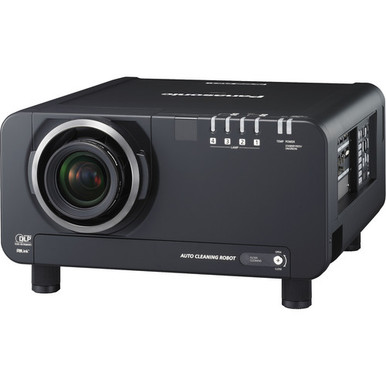
Projector planning can go sideways when a high lumen figure becomes the whole specification. Use this Panasonic PT-D12000U Setup Guide and Buying Considerations checklist before committing equipment, labor, or mounting locations. The PT-D12000U has a provided brightness figure of 12,000 lumens. That is a useful starting point, but it does not settle screen geometry, lens selection, image format, connections, power, control, mounting, or audio.
This guide turns the purchase into a staged decision. You will define the room, verify the remaining technical details, plan installation, and compare the PT-D12000U with three supplied Panasonic alternatives. Those choices include the 5,200-lumen WUXGA PT-CMZ50U with ultra-short throw, the 7,300-lumen WUXGA PT-VMZ72BU8, and the 5,200-lumen WUXGA PT-VMZ51. Each addresses a different design path. Churches, schools, conference room teams, and installers can use the checks below to identify the right path, document open questions, and confirm live commerce details on the linked product pages.
Products at a Glance
- Option 1: Panasonic PT-D12000U 12000 Lumens
- For layouts that require ultra-short-throw placement…: Panasonic PT-CMZ50 WUXGA Ultra-Short Throw Laser Projector – Professional Golf Simulator Display
- For wUXGA projects whose room study supports 7,300 lu…: Panasonic PT-VMZ72BU8 7,300 Lumens WUXGA Laser Golf Simulator Projector – High-Brightness, Vivid Green Mode
- For wUXGA projects where 5,200 lumens meets the docum…: Panasonic PT-VMZ51 5200-Lumen WUXGA Laser 3LCD Projector
Quick Comparison Table
| Feature | Panasonic PT-D12000U 12000 Lumens | Panasonic PT-CMZ50 WUXGA Ultra-Short Throw Laser Projector – Professional Golf Simulator Display | Panasonic PT-VMZ72BU8 7,300 Lumens WUXGA Laser Golf Simulator Projector – High-Brightness, Vivid Green Mode | Panasonic PT-VMZ51 5200-Lumen WUXGA Laser 3LCD Projector |
|---|---|---|---|---|
| Brightness | 12000 Lumens | 5200 lumens | 7,300 Lumens | 5200 lumens |
| Resolution | WUXGA | WUXGA | WUXGA | |
| Best For | Projects that require the exact PT-D12000U SKU and can complete lens, throw, image-format, mounting, electrical, and signal verification before installation. | Layouts that require ultra-short-throw placement and where a room calculation confirms that 5,200 lumens and WUXGA suit the application. | WUXGA projects whose room study supports 7,300 lumens and whose throw, mounting, signal, and control requirements can be confirmed before purchase. | WUXGA projects where 5,200 lumens meets the documented requirement and the exact PT-VMZ51 SKU fits the completed installation plan. |
| Throw Type | Ultra short throw | |||
| Recommended Buyer | Projects that require the exact PT-D12000U SKU and can complete lens, throw, image-format, mounting, electrical, and signal verification before installation. | Layouts that require ultra-short-throw placement and where a room calculation confirms that 5,200 lumens and WUXGA suit the application. | WUXGA projects whose room study supports 7,300 lumens and whose throw, mounting, signal, and control requirements can be confirmed before purchase. | WUXGA projects where 5,200 lumens meets the documented requirement and the exact PT-VMZ51 SKU fits the completed installation plan. |
Product Images
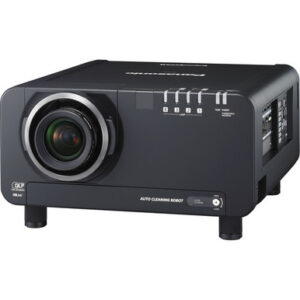

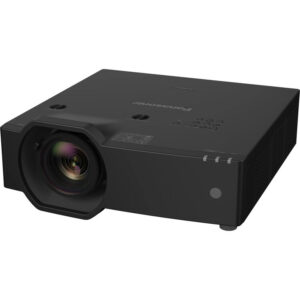
Projector Options from AudioVideoNation
1. Panasonic PT-D12000U 12000 Lumens
Who should compare it: Projects that require the exact PT-D12000U SKU and can complete lens, throw, image-format, mounting, electrical, and signal verification before installation.
Why it belongs here: It is the reference projector for this guide and the only supplied option with a 12,000-lumen figure. Include it when procurement requires the exact PT-D12000U SKU or the room study points to that brightness level.
SKU: PT-D12000U
Key Features
- 12,000-lumen brightness figure
- Exact PT-D12000U SKU for procurement matching
- Listed in Multimedia Projectors, Projectors, and Video categories
Things to Consider
Confirm native resolution, accepted signal formats, lens and throw geometry, inputs, mounting requirements, power, control, cooling clearances, and the audio plan before ordering.
2. Panasonic PT-CMZ50 WUXGA Ultra-Short Throw Laser Projector – Professional Golf Simulator Display
Who should compare it: Layouts that require ultra-short-throw placement and where a room calculation confirms that 5,200 lumens and WUXGA suit the application.
Why it belongs here: It is the supplied ultra-short-throw alternative and combines that placement format with WUXGA resolution and a 5,200-lumen figure. It gives designers a distinct option for rooms where projection distance drives the layout.
SKU: PT-CMZ50U
Key Features
- 5,200-lumen brightness figure
- WUXGA resolution
- Ultra-short-throw format
- Listed in Golf Simulator Projectors and Install Projectors 5000 Lumen+ categories
Things to Consider
Verify exact placement, image size, screen suitability, mounting, inputs, control, power, and audio requirements. Check the 5,200-lumen figure against the planned screen and ambient light.
3. Panasonic PT-VMZ72BU8 7,300 Lumens WUXGA Laser Golf Simulator Projector – High-Brightness, Vivid Green Mode
Who should compare it: WUXGA projects whose room study supports 7,300 lumens and whose throw, mounting, signal, and control requirements can be confirmed before purchase.
Why it belongs here: It supplies a WUXGA comparison point at 7,300 lumens. That gives buyers another documented brightness level when the project does not automatically require the PT-D12000U's 12,000-lumen figure.
SKU: PT-VMZ72BU8
Key Features
- 7,300-lumen brightness figure
- WUXGA resolution
- Exact PT-VMZ72BU8 SKU
- Listed in Golf Simulator Projectors and Projectors categories
Things to Consider
Confirm lens and throw information, supported signal formats, connections, mounting, power, control, and audio. Do not choose it from the lumen comparison alone.
4. Panasonic PT-VMZ51 5200-Lumen WUXGA Laser 3LCD Projector
Who should compare it: WUXGA projects where 5,200 lumens meets the documented requirement and the exact PT-VMZ51 SKU fits the completed installation plan.
Why it belongs here: It gives buyers another supplied WUXGA choice at 5,200 lumens. Use it to test whether the project can meet its goals with that brightness figure after room, screen, and ambient-light calculations.
SKU: PT-VMZ51
Key Features
- 5,200-lumen brightness figure
- WUXGA resolution
- Exact PT-VMZ51 SKU
- Listed in the Home Theater Projectors category
Things to Consider
Verify throw geometry, image size, inputs, control, mounting, electrical requirements, and service access. Commercial teams should check every requirement against their own deployment brief.
Panasonic PT-D12000U 12000 Lumens vs Panasonic PT-CMZ50 WUXGA Ultra-Short Throw Laser Projector – Professional Golf Simulator Display: Main Differences
- Choose Panasonic PT-D12000U 12000 Lumens if Projects that require the exact PT-D12000U SKU and can complete lens, throw, image-format, mounting, electrical, and signal verification before installation..
- Choose Panasonic PT-CMZ50 WUXGA Ultra-Short Throw Laser Projector – Professional Golf Simulator Display if Layouts that require ultra-short-throw placement and where a room calculation confirms that 5,200 lumens and WUXGA suit the application..
- Choose Panasonic PT-VMZ72BU8 7,300 Lumens WUXGA Laser Golf Simulator Projector – High-Brightness, Vivid Green Mode if WUXGA projects whose room study supports 7,300 lumens and whose throw, mounting, signal, and control requirements can be confirmed before purchase..
- Choose Panasonic PT-VMZ51 5200-Lumen WUXGA Laser 3LCD Projector if WUXGA projects where 5,200 lumens meets the documented requirement and the exact PT-VMZ51 SKU fits the completed installation plan..
Panasonic PT-D12000U deployment fit starts with the room
Start with measured conditions. Record the screen dimensions, desired aspect ratio, viewing distance, projection location, available cable routes, and the amount of ambient light during actual use. A sanctuary with stage lighting creates a different design problem from a classroom with controlled shades or a conference room used for small text.
Content matters too. List the real sources: presentation computers, media players, cameras, switchers, and any existing control system. Then document the image formats and connector types each source supplies. The PT-D12000U's 12,000-lumen figure can be compared with the room's calculated brightness requirement, but source and display formats still need separate confirmation.
Set operational goals before selecting equipment. Decide who starts the system, how quickly it must be ready, where controls belong, and what happens when a source fails. For shared facilities, simple operating instructions and labeled signal paths can be as valuable as the projector choice. This room-first brief gives an installer a testable specification instead of a loose request for a bright image.
Pre-purchase projector installation checklist
Complete a written design check before approving the PT-D12000U or an alternative. Assign an owner and evidence source to every open item.
- Room and screen: Record screen width, height, material, gain, aspect ratio, audience distance, ambient-light conditions, and any lighting that reaches the image area.
- Optical layout: Measure the proposed projection distance and mounting position. Confirm the exact PT-D12000U lens and throw information before drilling, ordering a mount, or fixing the screen location.
- Image and signal: Verify native resolution, accepted signal formats, aspect handling, available inputs, cable-distance requirements, and the output formats of every source or switcher.
- Structure and access: Confirm projector weight, an approved mounting method, permitted orientation, ventilation space, service access, and a safe lifting plan from current product documentation.
- Electrical, control, and sound: Check voltage, circuit requirements, control connections, shutdown procedures, and the separate audio path. Do not assume a projector will cover room sound needs.
- Procurement: Match the exact PT-D12000U SKU, verify included items, identify required accessories, and check current availability and lead time on the linked product page.
Keep the completed checklist with drawings and quotes. It protects the mounting crew from late geometry changes and gives the buyer a clear approval record.
PT-D12000U setup sequence from survey to commissioning
Use a controlled sequence so that one unverified detail does not become expensive rework.
1. Survey the site. Measure the room and projection path. Mark possible obstructions, service access, cable routes, screen centerline, audience sightlines, and nearby light sources.
2. Validate the design. Use confirmed lens and throw data to approve the image size and mounting point. Check the mount, structure, electrical path, signals, controls, and ventilation requirements against current documentation.
3. Stage the system. Before permanent installation, test the exact projector SKU with representative sources, cables, switching equipment, and control commands. Verify each planned image format and document any source changes.
4. Mount and align mechanically. Center and square the projector through physical placement first. Use documented image-correction controls only after the mount and optical alignment are right.
5. Test real content. Display slides, video, small text, graphics, and camera feeds that the venue will use. Evaluate the image under normal room lighting from front, middle, and rear seating positions.
6. Commission and hand off. Label cables, save approved settings, record source formats, photograph the final installation, and give operators a short startup and shutdown guide.
A qualified installer should complete structural and electrical work. The final commissioning record should identify the exact SKU, screen, lens or optical arrangement, source path, control method, and date of acceptance.
12,000-lumen projector planning, throw, and resolution
The supplied brightness figures create a clear comparison: PT-D12000U at 12,000 lumens, PT-VMZ72BU8 at 7,300 lumens, and both PT-CMZ50U and PT-VMZ51 at 5,200 lumens. Those numbers do not predict the finished image on their own. Screen size and gain, ambient light, content, and placement all affect the result.
Have the system designer calculate the required on-screen light for the chosen screen and operating conditions. Repeat the check under the lighting used for services, lessons, presentations, or events. That calculation tells you whether 12,000 lumens is necessary or whether one of the lower-output WUXGA choices deserves consideration.
Geometry is a separate gate. The PT-CMZ50U is the only supplied option identified as ultra short throw. Confirm the PT-D12000U's exact lens and throw arrangement before assigning its location. Resolution also needs careful handling. WUXGA is provided for the PT-CMZ50U, PT-VMZ72BU8, and PT-VMZ51. Verify the PT-D12000U's native resolution and accepted formats before specifying computers, switchers, or media players.
WUXGA and ultra-short-throw projector alternatives
Use the alternatives to test whether the PT-D12000U matches the deployment rather than treating every projector as interchangeable.
- Panasonic PT-D12000U: Keep this exact SKU in the design when the project calls for PT-D12000U or the brightness study supports its 12,000-lumen figure. Complete the lens, resolution, input, power, mounting, and control checks before approval.
- Panasonic PT-CMZ50U: Consider this path when ultra-short-throw placement is central to the room design. Its supplied facts identify WUXGA resolution and 5,200 lumens. Verify that this output suits the screen and ambient-light plan.
- Panasonic PT-VMZ72BU8: This option pairs WUXGA with a 7,300-lumen figure. It gives buyers a distinct brightness point between the supplied 12,000- and 5,200-lumen choices, while its throw and installation requirements still need confirmation.
- Panasonic PT-VMZ51: This is another WUXGA option at 5,200 lumens. Its listing is under Home Theater Projectors, so commercial buyers should validate every installation, control, duty, and service requirement against their project brief.
These are design branches, not a performance ranking. Eliminate any candidate that misses a mandatory requirement, even if its lumen or resolution line looks attractive. The remaining choice should fit the measured room, content, geometry, infrastructure, operating plan, and project schedule.
Price-to-performance, stock, and availability checks
Judge price-to-performance with a dated project worksheet. Check each linked product page for the current selling details and availability when requesting a quote. Record the exact SKU, quote date, validity period, expected fulfillment timing, included items, and any accessories the confirmed design requires.
Base value on total installed cost. Account for the projector, any required optical component, approved mount, screen work, signal extension, switching, control, electrical work, installation labor, commissioning, and staff training. Architectural changes can erase an attractive equipment figure quickly. An ultra-short-throw layout may also change the screen and mounting plan, so price it as a complete design.
Then score each candidate against mandatory outcomes: calculated brightness, image format, throw geometry, source compatibility, mounting feasibility, control needs, service access, and schedule. A product creates value when it meets those requirements with manageable integration work. Avoid assigning value to a specification the room does not need.
Treat availability as time-sensitive. Recheck it before issuing a purchase order, and confirm whether every installation-critical component can arrive within the same project window.
Buying-guide sign-off for churches, schools, and AV teams
Church teams should test the design with normal stage lighting and representative lyrics, video, and camera content. Confirm sightlines from varied seating positions and decide how volunteers will select sources, control the image, and recover from a simple operating error.
Schools should document the standard classroom source format, mounting rules, control method, staff workflow, and room-lighting conditions. If several rooms will use the same design, validate one complete room before repeating the specification. Record any site differences instead of assuming every classroom has identical geometry or infrastructure.
Conference room teams should test small text, presentation layouts, video calls, and the actual switching path. Confirm that the chosen image format works from every supported laptop or room source. The control sequence should also be clear to people who did not help design the system.
Approve the PT-D12000U when its exact SKU and 12,000-lumen figure fit the documented design and every remaining integration item has been verified. Choose an alternative when ultra-short-throw placement, a supplied WUXGA specification, or a different brightness requirement better matches the room. Keep the signed checklist, drawings, quote, and commissioning results together for future support.
Related AudioVideoNation Links
- Browse Projector at AudioVideoNation
- Panasonic PT-D12000U product page
- Panasonic PT-CMZ50U product page
- Panasonic PT-VMZ72BU8 product page
- Panasonic PT-VMZ51 product page
Product Information Sources
- Panasonic PT-D12000U 12000 Lumens product information
- Panasonic PT-CMZ50 WUXGA Ultra-Short Throw Laser Projector – Professional Golf Simulator Display product information
- Panasonic PT-VMZ72BU8 7,300 Lumens WUXGA Laser Golf Simulator Projector – High-Brightness, Vivid Green Mode product information
- Panasonic PT-VMZ51 5200-Lumen WUXGA Laser 3LCD Projector product information
FAQ
How bright is the Panasonic PT-D12000U?
The supplied product facts list the Panasonic PT-D12000U at 12,000 lumens. Compare that figure with a room-specific calculation that accounts for screen size, screen material, ambient light, and the content being shown.
What image-format checks should be completed for the PT-D12000U?
Confirm the PT-D12000U's native resolution, accepted signal formats, aspect handling, and connector requirements before choosing sources or switchers. WUXGA is documented in the supplied facts for the PT-CMZ50U, PT-VMZ72BU8, and PT-VMZ51, but it should not be assumed for the PT-D12000U.
Which supplied Panasonic projector has ultra-short throw?
The Panasonic PT-CMZ50U is the supplied option identified as ultra short throw. Its provided facts also specify WUXGA resolution and 5,200 lumens, though exact placement and screen requirements still need design verification.
How do the supplied projectors compare by brightness?
The supplied figures are 12,000 lumens for PT-D12000U, 7,300 lumens for PT-VMZ72BU8, and 5,200 lumens for both PT-CMZ50U and PT-VMZ51. Use those numbers as inputs to a room and screen calculation, not as a standalone ranking.
How should buyers judge projector price-to-performance?
Buyers should compare total installed cost against verified room, image, geometry, signal, control, and schedule requirements. Check live product-page details, then include any required optical components, mounting, cabling, screen work, electrical work, labor, commissioning, and training in the evaluation.
Where should buyers check current stock and availability?
Buyers should check the linked AudioVideoNation product page when requesting a quote and again before issuing a purchase order. Record the exact SKU, current commerce details, expected fulfillment timing, included items, and availability of installation-critical components.
Conclusion
Use this Panasonic PT-D12000U Setup Guide and Buying Considerations comparison to match documented specifications to the room and installation requirements. Review the linked product pages for current purchase details before ordering.
Products Used
| SKU | Product Name | URL |
|---|---|---|
| PT-D12000U | Panasonic PT-D12000U 12000 Lumens | View product |
| PT-CMZ50U | Panasonic PT-CMZ50 WUXGA Ultra-Short Throw Laser Projector – Professional Golf Simulator Display | View product |
| PT-VMZ72BU8 | Panasonic PT-VMZ72BU8 7,300 Lumens WUXGA Laser Golf Simulator Projector – High-Brightness, Vivid Green Mode | View product |
| PT-VMZ51 | Panasonic PT-VMZ51 5200-Lumen WUXGA Laser 3LCD Projector | View product |