

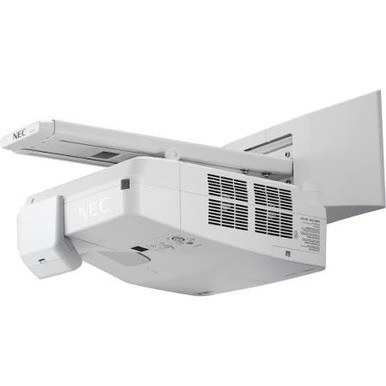
This NEC NP-UM352W-TM Setup Guide and Buying Considerations article addresses a common installation problem: an ultra short throw projector can fit close to the display surface, but its exact placement, content resolution, cabling, and package contents still need careful planning. The NP-UM352W-TM is listed as a WXGA LCD projector with a speaker and an ultra short throw design. Those facts make it relevant to classrooms, church rooms, and conference spaces where the installation team is considering wall-adjacent projection. This guide explains how to assess deployment fit, plan the setup, compare the NP-UM352W-TM with the NP-UM352W, and consider an 86-inch UHD commercial display as a different approach. It also identifies the specifications and purchasing details you should confirm before approving an order.
Products at a Glance
- Option 1: NEC NP-UM352W-TM WXGA LCD Projector with Speaker
- For buyers comparing the base NP-UM352W listing with…: NEC NP-UM352W WXGA LCD Projector with Speaker
- For technology teams assessing whether a fixed 86-inc…: LG 86" 3840 x 2160 UHD Commercial Lite LED backlit LCD TV – Black
Quick Comparison Table
| Feature | NEC NP-UM352W-TM WXGA LCD Projector with Speaker | NEC NP-UM352W WXGA LCD Projector with Speaker | LG 86" 3840 x 2160 UHD Commercial Lite LED backlit LCD TV – Black |
|---|---|---|---|
| Resolution | WXGA | WXGA | UHD |
| Best For | Schools, churches, and conference teams planning an ultra short throw projection layout and prepared to verify exact geometry, connections, brightness, and package contents. | Buyers comparing the base NP-UM352W listing with NP-UM352W-TM before standardizing a room design or bill of materials. | Technology teams assessing whether a fixed 86-inch, 3840 x 2160 commercial display fits their room and content better than a projection layout. |
| Throw Type | Ultra short throw | Ultra short throw | |
| Recommended Buyer | Schools, churches, and conference teams planning an ultra short throw projection layout and prepared to verify exact geometry, connections, brightness, and package contents. | Buyers comparing the base NP-UM352W listing with NP-UM352W-TM before standardizing a room design or bill of materials. | Technology teams assessing whether a fixed 86-inch, 3840 x 2160 commercial display fits their room and content better than a projection layout. |
Product Images
Projector Options from AudioVideoNation
1. NEC NP-UM352W-TM WXGA LCD Projector with Speaker
Who should compare it: Schools, churches, and conference teams planning an ultra short throw projection layout and prepared to verify exact geometry, connections, brightness, and package contents.
Why it belongs here: This is the exact SKU addressed by the guide. The supplied product facts identify WXGA resolution, LCD projection, an ultra short throw design, and a speaker.
SKU: NP-UM352W-TM
Key Features
- WXGA resolution
- Ultra short throw design
- LCD projector
- Speaker identified in the product name
Things to Consider
Confirm throw measurements, supported image sizes, brightness, inputs, control options, audio capability, physical dimensions, and included mounting hardware before approving the installation.
2. NEC NP-UM352W WXGA LCD Projector with Speaker
Who should compare it: Buyers comparing the base NP-UM352W listing with NP-UM352W-TM before standardizing a room design or bill of materials.
Why it belongs here: This closely related NEC option carries the same supplied core facts: WXGA resolution, LCD projection, an ultra short throw design, and a speaker. It gives buyers a second SKU to assess.
SKU: NP-UM352W
Key Features
- WXGA resolution
- Ultra short throw design
- LCD projector
- Speaker identified in the product name
Things to Consider
The supplied data does not define the difference between NP-UM352W and NP-UM352W-TM. Compare verified specifications and included contents, and do not treat the SKUs as interchangeable without confirmation.
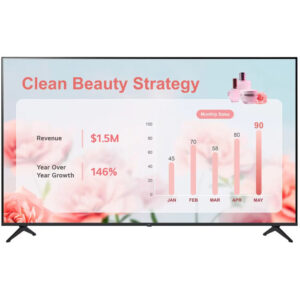
3. LG 86" 3840 x 2160 UHD Commercial Lite LED backlit LCD TV – Black
Who should compare it: Technology teams assessing whether a fixed 86-inch, 3840 x 2160 commercial display fits their room and content better than a projection layout.
Why it belongs here: This 86-inch commercial display provides a direct-view alternative for buyers who want to compare ultra short throw projection with a fixed-size UHD screen.
SKU: 86UR340C9UD
Key Features
- 86-inch screen size
- 3840 x 2160 resolution
- UHD display
- LED-backlit LCD commercial TV in black
Things to Consider
This is a commercial display rather than a projector. Verify mounting, connections, audio, controls, brightness, and room fit as a separate design instead of assuming it can replace the NEC projector without changes.
NEC NP-UM352W-TM WXGA LCD Projector with Speaker vs NEC NP-UM352W WXGA LCD Projector with Speaker: Main Differences
- Choose NEC NP-UM352W-TM WXGA LCD Projector with Speaker if Schools, churches, and conference teams planning an ultra short throw projection layout and prepared to verify exact geometry, connections, brightness, and package contents..
- Choose NEC NP-UM352W WXGA LCD Projector with Speaker if Buyers comparing the base NP-UM352W listing with NP-UM352W-TM before standardizing a room design or bill of materials..
- Choose LG 86" 3840 x 2160 UHD Commercial Lite LED backlit LCD TV – Black if Technology teams assessing whether a fixed 86-inch, 3840 x 2160 commercial display fits their room and content better than a projection layout..
NEC NP-UM352W-TM setup starts with deployment fit
Begin with the room. Record the intended image area, viewing positions, presentation paths, available power, source location, cable route, and the surface that will receive the image. Churches may need visibility across wide seating sections. Schools should account for desks, instructor movement, and small text. Conference room teams should map the content sources and control workflow used in daily meetings.
The NP-UM352W-TM is an ultra short throw projector, so placement close to the image surface is central to the design. The supplied facts do not establish its exact throw distance, image-size range, or image offset. Confirm those measurements against the planned screen before drilling, mounting, or ordering fixed-length cables.
Room light also matters, but no brightness figure is included in the supplied specifications. Verify the documented brightness and assess it against the actual lighting conditions rather than assuming that throw type predicts light output. Follow the same discipline with audio. The product name identifies a speaker, but the data does not define its output or coverage. Decide whether the room needs a separate sound system before finalizing the signal plan.
Plan the ultra short throw mounting zone
Survey the mounting area before choosing hardware. Check the image surface for flatness and identify trim, wall fixtures, boards, controls, or furniture that could interfere with the projector or image. Ultra short throw geometry makes physical alignment a critical part of the installation. Use the manufacturer’s documented measurements for the selected image size and mark the mounting reference points from those measurements.
Plan service access too. An installation may fit physically while leaving little practical space for cable changes, inspection, or removal. Trace power and signal paths on the site drawing, keep connectors clear of structural obstacles, and confirm that every cable can reach without tension. If a wall or ceiling structure will carry mounting hardware, have the responsible installer approve that structure and the chosen fasteners.
Stage the projector before committing to permanent holes whenever the project schedule permits. Use the intended source, display representative content, and confirm image position from the main seats. Do not assume that an unspecified digital correction or lens adjustment will solve a geometry error. Base the design on documented controls and correct physical placement.
Match the WXGA ultra short throw projector to real content
The NP-UM352W-TM is listed with WXGA resolution. Treat that as a content-planning fact, especially if the room regularly displays spreadsheets, small interface text, detailed diagrams, or higher-resolution media. Test representative files at the viewing distances that matter. A readable title slide does not prove that dense instructional or meeting content will be comfortable from the back of the room.
Confirm how each source will output to the projector. The supplied data does not identify inputs, adapters, wireless functions, or supported source formats, so build the connection list from verified product documentation and the devices already used in the room. Include instructor laptops, room PCs, presentation systems, and any switching or control equipment in that review.
Keep the resolution decision tied to the actual material. WXGA may fit a workflow designed around straightforward presentations, but buyers who require a UHD canvas should compare a product that explicitly lists UHD resolution. Do not assume the projector accepts or displays every source resolution without checking its published input support.
NP-UM352W-TM vs NP-UM352W: verify the package
The provided catalog includes both NP-UM352W-TM and NP-UM352W. Each is named as an NEC WXGA LCD projector with a speaker, and each is identified as ultra short throw. The supplied facts do not define what the TM suffix changes. It could affect packaging or another order-level detail, but buyers should not infer the distinction.
Treat the SKUs as separate purchase options. Compare the linked product pages and verified documentation line by line. Confirm the exact projector identifier, included mounting components, supplied accessories, connection options, control requirements, physical measurements, and any terms that matter to your organization. Get package contents documented if the mounting plan depends on an included part.
This check is especially useful for standardized deployments. A school or conference team repeating one room design across several spaces needs the received package to match the approved bill of materials. Record the selected SKU as NP-UM352W-TM or NP-UM352W rather than shortening both to UM352W in purchasing notes.
Stock, availability, and projector price-to-performance
Use each linked product page for current commerce details when the purchase is ready for approval. Recheck those details close to the order date, particularly when an installer, room closure, or event date depends on delivery. The editorial facts here should guide product selection, while the product page should guide the live transaction.
Judge price-to-performance against the requirements that create value in your room. For the NP-UM352W-TM, verified decision points include WXGA resolution, LCD projection, an ultra short throw design, and the speaker identified in its name. Then account for items that still need confirmation: exact placement geometry, brightness, connections, audio capability, mounting contents, and any separate hardware required by the design.
Compare complete deployment plans, not isolated product labels. A package that includes the parts your design needs can affect the project calculation. So can extra mounting, switching, audio, or cabling requirements. Apply the same method to the NP-UM352W and the LG 86-inch UHD commercial display without assuming that products from different categories deliver equivalent results.
Installation and commissioning checklist
Use a documented sequence so purchasing assumptions do not become installation surprises.
1. Approve the room plan. Record the intended image area, primary seats, presenter locations, ambient-light conditions, power location, sources, and cable route.
2. Verify product documentation. Confirm the exact throw geometry, mounting method, physical clearances, brightness, connections, supported signals, controls, and audio details for SKU NP-UM352W-TM.
3. Confirm the order contents. Check which mounting parts, accessories, cables, and documentation come with the selected SKU. Add every required external component to the bill of materials.
4. Stage the signal chain. Connect the intended source and any approved switching or control equipment before permanent installation when possible. Test real presentation files rather than relying only on a setup screen.
5. Set physical placement. Follow documented measurements, square the installation to the image surface, and evaluate the result from several seats. Correct mounting geometry before using any documented image-adjustment controls.
6. Check content and sound. Review fine text, motion, color-dependent material, and common user workflows. Test the listed speaker only against the room’s stated audio requirement. Add a separate audio plan if it does not meet that requirement.
7. Record the final configuration. Save the exact SKU, cable map, source settings, mounting measurements, and operating instructions for support staff.
Finish with a user handoff. Teachers, ministry volunteers, and meeting hosts should know how to select the normal source, start a presentation, control approved audio, and report a fault without disturbing the physical alignment.
Compare projection with the 86-inch UHD display alternative
The LG 86" 3840 x 2160 UHD Commercial Lite LED backlit LCD TV – Black offers a different deployment path within the provided products. It is an 86-inch commercial display with a listed resolution of 3840 x 2160 UHD. That fixed screen size and stated resolution make it a useful comparison for teams deciding whether their room should use projection or a large direct-view display.
Compare the two approaches at the room-design level. The LG supplies a defined 86-inch display area. The NP-UM352W-TM supplies ultra short throw projection, but its supported image sizes and exact placement must be verified. Review viewing distance, content resolution, wall space, mounting structure, signal connections, audio plans, control needs, and service access for each option.
Do not treat the LG display as a direct substitute based on resolution alone. It belongs to a different product category and requires its own installation review. Choose the approach whose verified specifications fit the room, then use the linked product page for current purchase details.
Related AudioVideoNation Links
- Browse Projector at AudioVideoNation
- NEC NP-UM352W-TM WXGA LCD Projector with Speaker
- NEC NP-UM352W WXGA LCD Projector with Speaker
- LG 86-inch UHD Commercial Lite LED backlit LCD TV
Product Information Sources
- NEC NP-UM352W-TM WXGA LCD Projector with Speaker product information
- NEC NP-UM352W WXGA LCD Projector with Speaker product information
- LG 86" 3840 x 2160 UHD Commercial Lite LED backlit LCD TV – Black product information
FAQ
What resolution does the NEC NP-UM352W-TM have?
The NEC NP-UM352W-TM has WXGA resolution. Test the room’s real presentations at the intended viewing distances, especially if users rely on small text or detailed diagrams.
Is the NEC NP-UM352W-TM an ultra short throw projector?
Yes, the provided product data identifies the NEC NP-UM352W-TM as an ultra short throw projector. Confirm its exact throw distance, image-size range, and offset in verified documentation before setting mounting points.
What is the difference between NP-UM352W-TM and NP-UM352W?
The provided product data does not establish a package or hardware difference between NP-UM352W-TM and NP-UM352W. Both are listed as WXGA LCD projectors with speakers and ultra short throw designs, so compare their documented specifications and included contents before ordering.
Can I approve the NP-UM352W-TM for a bright room from these specifications?
No, the provided facts do not include a brightness value, so they are insufficient for approving the NP-UM352W-TM for a bright room. Verify documented brightness and assess it against the room’s measured or observed lighting conditions.
How should I check availability and price-to-performance?
Use the linked product page for current purchase details, then evaluate value against the complete installed design. Include verified placement, mounting, cabling, audio, switching, and control requirements rather than comparing resolution or product cost in isolation.
Is the LG 86UR340C9UD a direct replacement for the NEC projector?
No, the LG 86UR340C9UD is an 86-inch commercial UHD display, not a direct replacement for an ultra short throw projector. Compare its fixed 3840 x 2160 screen with the NEC projection plan using room size, content, mounting, connections, and service requirements.
Conclusion
Use this NEC NP-UM352W-TM Setup Guide and Buying Considerations comparison to match documented specifications to the room and installation requirements. Review the linked product pages for current purchase details before ordering.
Products Used
| SKU | Product Name | URL |
|---|---|---|
| NP-UM352W-TM | NEC NP-UM352W-TM WXGA LCD Projector with Speaker | View product |
| NP-UM352W | NEC NP-UM352W WXGA LCD Projector with Speaker | View product |
| 86UR340C9UD | LG 86" 3840 x 2160 UHD Commercial Lite LED backlit LCD TV – Black | View product |