

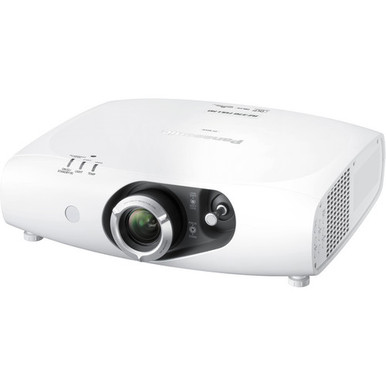
The Panasonic PT-RZ370U Setup Guide and Buying Considerations starts with a practical constraint: the supplied data confirms Full HD resolution, while a finished system depends on room geometry, light conditions, source and control needs, and exact installation documentation. Buyers often focus on the model number first. Installers have harder questions. Will the planned position produce the required image? Does the signal path match the projector? Can the room, mount, electrical service, and operating workflow support it? This guide turns those questions into a pre-install plan for the PT-RZ370U. It also compares four supplied Panasonic alternatives: the 5200-lumen WUXGA ultra-short-throw PT-CMZ50U, the 7,300-lumen WUXGA PT-VMZ72BU8, and the 5200-lumen WUXGA PT-VMZ51 and PT-VMZ51S. You will see where each confirmed fact matters, what must be verified before purchase, and how to weigh deployment fit, live availability, and price-to-performance without guessing.
Products at a Glance
- Option 1: Panasonic PT-RZ370U Full HD 1080p DLP Projector
- For installations that require ultra-short-throw plac…: Panasonic PT-CMZ50 WUXGA Ultra-Short Throw Laser Projector – Professional Golf Simulator Display
- For projects whose documented requirements call for W…: Panasonic PT-VMZ72BU8 7,300 Lumens WUXGA Laser Golf Simulator Projector – High-Brightness, Vivid Green Mode
- For buyers seeking a Panasonic projector listing with…: Panasonic PT-VMZ51 5200-Lumen WUXGA Laser 3LCD Projector
- For projects requiring WUXGA resolution and a 5200-lu…: Panasonic PT-VMZ51S 5200-Lumen WUXGA Laser 3LCD Projector
Quick Comparison Table
| Feature | Panasonic PT-RZ370U Full HD 1080p DLP Projector | Panasonic PT-CMZ50 WUXGA Ultra-Short Throw Laser Projector – Professional Golf Simulator Display | Panasonic PT-VMZ72BU8 7,300 Lumens WUXGA Laser Golf Simulator Projector – High-Brightness, Vivid Green Mode | Panasonic PT-VMZ51 5200-Lumen WUXGA Laser 3LCD Projector | Panasonic PT-VMZ51S 5200-Lumen WUXGA Laser 3LCD Projector |
|---|---|---|---|---|---|
| Brightness | 5200 lumens | 7,300 Lumens | 5200 lumens | 5200 lumens | |
| Resolution | Full HD | WUXGA | WUXGA | WUXGA | WUXGA |
| Best For | Projects that specifically call for SKU PT-RZ370U and Full HD resolution, subject to exact-model documentation and site checks. | Installations that require ultra-short-throw placement, WUXGA resolution, and a 5200-lumen specification, including appropriately engineered golf simulator projects. | Projects whose documented requirements call for WUXGA resolution and 7,300 lumens, including golf simulator designs that pass a full geometry and system review. | Buyers seeking a Panasonic projector listing with WUXGA resolution and a 5200-lumen specification after placement and system requirements are verified. | Projects requiring WUXGA resolution and a 5200-lumen listing where the exact PT-VMZ51S configuration passes site, system, and purchasing checks. |
| Throw Type | Ultra short throw | ||||
| Recommended Buyer | Projects that specifically call for SKU PT-RZ370U and Full HD resolution, subject to exact-model documentation and site checks. | Installations that require ultra-short-throw placement, WUXGA resolution, and a 5200-lumen specification, including appropriately engineered golf simulator projects. | Projects whose documented requirements call for WUXGA resolution and 7,300 lumens, including golf simulator designs that pass a full geometry and system review. | Buyers seeking a Panasonic projector listing with WUXGA resolution and a 5200-lumen specification after placement and system requirements are verified. | Projects requiring WUXGA resolution and a 5200-lumen listing where the exact PT-VMZ51S configuration passes site, system, and purchasing checks. |
Product Images

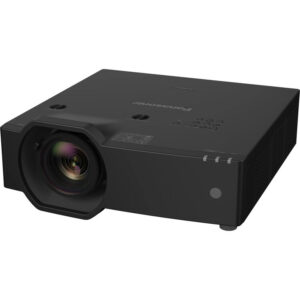
Projector Options from AudioVideoNation
1. Panasonic PT-RZ370U Full HD 1080p DLP Projector
Who should compare it: Projects that specifically call for SKU PT-RZ370U and Full HD resolution, subject to exact-model documentation and site checks.
Why it belongs here: This is the exact product addressed by the setup guide. Its listed Full HD resolution gives the project team one confirmed design input while placement, signals, control, and installation requirements are validated.
SKU: PT-RZ370U
Key Features
- Full HD resolution
- Exact Panasonic SKU PT-RZ370U
- Categorized under Multimedia Projectors, Projectors, and Video
Things to Consider
Confirm throw geometry, the project’s required light output, supported connections and signals, control options, mounting and orientation rules, power, ventilation, and included items before design sign-off.
2. Panasonic PT-CMZ50 WUXGA Ultra-Short Throw Laser Projector – Professional Golf Simulator Display
Who should compare it: Installations that require ultra-short-throw placement, WUXGA resolution, and a 5200-lumen specification, including appropriately engineered golf simulator projects.
Why it belongs here: The PT-CMZ50U adds a clearly identified ultra-short-throw option to the comparison. Its WUXGA resolution and 5200-lumen listing let buyers evaluate a different placement and brightness brief.
SKU: PT-CMZ50U
Key Features
- 5200 lumens
- WUXGA resolution
- Ultra short throw
- Exact Panasonic SKU PT-CMZ50U
- Categorized under Golf Simulator Projectors, Install Projectors 5000 Lumen+, and Projectors
Things to Consider
Verify exact image-size and throw geometry, mounting details, projection-surface requirements, source signals, connections, control, environmental limits, and included items for the planned installation.
3. Panasonic PT-VMZ72BU8 7,300 Lumens WUXGA Laser Golf Simulator Projector – High-Brightness, Vivid Green Mode
Who should compare it: Projects whose documented requirements call for WUXGA resolution and 7,300 lumens, including golf simulator designs that pass a full geometry and system review.
Why it belongs here: The PT-VMZ72BU8 supplies a 7,300-lumen WUXGA comparison point. It helps teams whose design brief includes that stated brightness and resolution evaluate an alternative to the PT-RZ370U.
SKU: PT-VMZ72BU8
Key Features
- 7,300 Lumens
- WUXGA resolution
- Exact Panasonic SKU PT-VMZ72BU8
- Categorized under Golf Simulator Projectors and Projectors
Things to Consider
Confirm throw geometry, image-size range, mounting and orientation requirements, source support, connections, control, operating environment, and simulator-specific clearances before specifying it.
4. Panasonic PT-VMZ51 5200-Lumen WUXGA Laser 3LCD Projector
Who should compare it: Buyers seeking a Panasonic projector listing with WUXGA resolution and a 5200-lumen specification after placement and system requirements are verified.
Why it belongs here: The PT-VMZ51 provides another supplied Panasonic option with WUXGA resolution and 5200 lumens. It supports a SKU-level comparison where those two requirements match the room brief.
SKU: PT-VMZ51
Key Features
- 5200 lumens
- WUXGA resolution
- Exact Panasonic SKU PT-VMZ51
- Categorized under Home Theater Projectors
Things to Consider
Verify throw and image geometry, connection and signal requirements, control, mounting, operating limits, physical details, and included items on the exact PT-VMZ51 documentation and product page.
5. Panasonic PT-VMZ51S 5200-Lumen WUXGA Laser 3LCD Projector
Who should compare it: Projects requiring WUXGA resolution and a 5200-lumen listing where the exact PT-VMZ51S configuration passes site, system, and purchasing checks.
Why it belongs here: The PT-VMZ51S is a separate supplied SKU with the same confirmed WUXGA and 5200-lumen comparison points as PT-VMZ51. Including both helps procurement teams avoid treating two listings as automatically interchangeable.
SKU: PT-VMZ51S
Key Features
- 5200 lumens
- WUXGA resolution
- Exact Panasonic SKU PT-VMZ51S
- Categorized under Home Theater Projectors
Things to Consider
Compare the exact configuration, physical details, connections, included items, throw geometry, mounting requirements, control, and current commerce details with PT-VMZ51 before choosing between the separate SKUs.
Panasonic PT-RZ370U Full HD 1080p DLP Projector vs Panasonic PT-CMZ50 WUXGA Ultra-Short Throw Laser Projector – Professional Golf Simulator Display: Main Differences
- Choose Panasonic PT-RZ370U Full HD 1080p DLP Projector if Projects that specifically call for SKU PT-RZ370U and Full HD resolution, subject to exact-model documentation and site checks..
- Choose Panasonic PT-CMZ50 WUXGA Ultra-Short Throw Laser Projector – Professional Golf Simulator Display if Installations that require ultra-short-throw placement, WUXGA resolution, and a 5200-lumen specification, including appropriately engineered golf simulator projects..
- Choose Panasonic PT-VMZ72BU8 7,300 Lumens WUXGA Laser Golf Simulator Projector – High-Brightness, Vivid Green Mode if Projects whose documented requirements call for WUXGA resolution and 7,300 lumens, including golf simulator designs that pass a full geometry and system review..
- Choose Panasonic PT-VMZ51 5200-Lumen WUXGA Laser 3LCD Projector if Buyers seeking a Panasonic projector listing with WUXGA resolution and a 5200-lumen specification after placement and system requirements are verified..
- Choose Panasonic PT-VMZ51S 5200-Lumen WUXGA Laser 3LCD Projector if Projects requiring WUXGA resolution and a 5200-lumen listing where the exact PT-VMZ51S configuration passes site, system, and purchasing checks..
Define projector deployment fit before setup
Write the room brief first. Record the target image dimensions, screen or projection surface, viewing distances, ceiling height, possible projector positions, obstructions, windows, room lighting, source locations, cable routes, operator position, and service access. Those details turn a product shortlist into an installable design.
Each audience has different pressure points. Churches should document platform lighting, sightlines, and the path from the production position. Schools need to account for instructor movement, student sightlines, equipment security, and simple daily operation. Conference room teams should map table connections, shared sources, control expectations, and the content users must read. A golf simulator design adds enclosure and participant-clearance constraints.
Room geometry is pass or fail. Full HD identifies the PT-RZ370U’s listed resolution, but it does not determine image size, mounting distance, available optical adjustment, or room brightness requirements. Confirm those items in current documentation for the exact PT-RZ370U before approving a location or drilling mounting holes. Do not infer light output or throw behavior from resolution, brand, or a similar Panasonic SKU.
Set measurable acceptance criteria too. Define the required image dimensions, source formats, control workflow, operating conditions, and test content. The installer and buyer can then judge the PT-RZ370U against the same brief.
Panasonic PT-RZ370U setup: pre-install checks
Freeze the scope only after five checks are complete:
1. Image geometry: Mark the intended image boundaries and candidate projector position. Use current PT-RZ370U documentation to validate throw distance, image-size range, available optical adjustments, approved orientation, and clearance around the installed projector. Stop before drilling if the geometry is still uncertain.
2. Electrical and environment: Confirm the required power, grounding, ventilation clearance, operating environment, and shutdown procedure from the manufacturer’s information. A qualified installer should also validate the supporting structure, mounting hardware, fasteners, and applicable local requirements.
3. Signal schedule: List every source, its planned output format, the complete connection path, and the content it will show. Verify accepted signals and connector types for the exact projector. If switching, extension, conversion, or wall plates are required, validate the entire route before purchasing those components.
4. Control and audio: Decide how users will start, stop, select, and recover the system. Define audio routing as a separate line item. Confirm that the selected projector and surrounding AV system provide every required connection and control endpoint rather than assuming they exist.
5. Service and handoff: Leave access for inspection, cleaning, cable replacement, and removal. Decide where remotes, instructions, spare adapters, and system records will live. Assign responsibility for user training and support.
Keep the site survey, signal schedule, control description, and exact-model documentation together. That packet becomes the basis for purchasing, installation, commissioning, and later troubleshooting.
Plan the Full HD source and control path
Resolution labels guide the signal plan. Placement still needs its own calculations. The PT-RZ370U is listed as Full HD, while the PT-CMZ50U, PT-VMZ72BU8, PT-VMZ51, and PT-VMZ51S are listed as WUXGA. Choose the resolution class required by the actual content, source workflow, and system brief. A different label is not an automatic upgrade for every room.
Map the path from end to end: source, any switching or extension stage, intermediate plates, and the projector connection. Document the planned signal at each handoff. Then confirm connector types, accepted formats, transmission distance, and any conversion requirements against the documentation for every component in that path.
Use the real sources during validation whenever possible. Presentation computers, signage players, production systems, and simulator computers can place different demands on an AV chain. A projector resolution alone cannot confirm that the full route will behave as required.
Plan control with the same discipline. Write down the normal startup sequence, source-selection process, shutdown sequence, and recovery steps after a source change or restart. If centralized control is required, verify the exact supported method before committing to programming or control hardware.
Install and commission in a controlled sequence
Commission in a reversible order. Start by checking that the delivered SKU matches the approved order and comparing included items with the current packing information. Inspect the intended ports and installation points before moving the projector into a difficult mounting position.
Next, establish physical placement from the manufacturer’s diagram. Level and align the installation through the mount and documented optical controls before applying any supported electronic geometry adjustment. Do not assume that lens shift, zoom, geometry correction, or a particular mounting orientation is available. Verify each required adjustment for the PT-RZ370U.
Test with representative material. Include small text, presentation slides, full-frame patterns, light and dark scenes, and motion content used by the organization. Run every planned source through the final signal path. Check source changes, startup, shutdown, the intended control method, and recovery after equipment restarts. Evaluate the image from the closest and farthest occupied viewing positions under the room’s planned lighting conditions.
Finish with records. Save the approved configuration where the system supports it, document the final physical position and cable map, record asset and serial information, photograph service access, and provide a short operator guide. The acceptance form should identify the sources tested, content used, room conditions, unresolved issues, and person approving the system. Short notes now can prevent long troubleshooting sessions later.
Compare resolution, brightness, and throw type
The supplied Panasonic products give buyers a few clear comparison points:
- PT-RZ370U: Full HD resolution and the exact model addressed by this guide.
- PT-CMZ50U: WUXGA resolution, 5200 lumens, and ultra-short-throw placement.
- PT-VMZ72BU8: WUXGA resolution and 7,300 lumens.
- PT-VMZ51 and PT-VMZ51S: WUXGA resolution and 5200 lumens under separate SKUs.
Brightness is one design input. A 7,300-lumen listing and a 5200-lumen listing provide concrete numbers, but those numbers do not establish room capacity by themselves. Target image size, projection surface, ambient light, viewing distance, content, and the project’s acceptance standard all affect the design. Do the room calculation before treating a larger lumen figure as the answer.
Throw type can narrow the shortlist quickly. The PT-CMZ50U is the supplied ultra-short-throw option, so it deserves attention where the design specifically requires that placement class. Exact image size and mounting distance still need to be checked. The other supplied facts do not establish a throw type for the PT-RZ370U, PT-VMZ72BU8, PT-VMZ51, or PT-VMZ51S, so verify their geometry independently.
Separate mandatory requirements from preferences. Resolution, placement, brightness target, connections, control, orientation, and environmental limits can all be go-or-no-go items. Cabinet details or other project preferences come later. This order keeps an appealing secondary attribute from hiding a basic installation mismatch.
Match Panasonic alternatives to the deployment
For an existing design that specifically names PT-RZ370U and Full HD, keep the exact SKU under evaluation while confirming throw geometry, light-output requirements, signal support, control, and mounting details. A model-number match alone does not approve the installation.
Schools with a defined ultra-short-throw requirement should examine PT-CMZ50U. Its supplied facts combine WUXGA, 5200 lumens, and ultra-short-throw placement. Confirm the exact room geometry, image size, mounting plan, sources, and operating workflow before specifying it.
Conference room and church teams whose design brief calls for WUXGA can compare PT-CMZ50U, PT-VMZ72BU8, PT-VMZ51, and PT-VMZ51S. The listed brightness figure separates PT-VMZ72BU8 at 7,300 lumens from the 5200-lumen PT-CMZ50U, PT-VMZ51, and PT-VMZ51S. That is a comparison point, not a completed lighting design.
For golf simulator projects, PT-CMZ50U and PT-VMZ72BU8 are identified in the supplied names or categories for that use. Their confirmed facts point to different design paths: ultra-short-throw WUXGA at 5200 lumens for PT-CMZ50U, or WUXGA at 7,300 lumens for PT-VMZ72BU8. Simulator enclosure dimensions, participant clearance, image geometry, source signals, and mounting protection still require project-specific verification.
Audience labels help organize a shortlist. They cannot replace the site survey. Advance a product only when its documented characteristics satisfy the measured room and system requirements.
Check stock, availability, and price-to-performance
Treat stock and availability as live procurement inputs. Open the linked product page when preparing a quote, and recheck it when issuing the purchase order. Record the exact SKU, quote date, current commerce details, expected fulfillment terms, and any approved substitution process directly from the seller. Never assume that a similar Panasonic model can replace the specified product without a fresh technical review.
Judge price-to-performance after the technical gates are cleared. Compare the live selling price with the requirements the product actually satisfies: resolution, calculated brightness need, placement geometry, signals, control, mounting, and operating environment. Then account for the rest of the installed system, including any required mount, signal transport, conversion, control work, audio path, electrical work, and installation labor. Include only verified items.
The PT-VMZ51 and PT-VMZ51S illustrate why SKU-level checking matters. Both supplied listings state WUXGA and 5200 lumens, but they remain separate products with separate pages. Verify the exact configuration, connections, included items, physical details, and installation documentation for each before comparing live commerce terms.
A defensible price-to-performance decision satisfies the room brief at a documented total installed scope. Keep a dated record of the evidence used. If availability changes or a substitution is proposed, rerun every pass-or-fail requirement before approval.
Build a final projector decision record
Use a simple requirement matrix for sign-off. Give each row four fields: requirement, product evidence, pass-or-open status, and evidence source. Include target resolution, calculated light-output requirement, image dimensions, verified throw geometry, mounting position, supported source path, control method, audio route, electrical and environmental needs, service access, and current procurement details.
The PT-RZ370U can satisfy the resolution row where Full HD is the stated requirement. Placement, brightness, connections, control, orientation, and environmental rows remain open until current exact-model documentation confirms them. Apply the same discipline to every alternative. PT-CMZ50U contributes confirmed WUXGA, 5200-lumen, and ultra-short-throw facts. PT-VMZ72BU8 contributes WUXGA and 7,300 lumens. PT-VMZ51 and PT-VMZ51S each contribute WUXGA and 5200 lumens.
Mark an unverified requirement as open. Short deadlines can tempt teams to convert assumptions into approvals, especially when replacing an existing projector or responding to a live availability change. Resist that shortcut. The final purchase record should explain why the exact SKU fits the measured room, planned signal path, operating workflow, and approved budget scope. That gives buyers, installers, and support teams one accountable basis for the decision.
Related AudioVideoNation Links
- Browse Projector at AudioVideoNation
- View the Panasonic PT-RZ370U product page
- Compare the Panasonic PT-CMZ50U
- Review the Panasonic PT-VMZ72BU8
- Review the Panasonic PT-VMZ51
Product Information Sources
- Panasonic PT-RZ370U Full HD 1080p DLP Projector product information
- Panasonic PT-CMZ50 WUXGA Ultra-Short Throw Laser Projector – Professional Golf Simulator Display product information
- Panasonic PT-VMZ72BU8 7,300 Lumens WUXGA Laser Golf Simulator Projector – High-Brightness, Vivid Green Mode product information
- Panasonic PT-VMZ51 5200-Lumen WUXGA Laser 3LCD Projector product information
- Panasonic PT-VMZ51S 5200-Lumen WUXGA Laser 3LCD Projector product information
FAQ
What resolution is listed for the Panasonic PT-RZ370U?
The Panasonic PT-RZ370U is listed with Full HD resolution. Confirm accepted source formats, connector types, and the complete signal path in current exact-model documentation before installation.
What should installers verify before mounting a PT-RZ370U?
Installers should verify throw geometry, image size, optical adjustments, approved orientation, mounting, power, ventilation, connections, signals, and control before mounting a PT-RZ370U. Check every item against the measured room and current documentation for the exact SKU.
Which supplied Panasonic alternative is ultra short throw?
The Panasonic PT-CMZ50U is the supplied ultra-short-throw alternative, with WUXGA resolution and 5200 lumens. Its exact image-size range, mounting distance, source path, and installation requirements still need project-specific confirmation.
Which supplied option is listed at 7,300 lumens?
The Panasonic PT-VMZ72BU8 is listed at 7,300 lumens with WUXGA resolution. Use that figure as one input to a design that also accounts for image size, ambient light, projection surface, content, placement, and viewing conditions.
Are the PT-VMZ51 and PT-VMZ51S interchangeable?
The supplied facts do not establish that PT-VMZ51 and PT-VMZ51S are interchangeable. Both are listed with WUXGA resolution and 5200 lumens, but buyers should verify each exact configuration, connection set, physical details, included items, and installation documentation.
Where should buyers check current price and availability?
Buyers should use the linked product page and a current seller quote for live price and availability details. Recheck the exact SKU when issuing the purchase order, and rerun the technical review if a substitute is proposed.
Conclusion
Use this Panasonic PT-RZ370U Setup Guide and Buying Considerations comparison to match documented specifications to the room and installation requirements. Review the linked product pages for current purchase details before ordering.
Products Used
| SKU | Product Name | URL |
|---|---|---|
| PT-RZ370U | Panasonic PT-RZ370U Full HD 1080p DLP Projector | View product |
| PT-CMZ50U | Panasonic PT-CMZ50 WUXGA Ultra-Short Throw Laser Projector – Professional Golf Simulator Display | View product |
| PT-VMZ72BU8 | Panasonic PT-VMZ72BU8 7,300 Lumens WUXGA Laser Golf Simulator Projector – High-Brightness, Vivid Green Mode | View product |
| PT-VMZ51 | Panasonic PT-VMZ51 5200-Lumen WUXGA Laser 3LCD Projector | View product |
| PT-VMZ51S | Panasonic PT-VMZ51S 5200-Lumen WUXGA Laser 3LCD Projector | View product |