

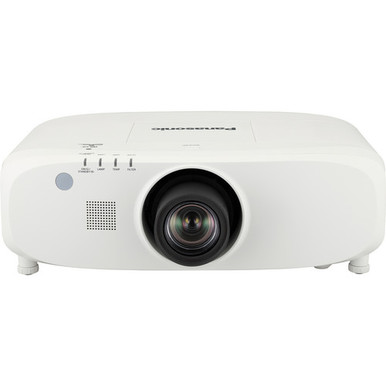
Projector selection gets complicated once room dimensions, ambient light, source resolution, installation access, and procurement timing enter the conversation. This Panasonic PT-EX800ZU Setup Guide and Buying Considerations resource starts with the confirmed facts: the PT-EX800ZU is rated at 7500 lumens and has XGA resolution. Those details make it a distinct choice beside the supplied Panasonic alternatives, which pair WUXGA resolution with brightness ratings from 5200 to 7300 lumens. One alternative also has an ultra-short-throw design.
The right choice depends on the deployment. A church may need clear sightlines and dependable weekly operation. A school must account for varied source devices and staff handoff. A conference room team may care closely about content resolution and mounting constraints. This guide explains how to survey the site, compare the five supplied products, verify specifications that affect installation, and judge price-to-performance without relying on unsupported assumptions. Use each linked product page for current commerce details and exact configuration information before approving a purchase.
Products at a Glance
- Option 1: Panasonic PT-EX800ZU XGA LCD Projector with Speaker
- For layouts that require an ultra-short-throw project…: Panasonic PT-CMZ50 WUXGA Ultra-Short Throw Laser Projector – Professional Golf Simulator Display
- For buyers seeking a supplied WUXGA alternative with…: Panasonic PT-VMZ72BU8 7,300 Lumens WUXGA Laser Golf Simulator Projector – High-Brightness, Vivid Green Mode
- For wUXGA deployments whose measured room conditions…: Panasonic PT-VMZ51 5200-Lumen WUXGA Laser 3LCD Projector
- For teams specifically evaluating SKU PT-VMZ51S for a…: Panasonic PT-VMZ51S 5200-Lumen WUXGA Laser 3LCD Projector
Quick Comparison Table
| Feature | Panasonic PT-EX800ZU XGA LCD Projector with Speaker | Panasonic PT-CMZ50 WUXGA Ultra-Short Throw Laser Projector – Professional Golf Simulator Display | Panasonic PT-VMZ72BU8 7,300 Lumens WUXGA Laser Golf Simulator Projector – High-Brightness, Vivid Green Mode | Panasonic PT-VMZ51 5200-Lumen WUXGA Laser 3LCD Projector | Panasonic PT-VMZ51S 5200-Lumen WUXGA Laser 3LCD Projector |
|---|---|---|---|---|---|
| Brightness | 7500 lumens | 5200 lumens | 7,300 Lumens | 5200 lumens | 5200 lumens |
| Resolution | XGA | WUXGA | WUXGA | WUXGA | WUXGA |
| Best For | Teams whose design brief calls for XGA and a 7500-lumen brightness rating, subject to completed room, placement, signal, and content checks. | Layouts that require an ultra-short-throw projector and WUXGA resolution after exact image geometry and room brightness have been validated. | Buyers seeking a supplied WUXGA alternative with a brightness rating near the PT-EX800ZU, pending full installation and connection verification. | WUXGA deployments whose measured room conditions and planned image size support a 5200-lumen projector. | Teams specifically evaluating SKU PT-VMZ51S for a WUXGA design that supports a 5200-lumen brightness rating. |
| Throw Type | Ultra short throw | ||||
| Recommended Buyer | Teams whose design brief calls for XGA and a 7500-lumen brightness rating, subject to completed room, placement, signal, and content checks. | Layouts that require an ultra-short-throw projector and WUXGA resolution after exact image geometry and room brightness have been validated. | Buyers seeking a supplied WUXGA alternative with a brightness rating near the PT-EX800ZU, pending full installation and connection verification. | WUXGA deployments whose measured room conditions and planned image size support a 5200-lumen projector. | Teams specifically evaluating SKU PT-VMZ51S for a WUXGA design that supports a 5200-lumen brightness rating. |
Product Images

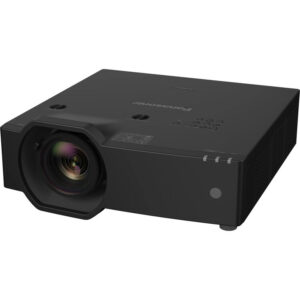
Projector Options from AudioVideoNation
1. Panasonic PT-EX800ZU XGA LCD Projector with Speaker
Who should compare it: Teams whose design brief calls for XGA and a 7500-lumen brightness rating, subject to completed room, placement, signal, and content checks.
Why it belongs here: It is the exact projector covered by this guide, and the supplied facts identify a 7500-lumen brightness rating with XGA resolution. It is the reference point for every placement and alternative-product comparison.
SKU: PT-EX800ZU
Key Features
- 7500-lumen brightness rating
- XGA resolution
- Exact procurement identifier: PT-EX800ZU
Things to Consider
Confirm throw distance, lens geometry, mounting needs, connections, supported signals, control requirements, and the planned audio path before ordering. Use the linked page for current commerce details.
2. Panasonic PT-CMZ50 WUXGA Ultra-Short Throw Laser Projector – Professional Golf Simulator Display
Who should compare it: Layouts that require an ultra-short-throw projector and WUXGA resolution after exact image geometry and room brightness have been validated.
Why it belongs here: It is the only supplied ultra-short-throw option. Its WUXGA resolution and 5200-lumen rating create a clear alternative for designs where close placement is a primary constraint.
SKU: PT-CMZ50U
Key Features
- 5200-lumen brightness rating
- WUXGA resolution
- Ultra-short-throw design
- Exact procurement identifier: PT-CMZ50U
Things to Consider
Its stated brightness is lower than the PT-EX800ZU's 7500-lumen rating. Validate ambient light, screen plans, exact placement, mounting method, connections, and service clearance for this SKU.
3. Panasonic PT-VMZ72BU8 7,300 Lumens WUXGA Laser Golf Simulator Projector – High-Brightness, Vivid Green Mode
Who should compare it: Buyers seeking a supplied WUXGA alternative with a brightness rating near the PT-EX800ZU, pending full installation and connection verification.
Why it belongs here: Its supplied 7300-lumen rating is closest to the PT-EX800ZU's 7500-lumen figure in this product group, while its stated resolution is WUXGA. That makes it a useful candidate when resolution requirements rule out XGA.
SKU: PT-VMZ72BU8
Key Features
- 7300-lumen brightness rating
- WUXGA resolution
- Exact procurement identifier: PT-VMZ72BU8
Things to Consider
Do not assume its throw geometry, lens arrangement, connections, or mounting plan matches the PT-EX800ZU. Run a fresh site and system check using documentation for the exact SKU.
4. Panasonic PT-VMZ51 5200-Lumen WUXGA Laser 3LCD Projector
Who should compare it: WUXGA deployments whose measured room conditions and planned image size support a 5200-lumen projector.
Why it belongs here: It adds a 5200-lumen WUXGA candidate to the comparison. It is relevant when the design brief specifies WUXGA and the room assessment supports that brightness level.
SKU: PT-VMZ51
Key Features
- 5200-lumen brightness rating
- WUXGA resolution
- Exact procurement identifier: PT-VMZ51
Things to Consider
Verify throw geometry, mounting, connections, supported source formats, control needs, and audio routing. Compare the exact PT-VMZ51 listing with PT-VMZ51S instead of assuming the two SKUs are interchangeable.
5. Panasonic PT-VMZ51S 5200-Lumen WUXGA Laser 3LCD Projector
Who should compare it: Teams specifically evaluating SKU PT-VMZ51S for a WUXGA design that supports a 5200-lumen brightness rating.
Why it belongs here: It is a separate PT-VMZ51-family listing with the same supplied 5200-lumen and WUXGA facts. Including it helps procurement compare exact SKUs and avoid an unsupported substitution.
SKU: PT-VMZ51S
Key Features
- 5200-lumen brightness rating
- WUXGA resolution
- Exact procurement identifier: PT-VMZ51S
Things to Consider
The supplied facts do not establish how this SKU differs from PT-VMZ51. Compare both linked product pages and confirm the exact configuration, installation requirements, and commerce details before selection.
Panasonic PT-EX800ZU XGA LCD Projector with Speaker vs Panasonic PT-CMZ50 WUXGA Ultra-Short Throw Laser Projector – Professional Golf Simulator Display: Main Differences
- Choose Panasonic PT-EX800ZU XGA LCD Projector with Speaker if Teams whose design brief calls for XGA and a 7500-lumen brightness rating, subject to completed room, placement, signal, and content checks..
- Choose Panasonic PT-CMZ50 WUXGA Ultra-Short Throw Laser Projector – Professional Golf Simulator Display if Layouts that require an ultra-short-throw projector and WUXGA resolution after exact image geometry and room brightness have been validated..
- Choose Panasonic PT-VMZ72BU8 7,300 Lumens WUXGA Laser Golf Simulator Projector – High-Brightness, Vivid Green Mode if Buyers seeking a supplied WUXGA alternative with a brightness rating near the PT-EX800ZU, pending full installation and connection verification..
- Choose Panasonic PT-VMZ51 5200-Lumen WUXGA Laser 3LCD Projector if WUXGA deployments whose measured room conditions and planned image size support a 5200-lumen projector..
- Choose Panasonic PT-VMZ51S 5200-Lumen WUXGA Laser 3LCD Projector if Teams specifically evaluating SKU PT-VMZ51S for a WUXGA design that supports a 5200-lumen brightness rating..
Panasonic PT-EX800ZU deployment fit: brightness and XGA
Start with the design brief. The PT-EX800ZU has a stated brightness of 7500 lumens and XGA resolution. Brightness matters in rooms with ambient light, large screens, or limited control over shades, but the lumen figure cannot settle the design by itself. Screen size and material, viewing distance, room lighting, image content, and mounting position all affect the result. Record those conditions before treating 7500 lumens as sufficient.
Resolution needs the same discipline. Confirm the native format required by presentations, signage layouts, videos, and source computers. If the room already has an XGA-based workflow, document how the PT-EX800ZU fits it. If the project brief calls for WUXGA, move that requirement to the top of the comparison instead of assuming scaling will meet expectations.
Deployment fit also includes physical access and operation. Churches and schools may need a location that staff can reach for service without disrupting the room. Conference teams should document startup, source selection, and shutdown procedures. The goal is a projector that fits the entire operating plan, not one chosen from a brightness number alone.
Panasonic PT-EX800ZU setup plan: survey before ordering
Build the installation plan from measurements. Record the desired image dimensions, screen position, possible projector locations, ceiling height, projector-to-screen distance, and any obstructions. Note lights, beams, fans, speakers, sprinklers, and architectural details that could block the image or complicate mounting. Photograph the proposed location and cable route so the installer and buyer are working from the same evidence.
Next, confirm the PT-EX800ZU's exact throw geometry, lens options, image offset, adjustment range, mounting requirements, ventilation clearances, and service access through the linked product information and approved documentation. These details are not interchangeable across Panasonic projectors. A mount location that works for one SKU can fail with another.
Trace the complete cable path. Identify every source, switcher, wall plate, extender, control component, and destination. Then verify the required connections and supported signal formats for the exact projector. Long cable routes deserve special attention because cable type, pathway access, and signal distribution equipment can change the project scope.
Finish the survey with power and audio planning. Confirm a suitable power location and the building team's requirements. Decide whether the room uses a separate sound system, then verify the audio path rather than inferring it from the product name. A completed drawing and equipment schedule should carry the exact SKU PT-EX800ZU.
Projector installation checklist for XGA content and sources
Test the content workflow before installation day. Collect representative presentation files, videos, signage screens, and any application interfaces that users will display. Confirm whether the required output is XGA or WUXGA at the source. The PT-EX800ZU is the XGA choice in this supplied group, while the four alternatives are identified as WUXGA.
Check every source class that will enter the room. That may include installed computers, visiting laptops, media players, conferencing systems, or a central AV distribution system. Document the required adapters and switching steps. Do not assume a connector or signal format is supported until it is confirmed for the exact SKU.
Plan image alignment from the mount and lens geometry first. Digital correction should not replace a sound physical layout. Confirm the projector can produce the requested image from the intended position, with access for adjustment and later service.
Create a short acceptance test before installation begins. It should cover source switching, image framing, focus across the screen, representative content, control operation, audio routing, and recovery after power interruption. This turns a vague request for a working projector into a clear handoff standard.
WUXGA projector alternatives in the supplied Panasonic range
Four supplied products use WUXGA resolution. The PT-VMZ72BU8 is rated at 7300 lumens, placing its stated brightness closest to the PT-EX800ZU's 7500-lumen figure within this group. It deserves attention when WUXGA is part of the brief and the room design calls for a brightness rating near the PT-EX800ZU. Its throw geometry, connections, and mounting details still need an independent check.
The PT-CMZ50U, PT-VMZ51, and PT-VMZ51S are each rated at 5200 lumens and use WUXGA resolution. Equal headline brightness and resolution do not make their exact configurations interchangeable. Keep the full SKU on drawings, quote requests, approvals, and purchase records. Confirm how the two PT-VMZ51-family listings differ before choosing between them.
The practical comparison starts with nonnegotiable requirements. Select XGA or WUXGA according to the content and system design. Set the required brightness through a room assessment. Then validate throw geometry, connection needs, installation access, control integration, and audio routing for the surviving candidates.
Avoid treating category labels as final design evidence. The PT-CMZ50U and PT-VMZ72BU8 listings are positioned around golf simulator use, while the audience for this guide also includes worship, education, and conference deployments. Suitability for any room must come from its measured conditions and the exact product documentation.
Ultra-short-throw projector placement considerations
The PT-CMZ50U is the only supplied projector identified as ultra short throw. That distinction can reshape a room plan because the projector is intended for placement close to the image surface. It may be relevant where a conventional projector position conflicts with ceilings, sightlines, or people moving through the light path.
Ultra short throw is not permission to estimate placement by eye. Confirm the required image size, exact mounting position, compatible surface, adjustment method, and service clearance from documentation for SKU PT-CMZ50U. Small placement changes can matter in this type of layout, so the installer needs precise measurements before hardware is ordered or mounting points are prepared.
Compare the room conditions too. The PT-CMZ50U is rated at 5200 lumens, while the PT-EX800ZU is rated at 7500 lumens. Decide whether placement or brightness carries greater weight for the site, then validate the choice against ambient light and screen plans. Resolution also changes from XGA on the PT-EX800ZU to WUXGA on the PT-CMZ50U.
Check stock and availability without risking the schedule
Availability changes, so verify it at the point of purchase. Open the linked AudioVideoNation product page for each shortlisted SKU and confirm current commerce details there. For a scheduled installation, align that check with the date the projector, mount, screen, cabling, and supporting AV equipment must arrive.
Protect the design from accidental substitutions. A reseller quote or internal request should include the complete product name, exact SKU, required quantity, and requested delivery timing. PT-VMZ51 and PT-VMZ51S are separate identifiers, even though the supplied facts give both a 5200-lumen rating and WUXGA resolution. Do not collapse them into one line item without verifying the exact configuration.
If timing is tight, qualify an alternative before it is needed. That means repeating the throw, resolution, brightness, connectivity, mounting, control, and audio checks. A product that appears close on two headline specifications may still require changes elsewhere in the system.
Judge price-to-performance across the complete AV system
Price-to-performance starts with requirements met, not the lowest purchase figure. Use the linked pages for current pricing, then compare only the projectors that pass the resolution, brightness, and placement checks. A candidate that forces a screen change, mount relocation, new signal equipment, or added installation labor can alter the total project cost.
Create one cost worksheet for each viable SKU. Include the projector, appropriate lens or mounting hardware, screen work, cabling, signal extension, switching, control components, audio equipment, electrical work, installation labor, commissioning, staff training, and planned service access. Include only items the design actually requires. This exposes where two apparently similar projector choices lead to different system scopes.
Performance should be tied to acceptance criteria. Define the required image size, room-lighting condition, content format, source-switching behavior, control steps, and audio route. Then compare how the PT-EX800ZU and WUXGA alternatives support that brief after every open specification is verified. This method gives procurement a defensible choice without inventing benchmarks or relying on category labels.
Commission the projector and hand off a repeatable system
Installation is complete only after the room passes its acceptance test. Start by confirming the installed projector's model and SKU against the approved equipment schedule. Inspect the mount, cable support, airflow clearance, image surface, and service access. Record the final position and system connections for future work.
Test every approved source with representative content. Check image framing, focus, readable text, source switching, control commands, and audio routing. Repeat the test under the room-lighting conditions users will encounter. If the design includes presets or scheduled operation, verify each intended workflow. Document any settings that staff should not change.
Handoff should be short and practical. Give operators a one-page guide covering startup, source selection, normal shutdown, basic problem checks, and the support contact. Label the relevant controls and inputs in the language the organization uses. Schools and churches often have several operators, so repeatable instructions matter.
Keep the final drawings, configuration notes, acceptance results, purchase record, and exact SKU together. For the PT-EX800ZU, that identifier is PT-EX800ZU. Accurate records make future troubleshooting and replacement planning far easier than relying on the product's appearance or a shortened family name.
Related AudioVideoNation Links
- Browse Projector at AudioVideoNation
- View the Panasonic PT-EX800ZU product page
- Compare the Panasonic PT-CMZ50U
- Review the Panasonic PT-VMZ72BU8
- Review the Panasonic PT-VMZ51
Product Information Sources
- Panasonic PT-EX800ZU XGA LCD Projector with Speaker product information
- Panasonic PT-CMZ50 WUXGA Ultra-Short Throw Laser Projector – Professional Golf Simulator Display product information
- Panasonic PT-VMZ72BU8 7,300 Lumens WUXGA Laser Golf Simulator Projector – High-Brightness, Vivid Green Mode product information
- Panasonic PT-VMZ51 5200-Lumen WUXGA Laser 3LCD Projector product information
- Panasonic PT-VMZ51S 5200-Lumen WUXGA Laser 3LCD Projector product information
FAQ
What are the confirmed core specifications of the Panasonic PT-EX800ZU?
The supplied product facts identify the Panasonic PT-EX800ZU as a 7500-lumen projector with XGA resolution. Confirm throw geometry, lens details, connections, supported signals, mounting requirements, and audio planning through the linked product information before finalizing a design.
Is the PT-EX800ZU suitable for a bright church, classroom, or conference room?
The PT-EX800ZU is a 7500-lumen XGA candidate for rooms where brightness matters, but those two specifications alone cannot confirm suitability. Assess ambient light, image size, screen, viewing conditions, content resolution, and mounting position at the actual site.
Which supplied WUXGA alternative is closest to the PT-EX800ZU in stated brightness?
The PT-VMZ72BU8 is the supplied WUXGA alternative closest in stated brightness, with 7300 lumens compared with the PT-EX800ZU's 7500 lumens. It still requires its own throw, mounting, connection, control, and audio checks.
Which supplied Panasonic projector has an ultra-short-throw design?
The PT-CMZ50U is the only supplied Panasonic projector identified as ultra short throw. It also has WUXGA resolution and a 5200-lumen rating, but its exact image geometry and mounting position must be verified for the planned screen.
What should an installer measure before ordering the PT-EX800ZU?
An installer should measure the image area, possible projector positions, projector-to-screen distance, ceiling height, cable route, and nearby obstructions before ordering the PT-EX800ZU. The installer should then verify throw geometry, lens requirements, service clearance, mounting, power, connections, control, and audio routing for the exact SKU.
How should buyers compare projector pricing and availability?
Buyers should check each linked AudioVideoNation product page for current commerce details and compare total installed system cost among candidates that meet the design requirements. Include required mounting, screen work, cabling, signal equipment, control, audio, labor, commissioning, and training rather than comparing the projector purchase figure alone.
Conclusion
Use this Panasonic PT-EX800ZU Setup Guide and Buying Considerations comparison to match documented specifications to the room and installation requirements. Review the linked product pages for current purchase details before ordering.
Products Used
| SKU | Product Name | URL |
|---|---|---|
| PT-EX800ZU | Panasonic PT-EX800ZU XGA LCD Projector with Speaker | View product |
| PT-CMZ50U | Panasonic PT-CMZ50 WUXGA Ultra-Short Throw Laser Projector – Professional Golf Simulator Display | View product |
| PT-VMZ72BU8 | Panasonic PT-VMZ72BU8 7,300 Lumens WUXGA Laser Golf Simulator Projector – High-Brightness, Vivid Green Mode | View product |
| PT-VMZ51 | Panasonic PT-VMZ51 5200-Lumen WUXGA Laser 3LCD Projector | View product |
| PT-VMZ51S | Panasonic PT-VMZ51S 5200-Lumen WUXGA Laser 3LCD Projector | View product |