

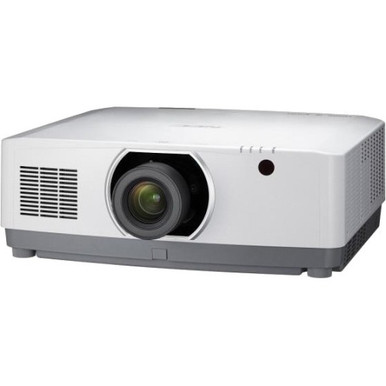
The NEC NP-PA803UL Setup Guide and Buying Considerations below focus on the choices that shape an installed system: room geometry, lens selection, content resolution, signal routing, mounting, and day-to-day ownership. The NEC NP-PA803UL is identified as a 3D WUXGA LCD projector. Those facts establish a useful starting point, but they do not settle image size, throw distance, brightness fit, inputs, or the lens required for a given room. Validate each item before approval.
This guide gives AV buyers, installers, churches, schools, and conference room teams a practical decision path. It explains how to scope the projector, how to evaluate the NEC NP41ZL 1.30-3.08:1 zoom lens without assuming exact model compatibility, and when a 48-port PoE+ network switch may belong in the wider project. Use the linked pages for current commercial details, then confirm critical technical requirements with authoritative product documentation. The result should be a bill of materials tied to the room, the signal chain, and the people who will operate it.
Products at a Glance
- Option 1: NEC NP-PA803UL 3D WUXGA LCD Projector
- For installers evaluating a zoom-lens option for an N…: NEC NP41ZL 1.30 – 3.08:1 Zoom Lens for NEC PA Series Projectors
- For technology teams that have independently specifie…: HP Aruba JL557A 48x GBE PoE+ 4x 1GB SFP Port Switch
Quick Comparison Table
| Feature | NEC NP-PA803UL 3D WUXGA LCD Projector | NEC NP41ZL 1.30 – 3.08:1 Zoom Lens for NEC PA Series Projectors | HP Aruba JL557A 48x GBE PoE+ 4x 1GB SFP Port Switch |
|---|---|---|---|
| Resolution | WUXGA | ||
| Best For | Churches, schools, conference rooms, and installed AV projects that have selected the NP-PA803UL after validating room, lens, brightness, signal, mounting, and operating requirements. | Installers evaluating a zoom-lens option for an NEC PA Series design after confirming the exact projector pairing and completing the room's throw calculation. | Technology teams that have independently specified a 48-port PoE+ switch as part of a wider room, building, or campus network design. |
| Recommended Buyer | Churches, schools, conference rooms, and installed AV projects that have selected the NP-PA803UL after validating room, lens, brightness, signal, mounting, and operating requirements. | Installers evaluating a zoom-lens option for an NEC PA Series design after confirming the exact projector pairing and completing the room's throw calculation. | Technology teams that have independently specified a 48-port PoE+ switch as part of a wider room, building, or campus network design. |
Product Images
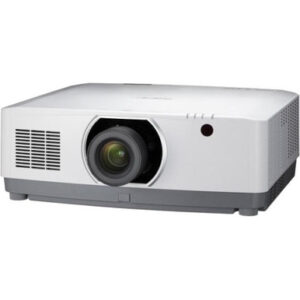
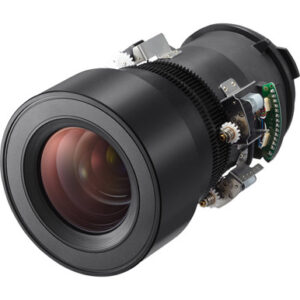
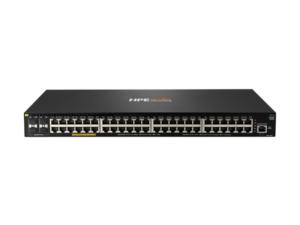
Projector Options from AudioVideoNation
1. NEC NP-PA803UL 3D WUXGA LCD Projector
Who should compare it: Churches, schools, conference rooms, and installed AV projects that have selected the NP-PA803UL after validating room, lens, brightness, signal, mounting, and operating requirements.
Why it belongs here: It is the exact projector covered by this guide. The provided facts identify WUXGA resolution, LCD projection, and 3D, giving the design team a defined starting point for content and workflow planning.
SKU: NP-PA803UL
Key Features
- Resolution is WUXGA.
- It uses LCD projection, as identified in the product name.
- The product is identified as a 3D projector.
- SKU NP-PA803UL ties the plan to the exact model.
Things to Consider
Confirm the required lens, brightness fit, supported inputs and timings, control methods, mount compatibility, dimensions, weight, power, and installation clearances before ordering.
2. NEC NP41ZL 1.30 – 3.08:1 Zoom Lens for NEC PA Series Projectors
Who should compare it: Installers evaluating a zoom-lens option for an NEC PA Series design after confirming the exact projector pairing and completing the room's throw calculation.
Why it belongs here: Its 1.30-3.08:1 ratio gives installers a concrete range for early placement studies. Exact compatibility with the NP-PA803UL still needs confirmation before it enters the bill of materials.
SKU: NP41ZL
Key Features
- The zoom-lens throw ratio spans 1.30-3.08:1.
- It is identified for NEC PA Series projectors.
- The product is a lens accessory, not a complete projector.
- SKU NP41ZL provides the exact part reference for compatibility checks.
Things to Consider
The PA Series designation alone does not establish NP-PA803UL support. Verify exact compatibility, the manufacturer's throw measurement method, usable range, alignment limits, and installation tolerances.
3. HP Aruba JL557A 48x GBE PoE+ 4x 1GB SFP Port Switch
Who should compare it: Technology teams that have independently specified a 48-port PoE+ switch as part of a wider room, building, or campus network design.
Why it belongs here: It gives teams an option to evaluate when the wider AV deployment independently requires 48 GBE ports, PoE+, and SFP connectivity. It is not presented as a projector accessory.
SKU: JL557A
Key Features
- The product name identifies 48 GBE ports.
- PoE+ is included in its product designation.
- It has four 1GB SFP ports in the product name.
- It is a network switch, not a direct projector accessory.
Things to Consider
Confirm port demand, the documented PoE requirements of attached endpoints, SFP choices, management needs, rack space, power, cooling, and network-owner approval. Do not assume it powers or directly transports video to the NP-PA803UL.
NEC NP-PA803UL 3D WUXGA LCD Projector vs NEC NP41ZL 1.30 – 3.08:1 Zoom Lens for NEC PA Series Projectors: Main Differences
- Choose NEC NP-PA803UL 3D WUXGA LCD Projector if Churches, schools, conference rooms, and installed AV projects that have selected the NP-PA803UL after validating room, lens, brightness, signal, mounting, and operating requirements..
- Choose NEC NP41ZL 1.30 – 3.08:1 Zoom Lens for NEC PA Series Projectors if Installers evaluating a zoom-lens option for an NEC PA Series design after confirming the exact projector pairing and completing the room's throw calculation..
- Choose HP Aruba JL557A 48x GBE PoE+ 4x 1GB SFP Port Switch if Technology teams that have independently specified a 48-port PoE+ switch as part of a wider room, building, or campus network design..
NEC NP-PA803UL setup starts with deployment fit
Start on paper. Record the intended image width, screen location, lens-to-screen distance, mounting position, ceiling obstructions, ambient-light conditions, primary content, audience size, and operator workflow. A sanctuary showing lyrics and live video has a different brief from a classroom presenting laptop material or a conference room handling scheduled meetings. The product name alone cannot resolve those differences.
Confirm the brightness target against the screen, room light, and image-size goal. Confirm the mounting structure against the projector's actual weight and approved mounting points. Decide how audio, source switching, control, and shutdown will work. Do not assume those jobs belong inside the projector. Also identify who can reach the equipment for adjustment and service.
Turn the brief into pass-or-fail criteria before comparing line items. The NP-PA803UL meets the resolution requirement when WUXGA is the requested format. Lens fit, brightness, connectivity, physical installation, and operating workflow still need their own evidence. This keeps deployment fit tied to the real room.
Plan WUXGA projector installation around the content
WUXGA is the confirmed resolution fact for the NP-PA803UL, so use it as the anchor for source and canvas planning. Inventory every source relevant to the site, such as a room PC, laptop input, media player, camera system, signage player, or conferencing system. Then trace the full path through any switcher, extender, wall plate, matrix, or capture device. Each stage must pass a signal the projector accepts.
Build a small test set from the material people will show. Use presentation slides, spreadsheets, lower thirds, lyrics, maps, and video as appropriate. Check text size, cropping, scaling, and aspect handling from the farthest planned seat. Judge the content and viewing distance together. The test should expose layout changes before installation.
WUXGA on the projector label does not prove every source will arrive in the right format. Confirm supported timings and input behavior in the technical documentation, then standardize source output where possible. Fewer format changes make commissioning easier and reduce operator surprises.
Evaluate the NEC PA Series projector lens and throw
The NEC NP41ZL is named as a 1.30-3.08:1 zoom lens for NEC PA Series projectors. That series wording is not enough to confirm it for the NP-PA803UL. Check the exact projector-lens pairing in current NEC documentation and on the linked product information before putting both SKUs on a purchase order.
For early layout work, throw ratio equals lens-to-screen distance divided by image width. Rearranged, estimated throw distance equals image width multiplied by the selected ratio. A 10-foot-wide image therefore maps to a rough 13-to-30.8-foot range across 1.30-3.08:1. Treat that as planning math only. Final placement depends on confirmed compatibility, the manufacturer's measurement reference, usable zoom range, installation tolerances, and the room's physical limits.
Measure from the correct lens reference point, not from the wall or mount center. Mark beams, lights, fans, sprinklers, and cable paths on the drawing. Confirm alignment limits before fixing the mount location. Resolve the geometry within documented mechanical limits instead of assuming image processing can rescue a poor mounting position.
Check mounting, signal, control, and 3D requirements
Create a one-line signal diagram before ordering. Show every source, transport device, switcher, wall connection, control path, and destination. Label cable type and approximate length, then confirm that the selected transport supports the required signal at that distance. Verify the projector's actual connectors and control methods against the diagram. Model-family assumptions are risky.
The product name identifies the NP-PA803UL as a 3D projector. If 3D is part of the brief, treat it as a complete workflow. Content format, playback source, transport, projector mode, synchronization method, and viewer equipment all need confirmation. If 3D is not required, do not assign it value in the purchasing comparison.
Physical planning deserves the same discipline. Confirm mount compatibility, structural load, power location, cable bend space, ventilation clearances, access for adjustment, and a safe service route. Photograph and dimension the proposed position during the site survey. Those records help the installer reconcile the drawing with actual ceiling conditions.
Decide whether the AV network needs the JL557A switch
The HP Aruba JL557A is a 48x GBE PoE+ switch with four 1GB SFP ports, according to its product name. It can be evaluated as wider deployment infrastructure when the project already calls for a larger collection of networked or PoE+ endpoints. The provided data does not establish it as an NP-PA803UL accessory, a video transport device, or a way to power the projector.
Build the network requirement independently. Count active endpoints and uplinks, identify which attached devices need PoE+, total their documented power draw, and reserve capacity for approved growth. Confirm SFP choices, cabling, rack space, power, cooling, management, VLAN, and security requirements with the network owner. The switch should enter the bill only after those checks.
Keep responsibilities clear. AV staff can define endpoint and traffic needs, while the IT team approves addressing, authentication, monitoring, and change control. If the design has no networked endpoints that justify this switch, leave it out.
Judge price-to-performance across the installed system
Judge price-to-performance at the system level. Put the projector, confirmed lens, screen, mount, signal transport, cabling, control, electrical work, network equipment, installation labor, commissioning, training, and planned service items in one cost worksheet. Use the same room requirements for every option so the comparison stays fair.
Then score outcomes the team can verify: required image size, documented resolution, placement feasibility, source compatibility, operator simplicity, service access, and ability to meet the project schedule. WUXGA and 3D should carry weight only if they support the approved content plan. A lens range has value only if the exact pairing is supported and the geometry works.
Watch dependency costs. A different mounting point can change cable distance and labor. A network design can add switching, rack, power, and configuration work. A lens decision can change placement. The useful question is whether the complete design meets the brief at an acceptable total cost, with risks clearly assigned before purchase.
Check stock and availability at decision time
Use the linked AudioVideoNation product pages for live commerce details when preparing the quote and again before approval. Treat the NP-PA803UL projector and NP41ZL lens as separate line items. Availability of one does not confirm the other. Check the JL557A only if the network design calls for it.
Record the exact SKU, required quantity, approval date, and permitted substitution rules in the purchasing file. A substitute projector or lens can change throw math, mounting, signal behavior, and commissioning work, so route changes back through the installer or designer. Keep schedule commitments conditional until all dependent items and technical approvals are aligned.
Pre-installation checklist for installers and AV teams
Before a purchase order or installation release, make sure the project file answers every item below:
- The room drawing records screen width, proposed projector position, lens-to-screen measurement, ceiling obstructions, and cable route.
- Current technical documentation has been checked for brightness, physical dimensions, weight, mounting points, power, ventilation, supported lenses, connectors, control methods, and source timings.
- Exact NP41ZL compatibility has been confirmed, and the 1.30-3.08:1 throw study fits the measured room with an installation allowance.
- The source and transport plan has a WUXGA test procedure using representative site content.
- Any 3D requirement has an approved end-to-end workflow, including the source and viewer equipment.
- The mount, structure, electrical location, access path, and service clearance have installer approval.
- The JL557A appears only when the network owner has approved its port, PoE+, SFP, rack, power, and management fit.
- Purchasing has rechecked live product pages and matched every line to the exact SKU.
Keep the approved room brief, signal diagram, throw calculation, and decision notes together. That packet gives commissioning teams a clear baseline and makes later substitutions easier to evaluate.
Related AudioVideoNation Links
- Browse Projector at AudioVideoNation
- View the NEC NP-PA803UL projector
- Review the NEC NP41ZL zoom lens
- Review the HP Aruba JL557A switch
Product Information Sources
- NEC NP-PA803UL 3D WUXGA LCD Projector product information
- NEC NP41ZL 1.30 – 3.08:1 Zoom Lens for NEC PA Series Projectors product information
- HP Aruba JL557A 48x GBE PoE+ 4x 1GB SFP Port Switch product information
FAQ
What resolution does the NEC NP-PA803UL use?
The NEC NP-PA803UL is identified as a WUXGA projector in the supplied product data. Confirm supported source timings and aspect handling in current technical documentation before locking the signal design.
Is the NEC NP41ZL confirmed to work with the NP-PA803UL?
Exact NP41ZL compatibility with the NP-PA803UL must be confirmed before purchase. The lens is identified for NEC PA Series projectors, but that series-level description does not prove support for this exact projector.
How should I use the NP41ZL 1.30-3.08:1 throw ratio?
Use the ratio as early planning math: estimated throw distance equals image width multiplied by a value from 1.30 to 3.08. A 10-foot-wide image gives a rough 13-to-30.8-foot range, subject to exact compatibility, manufacturer measurement rules, and installation tolerances.
What should be confirmed before installing the NEC NP-PA803UL?
Confirm brightness fit, lens compatibility, throw geometry, source timings, connectors, control, mount, structure, power, ventilation, dimensions, weight, and service access before installation. Base each decision on the measured room and current technical documentation.
Does an NP-PA803UL installation require the HP Aruba JL557A switch?
No, selecting the NP-PA803UL does not by itself establish a need for the HP Aruba JL557A switch. Include the switch only when a separately approved network design calls for its 48 GBE ports, PoE+, and four 1GB SFP ports.
Where should buyers check price, stock, and availability?
Buyers should check current price, stock, and availability on the linked AudioVideoNation product pages at the time of quotation and purchase. Recheck the projector, lens, and any network equipment separately because each is a distinct line item.
Conclusion
Use this NEC NP-PA803UL Setup Guide and Buying Considerations comparison to match documented specifications to the room and installation requirements. Review the linked product pages for current purchase details before ordering.
Products Used
| SKU | Product Name | URL |
|---|---|---|
| NP-PA803UL | NEC NP-PA803UL 3D WUXGA LCD Projector | View product |
| NP41ZL | NEC NP41ZL 1.30 – 3.08:1 Zoom Lens for NEC PA Series Projectors | View product |
| JL557A | HP Aruba JL557A 48x GBE PoE+ 4x 1GB SFP Port Switch | View product |