

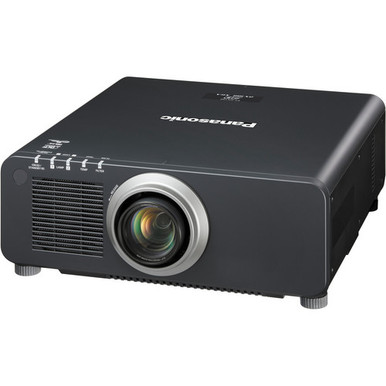
This Panasonic PT-DX100UK Setup Guide and Buying Considerations article helps AV teams decide whether a 10,000-lumen XGA projector fits their room before installation begins. Brightness is only one part of that decision. Installers also need to confirm image size, throw geometry, source requirements, mounting details, signal paths, service access, and current purchase terms.
The PT-DX100UK is the reference product, while four other Panasonic projectors show how the available choices change when WUXGA resolution, a 7,300-lumen rating, a 5,200-lumen rating, ultra-short-throw placement, or a used listing enters the discussion. Churches, schools, conference room teams, and integrators can use the guide to define deployment requirements, plan verification steps, and compare value without relying on unsupported assumptions. The goal is simple: choose the product whose documented profile matches the project, then verify every installation-critical detail before issuing a purchase order.
Products at a Glance
- Option 1: Panasonic PT-DX100UK 3D XGA DLP Projector
- For buyers seeking a 5,200-lumen WUXGA option who are…: Panasonic PT-FRZ50BU7 5200 Lumen WUXGA Laser Projector for Golf Simulators [USED]
- For rooms where short projection distance is a defini…: Panasonic PT-CMZ50 WUXGA Ultra-Short Throw Laser Projector – Professional Golf Simulator Display
- For teams that require WUXGA and want to evaluate a 7…: Panasonic PT-VMZ72BU8 7,300 Lumens WUXGA Laser Golf Simulator Projector – High-Brightness, Vivid Green Mode
- For buyers comparing 5,200-lumen WUXGA products who c…: Panasonic PT-VMZ51 5200-Lumen WUXGA Laser 3LCD Projector
Quick Comparison Table
| Feature | Panasonic PT-DX100UK 3D XGA DLP Projector | Panasonic PT-FRZ50BU7 5200 Lumen WUXGA Laser Projector for Golf Simulators [USED] | Panasonic PT-CMZ50 WUXGA Ultra-Short Throw Laser Projector – Professional Golf Simulator Display | Panasonic PT-VMZ72BU8 7,300 Lumens WUXGA Laser Golf Simulator Projector – High-Brightness, Vivid Green Mode | Panasonic PT-VMZ51 5200-Lumen WUXGA Laser 3LCD Projector |
|---|---|---|---|---|---|
| Brightness | 10,000 lumens | 5200 Lumen | 5200 lumens | 7,300 Lumens | 5200 lumens |
| Resolution | XGA | WUXGA | WUXGA | WUXGA | WUXGA |
| Best For | Installations that call for a 10,000-lumen brightness specification and XGA resolution, subject to full site and system verification. | Buyers seeking a 5,200-lumen WUXGA option who are prepared to evaluate a used product's exact condition and package. | Rooms where short projection distance is a defining constraint and a 5,200-lumen WUXGA specification fits the design. | Teams that require WUXGA and want to evaluate a 7,300-lumen brightness specification for their deployment. | Buyers comparing 5,200-lumen WUXGA products who can verify that the projector meets their room's installation and operational requirements. |
| Throw Type | Ultra short throw | ||||
| Recommended Buyer | Installations that call for a 10,000-lumen brightness specification and XGA resolution, subject to full site and system verification. | Buyers seeking a 5,200-lumen WUXGA option who are prepared to evaluate a used product's exact condition and package. | Rooms where short projection distance is a defining constraint and a 5,200-lumen WUXGA specification fits the design. | Teams that require WUXGA and want to evaluate a 7,300-lumen brightness specification for their deployment. | Buyers comparing 5,200-lumen WUXGA products who can verify that the projector meets their room's installation and operational requirements. |
Product Images

Projector Options from AudioVideoNation
1. Panasonic PT-DX100UK 3D XGA DLP Projector
Who should compare it: Installations that call for a 10,000-lumen brightness specification and XGA resolution, subject to full site and system verification.
Why it belongs here: It is the reference product for this guide and supplies the exact 10,000-lumen XGA profile under evaluation.
SKU: PT-DX100UK
Key Features
- 10,000-lumen brightness
- XGA resolution
- Exact purchasing identifier: SKU PT-DX100UK
Things to Consider
Before purchasing, verify lens and throw data, mounting requirements, power, clearances, connections, accepted signals, control needs, and required accessories for the planned room.
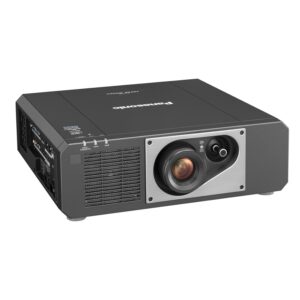
2. Panasonic PT-FRZ50BU7 5200 Lumen WUXGA Laser Projector for Golf Simulators [USED]
Who should compare it: Buyers seeking a 5,200-lumen WUXGA option who are prepared to evaluate a used product's exact condition and package.
Why it belongs here: It provides a 5,200-lumen WUXGA alternative and is explicitly identified as a used listing, creating a distinct condition and value comparison.
SKU: PT-FRZ50BU7-USED
Key Features
- 5,200-lumen brightness
- WUXGA resolution
- Listing and SKU explicitly identify used condition
Things to Consider
Confirm condition, operating history, included items, live purchase terms, throw geometry, connections, mounting details, and compatibility with the complete signal chain.
3. Panasonic PT-CMZ50 WUXGA Ultra-Short Throw Laser Projector – Professional Golf Simulator Display
Who should compare it: Rooms where short projection distance is a defining constraint and a 5,200-lumen WUXGA specification fits the design.
Why it belongs here: It is the supplied ultra-short-throw alternative, pairing that placement category with WUXGA resolution and a 5,200-lumen rating.
SKU: PT-CMZ50U
Key Features
- 5,200-lumen brightness
- WUXGA resolution
- Ultra short throw
Things to Consider
Verify exact image-size geometry, projection-surface needs, installation tolerances, connections, mounting method, and source compatibility before finalizing the layout.
4. Panasonic PT-VMZ72BU8 7,300 Lumens WUXGA Laser Golf Simulator Projector – High-Brightness, Vivid Green Mode
Who should compare it: Teams that require WUXGA and want to evaluate a 7,300-lumen brightness specification for their deployment.
Why it belongs here: Its supplied 7,300-lumen WUXGA profile gives buyers another brightness and resolution combination to compare with the PT-DX100UK.
SKU: PT-VMZ72BU8
Key Features
- 7,300-lumen brightness
- WUXGA resolution
- Exact purchasing identifier: SKU PT-VMZ72BU8
Things to Consider
Confirm the required throw geometry, lens details, mounting, power, connection set, control functions, and accepted source formats for the room.
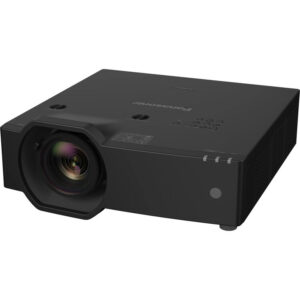
5. Panasonic PT-VMZ51 5200-Lumen WUXGA Laser 3LCD Projector
Who should compare it: Buyers comparing 5,200-lumen WUXGA products who can verify that the projector meets their room's installation and operational requirements.
Why it belongs here: It adds another 5,200-lumen WUXGA choice and is categorized under Home Theater Projectors in the supplied product data.
SKU: PT-VMZ51
Key Features
- 5,200-lumen brightness
- WUXGA resolution
- Categorized under Home Theater Projectors
Things to Consider
Church, school, and conference room teams should verify throw, mounting, connections, control requirements, service access, and source compatibility for commercial deployment.
Panasonic PT-DX100UK 3D XGA DLP Projector vs Panasonic PT-FRZ50BU7 5200 Lumen WUXGA Laser Projector for Golf Simulators [USED]: Main Differences
- Choose Panasonic PT-DX100UK 3D XGA DLP Projector if Installations that call for a 10,000-lumen brightness specification and XGA resolution, subject to full site and system verification..
- Choose Panasonic PT-FRZ50BU7 5200 Lumen WUXGA Laser Projector for Golf Simulators [USED] if Buyers seeking a 5,200-lumen WUXGA option who are prepared to evaluate a used product's exact condition and package..
- Choose Panasonic PT-CMZ50 WUXGA Ultra-Short Throw Laser Projector – Professional Golf Simulator Display if Rooms where short projection distance is a defining constraint and a 5,200-lumen WUXGA specification fits the design..
- Choose Panasonic PT-VMZ72BU8 7,300 Lumens WUXGA Laser Golf Simulator Projector – High-Brightness, Vivid Green Mode if Teams that require WUXGA and want to evaluate a 7,300-lumen brightness specification for their deployment..
- Choose Panasonic PT-VMZ51 5200-Lumen WUXGA Laser 3LCD Projector if Buyers comparing 5,200-lumen WUXGA products who can verify that the projector meets their room's installation and operational requirements..
Start with deployment fit: 10,000 lumens and XGA
Begin with the two supplied PT-DX100UK specifications: 10,000 lumens and XGA resolution. The brightness figure makes it relevant for teams evaluating rooms with demanding image-size or ambient-light requirements. It does not guarantee a satisfactory picture by itself. Screen size, screen surface, room lighting, content, and viewing distance all affect the result.
Treat XGA as a workflow decision. List the content that will appear on screen, including presentation decks, worship lyrics, educational software, conference feeds, signage, and video. Then confirm that XGA matches the intended output and that every source, switcher, extender, and adapter can support the planned signal chain.
The projector is a stronger deployment candidate when the written design calls for its stated brightness and resolution. If the project instead requires WUXGA or ultra-short-throw placement, the supplied alternatives deserve direct comparison. Do not approve the PT-DX100UK from the lumen figure alone.
Panasonic PT-DX100UK setup planning before installation
Run a site survey before selecting a mount or committing to a cable route. Record the target image dimensions, screen location, available projection positions, ceiling height, sightlines, possible obstructions, equipment-rack location, power access, and the path between each source and the projector.
Next, confirm the exact PT-DX100UK lens and throw information against the target image size. Verify mounting weight, mounting pattern, required clearances, power requirements, connection layout, and service access from an authoritative product source. These checks prevent a room drawing from depending on details that have not been supplied here.
Retrofits need extra care. An existing ceiling mount, cable, lens plan, or control system should not be assumed suitable for a different projector. Document every retained component and validate it against the exact PT-DX100UK requirements.
Define acceptance criteria before installation day. Include image dimensions, usable content types, required sources, normal room-lighting conditions, control expectations, and the locations where the image must remain readable. A written target gives the installer and buyer the same finish line.
Check the XGA signal and content workflow
The PT-DX100UK has XGA resolution, so the signal plan should start with the actual source devices. Inventory computers, media players, cameras, switchers, document cameras, and conferencing equipment. Record their intended output formats and physical connections, then verify the projector's accepted signals and inputs before buying cables or adapters.
Use representative content during commissioning. A title slide cannot expose every issue that may appear in a dense spreadsheet, small classroom interface, lyric layout, camera feed, or motion video. Test the material people will use each week and review it from normal seating positions.
Do not assume that a WUXGA alternative is a drop-in replacement or that the PT-DX100UK accepts every source format in the system. Resolution, signal acceptance, physical connections, content protection, switching equipment, and cable distance are separate checks. Confirm the complete path from source to screen.
Placement, mounting, and commissioning sequence
A controlled installation sequence catches conflicts while they are still easy to correct:
1. Mark the intended image boundaries and confirm audience sightlines.
2. Calculate placement from verified PT-DX100UK lens and throw data.
3. Confirm the mount, supporting structure, required clearances, and service access.
4. Verify power, signal, and control connections before finalizing conduit or cable lengths.
5. Align the projected image with an external test image and the content used in the room.
6. Test every approved source under the lighting conditions defined for normal operation.
7. Record final settings, cable labels, source routing, and shutdown procedures for the support team.
Build the geometry around physical placement and confirmed optical capabilities. Do not design around electronic correction until its availability and limits have been verified for the exact product. The finished setup also needs safe cable management, adequate access for maintenance, and the manufacturer-required operating clearances.
Stock and availability: verify live purchase details
Stock and availability can change, so verify both on the linked AudioVideoNation product page shortly before approval and again before placing the order. Use the same live check for current price, product condition, included items, fulfillment timing, and applicable seller or manufacturer terms. The editorial specifications in this guide should not replace that purchase review.
For multi-room projects, confirm that the required quantity and delivery schedule align with the installation calendar. The PT-FRZ50BU7 listing is explicitly marked `[USED]`, which makes condition, included accessories, operating history, and return or warranty terms part of its buying review. Document those answers rather than assuming that one listing has the same package as another.
Price-to-performance: compare project requirements
Judge price-to-performance against the deployment brief. The PT-DX100UK supplies a 10,000-lumen rating with XGA resolution. The PT-VMZ72BU8 supplies 7,300 lumens with WUXGA, while the PT-FRZ50BU7, PT-CMZ50U, and PT-VMZ51 each carry a 5,200-lumen figure with WUXGA. Among the supplied facts, the PT-CMZ50U also has an ultra-short-throw designation.
Those differences shape value. Paying for a brightness level the room does not require can divert budget from mounting, signal transport, power work, or labor. Choosing a lower-brightness option solely from its current price can also be poor value if it misses the image or lighting requirement. An ultra-short-throw product may solve a placement constraint that a conventional layout cannot, but its geometry still needs verification.
Build a total installed-cost worksheet using the live product price plus all verified project items. Include the correct mounting hardware, required lens or accessories, cabling, signal equipment, electrical work, installation labor, and commissioning time. Compare only configurations that can meet the same written acceptance criteria.
Panasonic projector alternatives by deployment need
The PT-VMZ72BU8 is the supplied middle brightness option at 7,300 lumens, and it uses WUXGA resolution. It belongs on the comparison list when WUXGA is a requirement and the project team wants to assess a brightness figure between the PT-DX100UK and the 5,200-lumen group. Verify its throw, connections, mounting, and control details for the room.
The PT-CMZ50U pairs a 5,200-lumen rating with WUXGA and ultra-short-throw placement. It is the clearest alternative when limited projection distance drives the design. Confirm the exact image-size geometry and projection-surface requirements before treating that placement advantage as a fit.
The PT-VMZ51 is another 5,200-lumen WUXGA choice. It appears in the Home Theater Projectors category, so commercial buyers should confirm that its installation, connection, control, and service requirements align with the intended church, school, or conference room deployment.
The PT-FRZ50BU7 also combines a 5,200-lumen rating with WUXGA. Its listing is marked `[USED]`. Buyers open to that condition should compare its verified package and live purchase terms with the other options, then confirm that its placement and signal requirements match the system design.
Final projector buying checklist
Before approving the PT-DX100UK or an alternative, close every open design question:
- Confirm the required brightness and resolution from the room brief.
- Record the screen, image size, ambient-light conditions, and viewing positions.
- Validate exact lens, throw, mounting, power, clearance, and service requirements.
- Confirm inputs, accepted signals, control needs, cables, and source compatibility.
- Review live price, availability, condition, included items, and purchase terms.
- Create a commissioning test using real content and every approved source.
Choose the PT-DX100UK when its 10,000-lumen XGA profile matches those documented requirements. Choose a supplied WUXGA or ultra-short-throw alternative when that specification better fits the room. In either case, written verification turns a promising product listing into an installation-ready decision.
Related AudioVideoNation Links
- Browse Projector at AudioVideoNation
- Panasonic PT-DX100UK product page
- Panasonic PT-FRZ50BU7 used projector
- Panasonic PT-CMZ50 ultra-short-throw projector
- Panasonic PT-VMZ72BU8 projector
Product Information Sources
- Panasonic PT-DX100UK 3D XGA DLP Projector product information
- Panasonic PT-FRZ50BU7 5200 Lumen WUXGA Laser Projector for Golf Simulators [USED] product information
- Panasonic PT-CMZ50 WUXGA Ultra-Short Throw Laser Projector – Professional Golf Simulator Display product information
- Panasonic PT-VMZ72BU8 7,300 Lumens WUXGA Laser Golf Simulator Projector – High-Brightness, Vivid Green Mode product information
- Panasonic PT-VMZ51 5200-Lumen WUXGA Laser 3LCD Projector product information
FAQ
What deployments should consider the Panasonic PT-DX100UK?
The Panasonic PT-DX100UK is a candidate for deployments that require a 10,000-lumen brightness specification and XGA resolution. Final suitability depends on the room, screen, content, throw geometry, signal chain, mounting requirements, and normal lighting conditions.
How far should the PT-DX100UK be mounted from the screen?
The PT-DX100UK mounting distance must be calculated from confirmed lens and throw information, the target image size, and room geometry. Verify those details for the exact product before selecting a mount location or finalizing conduit.
Should I choose XGA or one of the WUXGA alternatives?
Choose XGA only when it matches the planned content, sources, and display requirements for the room. If WUXGA is required, compare the supplied PT-FRZ50BU7, PT-CMZ50U, PT-VMZ72BU8, and PT-VMZ51 while also checking brightness, placement, condition, and system compatibility.
Which supplied Panasonic alternative has ultra-short-throw placement?
The Panasonic PT-CMZ50U is the supplied ultra-short-throw option, with a 5,200-lumen rating and WUXGA resolution. Confirm its exact image-size geometry and projection-surface requirements before approving the room layout.
How should buyers check PT-DX100UK price and availability?
Buyers should use the linked AudioVideoNation product page to check the current PT-DX100UK price and availability. Recheck live commerce details before placing the order, including included items, fulfillment timing, and applicable purchase terms.
What should I verify before buying the used PT-FRZ50BU7 listing?
Verify the PT-FRZ50BU7's condition, operating history, included items, and current purchase terms before buying the used listing. Its 5,200-lumen WUXGA profile still needs the same throw, mounting, signal, and source checks as any other deployment option.
Conclusion
Use this Panasonic PT-DX100UK Setup Guide and Buying Considerations comparison to match documented specifications to the room and installation requirements. Review the linked product pages for current purchase details before ordering.
Products Used
| SKU | Product Name | URL |
|---|---|---|
| PT-DX100UK | Panasonic PT-DX100UK 3D XGA DLP Projector | View product |
| PT-FRZ50BU7-USED | Panasonic PT-FRZ50BU7 5200 Lumen WUXGA Laser Projector for Golf Simulators [USED] | View product |
| PT-CMZ50U | Panasonic PT-CMZ50 WUXGA Ultra-Short Throw Laser Projector – Professional Golf Simulator Display | View product |
| PT-VMZ72BU8 | Panasonic PT-VMZ72BU8 7,300 Lumens WUXGA Laser Golf Simulator Projector – High-Brightness, Vivid Green Mode | View product |
| PT-VMZ51 | Panasonic PT-VMZ51 5200-Lumen WUXGA Laser 3LCD Projector | View product |