

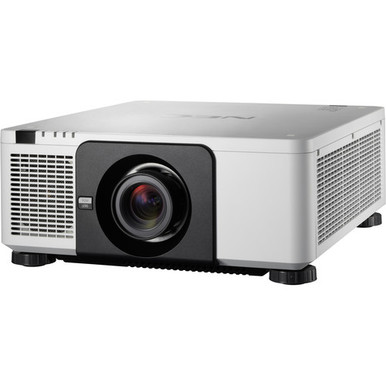
This NEC NP-PX1004UL-WH Setup Guide and Buying Considerations article tackles a common installation problem: the projector SKU may be settled before the room, lens, signal path, and mounting plan are ready. That gap can lead to late design changes. The supplied product facts identify WUXGA resolution for the NEC NP-PX1004UL-WH, but a successful deployment also depends on project-specific details that must be confirmed before ordering.
Use this guide to turn the model choice into a complete scope. It covers deployment fit, site measurements, lens planning, source requirements, physical installation, commissioning, and live commerce checks. It also explains how the NP-PX1004UL-WH differs from the supplied NP-PX1004UL-BK listing, which is expressly labeled as a no-lens configuration. Churches, schools, conference room teams, and AV installers can use the same process while adapting the final design to their rooms and operating needs.
Products at a Glance
- Option 1: NEC NP-PX1004UL-WH 3D WUXGA 1080p DLP Projector
- For teams that have independently selected and verifi…: NEC NP-PX1004UL-BK 3D WUXGA 1080p DLP Projector (No Lens)
- For aV projects with an independently defined wired-n…: HPE Aruba Networking JL260A 2930F 48G 4×SFP Switch
Quick Comparison Table
| Feature | NEC NP-PX1004UL-WH 3D WUXGA 1080p DLP Projector | NEC NP-PX1004UL-BK 3D WUXGA 1080p DLP Projector (No Lens) | HPE Aruba Networking JL260A 2930F 48G 4×SFP Switch |
|---|---|---|---|
| Resolution | WUXGA | WUXGA | |
| Best For | Projects specified around the exact NP-PX1004UL-WH SKU and WUXGA resolution, subject to final lens and installation verification. | Teams that have independently selected and verified a compatible lens for the NP-PX1004UL-BK configuration. | AV projects with an independently defined wired-network requirement. It is not presented as a required projector accessory. |
| Recommended Buyer | Projects specified around the exact NP-PX1004UL-WH SKU and WUXGA resolution, subject to final lens and installation verification. | Teams that have independently selected and verified a compatible lens for the NP-PX1004UL-BK configuration. | AV projects with an independently defined wired-network requirement. It is not presented as a required projector accessory. |
Product Images
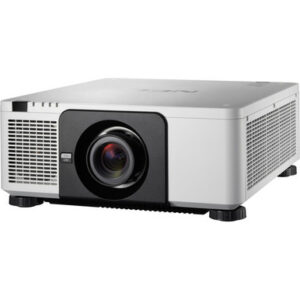
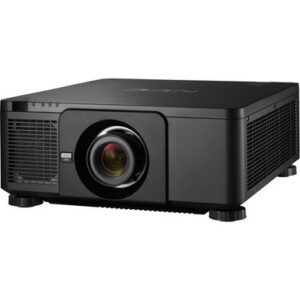
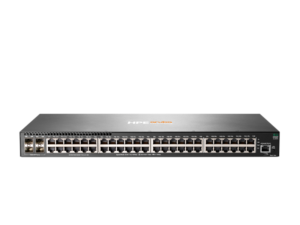
Projector Options from AudioVideoNation
1. NEC NP-PX1004UL-WH 3D WUXGA 1080p DLP Projector
Who should compare it: Projects specified around the exact NP-PX1004UL-WH SKU and WUXGA resolution, subject to final lens and installation verification.
Why it belongs here: This is the exact projector configuration addressed by the guide. The supplied facts identify WUXGA resolution, giving buyers one confirmed image specification around which to build the source and commissioning plan.
SKU: NP-PX1004UL-WH
Key Features
- Exact NP-PX1004UL-WH SKU for procurement matching
- WUXGA resolution identified in the supplied product facts
- Listed in the Multimedia Projectors, Projectors, and Video categories
- Dedicated AudioVideoNation page for current ordering details
Things to Consider
Confirm the lens and package contents, brightness requirement, throw geometry, connections, mounting details, power needs, and control plan before ordering.
2. NEC NP-PX1004UL-BK 3D WUXGA 1080p DLP Projector (No Lens)
Who should compare it: Teams that have independently selected and verified a compatible lens for the NP-PX1004UL-BK configuration.
Why it belongs here: This related NEC configuration gives project teams another supplied WUXGA listing to evaluate. Its display name explicitly identifies it as a no-lens configuration, which makes lens procurement a clear part of the design.
SKU: NP-PX1004UL-BK
Key Features
- Exact NP-PX1004UL-BK SKU
- WUXGA resolution identified in the supplied product facts
- Display name explicitly identifies a no-lens configuration
- Listed in the Multimedia Projectors, Projectors, and Video categories
Things to Consider
A separate lens plan is required. Verify the selected lens, package contents, installation requirements, and every project-critical capability before treating this configuration as an alternative to the WH listing.
3. HPE Aruba Networking JL260A 2930F 48G 4×SFP Switch
Who should compare it: AV projects with an independently defined wired-network requirement. It is not presented as a required projector accessory.
Why it belongs here: Some installed AV projects include a separately designed network scope. This supplied switch gives procurement teams a real infrastructure item to evaluate only after the network team documents that need.
SKU: JL260A
Key Features
- Exact JL260A SKU for procurement matching
- Listed in the Switches category
- Separate infrastructure product rather than a projector or lens
- Dedicated AudioVideoNation page for current ordering details
Things to Consider
The supplied data establishes no compatibility requirement between this switch and either NEC projector. Confirm the complete network design, port needs, management plan, power requirements, security rules, and organizational standards independently.
NEC NP-PX1004UL-WH 3D WUXGA 1080p DLP Projector vs NEC NP-PX1004UL-BK 3D WUXGA 1080p DLP Projector (No Lens): Main Differences
- Choose NEC NP-PX1004UL-WH 3D WUXGA 1080p DLP Projector if Projects specified around the exact NP-PX1004UL-WH SKU and WUXGA resolution, subject to final lens and installation verification..
- Choose NEC NP-PX1004UL-BK 3D WUXGA 1080p DLP Projector (No Lens) if Teams that have independently selected and verified a compatible lens for the NP-PX1004UL-BK configuration..
- Choose HPE Aruba Networking JL260A 2930F 48G 4×SFP Switch if AV projects with an independently defined wired-network requirement. It is not presented as a required projector accessory..
Define deployment fit before approving the projector
Start with the room and its users. A church may need clear sightlines across a wide seating area. A school may prioritize simple daily startup and protection from accidental adjustment. A conference room team may care most about source switching, control integration, and consistent presentation formatting. Write those outcomes down before approving equipment.
The supplied facts identify WUXGA resolution for the NP-PX1004UL-WH. Match that confirmed fact against the resolutions and aspect ratios used by presentation computers, media players, conferencing systems, and other planned sources. Then document every requirement that still needs verification, including brightness, lens options, throw geometry, input connections, control methods, mounting provisions, electrical needs, and environmental limits.
This requirements sheet becomes the acceptance standard. It also keeps procurement grounded in the exact NP-PX1004UL-WH SKU instead of relying on a similar-looking family name. If a required capability cannot be verified in documentation for the exact configuration, resolve it before issuing the purchase order.
Complete a site survey and projector installation checklist
Measure the room before choosing a lens or mount position. Record the intended image width and height, screen location, projector-to-screen distance range, ceiling height, structural attachment points, audience sightlines, and any obstructions. Note ambient light from windows and fixtures at the hours when the room will be used. These observations shape the design without assuming an unsupported brightness figure.
Lens planning needs equal care. Obtain the approved lens documentation for the exact projector configuration, then calculate whether the required image size fits the available throw distance. Confirm the mounting orientation, image position, adjustment needs, and service access against official installation guidance. Leave room for measurement error and construction tolerances rather than placing the design at the edge of an adjustment range.
Treat the lens as an explicit procurement line. The NP-PX1004UL-BK display name says “No Lens,” while the supplied information does not establish the included contents of the NP-PX1004UL-WH package. Verify the WH package and selected lens on its linked product page or with the seller before ordering. A confirmed lens, mount, and screen plan is far safer than assuming the chassis alone completes the projection system.
Plan WUXGA sources and the entire signal path
The supplied facts identify WUXGA resolution, so include WUXGA material in the source and commissioning plan. That does not establish support for any particular connector, signal format, copy-protection scheme, frame rate, or cable distance. Check each requirement in documentation for the exact SKU and every device in the chain.
Map the path from source to projector. Include switchers, distribution equipment, extenders, wall plates, adapters, converters, and conferencing hardware. Record the planned signal at each handoff. A component that changes resolution or format can affect the result even when the projector selection is correct.
Cable length matters to the system design. Choose transport equipment and cabling from documented requirements, then test the final path with the actual source types the room will use. If the room needs remote monitoring or control, define the protocol and network boundary before purchase. Do not infer networking or control support from the projector name. Verify it directly.
Coordinate mounting, power, cooling, and service access
An overhead installation needs a qualified assessment of the structure, mount, fasteners, safety provisions, and local requirements. Confirm the projector’s weight, approved orientation, mounting pattern, and service clearances from documentation for the exact SKU. Keep the lens centerline and planned image geometry tied to the site survey.
Coordinate electrical service with the projector location. The project team should verify voltage, circuit needs, connection method, shutdown procedure, and any power-conditioning requirement from authoritative product and electrical guidance. Do the same for ventilation. Follow the stated intake, exhaust, temperature, and clearance requirements rather than estimating from the enclosure.
Think about maintenance before closing the ceiling. Installers need safe access to connections, mounting adjustments, and service areas without dismantling unrelated room systems. Label signal cables at both ends and preserve the final routing record. Photograph concealed pathways before finishes are installed. Small documentation steps can save hours during later troubleshooting.
Commission the NEC NP-PX1004UL-WH setup in stages
Commissioning should prove the complete system, not merely show that an image appears. Begin with physical inspection. Confirm the exact projector SKU, lens selection, mount security, cable labels, power arrangement, airflow clearances, and installed orientation against the approved design and official instructions.
Next, establish image geometry using the selected lens and screen. Follow documented adjustment procedures and avoid compensating for a poor mount location through unverified digital processing. Test WUXGA source material, then test every planned source path and room operating mode. Include startup, source changes, shutdown, loss of signal, and recovery after power or source interruption where those scenarios are part of the approved system requirements.
Finish with user acceptance. Check representative presentation material from normal viewing positions and under the room lighting conditions documented in the brief. Save approved settings only after stakeholders accept the result. Then hand over the source map, operating steps, configuration record, cable schedule, support contacts, and any access credentials through the organization’s secure process. Short training should cover daily operation and the point at which users should call support instead of changing installation settings.
Evaluate price-to-performance, stock, and availability
Assess price-to-performance from the installed system quote. Include the projector, confirmed lens, mount, screen, signal transport, cabling, control work, electrical work, installation labor, commissioning, training, and any documented service plan. A chassis-only comparison can hide the items that make the room usable.
Compare options against verified requirements. Credit a configuration only for capabilities documented for its exact SKU. The useful question is whether the completed design meets the required image, source, operating, and service outcomes at an acceptable total project cost. Unsupported feature assumptions have no value in that comparison.
Prices and availability can change. Use each linked AudioVideoNation product page for current commerce details, and confirm the complete bill of materials before scheduling installers. Align delivery dates for the projector, lens, mount, and other critical components. If the project has a fixed opening date, document acceptable substitutions in advance and require a fresh technical review before approving one.
Choose between the WH and BK configurations carefully
The NP-PX1004UL-WH is the exact model at the center of this guide. The supplied facts identify WUXGA resolution. The NP-PX1004UL-BK is another supplied WUXGA listing, and its full display name explicitly labels it as a no-lens configuration. Treat them as separate orderable configurations rather than assuming one can replace the other without review.
For either projector, verify the exact package contents, lens plan, mounting details, inputs, control requirements, and installation documentation. Match the purchase order to the approved SKU character by character. If procurement proposes the BK listing as an alternative, repeat the lens and physical-design checks before approval.
Network infrastructure belongs in a separate scope. The supplied HPE Aruba Networking JL260A is listed as a switch, but the product data establishes no direct compatibility requirement between it and either NEC projector. Consider it only if the wider AV design has an independently documented switching need. Confirm ports, traffic design, management, power, security, and organizational standards with the network team before adding any switch to the project.
Related AudioVideoNation Links
- Browse Projector at AudioVideoNation
- View the NEC NP-PX1004UL-WH product page
- Review the NEC NP-PX1004UL-BK no-lens listing
- View the HPE Aruba Networking JL260A switch
Product Information Sources
- NEC NP-PX1004UL-WH 3D WUXGA 1080p DLP Projector product information
- NEC NP-PX1004UL-BK 3D WUXGA 1080p DLP Projector (No Lens) product information
- HPE Aruba Networking JL260A 2930F 48G 4×SFP Switch product information
FAQ
Is the NEC NP-PX1004UL-WH a WUXGA projector?
Yes, the supplied product facts identify WUXGA resolution for the NEC NP-PX1004UL-WH. Verify the planned source formats, connections, and full signal path separately because resolution alone does not establish those capabilities.
Does the NEC NP-PX1004UL-WH include a lens?
Confirm lens inclusion and package contents on the linked NP-PX1004UL-WH product page before ordering. The related NP-PX1004UL-BK display name expressly says “No Lens,” but that label should not be used to infer the contents of the WH package.
Can the NP-PX1004UL-BK replace the NP-PX1004UL-WH?
The NP-PX1004UL-BK should replace the NP-PX1004UL-WH only after a fresh technical and procurement review confirms the exact configuration fits the project. Both supplied entries identify WUXGA resolution, while the BK display name expressly identifies a no-lens configuration.
How should installers calculate throw distance for this projector?
Installers should calculate throw distance from the approved lens documentation and final image dimensions before fixing the mount location. Confirm the result against the measured room, screen position, obstructions, and required adjustment range.
How can buyers assess price-to-performance without a published price in this guide?
Buyers should compare the complete installed-system quote against verified project requirements. Include the confirmed lens, mount, signal transport, cabling, labor, commissioning, and other required scope, then use the product page for live commerce details.
Where should buyers check stock and availability?
Buyers should use the linked AudioVideoNation product page for current stock and ordering details. Confirm availability for every critical component before scheduling installation or committing to an opening date.
Conclusion
Use this NEC NP-PX1004UL-WH Setup Guide and Buying Considerations comparison to match documented specifications to the room and installation requirements. Review the linked product pages for current purchase details before ordering.
Products Used
| SKU | Product Name | URL |
|---|---|---|
| NP-PX1004UL-WH | NEC NP-PX1004UL-WH 3D WUXGA 1080p DLP Projector | View product |
| NP-PX1004UL-BK | NEC NP-PX1004UL-BK 3D WUXGA 1080p DLP Projector (No Lens) | View product |
| JL260A | HPE Aruba Networking JL260A 2930F 48G 4×SFP Switch | View product |