

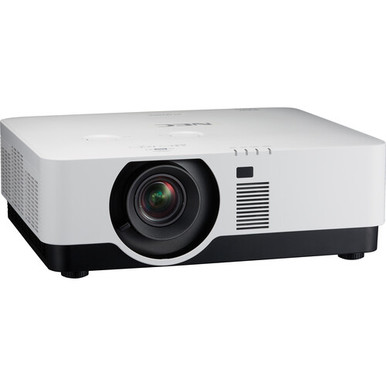
For teams asking “NEC NP-P506QL vs NP-P525UL: Which Projector Should You Choose?”, the decision starts with the written AV brief. The NP-P506QL is a 4K DLP laser projector positioned for conference rooms. The NP-P525UL pairs WUXGA resolution with a stated 5,200-lumen output, laser illumination, and LCD imaging. Those facts point toward different priorities.
The NP-P506QL belongs on the shortlist when 4K is a firm requirement. The NP-P525UL is easier to assess when planners need a documented brightness figure and WUXGA resolution. A complete installation choice still requires details that aren’t supplied here, including throw and lens requirements, connections, control, mounting, and the room’s screen and ambient-light conditions.
This comparison separates confirmed facts from details you need to check. It also covers deployment fit, price-to-performance, purchasing availability, and two Epson alternatives from the provided product selection. The goal is simple: narrow the field without making assumptions that could disrupt an installation.
Products at a Glance
- Option 1: NEC NP-P506QL 4K DLP Conference Room Laser Projector
- For teams with a written requirement for 5,200 lumens…: NEC NP-P525UL 5200-Lumen WUXGA Laser LCD Projector
- For buyers comparing 5,200-lumen laser projectors whe…: Epson Powerlite L270F 5200-Lumen Full HD Laser 3LCD Projector (V11HC68020)
- For teams whose approved brief calls for Full HD, 4,0…: Epson PowerLite 992F 4000-Lumen Full HD Projector with Wi-Fi (V11H988020)
Quick Comparison Table
| Feature | NEC NP-P506QL 4K DLP Conference Room Laser Projector | NEC NP-P525UL 5200-Lumen WUXGA Laser LCD Projector | Epson Powerlite L270F 5200-Lumen Full HD Laser 3LCD Projector (V11HC68020) | Epson PowerLite 992F 4000-Lumen Full HD Projector with Wi-Fi (V11H988020) |
|---|---|---|---|---|
| Brightness | 5200 lumens | 5200 lumens | 4000 lumens | |
| Resolution | 4K | WUXGA | Full HD | Full HD |
| Best For | Conference room teams that place 4K resolution, DLP imaging, and laser illumination at the top of the project brief. | Teams with a written requirement for 5,200 lumens, WUXGA resolution, laser illumination, and LCD imaging. | Buyers comparing 5,200-lumen laser projectors when Full HD satisfies the content requirement and 3LCD fits the brief. | Teams whose approved brief calls for Full HD, 4,000 lumens, and Wi-Fi rather than the NEC models’ documented specification sets. |
| Smart Features | Wi-Fi | |||
| Recommended Buyer | Conference room teams that place 4K resolution, DLP imaging, and laser illumination at the top of the project brief. | Teams with a written requirement for 5,200 lumens, WUXGA resolution, laser illumination, and LCD imaging. | Buyers comparing 5,200-lumen laser projectors when Full HD satisfies the content requirement and 3LCD fits the brief. | Teams whose approved brief calls for Full HD, 4,000 lumens, and Wi-Fi rather than the NEC models’ documented specification sets. |
Product Images
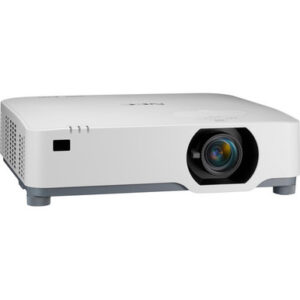
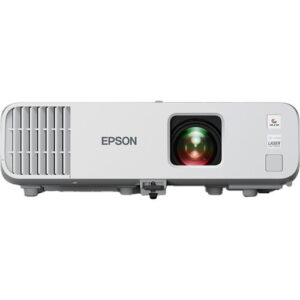
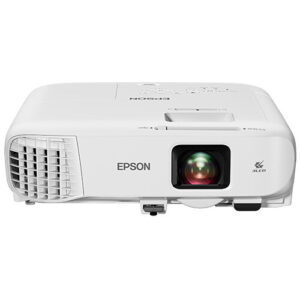
Projector Options from AudioVideoNation
1. NEC NP-P506QL 4K DLP Conference Room Laser Projector
Who should compare it: Conference room teams that place 4K resolution, DLP imaging, and laser illumination at the top of the project brief.
Why it belongs here: It is the 4K side of the NEC comparison, combining DLP imaging, laser illumination, and conference-room positioning in the supplied product data.
SKU: NP-P506QL
Key Features
- 4K resolution
- DLP imaging technology
- Laser projector
- Conference-room product positioning
Things to Consider
Confirm rated brightness, throw and lens requirements, inputs, control options, audio routing, mounting needs, and included accessories before approval. Use the product page for current commerce details.
2. NEC NP-P525UL 5200-Lumen WUXGA Laser LCD Projector
Who should compare it: Teams with a written requirement for 5,200 lumens, WUXGA resolution, laser illumination, and LCD imaging.
Why it belongs here: It supplies the comparison’s documented 5,200-lumen output and pairs WUXGA resolution with laser illumination and LCD imaging.
SKU: NP-P525UL
Key Features
- 5,200-lumen brightness rating
- WUXGA resolution
- Laser light source
- LCD imaging technology
Things to Consider
A lumen rating alone cannot determine room fit. Confirm the screen plan, ambient-light conditions, throw and lens details, connections, control, audio, mounting, and included accessories.
3. Epson Powerlite L270F 5200-Lumen Full HD Laser 3LCD Projector (V11HC68020)
Who should compare it: Buyers comparing 5,200-lumen laser projectors when Full HD satisfies the content requirement and 3LCD fits the brief.
Why it belongs here: It adds another 5,200-lumen laser option to the shortlist, with Full HD resolution and 3LCD imaging instead of the NEC models’ stated resolution and imaging combinations.
SKU: PL-L270F
Key Features
- 5,200-lumen brightness rating
- Full HD resolution
- Laser light source
- 3LCD imaging technology
Things to Consider
Full HD differs from the 4K and WUXGA labels in the NEC comparison. Confirm that resolution choice, then verify throw, lens, connections, control, audio, mounting, and included accessories.
4. Epson PowerLite 992F 4000-Lumen Full HD Projector with Wi-Fi (V11H988020)
Who should compare it: Teams whose approved brief calls for Full HD, 4,000 lumens, and Wi-Fi rather than the NEC models’ documented specification sets.
Why it belongs here: It gives buyers a Full HD alternative with a stated 4,000-lumen output and Wi-Fi, creating a different specification path from the two NEC laser projectors.
SKU: PL-992F
Key Features
- 4,000-lumen brightness rating
- Full HD resolution
- Wi-Fi
Things to Consider
Wi-Fi alone does not establish network or workflow compatibility. Confirm connectivity, throw, mounting, control, audio, light-source requirements, and the room’s needed brightness before selection.
NEC NP-P506QL 4K DLP Conference Room Laser Projector vs NEC NP-P525UL 5200-Lumen WUXGA Laser LCD Projector: Main Differences
- Choose NEC NP-P506QL 4K DLP Conference Room Laser Projector if Conference room teams that place 4K resolution, DLP imaging, and laser illumination at the top of the project brief..
- Choose NEC NP-P525UL 5200-Lumen WUXGA Laser LCD Projector if Teams with a written requirement for 5,200 lumens, WUXGA resolution, laser illumination, and LCD imaging..
- Choose Epson Powerlite L270F 5200-Lumen Full HD Laser 3LCD Projector (V11HC68020) if Buyers comparing 5,200-lumen laser projectors when Full HD satisfies the content requirement and 3LCD fits the brief..
- Choose Epson PowerLite 992F 4000-Lumen Full HD Projector with Wi-Fi (V11H988020) if Teams whose approved brief calls for Full HD, 4,000 lumens, and Wi-Fi rather than the NEC models’ documented specification sets..
Quick verdict: 4K detail or specified brightness
The clearest split is resolution versus documented light output. Choose the NEC NP-P506QL when the project brief explicitly requires 4K, DLP imaging, and a laser projector. Its product positioning also makes it the natural NEC candidate to investigate first for a conference room.
Choose the NEC NP-P525UL when the specification calls for WUXGA resolution and 5,200 lumens. It uses laser illumination and LCD imaging. Unlike the NP-P506QL data supplied for this comparison, its stated brightness gives designers a number they can place against the project’s required output.
That isn’t a complete brightness comparison. Confirm the NP-P506QL’s rated brightness before comparing the two projectors numerically or approving either one for a particular screen. The same discipline applies to throw, lens, inputs, control, audio, and mounting details.
Both projectors can enter an institutional AV shortlist, but neither should win solely because one label sounds stronger. Start with the resolution and brightness requirements written into the scope. Then validate every installation-critical detail on the linked product page and with the seller.
NEC NP-P506QL 4K projector: deployment fit
The NEC NP-P506QL combines three confirmed attributes: 4K resolution, DLP imaging, and laser illumination. The supplied product name identifies it as a conference room projector, so it fits naturally into early planning for meeting spaces where 4K is part of the technical brief.
That resolution label is the main reason to choose it over the NP-P525UL. If presentation sources, shared content, or an organizational display standard require 4K, the NP-P506QL matches that requirement in the provided data. This comparison does not establish its support for any particular input format, source device, conferencing platform, or control system. Check those connections directly before specifying it.
Brightness also needs confirmation. Screen size, room light, surface choice, and image expectations all affect the required output, so a conference-room label alone cannot establish room fit. Installers should also confirm throw geometry, lens options, mounting position, control interfaces, audio routing, physical dimensions, and included accessories.
Schools and churches can consider the NP-P506QL when 4K is a real requirement rather than a preference. The room survey still decides whether it belongs in a classroom, sanctuary, fellowship space, or lecture room.
NEC NP-P525UL 5,200-lumen WUXGA projector: deployment fit
The NEC NP-P525UL is the more clearly documented choice for a specification built around brightness and WUXGA resolution. It is rated at 5,200 lumens and uses a laser light source with LCD imaging. Those facts give an AV team a practical starting point for procurement.
A 5,200-lumen rating does not settle room suitability by itself. It must be evaluated against the intended screen, ambient light, mounting location, and image-size target. Still, the published figure lets planners compare the projector with a stated output requirement without filling a gap through guesswork.
WUXGA is the other defining requirement. If a school, church, or meeting-room standard calls for WUXGA rather than 4K, the NP-P525UL directly matches that line item. It should not be treated as a 4K substitute because the supplied facts identify the two NEC projectors with different resolution classes.
Before approval, confirm throw and lens details, source connections, control needs, audio routing, mounting hardware, and physical fit. The provided data does not establish compatibility with an existing AV system. Treat the 5,200-lumen figure and WUXGA label as shortlist criteria, then complete the design review.
4K vs WUXGA and DLP vs LCD
Resolution provides the firmest distinction in the NEC comparison. The NP-P506QL is identified as 4K. The NP-P525UL is identified as WUXGA. If the scope requires one of those resolution classes, the first cut is straightforward.
Content and system standards should drive that requirement. A team with a written 4K deliverable has direct support for shortlisting the NP-P506QL. A team standardizing on WUXGA can place the NP-P525UL first. Confirm the source path and accepted signal formats before assuming that a resolution label guarantees compatibility with every computer, switcher, receiver, or conferencing appliance.
Imaging technology also differs. The NP-P506QL uses DLP, while the NP-P525UL uses LCD. The provided facts do not include contrast, color, latency, or other measurements needed for a defensible image-performance verdict. Avoid choosing between DLP and LCD through broad assumptions. If your organization has an imaging-technology standard, maintenance policy, or existing fleet preference, document it and check the projector against that policy.
For mixed-use spaces, list each recurring content type and its required resolution. That keeps the decision tied to actual use instead of an unsupported claim that either projector will look better in every room.
Brightness and installation checklist for schools, churches, and conference rooms
The NP-P525UL has a supplied rating of 5,200 lumens. A matching figure should be confirmed for the NP-P506QL before anyone calls one NEC projector brighter or designs around a numeric difference. The two Epson alternatives provide other documented reference points: 5,200 lumens for the Powerlite L270F and 4,000 lumens for the PowerLite 992F.
Use the brightness number as one input to the room design. Then complete a short installation checklist:
- Record the intended screen dimensions, image size, and usable mounting positions.
- Document controllable and uncontrolled room light during actual operating hours.
- Confirm throw geometry, lens requirements, and whether the planned location can produce the target image.
- Check source resolution, required connections, signal routing, and control interfaces.
- Decide whether audio will use a separate sound system and verify the required audio path.
- Confirm mounting hardware, service access, physical clearance, network requirements, and included accessories.
Churches should repeat this review for every space under consideration because sanctuary, classroom, and fellowship-room conditions can differ. Schools should check classroom standards and source equipment. Conference-room teams should include the conferencing and control design. None of those environments can be approved from resolution and lumens alone.
Projector price-to-performance, stock, and availability planning
Price-to-performance starts with required performance. Check each linked product page for live commerce details, then compare the current purchase terms against the specifications your project will use. A lower current cost has little value if the projector misses a mandatory resolution, brightness, or installation requirement.
For the NP-P506QL, the documented value case centers on 4K resolution, DLP imaging, laser illumination, and conference-room positioning. For the NP-P525UL, it centers on 5,200 lumens, WUXGA resolution, laser illumination, and LCD imaging. Assign value only to attributes that matter in the room.
Include installation costs in the procurement review, but verify the required parts first. The supplied product data does not identify lens options, mounts, adapters, control accessories, or included items. Those details can change the real project total even when the projector itself meets the technical brief.
Stock and availability also need a live check. Product-page information can change, and a project may require several identical units rather than one. Before scheduling installers, confirm the exact SKU, required quantity, purchasing terms, and expected timing with AudioVideoNation. Use the same process for the Epson alternatives if they enter the shortlist.
Epson alternatives for a broader laser projector comparison
Two Epson projectors widen the comparison when the specification is not locked to NEC or 4K.
The Epson Powerlite L270F is a 5,200-lumen Full HD laser 3LCD projector. Its stated brightness matches the NP-P525UL’s 5,200-lumen figure, but its resolution is Full HD rather than WUXGA. It gives buyers another laser option when Full HD satisfies the content standard and 3LCD fits the project brief.
The Epson PowerLite 992F is a 4,000-lumen Full HD projector with Wi-Fi. It is the only selected product with Wi-Fi stated in the provided facts. That does not establish compatibility with a school, church, or corporate network, so confirm supported workflows and security requirements before treating wireless connectivity as a deciding benefit.
Neither Epson should be assumed to be a drop-in replacement for either NEC projector. Resolution, brightness, imaging technology, and light-source descriptions differ across the group. Throw, lens, control, audio, mounting, and connection details also need verification. Use the Epson models to test whether the original brief truly requires 4K or WUXGA, or whether a documented Full HD option can meet the deployment’s actual needs.
Final selection workflow for AV teams
Turn the comparison into a decision in three passes.
1. Lock the non-negotiables. Write down required resolution, minimum accepted brightness, screen target, room-light conditions, source path, mounting limits, control needs, and audio design.
2. Build the shortlist from confirmed facts. Pick the NP-P506QL for a 4K-led NEC brief. Pick the NP-P525UL for a 5,200-lumen WUXGA-led NEC brief. Add the Epson L270F or 992F only when Full HD fits the requirement.
3. Validate before ordering. Confirm every needed specification, connection, accessory, quantity, and current commerce detail on the linked page and with the seller.
The supplied facts support a conditional recommendation, not a universal winner. The NP-P506QL is the clearer route to 4K. The NP-P525UL gives planners a documented 5,200-lumen WUXGA specification. Your room design and system requirements decide which advantage matters.
Related AudioVideoNation Links
- Browse Projector at AudioVideoNation
- NEC NP-P506QL 4K DLP Conference Room Laser Projector
- NEC NP-P525UL 5200-Lumen WUXGA Laser LCD Projector
- Epson Powerlite L270F 5200-Lumen Full HD Laser 3LCD Projector (V11HC68020)
- Epson PowerLite 992F 4000-Lumen Full HD Projector with Wi-Fi (V11H988020)
Product Information Sources
- NEC NP-P506QL 4K DLP Conference Room Laser Projector product information
- NEC NP-P525UL 5200-Lumen WUXGA Laser LCD Projector product information
- Epson Powerlite L270F 5200-Lumen Full HD Laser 3LCD Projector (V11HC68020) product information
- Epson PowerLite 992F 4000-Lumen Full HD Projector with Wi-Fi (V11H988020) product information
FAQ
What is the main difference between the NEC NP-P506QL and NP-P525UL?
The NP-P506QL is a 4K DLP laser projector, while the NP-P525UL is a 5,200-lumen WUXGA laser LCD projector. The choice hinges on whether 4K resolution or the NP-P525UL’s documented brightness and WUXGA specification better matches the project.
Which NEC projector is better for a conference room?
Choose the NP-P506QL when 4K is a firm conference-room requirement, or shortlist the NP-P525UL when the brief calls for 5,200 lumens and WUXGA. Confirm room brightness, screen size, throw, connections, control, mounting, and audio needs before final approval.
Can the brightness of the NP-P506QL and NP-P525UL be compared directly?
A direct brightness comparison cannot be made from the supplied facts because only the NP-P525UL has a confirmed 5,200-lumen figure here. Verify the NP-P506QL’s rated brightness before making a numeric comparison or sizing it for a room.
Are these NEC projectors suitable for schools and churches?
Either NEC projector can enter a school or church shortlist when its confirmed resolution and imaging specifications match the written brief. Suitability for a specific classroom, sanctuary, or meeting space still depends on verified brightness, screen, throw, mounting, connection, control, and audio requirements.
What alternatives are available if Full HD is acceptable?
The Epson Powerlite L270F and Epson PowerLite 992F are the supplied Full HD alternatives. The L270F is a 5,200-lumen laser 3LCD projector, while the 992F is a 4,000-lumen projector with Wi-Fi.
Where should buyers check current pricing and availability?
Buyers should use each linked AudioVideoNation product page and confirm project quantities and timing with the seller. Live commerce details can change, so verify the exact SKU and required units before scheduling installation.
Conclusion
Use this NEC NP-P506QL vs NP-P525UL: Which Projector Should You Choose? comparison to match documented specifications to the room and installation requirements. Review the linked product pages for current purchase details before ordering.
Products Used
| SKU | Product Name | URL |
|---|---|---|
| NP-P506QL | NEC NP-P506QL 4K DLP Conference Room Laser Projector | View product |
| NP-P525UL | NEC NP-P525UL 5200-Lumen WUXGA Laser LCD Projector | View product |
| PL-L270F | Epson Powerlite L270F 5200-Lumen Full HD Laser 3LCD Projector (V11HC68020) | View product |
| PL-992F | Epson PowerLite 992F 4000-Lumen Full HD Projector with Wi-Fi (V11H988020) | View product |