


Planning a projection system around one projector SKU can look simple until the screen position, lens choice, mount, signal path, and purchasing schedule collide. Use this AV PL-L1505UNL Setup Guide and Buying Considerations resource to turn that uncertainty into a documented plan. The reference product is the Epson PowerLite Pro L1505UNL WUXGA 1080p 3LCD Projector, SKU PL-L1505UNL. The supplied facts confirm WUXGA resolution, giving the team one firm point for source and image planning.
The lens decision still needs engineering. The Epson V12H004W08, ELPLU04, and V12H004X0B listings are useful candidates to investigate, but the supplied data does not establish that any of them is compatible with the PL-L1505UNL. This guide shows installers, churches, schools, and conference room teams how to measure the room, validate a lens pairing, plan infrastructure, compare total system value, and check live commercial details before releasing a purchase order. The goal is a traceable deployment choice, not a guess based on a familiar brand or product family.
Products at a Glance
- Option 1: Epson PowerLite Pro L1505UNL WUXGA 1080p 3LCD Projector
- For installers investigating a wider-throw lens categ…: Epson V12H004W08 Wide Throw #3 Zoom Lens ELPLW08
- For teams evaluating short-throw geometry in rooms wi…: Epson V12H004U04 ELPLU04 Short-Throw Zoom Lens for Select Projectors
- For installers comparing Epson short-throw lens candi…: Epson Ultra V12H004X0B Short-throw Lens for Epson Pro Series Projectors
Quick Comparison Table
| Feature | Epson PowerLite Pro L1505UNL WUXGA 1080p 3LCD Projector | Epson V12H004W08 Wide Throw #3 Zoom Lens ELPLW08 | Epson V12H004U04 ELPLU04 Short-Throw Zoom Lens for Select Projectors | Epson Ultra V12H004X0B Short-throw Lens for Epson Pro Series Projectors |
|---|---|---|---|---|
| Brightness | 12,000 lumen | 20,000 lumens | ||
| Resolution | WUXGA | |||
| Best For | Teams building a documented projection plan around SKU PL-L1505UNL. | Installers investigating a wider-throw lens category after measuring the screen and lens position. | Teams evaluating short-throw geometry in rooms with a constrained lens-to-screen distance. | Installers comparing Epson short-throw lens candidates after completing a measured room study. |
| Throw Type | Short throw | |||
| Recommended Buyer | Teams building a documented projection plan around SKU PL-L1505UNL. | Installers investigating a wider-throw lens category after measuring the screen and lens position. | Teams evaluating short-throw geometry in rooms with a constrained lens-to-screen distance. | Installers comparing Epson short-throw lens candidates after completing a measured room study. |
Product Images

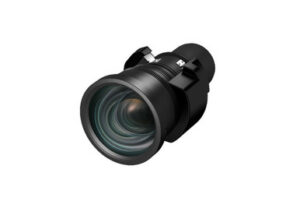


Projector Options from AudioVideoNation
1. Epson PowerLite Pro L1505UNL WUXGA 1080p 3LCD Projector
Who should compare it: Teams building a documented projection plan around SKU PL-L1505UNL.
Why it belongs here: This is the exact projector addressed by the guide. Its supplied WUXGA resolution gives buyers a firm starting point for image, source, and deployment planning.
SKU: PL-L1505UNL
Key Features
- WUXGA resolution in the supplied product facts
- Exact procurement SKU PL-L1505UNL
- PowerLite Pro L1505UNL product identity
- Listed under Multimedia Projectors, Projectors, and Video
Things to Consider
Confirm the compatible lens list, rated brightness, throw data, adjustment ranges, connections, mount requirements, power, airflow clearances, and control interfaces in current documentation before approving the design.
2. Epson V12H004W08 Wide Throw #3 Zoom Lens ELPLW08
Who should compare it: Installers investigating a wider-throw lens category after measuring the screen and lens position.
Why it belongs here: This lens adds an identified Epson zoom-lens SKU to the room-geometry study. Its supplied product name places it in a wide-throw context for comparison with short-throw candidates.
SKU: V12H004W08
Key Features
- Wide-throw positioning in the supplied product name
- ELPLW08 zoom-lens identity
- Exact procurement SKU V12H004W08
- Listed under Accessories, Lenses, and Projectors
Things to Consider
The supplied data does not confirm compatibility with PL-L1505UNL. Verify the exact pairing, throw range, image-size range, adjustment range, and required installation parts before purchase.
3. Epson V12H004U04 ELPLU04 Short-Throw Zoom Lens for Select Projectors
Who should compare it: Teams evaluating short-throw geometry in rooms with a constrained lens-to-screen distance.
Why it belongs here: This lens gives the room study a short-throw option grounded in the supplied product facts. It is relevant when the measured projector position is relatively close to the screen.
SKU: ELPLU04
Key Features
- Short-throw classification in the supplied product facts
- Zoom-lens designation in the product listing
- Exact supplied SKU ELPLU04
- Listed under Lenses, Multimedia Projectors, Projectors, and Video
Things to Consider
Select-projector wording does not establish a PL-L1505UNL match. Use both the supplied SKU and full product name when requesting written compatibility and geometry confirmation.
4. Epson Ultra V12H004X0B Short-throw Lens for Epson Pro Series Projectors
Who should compare it: Installers comparing Epson short-throw lens candidates after completing a measured room study.
Why it belongs here: This product broadens the short-throw lens comparison with a separate Epson lens record whose supplied name places it in a Pro Series context.
SKU: V12H004X0B
Key Features
- Short-throw positioning in the supplied product name
- Epson Pro Series context in the supplied product name
- Exact procurement SKU V12H004X0B
- Listed under Accessories and Lenses
Things to Consider
Pro Series wording is not proof of PL-L1505UNL compatibility. Confirm the exact projector pairing, throw and adjustment ranges, image-size support, and installation requirements before specifying it.
Epson PowerLite Pro L1505UNL WUXGA 1080p 3LCD Projector vs Epson V12H004W08 Wide Throw #3 Zoom Lens ELPLW08: Main Differences
- Choose Epson PowerLite Pro L1505UNL WUXGA 1080p 3LCD Projector if Teams building a documented projection plan around SKU PL-L1505UNL..
- Choose Epson V12H004W08 Wide Throw #3 Zoom Lens ELPLW08 if Installers investigating a wider-throw lens category after measuring the screen and lens position..
- Choose Epson V12H004U04 ELPLU04 Short-Throw Zoom Lens for Select Projectors if Teams evaluating short-throw geometry in rooms with a constrained lens-to-screen distance..
- Choose Epson Ultra V12H004X0B Short-throw Lens for Epson Pro Series Projectors if Installers comparing Epson short-throw lens candidates after completing a measured room study..
Epson PL-L1505UNL setup: define deployment fit
Start with the job. Write down the content viewers must read, the farthest viewing position, the planned screen size, the available projection location, and the room-light conditions during actual use. A church may prioritize lyrics, presentation slides, and video feeds. A school may need legible instructional content from several seating positions. A conference room team may care most about spreadsheets, diagrams, and shared presentations. Those tasks shape the design before a lens or mount is selected.
The PL-L1505UNL has WUXGA resolution in the supplied product facts. Treat that as one design input rather than a complete performance specification. Confirm the projector’s rated brightness, supported source formats, image controls, connection options, operating clearances, and installation requirements in current Epson documentation. Then compare those verified details with the screen, ambient light, content, and viewing-distance targets.
Deployment fit also includes operations. Identify who starts and shuts down the system, how sources are selected, where controls will sit, and how technicians will reach the projector for inspection. Record the expected operating schedule and any periods when service access is restricted. A system that fits the image requirement but cannot be maintained without disrupting the room still needs design work.
WUXGA projector buying guide: map room geometry
Measure first. Record the proposed screen width and height, the distance from the finished screen surface to the planned lens position, the mounting height, and any structural or architectural obstacles. Measure to the lens location rather than the edge of the projector or mount plate. Small reference errors can undermine the lens study.
Next, document the relationship between the screen center and the proposed lens centerline. Ask for verified throw-ratio, zoom, lens-shift, offset, and image-size ranges for the exact projector-and-lens pairing. Do not infer those values from the lens name or a related Epson product. A current compatibility chart, lens calculator, or written confirmation tied to both SKUs should support the design.
Room constraints determine which lens category deserves attention. A short-throw projector lens may help when the available lens-to-screen distance is limited, but it still has to produce the required image size within its documented range. A wider-throw option may suit a projector location farther from the screen. Neither label answers the full question. Ceiling depth, hanging fixtures, beams, sightlines, access paths, and acceptable mounting positions all matter.
Create a scaled side view and plan view before ordering. Mark the screen, lens position, mount, audience sightlines, obstacles, cable route, and service zone. This drawing gives the installer, buyer, and seller the same reference point when confirming the final lens.
Compare Epson projector lens options without assuming compatibility
The supplied product set contains three lens records worth placing on a verification list. The Epson V12H004W08 product name identifies the ELPLW08 as a Wide Throw #3 Zoom Lens. The provided facts classify the Epson ELPLU04 as short throw. The Epson V12H004X0B product name places that lens in a short-throw context for Epson Pro Series projectors. These labels help organize the room study, but they do not confirm a PL-L1505UNL pairing.
Treat fit as unproven until Epson documentation or a qualified seller confirms the exact combination. Provide the projector SKU, lens SKU, desired image dimensions, measured lens-to-screen distance, mounting orientation, and planned lens centerline. Ask for the supported throw range at the required image size and the available adjustment range. Also confirm whether any brackets, adapters, or installation accessories are required for that pairing.
Keep product identifiers exact. V12H004W08, ELPLU04, and V12H004X0B are distinct purchasing references, even when product names share Epson lens terminology. Copy the chosen lens SKU into the quote, purchase order, installation drawing, receiving checklist, and commissioning record. That simple control reduces the chance that a related lens is substituted without a fresh geometry review.
Do not interpret a lumen figure attached to a lens record as the projector’s delivered brightness. Confirm what any lens-related brightness designation means in current manufacturer documentation. The room’s required projector brightness should come from the complete image design, including screen size, screen characteristics, ambient light, and content needs.
Projector deployment planning for signal, control, power, and mounting
Build the signal path on paper before cable is pulled. List every source, its planned output format, the switching equipment, transport method, wall plates, conversion points, and the projector input approved in current documentation. Confirm that the entire path supports the intended format and distance. Include EDID and content-protection behavior in the test plan when protected or managed sources are part of the room.
Long cable routes may need active transport, but the choice should follow verified bandwidth and distance requirements. Count every connection and adapter. Each one needs a reason, an accessible location, and a test step. If presentations cannot stop, document the approved fallback source or alternate route instead of assuming an operator can troubleshoot under pressure.
Apply the same discipline to control. Verify the PL-L1505UNL control interfaces and command requirements before specifying a control processor or network workflow. Define power-on, source-selection, blanking, and shutdown behavior in plain language so the programmer and operator share the same expectations.
The physical installation needs its own checks. Confirm the exact mount interface, total supported load, attachment structure, power requirements, cable strain relief, ventilation clearance, and service access from current documentation. Qualified trades should approve structural support and electrical work. Leave enough access to inspect connections and service the projector without moving the screen or dismantling unrelated room equipment.
Use a staged installation and commissioning process
Begin with document review. Match the delivered projector and lens labels to the approved purchase order and drawings. Recheck compatibility before installing the lens. Inspect the screen location, mounting point, cable path, power, and clearances against the final site conditions. Construction changes can invalidate measurements that were accurate during design.
Bench-test the planned sources, switching, transport, and control path where practical. At the site, establish the mount position from the approved lens geometry. Align the projector mechanically before relying on image correction. Then set image size, position, and focus using the controls supported by the confirmed lens. Check focus and framing across the full screen rather than at one convenient point.
Commission with real content from every source. Test fine text, presentation slides, video, source changes, startup, shutdown, and recovery after a power interruption according to the approved operating procedure. View the image from the closest, farthest, and most off-axis audience positions. Repeat the checks under the room-light settings people will actually use.
Record the installed projector SKU, lens SKU, mount position, cable route, source settings, control configuration, and final operating steps. Save approved configuration files and contact information with the room documentation. Train the people who will use the system, then give them a short checklist for startup, source selection, shutdown, and escalation.
Stock and availability plus price-to-performance checks
Treat availability as a project dependency. Open each linked AudioVideoNation product page for current commerce details, and confirm the projector and selected lens against the installation date before ordering. Ask whether all required parts can arrive within the same project window. Capture the date of the quote, the exact SKUs, included items, lead-time guidance, and any substitution proposed by the seller.
A substitution needs a new technical review. Similar naming does not establish equal compatibility, throw range, mounting behavior, or image geometry. Route any alternate projector or lens back through the room calculation and written approval process before accepting it.
Base the price-to-performance decision on total installed cost and the required outcome. Include the projector, confirmed lens, mount, signal transport, control integration, electrical work, structural work, installation access, labor, commissioning, and planned support. A lens that works from the existing approved mounting location could avoid construction changes. A different choice may alter cable routes or require another mounting position. Price those effects instead of comparing product-page figures alone.
Use the linked pages for current pricing and availability rather than embedding temporary commerce details in the design. Compare each viable configuration against the same screen, content, room-light, schedule, and service-access requirements. A lower line-item cost has little value if the configuration cannot meet the documented deployment plan.
Final buying checklist for churches, schools, and meeting rooms
Before approval, produce a one-page basis of design. It should name the PL-L1505UNL, state the WUXGA resolution supplied in the product facts, identify the screen target, show the measured lens position, and list the selected lens only after compatibility is confirmed. Attach the room drawing, signal diagram, mounting details, and verification source.
Separate confirmed facts from open questions. The purchase should pause if the team still lacks an approved lens pairing, workable image geometry, mounting approval, power plan, signal-path design, or schedule confirmation. Resolve those items while changes remain inexpensive.
Once the design is approved, freeze the exact projector and lens SKUs across the quote, purchase order, drawings, receiving documents, and test plan. Churches should assign an operator workflow for services and rehearsals. Schools should account for shared-room access and staff handoff. Conference room teams should define source switching and a fallback presentation path. These are planning prompts, not claims that one configuration fits every venue.
Choose the configuration only when it meets the measured geometry, required image task, infrastructure plan, installation schedule, service-access needs, and total installed-cost target. That decision trail gives buyers and installers a clear standard for accepting the finished system.
Related AudioVideoNation Links
- Browse Projector at AudioVideoNation
- View the Epson PowerLite Pro PL-L1505UNL projector
- View the Epson ELPLW08 lens
- View the Epson ELPLU04 short-throw zoom lens
- View the Epson V12H004X0B lens
Product Information Sources
- Epson PowerLite Pro L1505UNL WUXGA 1080p 3LCD Projector product information
- Epson V12H004W08 Wide Throw #3 Zoom Lens ELPLW08 product information
- Epson V12H004U04 ELPLU04 Short-Throw Zoom Lens for Select Projectors product information
- Epson Ultra V12H004X0B Short-throw Lens for Epson Pro Series Projectors product information
FAQ
What resolution is listed for the Epson PL-L1505UNL?
The provided product data lists WUXGA resolution for the Epson PL-L1505UNL. Match source output and content layout to the projector’s confirmed operating requirements, then test the complete signal chain before handoff.
Which listed lens is compatible with the PL-L1505UNL?
The supplied data does not confirm any listed lens as compatible with the PL-L1505UNL. Verify the exact projector-and-lens SKU pairing through current Epson documentation or written seller confirmation before ordering.
How should buyers choose between short-throw and wide-throw lens options?
Choose the lens category by matching the measured lens-to-screen distance and required image size to a verified throw range. Also confirm lens shift, zoom, offset, mounting position, and compatibility for the exact projector and lens SKUs.
What commerce details should be checked before ordering?
Verify current price, availability, timing, included items, and exact SKUs on the linked product pages or with AudioVideoNation before ordering. Recheck any proposed substitution against the room geometry and compatibility documentation.
How should price-to-performance be evaluated for this projector setup?
Judge price-to-performance by total installed cost against the documented image and deployment requirements. Include the confirmed lens, mount, signal transport, control work, electrical and structural work, installation labor, commissioning, and planned support.
What should installers test before handing over the system?
Installers should test every approved source, image framing and focus, switching, control, startup, shutdown, and the documented recovery procedure before handoff. Run those checks with real content and the room-light settings expected during use.
Conclusion
Use this AV PL-L1505UNL Setup Guide and Buying Considerations comparison to match documented specifications to the room and installation requirements. Review the linked product pages for current purchase details before ordering.
Products Used
| SKU | Product Name | URL |
|---|---|---|
| PL-L1505UNL | Epson PowerLite Pro L1505UNL WUXGA 1080p 3LCD Projector | View product |
| V12H004W08 | Epson V12H004W08 Wide Throw #3 Zoom Lens ELPLW08 | View product |
| ELPLU04 | Epson V12H004U04 ELPLU04 Short-Throw Zoom Lens for Select Projectors | View product |
| V12H004X0B | Epson Ultra V12H004X0B Short-throw Lens for Epson Pro Series Projectors | View product |