

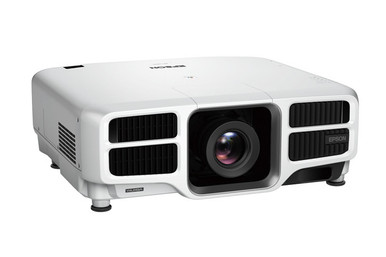
This AV PL-L1300U Setup Guide and Buying Considerations article is for teams that need to turn a projector listing into a workable deployment plan. The Epson PowerLite Pro L1300U is identified here as a WUXGA projector, but choosing the correct listing and lens still requires careful verification. Those decisions affect the whole installation. A church may project from a rear booth, a school may have fixed ceiling points, and a conference room team may need to work around an existing screen and signal path. This guide compares two L1300U catalog entries and three Epson lens listings without guessing at unprovided specifications. It also covers room measurements, image geometry, source planning, mounting, procurement timing, and total project cost. Use the linked product pages for live commerce details, then confirm technical fit against current Epson documentation and your measured room. Start with the space. Choose the exact projector package and lens afterward.
Products at a Glance
- Option 1: Epson PowerLite Pro L1300U WUXGA 1080p 3LCD Projector
- For teams comparing the two supplied L1300U-family li…: Epson Power Lite Pro L1300UNL WUXGA 1080p 3LCD Projector
- For teams researching a medium-throw lens and prepare…: Epson V12H004M01 ELP-LM01 Medium-throw Zoom Lens 70.3mm-105.8mm F/2.0-2.7
- For installers comparing wide-throw lens candidates a…: Epson V12H004W08 Wide Throw #3 Zoom Lens ELPLW08
- For installers evaluating lens options before fixing…: Epson V12H004W05 ELPLW05 Wide-Throw Zoom Lens for Select Projectors
Quick Comparison Table
| Feature | Epson PowerLite Pro L1300U WUXGA 1080p 3LCD Projector | Epson Power Lite Pro L1300UNL WUXGA 1080p 3LCD Projector | Epson V12H004M01 ELP-LM01 Medium-throw Zoom Lens 70.3mm-105.8mm F/2.0-2.7 | Epson V12H004W08 Wide Throw #3 Zoom Lens ELPLW08 | Epson V12H004W05 ELPLW05 Wide-Throw Zoom Lens for Select Projectors |
|---|---|---|---|---|---|
| Brightness | 12,000 lumen | ||||
| Resolution | WUXGA | WUXGA | |||
| Best For | Buyers planning around SKU PL-L1300U who will verify the lens, room geometry, system connections, and package contents before purchase. | Teams comparing the two supplied L1300U-family listings and documenting exactly which package their design requires. | Teams researching a medium-throw lens and prepared to verify projector compatibility and image geometry before ordering. | Installers comparing wide-throw lens candidates against measured image width and lens-to-screen distance. | Installers evaluating lens options before fixing the projector position or approving the final bill of materials. |
| Throw Type | Short throw | ||||
| Recommended Buyer | Buyers planning around SKU PL-L1300U who will verify the lens, room geometry, system connections, and package contents before purchase. | Teams comparing the two supplied L1300U-family listings and documenting exactly which package their design requires. | Teams researching a medium-throw lens and prepared to verify projector compatibility and image geometry before ordering. | Installers comparing wide-throw lens candidates against measured image width and lens-to-screen distance. | Installers evaluating lens options before fixing the projector position or approving the final bill of materials. |
Product Images


Projector Options from AudioVideoNation
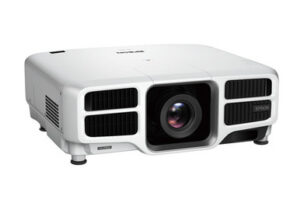
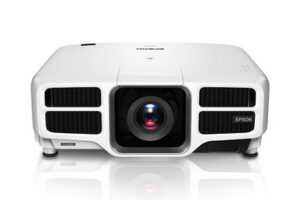
1. Epson PowerLite Pro L1300U WUXGA 1080p 3LCD Projector
Who should compare it: Buyers planning around SKU PL-L1300U who will verify the lens, room geometry, system connections, and package contents before purchase.
Why it belongs here: This is the exact PL-L1300U projector at the center of the setup and purchasing plan. Its product record identifies WUXGA resolution.
SKU: PL-L1300U
Key Features
- WUXGA resolution is identified in the supplied product data.
- Cataloged in Multimedia Projectors, Projectors, and Video.
- Exact purchasing identifier: PL-L1300U.
Things to Consider
Confirm brightness, lens requirements, throw geometry, interfaces, dimensions, mounting details, and package contents through current documentation and the linked product page.
2. Epson Power Lite Pro L1300UNL WUXGA 1080p 3LCD Projector
Who should compare it: Teams comparing the two supplied L1300U-family listings and documenting exactly which package their design requires.
Why it belongs here: This closely named L1300UNL listing gives buyers a second WUXGA projector entry to evaluate during package and SKU verification.
SKU: PL-L1300UNL
Key Features
- WUXGA resolution is identified in the supplied product data.
- Cataloged in Multimedia Projectors, Projectors, and Video.
- Exact purchasing identifier: PL-L1300UNL.
Things to Consider
Do not infer package contents or lens inclusion from the UNL suffix. Confirm those details, along with every installation specification, before treating it as interchangeable with PL-L1300U.
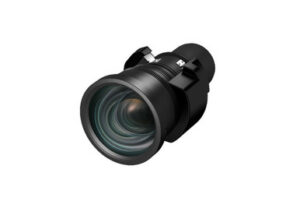
3. Epson V12H004M01 ELP-LM01 Medium-throw Zoom Lens 70.3mm-105.8mm F/2.0-2.7
Who should compare it: Teams researching a medium-throw lens and prepared to verify projector compatibility and image geometry before ordering.
Why it belongs here: This Epson ELP-LM01 listing gives installers a medium-throw lens candidate to investigate after measuring the room.
SKU: V12H004M01
Key Features
- Identified as an Epson ELP-LM01 lens listing.
- Cataloged in Accessories, Lenses, and Projectors.
- Exact purchasing identifier: V12H004M01.
Things to Consider
The supplied fields do not establish compatibility with PL-L1300U or PL-L1300UNL. Check the exact pairing and required throw range in current Epson documentation.
4. Epson V12H004W08 Wide Throw #3 Zoom Lens ELPLW08
Who should compare it: Installers comparing wide-throw lens candidates against measured image width and lens-to-screen distance.
Why it belongs here: This ELPLW08 listing broadens the lens-planning shortlist for rooms that may require a wide-throw solution.
SKU: V12H004W08
Key Features
- Identified as an Epson ELPLW08 lens listing.
- Cataloged in Accessories, Lenses, and Projectors.
- Exact purchasing identifier: V12H004W08.
Things to Consider
Confirm projector compatibility, throw range, image-size limits, and positioning allowances. The product name alone cannot establish deployment fit.
5. Epson V12H004W05 ELPLW05 Wide-Throw Zoom Lens for Select Projectors
Who should compare it: Installers evaluating lens options before fixing the projector position or approving the final bill of materials.
Why it belongs here: This ELPLW05 listing provides another Epson lens candidate for comparison during room and mount planning.
SKU: V12H004W05
Key Features
- Identified as an Epson ELPLW05 lens listing.
- Cataloged in Lenses, Multimedia Projectors, Projectors, and Video.
- Exact purchasing identifier: V12H004W05.
Things to Consider
Verify the exact throw classification, projector compatibility, and geometry in current Epson documentation before specifying this lens for either projector listing.
Epson PowerLite Pro L1300U WUXGA 1080p 3LCD Projector vs Epson Power Lite Pro L1300UNL WUXGA 1080p 3LCD Projector: Main Differences
- Choose Epson PowerLite Pro L1300U WUXGA 1080p 3LCD Projector if Buyers planning around SKU PL-L1300U who will verify the lens, room geometry, system connections, and package contents before purchase..
- Choose Epson Power Lite Pro L1300UNL WUXGA 1080p 3LCD Projector if Teams comparing the two supplied L1300U-family listings and documenting exactly which package their design requires..
- Choose Epson V12H004M01 ELP-LM01 Medium-throw Zoom Lens 70.3mm-105.8mm F/2.0-2.7 if Teams researching a medium-throw lens and prepared to verify projector compatibility and image geometry before ordering..
- Choose Epson V12H004W08 Wide Throw #3 Zoom Lens ELPLW08 if Installers comparing wide-throw lens candidates against measured image width and lens-to-screen distance..
- Choose Epson V12H004W05 ELPLW05 Wide-Throw Zoom Lens for Select Projectors if Installers evaluating lens options before fixing the projector position or approving the final bill of materials..
Start the Epson L1300U setup with room measurements
Measure before selecting hardware. Record the screen’s usable width and height, the distance from the screen surface to each possible projector position, the height of the screen, and any structural limits around the mount. Measure from the intended lens position rather than from a convenient wall or ceiling reference. That small distinction can change the lens calculation.
Next, document the viewing environment. Note windows, room lighting, service access, ceiling obstructions, and whether people or equipment could cross the light path. The provided product data identifies the PL-L1300U as WUXGA, so the source, content layout, and screen shape should be planned with that resolution in mind. Confirm the precise signal format and aspect-ratio requirements in current technical documentation before configuring sources.
Do not select a lens from a label alone. Calculate the required throw relationship from the measured throw distance and image width, then compare that requirement with an official lens table for the exact projector SKU. Keep a reasonable adjustment range around the planned image rather than designing around a single perfect measurement. Installers should also verify allowable image positioning, mount clearances, ventilation space, and service access. None of those installation details is established by the supplied product fields.
Compare PL-L1300U and PL-L1300UNL without decoding the suffix
AudioVideoNation has separate listings for the Epson PowerLite Pro L1300U, SKU PL-L1300U, and the Epson Power Lite Pro L1300UNL, SKU PL-L1300UNL. Both are identified as WUXGA projectors in the supplied data. That shared resolution does not establish that their package contents, lens arrangements, accessories, or other technical details are identical.
Treat the complete SKU as the purchasing identity. Ask the seller to confirm what arrives with each listing, then match that answer to your bill of materials. Check the included components, required lens, mounting provisions, connection options, control requirements, power requirements, and documentation revision. Do not infer any of those details from the extra letters in a SKU.
This distinction matters during quoting. A projector package that appears suitable on its own can leave an installation incomplete if the lens or another required component must be sourced separately. Record the chosen SKU on the design, quote, purchase order, installation checklist, and handoff document. That simple discipline prevents the two closely named listings from being substituted without a technical review.
Projector lens selection: treat each lens as a candidate
The provided products include three Epson lens listings: ELP-LM01 under SKU V12H004M01, ELPLW08 under SKU V12H004W08, and ELPLW05 under SKU V12H004W05. Their catalog names use medium-throw or wide-throw language, but those labels do not prove that a lens fits either L1300U listing. They also do not tell you whether it will create the required image from your mounting position. Treat each one as a research candidate until both compatibility and geometry are confirmed.
Begin with the required image width and measured lens-to-screen distance. Divide throw distance by image width to establish the room’s required throw ratio, using consistent units. Then consult current Epson documentation for the exact projector-and-lens pairing. The acceptable range should cover the calculated requirement while leaving adjustment room for construction tolerances and final alignment.
Confirm more than throw ratio. Check the permitted image-size range, positioning limits, physical clearance, installation orientation, and any handling or calibration instructions that apply to the pairing. If an existing mount cannot move, lens selection carries most of the geometric burden. If the room is still being built, compare the cost and risk of changing the mount position against choosing another verified lens.
Keep the lens SKU beside the projector SKU throughout procurement. A description such as “wide throw” is too broad for a purchase order or installation drawing. Exact identifiers give the seller and installer something concrete to verify.
Projector deployment fit for churches, schools, and meeting rooms
Deployment fit starts with the room’s job. Churches should map every presentation source, decide whether the projector must support live-video workflows, and check sightlines from congregational seating. The projector position should also remain reachable for service without disrupting permanent architectural elements. Verify every needed connection and processing requirement rather than assuming it from the projector family name.
Schools need a repeatable design. Record the screen dimensions, mounting position, source equipment, control method, cable route, and operating procedure for each room. If several spaces will share one standard, survey them individually before ordering. Similar classrooms can have different ceiling structures, window exposure, or throw distances. A single lens choice may not fit every room.
Conference room teams should begin with the collaboration system and signal path. Confirm the source output, switching equipment, content protection requirements, cable distance, control interface, and shutdown workflow. The supplied data establishes WUXGA resolution for the two projector listings, but it does not establish their connection or control capabilities.
Across all three environments, assess ambient light and required image size before accepting any brightness target. The supplied projector fields do not provide brightness. Define the requirement, obtain the verified specification for the exact SKU, and have the designer or installer judge whether the combination fits the room.
Build the signal, mounting, and commissioning plan
A projector purchase is only one part of the system. Trace the full signal path from each source through any switcher, extender, adapter, or wall plate to the projector. Write down the required resolution, content protection, connector type, and cable distance at every handoff. Then verify the exact projector listing against those requirements. Plan converters or extenders only after the interfaces are confirmed.
Review the physical installation separately. Confirm the mount’s rated fit, mounting hardware, structural attachment, projector orientation, power location, cable access, ventilation clearance, and a safe service route. The supplied data does not establish mounting compatibility or physical dimensions, so current documentation and an on-site survey must close those gaps.
Commissioning should use a written acceptance plan. Check focus and geometry across the entire image, verify every source, inspect content near the frame edges, test normal startup and shutdown, and confirm the control workflow with the people who will operate the room. Save approved settings through the method supported by the verified system, then document them for future service.
Finish with an owner handoff. Record the projector SKU, lens SKU, mounting position, cable route, source settings, and support contacts. For schools and churches with volunteers or rotating staff, include a short operating sequence that avoids hidden technical assumptions.
Stock and availability planning without schedule surprises
Use each linked AudioVideoNation product page for current commerce details, then confirm the exact SKU before committing to an installation date. Availability can change between design, approval, and purchasing. A project schedule should account for the projector, the verified lens, mounting hardware, signal components, and any other required accessories as separate dependencies.
Ask whether the quoted item matches the SKU on the approved design and whether the package contents match the bill of materials. Also confirm fulfillment timing and the applicable purchase, return, and support terms directly with the seller. Do this before scheduling lifts, installers, room closures, or training.
If one item has a different lead time, assess substitutions through a fresh technical review. A similarly named projector or lens may change geometry, package requirements, or system connections. Never approve a substitute from its name alone. Recheck the room calculations and the entire signal path first.
Judge projector price-to-performance by installed value
Price-to-performance starts with total installed cost, not the projector line item. Build a budget that includes the exact projector package, a confirmed compatible lens, mount, structural work, cabling, signal extension, switching, control, installation labor, commissioning, and staff training. Include only components the design requires, but do not hide necessary items outside the comparison.
Define performance through measurable project needs. WUXGA is the confirmed resolution fact for both projector listings. Brightness, throw coverage, input support, control options, physical fit, and other requirements still need verification for the exact SKU. Compare candidates only after the same checklist has been completed for each one.
Operational fit also carries value. Consider how easily staff can start a presentation, how technicians will reach the projector, whether the documented signal path supports every approved source, and how disruptive future service could be. These are design questions, not claims about a product that has not been fully specified.
A sound buying decision is the option that meets the verified room requirements at a defensible total project cost. If a lower equipment quote requires extra construction, adapters, or schedule changes, include those effects before deciding. If a higher quote removes a verified project expense, document that saving rather than relying on a broad quality label.
Related AudioVideoNation Links
- Browse Projector at AudioVideoNation
- Epson PowerLite Pro PL-L1300U projector
- Epson Power Lite Pro L1300UNL projector
- Epson ELP-LM01 lens
- Epson ELPLW08 lens
Product Information Sources
- Epson PowerLite Pro L1300U WUXGA 1080p 3LCD Projector product information
- Epson Power Lite Pro L1300UNL WUXGA 1080p 3LCD Projector product information
- Epson V12H004M01 ELP-LM01 Medium-throw Zoom Lens 70.3mm-105.8mm F/2.0-2.7 product information
- Epson V12H004W08 Wide Throw #3 Zoom Lens ELPLW08 product information
- Epson V12H004W05 ELPLW05 Wide-Throw Zoom Lens for Select Projectors product information
FAQ
Is the Epson PL-L1300U a WUXGA projector?
Yes, the supplied product data identifies the Epson PL-L1300U as a WUXGA projector. Confirm the source format, screen relationship, and any detailed signal requirements in current technical documentation.
Does the PL-L1300U listing include a lens?
The provided data does not establish whether the PL-L1300U package includes a lens. Confirm the contents of the exact PL-L1300U or PL-L1300UNL listing before finalizing the bill of materials.
Are the ELP-LM01, ELPLW08, and ELPLW05 lenses compatible with the L1300U?
Compatibility between these lens listings and either L1300U projector listing is not established by the provided data. Cross-reference the exact projector and lens SKUs in current Epson documentation before ordering.
What should installers measure before choosing a projector lens?
Installers should measure the required image width and the distance from the intended lens position to the screen. Use those measurements to calculate the required throw relationship, then verify a compatible lens range and positioning limits.
How should buyers compare projector price-to-performance?
Buyers should compare total installed cost against the same verified room and system requirements. Include the projector package, compatible lens, mounting, cabling, signal equipment, labor, commissioning, and any required construction.
How should a buyer check stock and availability?
A buyer should use the linked product page for live commerce details and confirm the exact SKU with the seller before scheduling installation. Check every required component separately because the projector, lens, mount, and signal hardware can affect the project timeline.
Conclusion
Use this AV PL-L1300U Setup Guide and Buying Considerations comparison to match documented specifications to the room and installation requirements. Review the linked product pages for current purchase details before ordering.
Products Used
| SKU | Product Name | URL |
|---|---|---|
| PL-L1300U | Epson PowerLite Pro L1300U WUXGA 1080p 3LCD Projector | View product |
| PL-L1300UNL | Epson Power Lite Pro L1300UNL WUXGA 1080p 3LCD Projector | View product |
| V12H004M01 | Epson V12H004M01 ELP-LM01 Medium-throw Zoom Lens 70.3mm-105.8mm F/2.0-2.7 | View product |
| V12H004W08 | Epson V12H004W08 Wide Throw #3 Zoom Lens ELPLW08 | View product |
| V12H004W05 | Epson V12H004W05 ELPLW05 Wide-Throw Zoom Lens for Select Projectors | View product |