

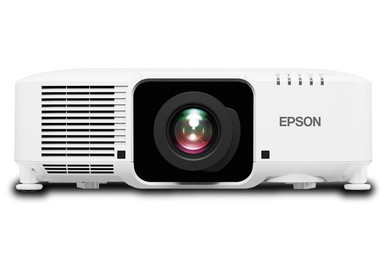
An Epson L1070W Setup Guide and Buying Considerations plan has to solve a practical problem: the projector is only one part of a working installation. The supplied data identifies the Epson Pro L1070W and Epson Pro L1070WNL as 7,000-lumen, WXGA projectors, but it does not supply throw ratios, lens compatibility, connector details, mounting data, or package contents. Those gaps matter. A church may be working around long sightlines, a school may need repeatable room operation, and a conference room team may care most about readable shared content. In every case, lens choice and exact SKU verification come before installation. This guide turns the confirmed product facts into a disciplined buying and setup process. It covers deployment fit, room measurements, lens screening, the difference between the two listed projector SKUs, and a fair way to judge stock and availability plus price-to-performance. Use the linked product pages for current commerce details, then obtain written technical confirmation for the final projector-and-lens combination.
Products at a Glance
- Option 1: Epson Pro L1070W WXGA 1080p 3LCD Projector 7000 Lumens White
- For procurement teams comparing written L1070W and L1…: Epson Pro L1070WNL WXGA 1080p 3LCD Projector 7000 Lumens White
- For installers whose documented projector-and-lens ca…: Epson V12H004W08 Wide Throw #3 Zoom Lens ELPLW08
- For installations where a documented geometry calcula…: Epson V12H004U04 ELPLU04 Short-Throw Zoom Lens for Select Projectors
Quick Comparison Table
| Feature | Epson Pro L1070W WXGA 1080p 3LCD Projector 7000 Lumens White | Epson Pro L1070WNL WXGA 1080p 3LCD Projector 7000 Lumens White | Epson V12H004W08 Wide Throw #3 Zoom Lens ELPLW08 | Epson V12H004U04 ELPLU04 Short-Throw Zoom Lens for Select Projectors |
|---|---|---|---|---|
| Brightness | 7000 Lumens | 7000 Lumens | 12,000 lumen | |
| Resolution | WXGA | WXGA | ||
| Best For | AV teams evaluating a 7,000-lumen WXGA projector after confirming lens compatibility, room geometry, signal connections, and package contents. | Procurement teams comparing written L1070W and L1070WNL configurations at the SKU level before committing to a system. | Installers whose documented projector-and-lens calculation calls for V12H004W08 at the measured throw distance and target image size. | Installations where a documented geometry calculation identifies ELPLU04 as the approved lens for the exact projector SKU and image dimensions. |
| Throw Type | Short throw | |||
| Recommended Buyer | AV teams evaluating a 7,000-lumen WXGA projector after confirming lens compatibility, room geometry, signal connections, and package contents. | Procurement teams comparing written L1070W and L1070WNL configurations at the SKU level before committing to a system. | Installers whose documented projector-and-lens calculation calls for V12H004W08 at the measured throw distance and target image size. | Installations where a documented geometry calculation identifies ELPLU04 as the approved lens for the exact projector SKU and image dimensions. |
Product Images
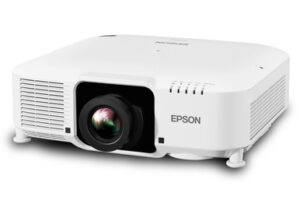
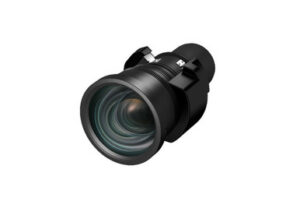

Projector Options from AudioVideoNation
1. Epson Pro L1070W WXGA 1080p 3LCD Projector 7000 Lumens White
Who should compare it: AV teams evaluating a 7,000-lumen WXGA projector after confirming lens compatibility, room geometry, signal connections, and package contents.
Why it belongs here: This is the exact projector at the center of the guide. Its provided facts establish a 7,000-lumen brightness rating and WXGA resolution for initial system planning.
SKU: L1070W
Key Features
- 7,000-lumen brightness listed in the provided data
- WXGA resolution listed in the provided data
- Exact L1070W SKU for purchasing and design records
- Dedicated product page for current commerce and configuration checks
Things to Consider
The supplied facts do not specify a lens, throw ratio, connectors, mounting details, dimensions, or package contents. Verify each item for SKU L1070W before approving the design.
2. Epson Pro L1070WNL WXGA 1080p 3LCD Projector 7000 Lumens White
Who should compare it: Procurement teams comparing written L1070W and L1070WNL configurations at the SKU level before committing to a system.
Why it belongs here: This second projector listing lets buyers compare an exact alternate SKU without guessing what its suffix means. The provided facts also list 7,000 lumens and WXGA resolution.
SKU: L1070WNL
Key Features
- 7,000-lumen brightness listed in the provided data
- WXGA resolution listed in the provided data
- Exact L1070WNL SKU for quote reconciliation
- Separate product page for current commerce and configuration checks
Things to Consider
The provided data does not explain how L1070WNL differs from L1070W. Obtain written confirmation of package contents, required lens, connectors, and exact accessory compatibility.
3. Epson V12H004W08 Wide Throw #3 Zoom Lens ELPLW08
Who should compare it: Installers whose documented projector-and-lens calculation calls for V12H004W08 at the measured throw distance and target image size.
Why it belongs here: This separate lens SKU keeps optics visible in the design, budget, and purchasing review. It should enter the plan only after an exact compatibility and geometry check.
SKU: V12H004W08
Key Features
- Exact lens SKU V12H004W08
- ELPLW08 identifier supplied in the product name
- Separate lens line item for optical-design review
- Dedicated product page for current commerce details
Things to Consider
The supplied facts do not confirm compatibility with L1070W or L1070WNL and do not provide throw-ratio, zoom, or lens-shift data. Verify the complete optical combination in writing.
4. Epson V12H004U04 ELPLU04 Short-Throw Zoom Lens for Select Projectors
Who should compare it: Installations where a documented geometry calculation identifies ELPLU04 as the approved lens for the exact projector SKU and image dimensions.
Why it belongs here: The provided facts classify this lens as short throw, making it relevant to projects exploring a shorter projection distance. Compatibility still needs exact confirmation.
SKU: ELPLU04
Key Features
- Short-throw classification in the provided data
- Exact SKU ELPLU04
- V12H004U04 identifier in the supplied product name
- Separate lens product for geometry and budget planning
Things to Consider
The supplied data does not establish compatibility with either listed projector or give the required throw and adjustment ranges. Do not order from the short-throw label alone.
Epson Pro L1070W WXGA 1080p 3LCD Projector 7000 Lumens White vs Epson Pro L1070WNL WXGA 1080p 3LCD Projector 7000 Lumens White: Main Differences
- Choose Epson Pro L1070W WXGA 1080p 3LCD Projector 7000 Lumens White if AV teams evaluating a 7,000-lumen WXGA projector after confirming lens compatibility, room geometry, signal connections, and package contents..
- Choose Epson Pro L1070WNL WXGA 1080p 3LCD Projector 7000 Lumens White if Procurement teams comparing written L1070W and L1070WNL configurations at the SKU level before committing to a system..
- Choose Epson V12H004W08 Wide Throw #3 Zoom Lens ELPLW08 if Installers whose documented projector-and-lens calculation calls for V12H004W08 at the measured throw distance and target image size..
- Choose Epson V12H004U04 ELPLU04 Short-Throw Zoom Lens for Select Projectors if Installations where a documented geometry calculation identifies ELPLU04 as the approved lens for the exact projector SKU and image dimensions..
Epson L1070W 7,000-Lumen WXGA Planning Baseline
The confirmed planning baseline is concise: both listed projector SKUs have a stated brightness of 7,000 lumens and WXGA resolution. Use those two facts to begin the design, not to finish it. A lumen rating alone does not predict the final image because screen size, screen material, ambient light, room surfaces, and placement all affect what viewers see. Document those conditions before approving the projector.
Resolution deserves the same discipline. Decide whether WXGA supplies enough detail for the content your audience will view from its actual seating distance. Large presentation text and video have different demands from spreadsheets, detailed diagrams, or multi-window collaboration layouts. Ask content owners for representative files and identify the source resolution before purchase. If small text is central to the application, test or model that use case rather than relying on the product name.
The supplied records do not include throw ratio, lens shift, zoom range, connector inventory, physical dimensions, or mounting requirements. Put each missing item on a verification sheet. This keeps a confirmed 7,000-lumen WXGA specification from being mistaken for a complete system design.
Map Deployment Fit Before Choosing a Projector SKU
Start with the room. Record the desired image width and height, the usable lens-to-screen distance, the proposed mounting position, the ceiling height, and any structural or sightline restrictions. Note windows, controllable lighting, reflective surfaces, and periods when the room is brightest. These measurements define deployment fit and give an installer enough information to calculate the required optical arrangement.
Then map the workflow. A church should account for congregation sightlines, platform lighting, control-booth location, and every source used during a service. A school should document the recurring lesson sources, operator expectations, room access, and shutdown procedure. A conference room team should examine the smallest text in its shared documents, camera sightlines, and the path from participant devices to the display system. These are planning criteria, not capabilities confirmed for either projector.
Turn the findings into pass-or-fail requirements. State the minimum acceptable image dimensions, the required content detail, the permitted mounting zone, and the connections the completed system must support. Keep preferences separate from requirements. Once the room and workflow are written down, you can assess whether the L1070W or L1070WNL belongs on the final shortlist and identify the technical facts still requiring confirmation.
Epson L1070W Lens Selection Requires Written Compatibility
Lens selection can decide whether the planned image is physically possible. The supplied facts identify the ELPLU04 as a short-throw lens. The V12H004W08 is also supplied as a separate lens product, but its throw ratio and projector compatibility are not provided. Neither lens should be treated as confirmed for the L1070W or L1070WNL from this data alone.
Give the projector SKU, proposed lens SKU, screen dimensions, lens-to-screen distance, mounting height, and image position to the manufacturer or an authorized design resource. Request a documented result for that exact combination. Confirm the usable throw range, zoom range, image offset, lens-shift limits, supported orientation, and physical clearance. A model-family resemblance is not a substitute for an exact compatibility record.
Check geometry at both ends of any adjustable range. A design placed at an extreme can leave little tolerance for field measurements or mounting variation. The installer should also confirm access for lens installation and future service after the projector is mounted.
Keep the approved calculation with the quote and installation drawings. If the projector SKU, image size, throw distance, or lens changes, rerun the calculation. Small design changes can alter the required optical setup.
Use a Projector Installation Checklist Before Mounting
Begin with a document review. Confirm the exact projector and lens SKUs, package contents, approved optical combination, mount requirements, electrical instructions, and connector list from current product documentation. Match every planned source and signal-path component to that connector plan. Do this before equipment reaches the room.
Next, mark the screen position and proposed optical center from the approved geometry. Verify that structure, lighting, sprinklers, speakers, cameras, and architectural details do not obstruct the light path or service access. A qualified installer should approve the mounting method and follow the applicable installation and electrical instructions.
Bench-test the complete signal path before overhead installation. Use representative content at the planned source output, switch among every required source, and inspect the image for scaling or cropping problems. Confirm control behavior with the actual operating workflow. The supplied product facts do not identify inputs, control methods, audio capabilities, or smart functions, so each item needs separate verification.
After mounting, establish the physical image position before relying on electronic image correction. Focus and align the image with the approved screen boundaries, then review content from the nearest and farthest audience positions. Document the final source settings, projector settings, cable routes, and operating steps. Finish with a staff handoff that covers startup, source selection, shutdown, and the support contact.
L1070W vs L1070WNL: Compare Exact Configurations
The provided data gives the L1070W and L1070WNL the same two confirmed headline specifications: 7,000 lumens and WXGA resolution. It does not explain the L1070WNL suffix or establish differences in included lenses, accessories, connectors, dimensions, or package contents. Do not decode the suffix by assumption.
Request separate, SKU-specific documentation and quotes. Each should identify the exact projector SKU, every included item, the required lens, and any installation components being supplied. Compare those written configurations line by line. This prevents a package difference from appearing late in purchasing or installation.
Compatibility should also be confirmed at the SKU level. A lens or accessory approved for one listing should not be transferred to the other without current documentation connecting the exact parts. Use productId 11819 and SKU L1070W for the first listing, and productId 11804 and SKU L1070WNL for the second. Precise identifiers make distributor questions, purchase approvals, and installation records easier to reconcile.
Check Stock and Availability, Then Judge Price-to-Performance
Stock and availability can change, so this guide does not freeze either status into the recommendation. Open the linked product page when planning the purchase and again before issuing an order. Confirm the exact SKU, requested quantity, projected timing, and whether the required lens and installation components can follow the same project schedule. For a phased deployment, verify each phase instead of assuming one check covers the entire rollout.
Judge price-to-performance from the complete installed system. Build a worksheet that includes the projector, approved lens, mount, cabling, signal extension, switching or control components, installation labor, lift access, and commissioning. Use live product pages and a written project quote for commerce details. A projector-only comparison can hide costs created by room geometry or the existing signal path.
Score each proposed system against the same requirements: 7,000-lumen planning target, WXGA resolution fit, achievable image geometry, content readability, source support, installation access, and schedule. Separate mandatory criteria from desirable ones. If the L1070W configuration meets every mandatory condition, compare its complete project cost with other documented designs. If it misses a mandatory requirement, a lower acquisition cost does not repair the mismatch.
Final Epson L1070W Buying Approval Check
Hold the purchase until the design file contains seven items: the exact projector SKU, the approved lens SKU, measured room geometry, target image dimensions, a documented brightness assessment, confirmation that WXGA fits the content, and a verified signal-path plan. Add package contents, mounting requirements, operating responsibilities, and current commerce details to the same file.
Ask the installer, buyer, and room owner to review it together. The installer validates geometry and installation access. The buyer reconciles every quoted identifier. The room owner confirms that representative content and operating steps match daily use. Short review. Big payoff.
If any compatibility answer is verbal, request it in writing before ordering. If a measurement changes, rerun the optical plan. This approval gate keeps the L1070W or L1070WNL decision tied to the room, lens, content, and complete installed cost instead of a projector specification viewed in isolation.
Related AudioVideoNation Links
- Browse Projector at AudioVideoNation
- Epson Pro L1070W projector
- Epson Pro L1070WNL projector
- Epson V12H004W08 lens
- Epson ELPLU04 short-throw lens
Product Information Sources
- Epson Pro L1070W WXGA 1080p 3LCD Projector 7000 Lumens White product information
- Epson Pro L1070WNL WXGA 1080p 3LCD Projector 7000 Lumens White product information
- Epson V12H004W08 Wide Throw #3 Zoom Lens ELPLW08 product information
- Epson V12H004U04 ELPLU04 Short-Throw Zoom Lens for Select Projectors product information
FAQ
What projector specifications are confirmed for the Epson L1070W?
The provided data confirms 7,000 lumens of brightness and WXGA resolution for the Epson L1070W. Throw ratio, lens compatibility, connectors, dimensions, and mounting details need verification from current SKU-specific documentation.
Is 7,000 lumens enough for a church, school, or conference room?
The 7,000-lumen rating is enough only if a site-specific brightness review says it meets the room, screen, image-size, and content requirements. Ambient light and room geometry should be documented before the projector is approved.
Does the Epson L1070W include a lens?
The provided product data does not confirm whether SKU L1070W includes a lens. Check the linked product page and obtain written package-content confirmation before building the purchase order.
Can the V12H004W08 or ELPLU04 be used with the L1070W?
No supplied compatibility fact confirms that either V12H004W08 or ELPLU04 can be used with the L1070W. Verify the exact projector SKU, lens SKU, throw distance, image size, and mounting geometry through current manufacturer documentation.
What is the difference between L1070W and L1070WNL?
The supplied data confirms the same 7,000-lumen and WXGA specifications for both listings but does not document their configuration differences. Compare SKU-specific package contents, required lenses, connectors, and accessory compatibility in writing.
How should buyers evaluate Epson L1070W price-to-performance?
Buyers should evaluate price-to-performance against total installed cost and the project's confirmed technical requirements. Compare live costs for the projector, approved lens, mounting, signal path, installation, and commissioning without treating projector price as the whole system cost.
Conclusion
Use this Epson L1070W Setup Guide and Buying Considerations comparison to match documented specifications to the room and installation requirements. Review the linked product pages for current purchase details before ordering.
Products Used
| SKU | Product Name | URL |
|---|---|---|
| L1070W | Epson Pro L1070W WXGA 1080p 3LCD Projector 7000 Lumens White | View product |
| L1070WNL | Epson Pro L1070WNL WXGA 1080p 3LCD Projector 7000 Lumens White | View product |
| V12H004W08 | Epson V12H004W08 Wide Throw #3 Zoom Lens ELPLW08 | View product |
| ELPLU04 | Epson V12H004U04 ELPLU04 Short-Throw Zoom Lens for Select Projectors | View product |