

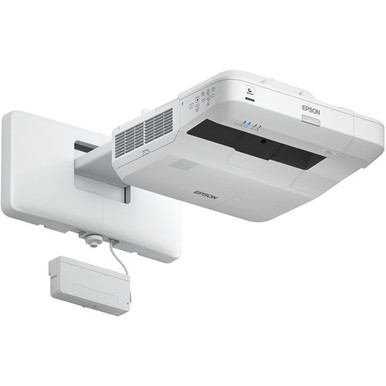
“Epson BL-1450UI vs BL-1460UI: Which Projector Should You Choose?” is the question. The available product evidence, however, covers only one side of the comparison. The Epson Bright Link Pro 1450Ui is verified at 3,800 lumens with Full HD resolution. A verified BL-1460Ui product record and specification set were not supplied for this article.
That gap rules out a credible head-to-head winner. It does not stop you from making progress. The 1450Ui provides a clear baseline, while a disciplined checklist shows exactly what to request for the 1460Ui before approving a purchase. This guide examines brightness, resolution, deployment fit, installation questions, live availability, and price-to-performance. It also introduces several Epson alternatives from the supplied catalog. The goal is simple: help schools, churches, conference room teams, and AV installers build a defensible shortlist without filling missing facts with assumptions.
Products at a Glance
- Option 1: Epson Bright Link Pro 1450Ui Interactive WUXGA 1080p 3LCD Projector with Speaker
- For buyers seeking an 8,000-lumen WUXGA candidate and…: Epson PowerLite L895U Laser Golf Simulator Projector – 8,000 Lumens, WUXGA Professional Grade, 3LCD Tech [USED]
- For buyers whose written brief accepts a 2200-lumen W…: Epson LightScene EV-110 2200-Lumen WXGA Laser 3LCD Projector (V11HA22020)
- For buyers using 4K resolution as a required screenin…: Epson LS9000 Pro Cinema 4K HDR 3LCD Laser Projector
- For buyers who require a WUXGA candidate and can vali…: Epson Pro L1100UNL WUXGA 3LCD Laser Projector
Quick Comparison Table
| Feature | Epson Bright Link Pro 1450Ui Interactive WUXGA 1080p 3LCD Projector with Speaker | Epson PowerLite L895U Laser Golf Simulator Projector – 8,000 Lumens, WUXGA Professional Grade, 3LCD Tech [USED] | Epson LightScene EV-110 2200-Lumen WXGA Laser 3LCD Projector (V11HA22020) | Epson LS9000 Pro Cinema 4K HDR 3LCD Laser Projector | Epson Pro L1100UNL WUXGA 3LCD Laser Projector |
|---|---|---|---|---|---|
| Brightness | 3,800 lumens | 8,000 Lumens | 2200 lumens | ||
| Resolution | Full HD | WUXGA | WXGA | 4K | WUXGA |
| Best For | Teams evaluating the named 1450Ui and prepared to verify room-specific installation and workflow details before purchase. | Buyers seeking an 8,000-lumen WUXGA candidate and willing to evaluate a listing identified as used. | Buyers whose written brief accepts a 2200-lumen WXGA candidate and who want to assess the EV-110 separately for room fit. | Buyers using 4K resolution as a required screening criterion, subject to separate room and installation verification. | Buyers who require a WUXGA candidate and can validate the remaining room, installation, and workflow requirements. |
| Recommended Buyer | Teams evaluating the named 1450Ui and prepared to verify room-specific installation and workflow details before purchase. | Buyers seeking an 8,000-lumen WUXGA candidate and willing to evaluate a listing identified as used. | Buyers whose written brief accepts a 2200-lumen WXGA candidate and who want to assess the EV-110 separately for room fit. | Buyers using 4K resolution as a required screening criterion, subject to separate room and installation verification. | Buyers who require a WUXGA candidate and can validate the remaining room, installation, and workflow requirements. |
Product Images
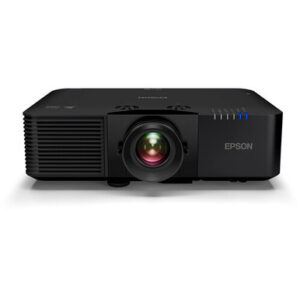
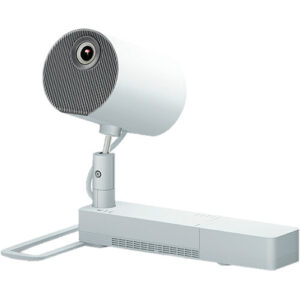
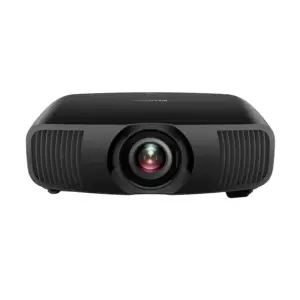
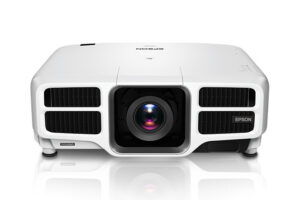
Projector Options from AudioVideoNation
1. Epson Bright Link Pro 1450Ui Interactive WUXGA 1080p 3LCD Projector with Speaker
Who should compare it: Teams evaluating the named 1450Ui and prepared to verify room-specific installation and workflow details before purchase.
Why it belongs here: It is the catalog entry for the 1450Ui named in the comparison, and its verified 3,800-lumen and Full HD facts provide the decision baseline.
SKU: BL-1450Ui
Key Features
- 3,800-lumen brightness
- Full HD resolution
- SKU BL-1450Ui for quote and product-identity checks
- Cataloged under Multimedia Projectors, Projectors, and Video
Things to Consider
Confirm lens and throw requirements, interaction method, audio plan, connections, included accessories, and installation needs. Obtain verified BL-1460Ui documentation before treating this as a completed two-model comparison.
2. Epson PowerLite L895U Laser Golf Simulator Projector – 8,000 Lumens, WUXGA Professional Grade, 3LCD Tech [USED]
Who should compare it: Buyers seeking an 8,000-lumen WUXGA candidate and willing to evaluate a listing identified as used.
Why it belongs here: Its verified 8,000-lumen brightness and WUXGA resolution provide another factual Epson reference for projects with a different display brief.
SKU: PL-L895U-USED
Key Features
- 8,000-lumen brightness
- WUXGA resolution
- SKU PL-L895U-USED for product matching
- Cataloged under Golf Simulator Projectors, Multimedia Projectors, Projectors, and Video
- Used designation in the exact product listing
Things to Consider
This is a different model and use category from the 1450Ui and BL-1460Ui evaluation. Confirm condition, included items, lens details, connections, and seller documentation before comparing project costs.
3. Epson LightScene EV-110 2200-Lumen WXGA Laser 3LCD Projector (V11HA22020)
Who should compare it: Buyers whose written brief accepts a 2200-lumen WXGA candidate and who want to assess the EV-110 separately for room fit.
Why it belongs here: Its verified 2200-lumen brightness and WXGA resolution create a distinct comparison point for buyers defining their minimum display requirements.
SKU: EV-110
Key Features
- 2200-lumen brightness
- WXGA resolution
- SKU EV-110 for product matching
- Listed in the Projectors category
Things to Consider
Do not treat it as a like-for-like replacement for either comparison model. Confirm throw, mounting, inputs, content requirements, and installation details for the intended space.
4. Epson LS9000 Pro Cinema 4K HDR 3LCD Laser Projector
Who should compare it: Buyers using 4K resolution as a required screening criterion, subject to separate room and installation verification.
Why it belongs here: It supplies a verified 4K resolution option within the provided Epson projector selection for buyers screening candidates by resolution.
SKU: LS9000
Key Features
- 4K resolution
- SKU LS9000 for product matching
- Listed in the Projectors category
Things to Consider
Base the initial evaluation on its verified 4K resolution, then confirm brightness, throw, connections, mounting, and intended deployment before comparing it with room-focused candidates.
5. Epson Pro L1100UNL WUXGA 3LCD Laser Projector
Who should compare it: Buyers who require a WUXGA candidate and can validate the remaining room, installation, and workflow requirements.
Why it belongs here: It adds another verified WUXGA option to the supplied Epson selection and gives procurement teams a separate product identity to investigate.
SKU: L1100UNL
Key Features
- WUXGA resolution
- SKU L1100UNL for product matching
- Listed in the Projectors category
Things to Consider
Confirm brightness, lens and throw details, inputs, included components, and installation requirements before placing it beside the 1450Ui or BL-1460Ui in a final comparison.
Epson Bright Link Pro 1450Ui Interactive WUXGA 1080p 3LCD Projector with Speaker vs Epson PowerLite L895U Laser Golf Simulator Projector – 8,000 Lumens, WUXGA Professional Grade, 3LCD Tech [USED]: Main Differences
- Choose Epson Bright Link Pro 1450Ui Interactive WUXGA 1080p 3LCD Projector with Speaker if Teams evaluating the named 1450Ui and prepared to verify room-specific installation and workflow details before purchase..
- Choose Epson PowerLite L895U Laser Golf Simulator Projector – 8,000 Lumens, WUXGA Professional Grade, 3LCD Tech [USED] if Buyers seeking an 8,000-lumen WUXGA candidate and willing to evaluate a listing identified as used..
- Choose Epson LightScene EV-110 2200-Lumen WXGA Laser 3LCD Projector (V11HA22020) if Buyers whose written brief accepts a 2200-lumen WXGA candidate and who want to assess the EV-110 separately for room fit..
- Choose Epson LS9000 Pro Cinema 4K HDR 3LCD Laser Projector if Buyers using 4K resolution as a required screening criterion, subject to separate room and installation verification..
- Choose Epson Pro L1100UNL WUXGA 3LCD Laser Projector if Buyers who require a WUXGA candidate and can validate the remaining room, installation, and workflow requirements..
Epson 1450Ui projector comparison: start with verified facts
The 1450Ui has two verified display facts in the supplied record: 3,800-lumen brightness and Full HD resolution. Its exact catalog SKU is BL-1450Ui. Those details create a useful starting point for room planning and quote requests.
The available evidence does not support equivalent claims for the BL-1460Ui. Do not infer its brightness, resolution, throw characteristics, connections, audio capabilities, or interaction workflow from the similar model number. A nearby number in a product family is not a specification.
Build the comparison from matching documents. Ask the seller or manufacturer for the exact BL-1460Ui specification sheet, then place the same fields beside the verified 1450Ui facts. Confirm the full SKU and any regional or package suffixes, too. That step prevents a quote for one configuration from being evaluated against documentation for another. Until both identities and specification sets are confirmed, treat the 1450Ui as a known candidate and the 1460Ui as a candidate requiring verification.
Brightness and resolution: the 1450Ui baseline
The 1450Ui is listed at 3,800 lumens and Full HD. Treat each figure as a screening input, not automatic room approval. The required brightness depends on the planned image size, screen, ambient-light conditions, viewing needs, and operating environment. Your installer should evaluate those factors together.
Full HD also gives the team a defined resolution target. Check it against the material the projector will display. A school may need readable lesson content, a church may display lyrics and video, and a conference room may carry presentations or shared computer screens. The provided facts do not establish how the projector handles every source or signal, so confirm the complete connection and signal path before purchase.
For the BL-1460Ui, request its stated brightness and native resolution in writing. Compare like with like. Avoid mixing a marketing label from one product with a formal specification from the other.
Deployment fit for classrooms, churches, and conference rooms
Room fit begins with the work people need to do. The product name identifies the 1450Ui as an interactive projector, but the supplied technical facts cover brightness and resolution only. Confirm the interaction method, required accessories, supported workflow, and included components before building a lesson plan or collaboration process around it.
For a classroom, document the intended image size, teaching position, student sightlines, ambient light, source devices, and daily operating routine. Ask how users will start a session, control content, and end the day. Small workflow gaps become recurring support calls.
For a church, map the projector to the sanctuary or meeting space, screen location, control position, and content sources. Confirm that the proposed brightness and resolution fit the actual room assessment. Audio should be planned through the venue’s complete sound system rather than assumed from a product title.
For a conference room, verify source connections, control expectations, image dimensions, viewing distance, cable routes, and meeting-platform hardware. Installers should also confirm mounting geometry, power, ventilation, service access, and alignment requirements. Use the same checklist for the BL-1460Ui so the comparison remains fair.
Epson projector alternatives by verified display facts
The supplied Epson products give buyers several factual reference points. They are not drop-in substitutes for the 1450Ui or BL-1460Ui, and each needs its own room-fit review.
The Epson PowerLite L895U listing states 8,000 lumens and WUXGA resolution. Its exact product name and SKU identify it as a used listing, so condition and included components need direct confirmation. The Epson LightScene EV-110 is listed at 2200 lumens with WXGA resolution. These two products let buyers compare different brightness and resolution targets without guessing.
Resolution is the verified screening fact for two other options. The Epson LS9000 is listed as 4K, while the Epson Pro L1100UNL is listed as WUXGA. Confirm brightness, throw, connections, installation requirements, and intended deployment before moving either onto a final shortlist.
These alternatives help clarify priorities. If a project brief requires a particular lumen figure or resolution label, remove candidates that do not meet that written requirement. Then evaluate installation and workflow details. A specification in one column cannot establish total project fit.
Installation checks before choosing a projector
Project approval should follow a site survey or an equivalent documented review. Start with the room dimensions, mounting location, image position, planned screen, and available cable paths. Then confirm lens and throw requirements for the exact SKU. A projector can meet a brightness target yet fail the layout if the image geometry does not suit the room.
Next, trace the full system. Identify every source, required input, adapter, switcher, control point, audio route, and network dependency. Confirm how interactive functions will be used if they are part of the brief. Ask which accessories are included and which must be purchased separately.
Operational details matter as well. Record startup and shutdown procedures, user permissions, staff training needs, access for service, and the person responsible for support. Schools and churches often have rotating users. Conference rooms may need a predictable handoff between resident equipment and guest devices. Test the proposed workflow before final acceptance whenever the project process allows it.
Stock and availability: verify live details
Treat availability as live commerce information. Open the linked AudioVideoNation product page shortly before requesting a quote or issuing a purchase order, then ask the seller to confirm the exact SKU, required quantity, lead time, condition, and included items. Record when that confirmation was received.
This check is especially important when schedules depend on installation windows, school breaks, worship services, or meeting-room renovations. A cached page or earlier conversation should not drive the final timeline. If one model cannot meet the project schedule, evaluate alternatives against the same technical and installation criteria instead of substituting by model name alone.
The L895U product name includes a used designation. Buyers considering it should confirm its condition, documentation, included components, and seller terms before comparing its acquisition details with other candidates.
Price-to-performance without unsupported assumptions
Price-to-performance should be calculated from live quotes and a defined project outcome. Begin with nonnegotiable requirements such as acceptable brightness, resolution, room geometry, source support, and workflow. A lower purchase figure has little value if the projector cannot pass one of those gates.
Compare total project cost for the exact SKUs. Depending on the design, that calculation may need to cover the projector, mounting, screen, cabling, adapters, control equipment, audio routing, installation labor, training, and planned service. These are budgeting categories, not claimed product inclusions. Ask the seller and installer to mark each item clearly.
Then compare the cost with verified capability. For the 1450Ui, the confirmed starting points are 3,800 lumens and Full HD. Complete the same factual profile for the BL-1460Ui before declaring either one the stronger value. Use the linked product pages for current commerce details and avoid carrying an older quote into a later purchasing round without reconfirmation.
How to choose between the 1450Ui and 1460Ui
Choose the 1450Ui only if its verified 3,800-lumen brightness and Full HD resolution meet the written brief, and the remaining installation and workflow checks are confirmed. Do not choose the BL-1460Ui from its model number alone. Obtain its exact SKU, current documentation, and seller confirmation first.
A practical decision sequence is:
1. Confirm the exact product identity on every quote and specification sheet.
2. Write the required brightness, resolution, image size, room conditions, and workflow.
3. Obtain matching BL-1460Ui facts for every required field.
4. Verify throw, lens, mounting, connections, control, audio routing, interaction needs, accessories, and service access.
5. Check live availability and project timing for the required quantity.
6. Compare complete project costs after both products pass the technical gates.
If neither model can be verified against the brief, pause the decision. The supplied Epson alternatives offer other brightness and resolution reference points, but they also require full installation review. This process gives procurement teams a documented reason for the final choice and gives installers a clearer scope before equipment reaches the site.
Related AudioVideoNation Links
- Browse Projector at AudioVideoNation
- View the Epson Bright Link Pro 1450Ui product page
- View the Epson PowerLite L895U used product page
- View the Epson LightScene EV-110 product page
- View the Epson LS9000 product page
Product Information Sources
- Epson Bright Link Pro 1450Ui Interactive WUXGA 1080p 3LCD Projector with Speaker product information
- Epson PowerLite L895U Laser Golf Simulator Projector – 8,000 Lumens, WUXGA Professional Grade, 3LCD Tech [USED] product information
- Epson LightScene EV-110 2200-Lumen WXGA Laser 3LCD Projector (V11HA22020) product information
- Epson LS9000 Pro Cinema 4K HDR 3LCD Laser Projector product information
- Epson Pro L1100UNL WUXGA 3LCD Laser Projector product information
FAQ
Is the Epson BL-1450Ui or BL-1460Ui the better choice?
The supplied product data cannot establish whether the Epson BL-1450Ui or BL-1460Ui is the better choice. The 1450Ui is verified at 3,800 lumens with Full HD resolution, while the BL-1460Ui needs an exact product record and matching specifications before a fair comparison is possible.
What specifications are verified for the Epson BL-1450Ui?
The provided product data verifies 3,800-lumen brightness and Full HD resolution for the Epson BL-1450Ui. Confirm throw, lens, connections, interaction requirements, audio routing, accessories, and installation details for the exact SKU before purchase.
Is the BL-1450Ui suitable for a classroom, church, or conference room?
The provided facts alone cannot confirm the BL-1450Ui for a classroom, church, or conference room. Its 3,800-lumen and Full HD specifications are useful screening points, but an installer should also assess image size, ambient light, room geometry, sources, mounting, and user workflow.
How should buyers compare BL-1450Ui and BL-1460Ui price-to-performance?
Buyers should compare live total project costs only after both projectors pass the same technical and installation requirements. Obtain current figures for the exact SKUs and account for any required mounting, screens, cabling, control equipment, audio routing, labor, and training.
Where should buyers check stock and availability?
Buyers should check the linked AudioVideoNation product page and request seller confirmation for current availability. Confirm the exact SKU, required quantity, condition, included items, and timing close to the purchase date.
Which supplied Epson alternatives have verified display specifications?
The supplied alternatives include the 8,000-lumen WUXGA PowerLite L895U, the 2200-lumen WXGA LightScene EV-110, the 4K LS9000, and the WUXGA Pro L1100UNL. Each is a separate candidate that requires its own room-fit, installation, and commerce review.
Conclusion
Use this Epson BL-1450UI vs BL-1460UI: Which Projector Should You Choose? comparison to match documented specifications to the room and installation requirements. Review the linked product pages for current purchase details before ordering.
Products Used
| SKU | Product Name | URL |
|---|---|---|
| BL-1450Ui | Epson Bright Link Pro 1450Ui Interactive WUXGA 1080p 3LCD Projector with Speaker | View product |
| PL-L895U-USED | Epson PowerLite L895U Laser Golf Simulator Projector – 8,000 Lumens, WUXGA Professional Grade, 3LCD Tech [USED] | View product |
| EV-110 | Epson LightScene EV-110 2200-Lumen WXGA Laser 3LCD Projector (V11HA22020) | View product |
| LS9000 | Epson LS9000 Pro Cinema 4K HDR 3LCD Laser Projector | View product |
| L1100UNL | Epson Pro L1100UNL WUXGA 3LCD Laser Projector | View product |