

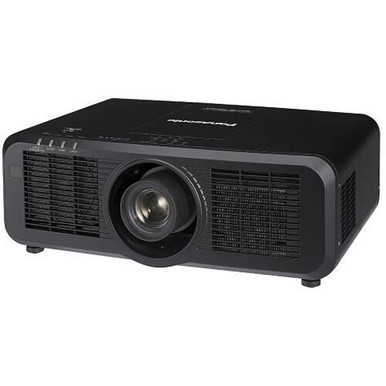
This Panasonic PT-MZ780BU7 Setup Guide and Buying Considerations article tackles a common buyer problem: two useful specifications do not define a complete installation. The PT-MZ780BU7 is listed at 7,000 lumens with WUXGA resolution. Those facts narrow the search, but buyers still need to validate placement, screen requirements, signal paths, mounting, control, and room conditions.
This guide turns the known specifications into a practical workflow for AV buyers, installers, churches, schools, and conference room technology teams. It also compares four supplied Panasonic alternatives: the 5,200-lumen ultra-short-throw PT-CMZ50U, the 7,300-lumen PT-VMZ72BU8, and the 5,200-lumen PT-VMZ51 and PT-VMZ51S. You will learn what each projector adds to a shortlist, which details require confirmation, and how to assess deployment fit, live availability, and price-to-performance without treating brightness as the whole decision.
Products at a Glance
- Option 1: Panasonic PT-MZ780BU7 7000 Lumen HD Laser 3LCD Projector
- For projects that specifically require an ultra-short…: Panasonic PT-CMZ50 WUXGA Ultra-Short Throw Laser Projector – Professional Golf Simulator Display
- For buyers comparing Panasonic WUXGA projectors aroun…: Panasonic PT-VMZ72BU8 7,300 Lumens WUXGA Laser Golf Simulator Projector – High-Brightness, Vivid Green Mode
- For teams evaluating a 5,200-lumen WUXGA Panasonic op…: Panasonic PT-VMZ51 5200-Lumen WUXGA Laser 3LCD Projector
- For buyers whose equipment schedule specifies PT-VMZ5…: Panasonic PT-VMZ51S 5200-Lumen WUXGA Laser 3LCD Projector
Quick Comparison Table
| Feature | Panasonic PT-MZ780BU7 7000 Lumen HD Laser 3LCD Projector | Panasonic PT-CMZ50 WUXGA Ultra-Short Throw Laser Projector – Professional Golf Simulator Display | Panasonic PT-VMZ72BU8 7,300 Lumens WUXGA Laser Golf Simulator Projector – High-Brightness, Vivid Green Mode | Panasonic PT-VMZ51 5200-Lumen WUXGA Laser 3LCD Projector | Panasonic PT-VMZ51S 5200-Lumen WUXGA Laser 3LCD Projector |
|---|---|---|---|---|---|
| Brightness | 7000 Lumen | 5200 lumens | 7,300 Lumens | 5200 lumens | 5200 lumens |
| Resolution | WUXGA | WUXGA | WUXGA | WUXGA | WUXGA |
| Best For | Install teams seeking a 7,000-lumen WUXGA Panasonic projector and prepared to confirm every placement and integration requirement. | Projects that specifically require an ultra-short-throw layout and whose room calculations support a 5,200-lumen WUXGA specification. | Buyers comparing Panasonic WUXGA projectors around the 7,000-lumen range and willing to validate full installation details before selection. | Teams evaluating a 5,200-lumen WUXGA Panasonic option and prepared to verify placement and system integration separately. | Buyers whose equipment schedule specifies PT-VMZ51S and whose room design supports a 5,200-lumen WUXGA projector. |
| Throw Type | Ultra short throw | ||||
| Recommended Buyer | Install teams seeking a 7,000-lumen WUXGA Panasonic projector and prepared to confirm every placement and integration requirement. | Projects that specifically require an ultra-short-throw layout and whose room calculations support a 5,200-lumen WUXGA specification. | Buyers comparing Panasonic WUXGA projectors around the 7,000-lumen range and willing to validate full installation details before selection. | Teams evaluating a 5,200-lumen WUXGA Panasonic option and prepared to verify placement and system integration separately. | Buyers whose equipment schedule specifies PT-VMZ51S and whose room design supports a 5,200-lumen WUXGA projector. |
Product Images

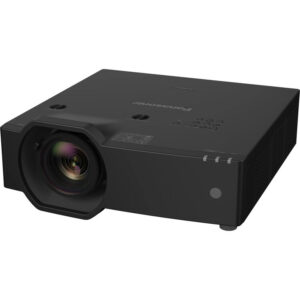
Projector Options from AudioVideoNation
1. Panasonic PT-MZ780BU7 7000 Lumen HD Laser 3LCD Projector
Who should compare it: Install teams seeking a 7,000-lumen WUXGA Panasonic projector and prepared to confirm every placement and integration requirement.
Why it belongs here: The PT-MZ780BU7 anchors this guide with documented 7,000-lumen brightness and WUXGA resolution. It belongs on the shortlist when those two requirements align with the completed room design.
SKU: PT-MZ780BU7
Key Features
- 7,000-lumen stated brightness
- WUXGA stated resolution
- Exact procurement SKU: PT-MZ780BU7
Things to Consider
Confirm throw and lens data, connectivity and control requirements, physical installation details, and the room’s audio plan before approving the design.
2. Panasonic PT-CMZ50 WUXGA Ultra-Short Throw Laser Projector – Professional Golf Simulator Display
Who should compare it: Projects that specifically require an ultra-short-throw layout and whose room calculations support a 5,200-lumen WUXGA specification.
Why it belongs here: The PT-CMZ50U adds the only supplied ultra-short-throw option. Its 5,200-lumen brightness and WUXGA resolution give placement-constrained buyers a different configuration to investigate.
SKU: PT-CMZ50U
Key Features
- 5,200-lumen stated brightness
- WUXGA stated resolution
- Ultra-short-throw designation
- Exact procurement SKU: PT-CMZ50U
Things to Consider
Ultra short throw does not define the exact image distance or offset. Verify its geometry, mounting requirements, connectivity, and control details against the planned screen and room.
3. Panasonic PT-VMZ72BU8 7,300 Lumens WUXGA Laser Golf Simulator Projector – High-Brightness, Vivid Green Mode
Who should compare it: Buyers comparing Panasonic WUXGA projectors around the 7,000-lumen range and willing to validate full installation details before selection.
Why it belongs here: The PT-VMZ72BU8 gives buyers another WUXGA option near the PT-MZ780BU7’s stated brightness, with a listed output of 7,300 lumens.
SKU: PT-VMZ72BU8
Key Features
- 7,300-lumen stated brightness
- WUXGA stated resolution
- Exact procurement SKU: PT-VMZ72BU8
Things to Consider
The brightness figure alone does not establish room fit or an advantage over the PT-MZ780BU7. Verify throw, optics, connectivity, control, mounting, and installed cost.
4. Panasonic PT-VMZ51 5200-Lumen WUXGA Laser 3LCD Projector
Who should compare it: Teams evaluating a 5,200-lumen WUXGA Panasonic option and prepared to verify placement and system integration separately.
Why it belongs here: The PT-VMZ51 is a 5,200-lumen WUXGA candidate for projects whose screen and room calculations support that brightness level.
SKU: PT-VMZ51
Key Features
- 5,200-lumen stated brightness
- WUXGA stated resolution
- Exact procurement SKU: PT-VMZ51
Things to Consider
Its lower listed brightness than the PT-MZ780BU7 should be assessed through the room design, not treated as an automatic rejection. Confirm throw, connectivity, control, mounting, and exact listing details.
5. Panasonic PT-VMZ51S 5200-Lumen WUXGA Laser 3LCD Projector
Who should compare it: Buyers whose equipment schedule specifies PT-VMZ51S and whose room design supports a 5,200-lumen WUXGA projector.
Why it belongs here: The PT-VMZ51S keeps the exact SKU visible for procurement teams whose documents name it. The supplied facts list 5,200-lumen brightness and WUXGA resolution.
SKU: PT-VMZ51S
Key Features
- 5,200-lumen stated brightness
- WUXGA stated resolution
- Exact procurement SKU: PT-VMZ51S
Things to Consider
The supplied facts give it the same brightness and resolution as PT-VMZ51. Do not infer differences from the suffix; compare current documentation, placement requirements, integration details, and the exact product listing.
Panasonic PT-MZ780BU7 7000 Lumen HD Laser 3LCD Projector vs Panasonic PT-CMZ50 WUXGA Ultra-Short Throw Laser Projector – Professional Golf Simulator Display: Main Differences
- Choose Panasonic PT-MZ780BU7 7000 Lumen HD Laser 3LCD Projector if Install teams seeking a 7,000-lumen WUXGA Panasonic projector and prepared to confirm every placement and integration requirement..
- Choose Panasonic PT-CMZ50 WUXGA Ultra-Short Throw Laser Projector – Professional Golf Simulator Display if Projects that specifically require an ultra-short-throw layout and whose room calculations support a 5,200-lumen WUXGA specification..
- Choose Panasonic PT-VMZ72BU8 7,300 Lumens WUXGA Laser Golf Simulator Projector – High-Brightness, Vivid Green Mode if Buyers comparing Panasonic WUXGA projectors around the 7,000-lumen range and willing to validate full installation details before selection..
- Choose Panasonic PT-VMZ51 5200-Lumen WUXGA Laser 3LCD Projector if Teams evaluating a 5,200-lumen WUXGA Panasonic option and prepared to verify placement and system integration separately..
- Choose Panasonic PT-VMZ51S 5200-Lumen WUXGA Laser 3LCD Projector if Buyers whose equipment schedule specifies PT-VMZ51S and whose room design supports a 5,200-lumen WUXGA projector..
Deployment fit: put 7,000 lumens and WUXGA in context
The PT-MZ780BU7 gives the design team two firm anchors: 7,000-lumen brightness and WUXGA resolution. Start there. Brightness must still be evaluated against screen size and material, ambient light, image content, and the viewing target chosen for the project. A sanctuary with uncontrolled daylight, a classroom with adjustable lighting, and a conference room used mainly for documents can reach different conclusions from the same lumen figure.
WUXGA also needs context. Inventory every source that must appear on screen, including room computers, guest laptops, signage players, cameras, and conferencing systems. Compare their required output formats with the planned signal chain. The goal is to identify scaling or conversion work before purchase, not presume that every source will connect directly.
Turn the room brief into pass-or-fail requirements. Record the intended image size, seating range, lighting scenes, content types, smallest critical text, and acceptable room changes. Then assess the projector against that brief. If ultra-close placement is mandatory, the PT-CMZ50U is the only supplied option explicitly identified as ultra short throw. If the design calls for a listed brightness above 7,000 lumens, the 7,300-lumen PT-VMZ72BU8 deserves review. The 5,200-lumen choices should remain under consideration only when the room calculation supports that brightness level.
Panasonic PT-MZ780BU7 setup starts with a site survey
A useful site survey ends with an annotated room plan. Measure the intended image area, proposed projector zone, ceiling height, audience sightlines, obstructions, cable routes, power location, and access needed for installation and future service. Photographing those conditions can also help the installer, designer, and purchasing team work from the same record.
Do not choose a mounting coordinate from the product name or brightness rating. The supplied facts do not establish the PT-MZ780BU7 throw geometry. Confirm current throw-distance data, lens information, image offset, permitted orientation, ventilation clearances, dimensions, weight, and mounting interface before approving a location. Use the exact PT-MZ780BU7 SKU throughout the room drawing, quote, purchase order, and commissioning paperwork so a similarly named projector is not substituted without review.
Structural and electrical work should be checked by qualified professionals against the verified installation requirements and applicable codes. Finalize the signal plan before closing walls or ceilings. Cable length, conduit capacity, access points, switching hardware, and any control wiring can affect the installation even though they are not described by the two known projector specifications. Leave enough schedule for documentation review and a bench test before the projector is mounted.
WUXGA projector signal, control, and audio planning
Build a source-to-screen diagram before ordering. List each source, wall plate, switcher, extender, conferencing endpoint, control component, and audio destination. For every link, document the connector type, cable distance, required signal format, and any content-protection requirement. These are system variables to verify, not assumed PT-MZ780BU7 capabilities.
WUXGA is the only supplied image-format fact. Decide where scaling will occur and test the content that matters most. A church projector setup should include lyrics, presentation graphics, and any camera feeds used in services. Classroom projector planning should cover lesson material and small text from the farthest occupied seats. A conference room projector installation should be tested with its approved computers and conferencing workflow.
The provided facts do not define projector inputs, network functions, control protocols, or audio capabilities. Confirm each requirement in current product documentation. Plan sound separately until the audio path is documented, and do not presume that the projector will replace the room’s audio system. Bench-test the proposed source, cable, extension, switching, control, and display chain before permanent installation. A short test can expose design gaps while changes are still manageable.
Installation, alignment, and commissioning sequence
Installation day should follow a written sequence. First, match the delivered label to SKU PT-MZ780BU7 and the approved documentation. Confirm the mounting hardware against the verified weight and mounting interface. Then inspect cable routes, power, structure, ventilation space, and service access before lifting the projector.
Establish physical alignment before relying on electronic geometry correction. Use only the optical and geometry controls confirmed for this projector. Do not assume a particular zoom, lens-shift, or correction capability from another Panasonic model. Connect one known source first, verify that the full image reaches the intended screen area, and check focus across the image. Add the remaining sources and switching paths one at a time.
Commission the system under the lighting scenes and content conditions defined in the room brief. Confirm readable critical content from the required seats, clear sightlines, successful display from every approved source, and correct operation of documented control commands. Record source settings, projector settings, cable identifiers, mount measurements, and the final signal diagram.
Finish with an operator handoff. Show staff the approved startup and shutdown process, source selection, basic problem reporting, and the contact path for service. Keep the final configuration and acceptance record with the exact SKU. That documentation matters when a school changes computers, a church adds a source, or a conference room is supported by a different technician.
Panasonic WUXGA projector alternatives to compare
The supplied Panasonic choices fall into three clear brightness groups. The PT-MZ780BU7 is listed at 7,000 lumens. The PT-VMZ72BU8 is listed at 7,300 lumens. The PT-CMZ50U, PT-VMZ51, and PT-VMZ51S are each listed at 5,200 lumens. All five have WUXGA resolution in the provided facts.
Brightness alone does not establish the right purchase. The 300-lumen numerical difference between the PT-MZ780BU7 and PT-VMZ72BU8 does not reveal placement, optics, connectivity, control, physical size, or installed cost. Compare those items using current documentation and the room brief. The PT-CMZ50U creates a distinct branch in the comparison because it is explicitly identified as ultra short throw. Exact throw distance and image geometry still require confirmation.
The supplied facts give the PT-VMZ51 and PT-VMZ51S the same 5,200-lumen and WUXGA specifications. Do not infer a functional difference from the suffix. Compare the exact listings and current documentation before treating them as interchangeable.
Apply three gates to every candidate: required placement, brightness supported by the room calculation, and verified system integration. A projector that misses a mandatory requirement should leave the shortlist even if another headline number looks attractive.
Stock and availability: verify the exact projector SKU
Stock and availability are time-sensitive, so confirm them at the point of purchase. Use each linked AudioVideoNation product page for live commerce details, then verify the exact SKU, required quantity, current lead time, and expected delivery timing. Keep that confirmation with the project schedule.
Ask which required installation items are included and which must be purchased separately after reviewing current product documentation. Mounting hardware, signal equipment, cables, and any verified optical requirements can follow different sourcing timelines. The projector’s listing alone does not confirm that the complete system is ready to install.
Create an approved-substitution process before ordering. A switch from PT-MZ780BU7 to a similarly named projector should trigger a new review of brightness, resolution, throw geometry, mounting, signal compatibility, control, and installation timing. A close model name is not proof that the room design can stay unchanged.
Price-to-performance: compare the installed system
Judge price-to-performance against the finished room, not the projector price alone. Get current pricing from the linked product page, then build an installed-cost worksheet. Include only the items your verified design requires, such as the projector, mounting hardware, cabling, extension or switching equipment, electrical and network work, installation access, labor, commissioning, and operator training. Add any required optical or control items after confirming them in current documentation.
On the performance side, start with documented facts. The PT-MZ780BU7 has 7,000-lumen brightness and WUXGA resolution. The PT-VMZ72BU8 changes the stated brightness to 7,300 lumens. The three remaining options are listed at 5,200 lumens, while the PT-CMZ50U adds an ultra-short-throw designation. Fill in the rest of the comparison only after placement, connectivity, control, physical, and service requirements have been verified.
Separate mandatory requirements from preferences. A lower purchase price has little value if the projector cannot meet a required placement or signal-path condition. A higher brightness number also does not prove a better installed result. The strongest purchase record states why the selected SKU fits the room, which assumptions were tested, what the complete system costs, and who approved the design.
Related AudioVideoNation Links
- Browse Projector at AudioVideoNation
- View the Panasonic PT-MZ780BU7 product page
- Explore the Panasonic PT-CMZ50U ultra-short-throw projector
- View the Panasonic PT-VMZ72BU8 product page
- View the Panasonic PT-VMZ51 product page
Product Information Sources
- Panasonic PT-MZ780BU7 7000 Lumen HD Laser 3LCD Projector product information
- Panasonic PT-CMZ50 WUXGA Ultra-Short Throw Laser Projector – Professional Golf Simulator Display product information
- Panasonic PT-VMZ72BU8 7,300 Lumens WUXGA Laser Golf Simulator Projector – High-Brightness, Vivid Green Mode product information
- Panasonic PT-VMZ51 5200-Lumen WUXGA Laser 3LCD Projector product information
- Panasonic PT-VMZ51S 5200-Lumen WUXGA Laser 3LCD Projector product information
FAQ
What brightness and resolution does the Panasonic PT-MZ780BU7 have?
The supplied product data lists the Panasonic PT-MZ780BU7 at 7,000 lumens with WUXGA resolution. Use those specifications as starting points, then validate them against the room, screen, content, and source system.
Is the PT-MZ780BU7 suitable for a church, school, or conference room?
Suitability depends on room geometry, screen requirements, ambient light, content, and integration needs, so the two supplied specifications cannot decide it by themselves. Complete a site survey and room calculation before approving the projector for any of these settings.
How should installers determine PT-MZ780BU7 placement?
Installers should confirm current throw-distance, lens, image-offset, orientation, mounting, and clearance data before choosing the projector location. The supplied facts do not establish its throw geometry, so a mount coordinate should not be inferred from the model name.
Which supplied Panasonic alternative is ultra short throw?
Among the supplied products, the Panasonic PT-CMZ50U is the only alternative explicitly identified as ultra short throw, and it is listed at 5,200 lumens with WUXGA resolution. Confirm its exact image geometry against the intended screen before selecting it.
How does the PT-VMZ72BU8 compare with the PT-MZ780BU7?
The PT-VMZ72BU8 is listed at 7,300 lumens and WUXGA, while the PT-MZ780BU7 is listed at 7,000 lumens and WUXGA. A complete comparison still requires verified throw, optics, connectivity, control, physical, and installed-cost information.
How should buyers check projector price and availability?
Buyers should use each linked AudioVideoNation product page for current price and availability, then confirm the exact SKU, quantity, lead time, and required installation items before purchase. Compare the complete installed cost rather than the projector price by itself.
Conclusion
Use this Panasonic PT-MZ780BU7 Setup Guide and Buying Considerations comparison to match documented specifications to the room and installation requirements. Review the linked product pages for current purchase details before ordering.
Products Used
| SKU | Product Name | URL |
|---|---|---|
| PT-MZ780BU7 | Panasonic PT-MZ780BU7 7000 Lumen HD Laser 3LCD Projector | View product |
| PT-CMZ50U | Panasonic PT-CMZ50 WUXGA Ultra-Short Throw Laser Projector – Professional Golf Simulator Display | View product |
| PT-VMZ72BU8 | Panasonic PT-VMZ72BU8 7,300 Lumens WUXGA Laser Golf Simulator Projector – High-Brightness, Vivid Green Mode | View product |
| PT-VMZ51 | Panasonic PT-VMZ51 5200-Lumen WUXGA Laser 3LCD Projector | View product |
| PT-VMZ51S | Panasonic PT-VMZ51S 5200-Lumen WUXGA Laser 3LCD Projector | View product |