


This NEC NP-UM352W Setup Guide and Buying Considerations article is for teams deciding whether an ultra short throw projector fits the room before a mount, cable, or purchase order locks the plan. The provided product data identifies both the NEC NP-UM352W and NEC NP-UM352W-TM as WXGA LCD projectors with a speaker and ultra short throw placement. Those facts narrow the field. They do not settle image size, exact mounting position, source connectivity, audio coverage, control, or installation hardware.
This guide turns the confirmed details into a practical buying path for schools, churches, conference rooms, and AV installers. It covers room measurement, content fit, cabling, audio, SKU verification, price-to-performance, and live availability checks. It also considers an 86-inch LG UHD commercial display as a direct-view alternative. Confirm every unlisted detail against the exact SKU before ordering equipment or drilling into the room.
Products at a Glance
- Option 1: NEC NP-UM352W WXGA LCD Projector with Speaker
- For teams comparing NP-UM352W-labeled SKUs and confir…: NEC NP-UM352W-TM WXGA LCD Projector with Speaker
- For rooms designed around an 86-inch UHD commercial L…: LG 86" 3840 x 2160 UHD Commercial Lite LED backlit LCD TV – Black
Quick Comparison Table
| Feature | NEC NP-UM352W WXGA LCD Projector with Speaker | NEC NP-UM352W-TM WXGA LCD Projector with Speaker | LG 86" 3840 x 2160 UHD Commercial Lite LED backlit LCD TV – Black |
|---|---|---|---|
| Resolution | WXGA | WXGA | UHD |
| Best For | Fixed installations that call for WXGA resolution and verified ultra short throw placement. | Teams comparing NP-UM352W-labeled SKUs and confirming all package details before purchase. | Rooms designed around an 86-inch UHD commercial LCD rather than an ultra short throw projector. |
| Throw Type | Ultra short throw | Ultra short throw | |
| Recommended Buyer | Fixed installations that call for WXGA resolution and verified ultra short throw placement. | Teams comparing NP-UM352W-labeled SKUs and confirming all package details before purchase. | Rooms designed around an 86-inch UHD commercial LCD rather than an ultra short throw projector. |
Product Images
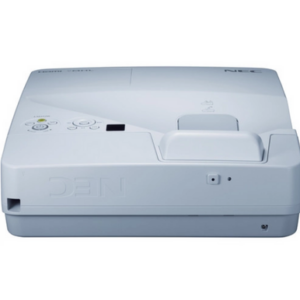
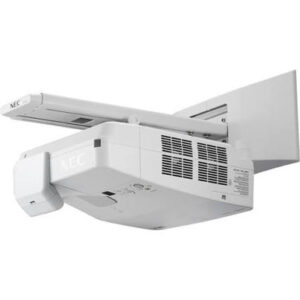
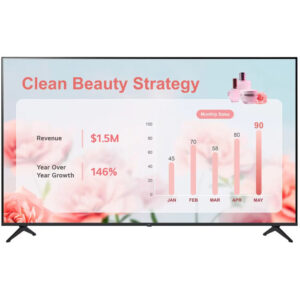
Projector Options from AudioVideoNation
1. NEC NP-UM352W WXGA LCD Projector with Speaker
Who should compare it: Fixed installations that call for WXGA resolution and verified ultra short throw placement.
Why it belongs here: This is the exact NP-UM352W SKU at the center of the setup plan. Its confirmed WXGA resolution and ultra short throw format give installers a clear basis for room and content verification.
SKU: NP-UM352W
Key Features
- WXGA resolution
- Ultra short throw format
- LCD projection platform
- Integrated speaker
Things to Consider
Confirm exact placement geometry, brightness, connections, audio capability, dimensions, mounting hardware, and package contents before approving the design.
2. NEC NP-UM352W-TM WXGA LCD Projector with Speaker
Who should compare it: Teams comparing NP-UM352W-labeled SKUs and confirming all package details before purchase.
Why it belongs here: This separate NP-UM352W-labeled SKU shares the confirmed WXGA, LCD, speaker, and ultra short throw details. It gives purchasing teams a second SKU to examine without assuming the suffix defines its package.
SKU: NP-UM352W-TM
Key Features
- WXGA resolution
- Ultra short throw format
- LCD projection platform
- Integrated speaker
Things to Consider
The supplied data does not define the “-TM” suffix. Verify included items, installation provisions, connections, dimensions, and exact placement requirements for this SKU.
3. LG 86" 3840 x 2160 UHD Commercial Lite LED backlit LCD TV – Black
Who should compare it: Rooms designed around an 86-inch UHD commercial LCD rather than an ultra short throw projector.
Why it belongs here: This LG display gives teams a direct-view option when the room plan calls for a fixed 86-inch UHD commercial screen instead of projection.
SKU: 86UR340C9UD
Key Features
- 86-inch screen size
- 3840 x 2160 UHD resolution
- LED-backlit LCD panel
- Commercial Lite display classification
- Black finish
Things to Consider
Compare the fixed screen size with viewing distance and content needs. Verify delivery access, wall support, mounting, inputs, control, audio, power, and service clearances.
NEC NP-UM352W WXGA LCD Projector with Speaker vs NEC NP-UM352W-TM WXGA LCD Projector with Speaker: Main Differences
- Choose NEC NP-UM352W WXGA LCD Projector with Speaker if Fixed installations that call for WXGA resolution and verified ultra short throw placement..
- Choose NEC NP-UM352W-TM WXGA LCD Projector with Speaker if Teams comparing NP-UM352W-labeled SKUs and confirming all package details before purchase..
- Choose LG 86" 3840 x 2160 UHD Commercial Lite LED backlit LCD TV – Black if Rooms designed around an 86-inch UHD commercial LCD rather than an ultra short throw projector..
Start with deployment fit, not the product name
The NP-UM352W and NP-UM352W-TM share four confirmed characteristics: WXGA resolution, LCD projection, an ultra short throw format, and a speaker. Begin the room plan with those facts. The supplied data does not establish brightness, image-size range, exact placement geometry, connection types, control options, physical dimensions, or included installation hardware.
Document the room before judging fit. Record the desired image size, closest and farthest audience positions, mounting surface, available power, cable route, ambient-light conditions, and the content people will view. A church displaying lyrics has a different content pattern from a conference team reviewing spreadsheets. A school may move between slides, documents, and video throughout the day. Test representative material at the intended viewing distance whenever fine text matters.
Ultra short throw placement deserves special attention in rooms where the projector must sit close to the image surface. It does not guarantee that either NEC SKU will fit a particular wall, board, or mount. Confirm the exact image geometry and installation clearances for the selected SKU before treating the room as compatible.
Ultra short throw projector setup starts with measurement
Choose the intended image area first. Mark its usable boundaries and note frames, trays, speakers, wall controls, trim, and other objects near the surface. Then consult the placement information for the exact NEC SKU to determine where its lens and mounting points must sit. Do not estimate that position from a different ultra short throw projector. Small changes in height, angle, or distance can alter how an image meets the surface.
Inspect the image surface from several directions. A surface that appears acceptable for a long-throw installation may show alignment problems when light arrives from a steep angle. Resolve surface and mounting questions before permanent installation. The provided product data does not identify a mount or state that one is included, so list mounting hardware as a separate item to verify.
The mounting location also needs a safe cable path, power access, service access, and the clearances required by the product documentation. Coordinate those details with the installer and the person responsible for the wall or ceiling structure. Complete the physical alignment before relying on any image-correction controls documented for the selected projector. Careful mechanical placement preserves adjustment room for final commissioning.
Plan WXGA classroom projector content and cabling
Both NEC projectors are listed as WXGA. Use that confirmed resolution as the starting point for a content test rather than assuming every source will look the way its creator intended. Connect the same type of computer or playback source that the room will use. Check presentation text, browser interfaces, spreadsheets, diagrams, video, and any worship or teaching software that matters to the organization.
Build the signal plan only after confirming the available inputs and accepted source formats for the exact SKU. The supplied information does not list connectors or signal-handling details. Record each source, any switching equipment, adapter requirements, cable length, wall-plate path, and how a guest will connect. Long or concealed cable runs deserve an end-to-end test before walls or furniture limit access.
Decide who controls source selection and projector power. A teacher may need a simple daily routine, while a conference room may depend on a shared control process. Document the startup and shutdown sequence in plain language. The best installation is one the room’s regular users can operate without guessing.
Treat the built-in speaker as a planning input
The names of both NEC projectors confirm that each has a speaker. The provided data does not specify its output, audio connections, coverage, or suitability for a particular room. Do not treat the word “speaker” as proof that separate room audio is unnecessary.
Define the audio job. A small meeting may need presentation playback, while a church may route program audio through an existing sound system. A classroom may prioritize speech clarity and consistent volume for students across the room. Confirm the projector’s documented audio connections, then test intelligibility from the occupied area using representative material.
Plan volume control and source switching at the same time as the video path. Users should know whether audio follows the selected source and where they adjust it. If the room has another sound system, document the signal route and mute behavior. This prevents a technically complete video installation from becoming confusing during daily use.
NP-UM352W vs NP-UM352W-TM: verify the suffix
The provided data lists the NP-UM352W and NP-UM352W-TM as separate SKUs. Both are named as WXGA LCD projectors with a speaker, and both are identified as ultra short throw projectors. No supplied specification explains what the “-TM” suffix changes.
Do not infer package contents from that suffix. Compare the linked product pages and request confirmation of the exact manufacturer part description, included items, mounting provisions, and documentation tied to each SKU. Record the answer on the quote or project worksheet. If an accessory or installation component is expected, have it named explicitly rather than assuming it arrives with the projector.
This distinction matters during substitutions. A purchasing team should not replace one SKU with the other solely because the core model name looks similar. Installation labor, scheduling, and room readiness can be affected by package differences that are not shown in the supplied data. Match the approved design, quote, and delivered carton to the same SKU before installation begins.
Projector price-to-performance, stock, and availability
Build a total-project worksheet for each NEC SKU. Enter live commerce details from its linked product page at the time of purchase, then add every required project component confirmed during design. Common budget lines can include mounting hardware, signal cabling, wall plates, power work, source adapters, external audio, control equipment, installation labor, surface preparation, and commissioning. Include an item only when the room plan calls for it.
Price-to-performance should reflect the result the organization needs. For a school, that result might be readable teaching material and a repeatable startup process. A church may place greater weight on lyric visibility and integration with its audio workflow. A conference team may care most about legible shared content and predictable guest connections. Use real room requirements and confirmed specifications to judge whether either NEC option meets that result.
Treat stock and availability as a dated procurement check. Visit the exact linked product page for current commerce information and confirm the required quantity before committing installers or closing the room. Keep the SKU on purchase orders, receiving records, and installation documents. If timing forces a substitution, repeat the placement, connectivity, audio, and accessory checks instead of assuming a similarly named projector will fit the approved design.
Consider an 86-inch UHD commercial display alternative
The LG 86-inch commercial display provides a different deployment path. Its supplied name confirms a 3840 x 2160 UHD resolution, LED-backlit LCD construction, Commercial Lite designation, and black finish. As a direct-view display, it removes projector throw geometry from the room plan. It is not a like-for-like replacement for either NEC projector.
Consider the LG option when the design calls for a fixed 86-inch image and UHD content. Compare that fixed screen size with the intended projected image area and audience distance. Also assess delivery access, wall structure, mounting, power, cable routing, service access, inputs, control, and audio. Those installation details are not supplied here and require verification before purchase.
The choice comes down to the room plan. Select an NEC SKU when verified ultra short throw geometry and WXGA content fit the deployment. Consider the LG display when a fixed 86-inch UHD direct-view screen fits better. Do not compare the products on resolution labels alone. Installation constraints, source workflow, viewing needs, and total project cost all shape the decision.
Commission the room before handoff
Commissioning turns the equipment list into a usable room. Start with physical alignment and confirm that the image lands inside the planned area. Test every permanent and guest source at the formats the organization uses. Review small text, slides, motion content, and dark and bright material without claiming performance from a single test image.
Check the full operating sequence: power, source selection, audio, volume control, shutdown, and restart. Confirm that cables are labeled and protected from strain. If the installation uses external switching, control, or sound equipment, test the complete path instead of checking each component in isolation.
Finish with a short user guide that names the selected SKU and explains routine operation. Record the installed mount, cables, adapters, control settings, and any approved accessories. Save the product documentation where the support team can find it. A final walkthrough with regular users can expose unclear controls before the installer leaves.
Related AudioVideoNation Links
- Browse Projector at AudioVideoNation
- View the NEC NP-UM352W projector
- Compare the NEC NP-UM352W-TM listing
- Explore the LG 86-inch UHD commercial display
Product Information Sources
- NEC NP-UM352W WXGA LCD Projector with Speaker product information
- NEC NP-UM352W-TM WXGA LCD Projector with Speaker product information
- LG 86" 3840 x 2160 UHD Commercial Lite LED backlit LCD TV – Black product information
FAQ
Is the NEC NP-UM352W an ultra short throw projector?
Yes, the provided product data identifies the NEC NP-UM352W as an ultra short throw projector. Its exact image size and placement distance still need to be confirmed from documentation tied to SKU NP-UM352W.
What resolution does the NEC NP-UM352W use?
The NEC NP-UM352W is listed with WXGA resolution. Test the room’s actual computers, presentation software, documents, and video before approving it for content with fine detail.
What is the required setup distance for the NP-UM352W?
The exact setup distance cannot be determined from the provided product data. Use the placement information for the exact SKU and desired image size before locating a mount, outlet, or cable opening.
What is the difference between NP-UM352W and NP-UM352W-TM?
The difference between NP-UM352W and NP-UM352W-TM is not documented in the supplied product data. Both are identified as WXGA ultra short throw LCD projectors with a speaker, so buyers should verify package contents and installation details for each exact SKU.
Is the projector’s built-in speaker enough for a classroom, church, or conference room?
The supplied data does not establish whether the built-in speaker is sufficient for any specific room. Confirm its documented audio capabilities and test intelligibility across the occupied area before deciding whether separate room audio is needed.
How should buyers check price and availability?
Buyers should use each linked product page for live commerce details and confirm the exact SKU before committing an installation date. Recheck purchasing information when the order is placed because project planning and procurement may happen at different times.
Conclusion
Use this NEC NP-UM352W Setup Guide and Buying Considerations comparison to match documented specifications to the room and installation requirements. Review the linked product pages for current purchase details before ordering.
Products Used
| SKU | Product Name | URL |
|---|---|---|
| NP-UM352W | NEC NP-UM352W WXGA LCD Projector with Speaker | View product |
| NP-UM352W-TM | NEC NP-UM352W-TM WXGA LCD Projector with Speaker | View product |
| 86UR340C9UD | LG 86" 3840 x 2160 UHD Commercial Lite LED backlit LCD TV – Black | View product |