


Use this AV PL-L1505U Setup Guide and Buying Considerations resource to turn a promising projector SKU into a defensible installation plan. The Epson PowerLite Pro L1505U is documented at 12,000 lumens with WUXGA resolution. Those facts give buyers a useful starting point, but they do not settle screen size, lens choice, mounting position, signal routing, or room-light strategy. Small assumptions here can become expensive changes on site.
The closely named Epson PowerLite Pro L1505UNL and the provided Epson lens options add another purchasing challenge. A familiar model name does not prove identical specifications, included accessories, or lens compatibility. Each SKU needs its own technical check.
This guide helps AV buyers, installers, churches, schools, and conference room teams define deployment fit, prepare the site, compare the listed choices, and judge price-to-performance without relying on unsupported claims. Use the linked product pages for current commerce details, then confirm the final design against current manufacturer documentation before ordering.
Products at a Glance
- Option 1: Epson PowerLite Pro L1505U WUXGA 1080p 3LCD Projector
- For teams evaluating a WUXGA Epson projector under a…: Epson PowerLite Pro L1505UNL WUXGA 1080p 3LCD Projector
- For installers evaluating a medium-throw lens after c…: Epson V12H004M01 ELP-LM01 Medium-throw Zoom Lens 70.3mm-105.8mm F/2.0-2.7
- For designs that call for a wide-throw zoom-lens cand…: Epson V12H004W08 Wide Throw #3 Zoom Lens ELPLW08
Quick Comparison Table
| Feature | Epson PowerLite Pro L1505U WUXGA 1080p 3LCD Projector | Epson PowerLite Pro L1505UNL WUXGA 1080p 3LCD Projector | Epson V12H004M01 ELP-LM01 Medium-throw Zoom Lens 70.3mm-105.8mm F/2.0-2.7 | Epson V12H004W08 Wide Throw #3 Zoom Lens ELPLW08 |
|---|---|---|---|---|
| Brightness | 12000 Lumens | 12,000 lumen | ||
| Resolution | WUXGA | WUXGA | ||
| Best For | AV teams whose measured design calls for a 12,000-lumen WUXGA projector and has completed lens, mounting, signal, and environmental checks. | Teams evaluating a WUXGA Epson projector under a distinct SKU and prepared to validate every configuration detail before substitution or purchase. | Installers evaluating a medium-throw lens after confirming projector support and calculated image geometry. | Designs that call for a wide-throw zoom-lens candidate and have a verified ELPLW08 compatibility path. |
| Recommended Buyer | AV teams whose measured design calls for a 12,000-lumen WUXGA projector and has completed lens, mounting, signal, and environmental checks. | Teams evaluating a WUXGA Epson projector under a distinct SKU and prepared to validate every configuration detail before substitution or purchase. | Installers evaluating a medium-throw lens after confirming projector support and calculated image geometry. | Designs that call for a wide-throw zoom-lens candidate and have a verified ELPLW08 compatibility path. |
Product Images


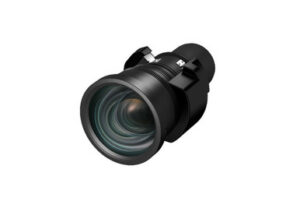
Projector Options from AudioVideoNation
1. Epson PowerLite Pro L1505U WUXGA 1080p 3LCD Projector
Who should compare it: AV teams whose measured design calls for a 12,000-lumen WUXGA projector and has completed lens, mounting, signal, and environmental checks.
Why it belongs here: This is the subject of the setup guide, with documented 12,000-lumen brightness and WUXGA resolution for room and system planning.
SKU: PL-L1505U
Key Features
- 12,000-lumen brightness is documented for planning.
- WUXGA is the documented resolution.
- The exact PL-L1505U SKU supports clear quoting, receiving, and asset records.
Things to Consider
Brightness and resolution do not establish throw distance, lens compatibility, connectivity, mounting, power, or environmental fit. Verify each item against current documentation and the measured site plan.
2. Epson PowerLite Pro L1505UNL WUXGA 1080p 3LCD Projector
Who should compare it: Teams evaluating a WUXGA Epson projector under a distinct SKU and prepared to validate every configuration detail before substitution or purchase.
Why it belongs here: It gives buyers a closely named Epson WUXGA projector to evaluate while reinforcing the need for model-specific specification and configuration checks.
SKU: PL-L1505UNL
Key Features
- WUXGA is the documented resolution.
- PL-L1505UNL is a separate SKU for procurement control.
- Its dedicated product page provides the exact reference for current commerce details.
Things to Consider
Do not transfer the PL-L1505U's 12,000-lumen figure or assume included accessories based on similar naming. Confirm the current specifications, included items, and approved lens path for PL-L1505UNL.
3. Epson V12H004M01 ELP-LM01 Medium-throw Zoom Lens 70.3mm-105.8mm F/2.0-2.7
Who should compare it: Installers evaluating a medium-throw lens after confirming projector support and calculated image geometry.
Why it belongs here: This Epson lens gives installers a specific medium-throw zoom-lens candidate to place into the compatibility and projection-calculation workflow.
SKU: V12H004M01
Key Features
- The product is identified as an ELP-LM01 medium-throw zoom lens.
- V12H004M01 provides an exact procurement reference.
- The dedicated product page keeps lens-specific commerce checks separate from the projector purchase.
Things to Consider
Verify current Epson compatibility with the exact projector and complete the throw calculation before purchase. Shared branding does not confirm a supported pairing.
4. Epson V12H004W08 Wide Throw #3 Zoom Lens ELPLW08
Who should compare it: Designs that call for a wide-throw zoom-lens candidate and have a verified ELPLW08 compatibility path.
Why it belongs here: This lens adds a distinct wide-throw zoom-lens candidate for installations whose measured geometry calls for that lens role.
SKU: V12H004W08
Key Features
- The product is identified as an ELPLW08 wide-throw zoom lens.
- V12H004W08 gives the design and purchasing teams one exact SKU to track.
- Its separate product page supports current lens-specific commerce checks.
Things to Consider
Confirm compatibility, throw range, image dimensions, placement limits, and physical clearance for the exact projector-and-lens combination before approving the mount position.
Epson PowerLite Pro L1505U WUXGA 1080p 3LCD Projector vs Epson PowerLite Pro L1505UNL WUXGA 1080p 3LCD Projector: Main Differences
- Choose Epson PowerLite Pro L1505U WUXGA 1080p 3LCD Projector if AV teams whose measured design calls for a 12,000-lumen WUXGA projector and has completed lens, mounting, signal, and environmental checks..
- Choose Epson PowerLite Pro L1505UNL WUXGA 1080p 3LCD Projector if Teams evaluating a WUXGA Epson projector under a distinct SKU and prepared to validate every configuration detail before substitution or purchase..
- Choose Epson V12H004M01 ELP-LM01 Medium-throw Zoom Lens 70.3mm-105.8mm F/2.0-2.7 if Installers evaluating a medium-throw lens after confirming projector support and calculated image geometry..
- Choose Epson V12H004W08 Wide Throw #3 Zoom Lens ELPLW08 if Designs that call for a wide-throw zoom-lens candidate and have a verified ELPLW08 compatibility path..
Start with deployment fit, not the projector mount
Begin with the room and the job the image must perform. The PL-L1505U has a documented brightness of 12,000 lumens and WUXGA resolution. That does not guarantee a readable or satisfying image in every space. Screen size, ambient light, projection surface, viewing distance, content, and contrast expectations all affect the result viewers see.
Write the acceptance criteria before requesting a quote. Record the intended image dimensions, the closest and farthest viewers, normal lighting conditions, content types, and any periods when room lighting cannot be reduced. Decide whether WUXGA fits the sources and workflows already in use. If the room has lots of windows, assess it under the daylight conditions that matter rather than relying on a nighttime walkthrough.
The priority changes by venue. A church may need clear sightlines, consistent visibility under house lighting, and support for lyrics, video, and presentation material. A school may place greater weight on daylight, small instructional text, varied presenters, and limited maintenance windows. A conference room team should examine table sightlines, lighting over participants, camera composition, and the size of shared documents. None of those cases can be approved from lumen output alone.
Finish this stage with a brief that states what success means. It should connect room conditions, image requirements, and operating expectations to the exact PL-L1505U SKU. That brief becomes the reference for lens calculations, installation drawings, commissioning, and purchase approval.
Plan the Epson PL-L1505U setup from measured conditions
Build the installation around a measured site drawing. Record the screen plane, planned lens-center position, available mounting structure, ceiling height, obstructions, access routes, and service clearances. Measurements should come from the finished room whenever possible. Early architectural dimensions may change after ceilings, walls, or millwork are installed.
Do not finalize the mounting point until the lens calculation is approved. Moving the projector later can affect structure, conduit, cable length, alignment, sightlines, and labor. Confirm the approved mounting method and any structural requirements with the responsible installation and engineering teams. The projector name or category does not establish how it can be suspended in a specific building.
Electrical and environmental planning matter too. Verify the exact model's current power requirements, ventilation guidance, permitted orientation, operating limits, and access needs in Epson documentation. Coordinate those requirements with the available circuit, surrounding equipment, and enclosed spaces. Churches and schools should also consider who can safely reach the projector after installation. Conference room teams may need service access that does not interrupt adjacent rooms.
Keep a revision-controlled drawing and equipment list. Use PL-L1505U consistently on the quote, purchase order, rack documentation, control notes, and commissioning report. Similar names create avoidable procurement errors. A clean record lets the installer compare the equipment received with the design before anything is mounted.
Complete projector lens selection before ordering
Lens names are starting points. They are not compatibility approvals. The Epson V12H004M01 ELP-LM01 and Epson V12H004W08 ELPLW08 are lens candidates in the provided product list, but each projector-and-lens pairing still needs confirmation against current Epson compatibility information. Do not assume the PL-L1505U and PL-L1505UNL accept the same lens simply because their names are similar.
A proper lens calculation begins with the required image dimensions and the measured distance from the planned lens position to the screen plane. Then check the applicable throw range, placement limits, image-position adjustment, orientation rules, and physical clearances for the confirmed combination. Leave margin for construction tolerances. A calculation that works only at the edge of an allowed range can become difficult to execute after minor site changes.
Placement affects the whole room. Check whether the projector or light path conflicts with chandeliers, lighting trusses, ceiling clouds, loudspeakers, cameras, sprinklers, beams, or audience sightlines. In a conference room, also check whether the image and projector position interfere with video-conferencing cameras. In classrooms, account for whiteboards, ceiling-mounted teaching equipment, and partitions.
Avoid treating digital image correction as a substitute for correct physical placement. Establish sound geometry first, then use only functions documented for the exact projector. Put the chosen projector SKU and lens SKU together on drawings and purchase documents. Before approval, have another qualified person review the measurements, calculation, compatibility source, and revision date.
Design the signal path, controls, and commissioning plan
Draw the route from every source to the projector. For each source, document its output format, resolution, frame rate, content-protection needs, connector or transport method, cable distance, and every switcher, extender, converter, or wall plate in the path. Then verify the required inputs and signal support against current documentation for the exact projector. Category labels cannot answer that question.
Decide how people will operate the room. Some sites need straightforward local control. Others may require scheduled operation, remote support, system monitoring, or integration with a control platform. Write those needs first and confirm that the chosen design can meet them. Do not promise a control protocol or remote-management function until it is documented for the selected SKU and tested with the installed system.
Commissioning should use the real sources and normal room modes. Check image focus, framing, geometry, content readability, switching, recovery after source changes, and control behavior. Evaluate the projected image with the lighting used during services, lessons, or meetings. A test pattern is helpful, but it does not replace actual presentations, documents, and video.
Record the approved settings, firmware state, source configurations, cable labels, and test results at turnover. Provide a short operating procedure and an escalation contact path. Good documentation prevents future troubleshooting from starting with guesses and gives the owner a baseline if room conditions or connected equipment change.
Treat PL-L1505U and PL-L1505UNL as separate purchases
The PL-L1505U and PL-L1505UNL are distinct SKUs. Both are documented here with WUXGA resolution, but that shared detail does not make them interchangeable. Use the 12,000-lumen figure only for PL-L1505U. Obtain and validate the PL-L1505UNL's current specification set before making a technical or financial comparison.
Confirm the exact product identity throughout procurement. Ask the seller and installer to use the full SKU on the quote, purchase order, packing verification, asset record, and commissioning form. Check included items and required accessories for the selected SKU. Do not infer lens inclusion, brightness, connectivity, mounting provisions, or other configuration details from the model suffix.
The bill of materials should separate the projector, approved lens, mount, signal-path equipment, control components, cabling, and any site-specific infrastructure. Pair each technical selection with the document or calculation that supports it. This makes substitutions visible before they reach the site.
If a different projector or lens is proposed, send it back through the design checks. Reconfirm image geometry, mounting position, compatibility, power, environment, signals, controls, and commissioning criteria. Similar naming can speed up a product search, but it cannot replace technical validation.
Stock and availability checks for a fixed installation date
Treat stock and availability as time-sensitive procurement inputs. Use each linked AudioVideoNation product page for live commerce details when the quote is prepared, and check again before the purchase order is released. An old screenshot, saved cart, or earlier email may no longer reflect the current purchasing position.
For projects tied to a service, school term, construction handoff, or executive-room opening, connect the buying schedule to the installation schedule. Allow time for receiving inspection, staging, configuration, and corrective action if the delivered item does not match the approved SKU.
Identify a fallback only after it has passed the same technical review as the primary selection. Never substitute the PL-L1505UNL for the PL-L1505U, or exchange one lens SKU for another, solely to meet a date. Any change can affect the projection calculation, mounting plan, infrastructure, controls, and acceptance criteria.
Judge price-to-performance across the installed system
Compare live product-page pricing with the outcome the room requires. The purchase decision includes the projector and confirmed lens, but installed value also depends on mounting, structural work, power, cabling, signal transport, control programming, labor, commissioning, training, and future service access. A lower line-item cost can lose its advantage if it creates redesign work or fails the room's acceptance criteria.
Give the PL-L1505U credit for its documented 12,000-lumen brightness and WUXGA resolution only where those specifications solve a measured requirement. If the room does not need that brightness level, confirm whether the project brief should change before ordering. If the room does need it, verify that the screen, lens, placement, lighting plan, and signal chain let the design use it effectively.
Use one decision sheet for every candidate. Record the exact SKU, validated specifications, room fit, approved lens calculation, installation effects, current commerce details, and remaining risks. Do not award value for assumed similarities between the PL-L1505U and PL-L1505UNL or for an unverified lens pairing.
The final approval gate is direct: the room criteria are documented, the projector SKU is exact, current technical sources have been checked, the lens pairing and geometry are approved, the site can support the installation, and the complete signal and control path has been tested on paper. Recheck live purchasing details on the linked page. Then the quote reflects a deployable system rather than an isolated projector.
Related AudioVideoNation Links
- Browse Projector at AudioVideoNation
- Epson PowerLite Pro L1505U projector
- Epson PowerLite Pro L1505UNL projector
- Epson V12H004M01 ELP-LM01 lens
- Epson V12H004W08 ELPLW08 lens
Product Information Sources
- Epson PowerLite Pro L1505U WUXGA 1080p 3LCD Projector product information
- Epson PowerLite Pro L1505UNL WUXGA 1080p 3LCD Projector product information
- Epson V12H004M01 ELP-LM01 Medium-throw Zoom Lens 70.3mm-105.8mm F/2.0-2.7 product information
- Epson V12H004W08 Wide Throw #3 Zoom Lens ELPLW08 product information
FAQ
Is the Epson PL-L1505U suitable for a room with substantial ambient light?
The PL-L1505U may fit an ambient-light installation only after its 12,000-lumen rating is checked against screen size, projection surface, room lighting, and contrast goals. Evaluate the design under the lighting used during real services, lessons, or meetings.
Can the PL-L1505UNL be substituted for the PL-L1505U?
The PL-L1505UNL should not be substituted for the PL-L1505U without a new technical review. They are separate SKUs, so verify specifications, included items, lens support, mounting, signals, power, controls, and room fit for the proposed product.
Can either listed Epson lens be assumed to work with the PL-L1505U?
Neither listed lens should be assumed compatible with the PL-L1505U from its name or brand alone. Confirm the exact projector-and-lens pairing in current Epson compatibility information and approve a projection calculation before ordering.
What should installers verify before mounting the PL-L1505U?
Installers should verify the exact SKU, approved lens, measured throw geometry, mounting structure, orientation, service access, power, environment, signal path, and control plan before mounting the PL-L1505U. The site drawing and technical sources should share a revision date and match the purchase documents.
How should buyers compare PL-L1505U price-to-performance?
Buyers should compare live pricing with the PL-L1505U's validated room fit and the total installed system cost. Include the confirmed lens, mounting, infrastructure, signal transport, controls, labor, commissioning, training, and service access in the decision.
Where should buyers check current stock and availability?
Buyers should check the linked AudioVideoNation product page for current commerce details when quoting and again before ordering. If the schedule is fixed, allow time for receiving inspection and do not approve an unvalidated substitute solely to meet the date.
Conclusion
Use this AV PL-L1505U Setup Guide and Buying Considerations comparison to match documented specifications to the room and installation requirements. Review the linked product pages for current purchase details before ordering.
Products Used
| SKU | Product Name | URL |
|---|---|---|
| PL-L1505U | Epson PowerLite Pro L1505U WUXGA 1080p 3LCD Projector | View product |
| PL-L1505UNL | Epson PowerLite Pro L1505UNL WUXGA 1080p 3LCD Projector | View product |
| V12H004M01 | Epson V12H004M01 ELP-LM01 Medium-throw Zoom Lens 70.3mm-105.8mm F/2.0-2.7 | View product |
| V12H004W08 | Epson V12H004W08 Wide Throw #3 Zoom Lens ELPLW08 | View product |