

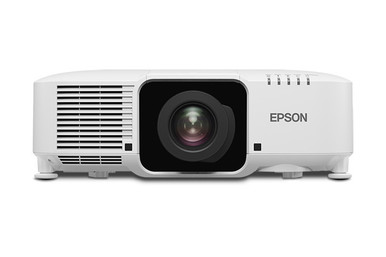
Planning an installed projector around a model name alone leaves critical questions unanswered. This Epson L1070UNL Setup Guide and Buying Considerations article turns the confirmed product facts into a practical decision path for AV buyers, installers, churches, schools, and conference room technology teams. The Epson Pro L1070UNL WUXGA 3LCD Laser Projector is identified with WUXGA resolution. That is the firm starting point for content planning. The remaining approval work belongs to the room: image size, mounting location, ambient light, source devices, signal routing, control needs, and service access.
Treat lens selection as a gated decision. The provided catalog includes Epson lens accessories, but it does not establish that either accessory fits the L1070UNL. Exact compatibility, optical range, installation limits, and whether a lens is included with the projector all need current documentation. The Epson PowerLite 875E is also included as a separate 4K, ultra-short-throw path for rooms built around those two requirements. This guide shows how to define deployment fit, prepare a setup plan, compare purchasing paths, and check live commerce details without relying on unsupported assumptions.
Products at a Glance
- Option 1: Epson Pro L1070UNL WUXGA 3LCD Laser Projector
- For installers assembling a lens shortlist and seekin…: Epson V12H004W08 Wide Throw #3 Zoom Lens ELPLW08
- For projects evaluating a short-throw lens format aft…: Epson V12H004U04 ELPLU04 Short-Throw Zoom Lens for Select Projectors
- For teams whose room plan calls for an ultra-short-th…: Epson PowerLite 875E 5 Ultra Short Throw Display with 4K Enhancement (V11HC04120)
Quick Comparison Table
| Feature | Epson Pro L1070UNL WUXGA 3LCD Laser Projector | Epson V12H004W08 Wide Throw #3 Zoom Lens ELPLW08 | Epson V12H004U04 ELPLU04 Short-Throw Zoom Lens for Select Projectors | Epson PowerLite 875E 5 Ultra Short Throw Display with 4K Enhancement (V11HC04120) |
|---|---|---|---|---|
| Brightness | 12,000 lumen | |||
| Resolution | WUXGA | 4K | ||
| Best For | Buyers planning an installed WUXGA projector around the exact L1070UNL model, provided all room and technical checks are completed before purchase. | Installers assembling a lens shortlist and seeking written compatibility and geometry confirmation for V12H004W08 and ELPLW08. | Projects evaluating a short-throw lens format after exact projector compatibility and installation geometry are confirmed. | Teams whose room plan calls for an ultra-short-throw projector and 4K resolution, after the complete system requirements are checked. |
| Throw Type | Short throw | Ultra short throw | ||
| Recommended Buyer | Buyers planning an installed WUXGA projector around the exact L1070UNL model, provided all room and technical checks are completed before purchase. | Installers assembling a lens shortlist and seeking written compatibility and geometry confirmation for V12H004W08 and ELPLW08. | Projects evaluating a short-throw lens format after exact projector compatibility and installation geometry are confirmed. | Teams whose room plan calls for an ultra-short-throw projector and 4K resolution, after the complete system requirements are checked. |
Product Images
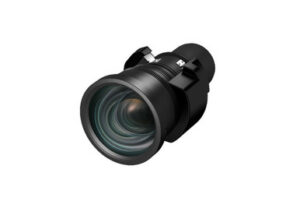

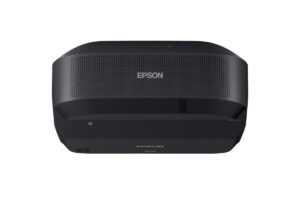
Projector Options from AudioVideoNation
1. Epson Pro L1070UNL WUXGA 3LCD Laser Projector
Who should compare it: Buyers planning an installed WUXGA projector around the exact L1070UNL model, provided all room and technical checks are completed before purchase.
Why it belongs here: It is the subject of this guide and the provided data confirms WUXGA resolution. That gives buyers a firm basis for content planning while the remaining installation details are verified.
SKU: L1070UNL
Key Features
- WUXGA resolution
- Exact L1070UNL model identifier
- Cataloged in Multimedia Projectors, Projectors, and Video
Things to Consider
Confirm brightness, throw data, lens requirements, approved lens compatibility, inputs, control options, mounting details, dimensions, ventilation, and power requirements in current documentation.
2. Epson V12H004W08 Wide Throw #3 Zoom Lens ELPLW08
Who should compare it: Installers assembling a lens shortlist and seeking written compatibility and geometry confirmation for V12H004W08 and ELPLW08.
Why it belongs here: It gives installers a specific Epson lens accessory to place on the compatibility checklist while planning an L1070UNL deployment.
SKU: V12H004W08
Key Features
- Epson lens accessory listing
- V12H004W08 SKU
- ELPLW08 model designation
- Cataloged in Accessories, Lenses, and Projectors
Things to Consider
The provided data does not confirm compatibility with the L1070UNL. Verify the approved projector list, optical range, image-size limits, installation orientation, and adjustment details before ordering.
3. Epson V12H004U04 ELPLU04 Short-Throw Zoom Lens for Select Projectors
Who should compare it: Projects evaluating a short-throw lens format after exact projector compatibility and installation geometry are confirmed.
Why it belongs here: The provided data identifies this lens as short throw, making it relevant to teams investigating that optical format after measuring the room.
SKU: ELPLU04
Key Features
- Short-throw lens type
- ELPLU04 SKU
- V12H004U04 identifier in the product name
- Cataloged in Lenses, Multimedia Projectors, Projectors, and Video
Things to Consider
Confirm the approved projector list, throw range, image-size range, mounting limits, and exact compatibility with the planned projector. The product name limits its use to select projectors without identifying them here.
4. Epson PowerLite 875E 5 Ultra Short Throw Display with 4K Enhancement (V11HC04120)
Who should compare it: Teams whose room plan calls for an ultra-short-throw projector and 4K resolution, after the complete system requirements are checked.
Why it belongs here: It provides a separate Epson projector path with confirmed 4K resolution and an ultra-short-throw format for rooms built around those requirements.
SKU: PL-875E
Key Features
- 4K resolution
- Ultra-short-throw format
- PL-875E SKU
- Cataloged as a projector
Things to Consider
Treat it as a separate design path rather than a direct L1070UNL substitute. Confirm brightness, supported sources, image geometry, mounting, control, power, and installation requirements before choosing it.
Epson Pro L1070UNL WUXGA 3LCD Laser Projector vs Epson V12H004W08 Wide Throw #3 Zoom Lens ELPLW08: Main Differences
- Choose Epson Pro L1070UNL WUXGA 3LCD Laser Projector if Buyers planning an installed WUXGA projector around the exact L1070UNL model, provided all room and technical checks are completed before purchase..
- Choose Epson V12H004W08 Wide Throw #3 Zoom Lens ELPLW08 if Installers assembling a lens shortlist and seeking written compatibility and geometry confirmation for V12H004W08 and ELPLW08..
- Choose Epson V12H004U04 ELPLU04 Short-Throw Zoom Lens for Select Projectors if Projects evaluating a short-throw lens format after exact projector compatibility and installation geometry are confirmed..
- Choose Epson PowerLite 875E 5 Ultra Short Throw Display with 4K Enhancement (V11HC04120) if Teams whose room plan calls for an ultra-short-throw projector and 4K resolution, after the complete system requirements are checked..
Define deployment fit before ordering the Epson L1070UNL
Start with a one-page installation brief. Record the screen dimensions, required image size, proposed projector location, projector-to-screen distance, room obstructions, ambient-light conditions, content sources, operating schedule, control workflow, and service access. Those details turn a catalog choice into an installable design.
WUXGA resolution alone cannot approve the system. The room still needs verified brightness, throw, optical, mounting, power, signal, and control information. Obtain those details from current documentation tied to SKU L1070UNL. If a requirement cannot be validated, leave it open on the project checklist instead of filling the gap with an assumption.
Write measurable acceptance criteria before purchasing. Examples include readable text from the farthest planned seat, correct framing for the intended screen, stable operation with every approved source, predictable startup and shutdown, and access for routine service. Use representative content during approval. A spreadsheet, worship slide, camera feed, or conferencing layout can reveal different needs.
Deployment fit also determines whether the team should investigate a separate lens accessory or reconsider the projector format. Make that decision while drawings can still change. A late optical change can affect placement, mounting, access, and the project schedule.
WUXGA projector installation starts with the content path
The confirmed L1070UNL fact is WUXGA resolution. Build the content plan around that label, then verify supported source signals and processing behavior in current technical documentation. Do not assume that a source format, connector, or distribution method is supported because another Epson projector supports it.
Inventory every source that will reach the projector. Churches may have presentation computers, media playback, and camera feeds. Schools may use instructor computers and shared presentation systems. Conference rooms may combine participant laptops with a conferencing source. Document the full route from each source through any switching or distribution equipment to the display endpoint.
Test the actual content layouts that matter. Check small text, presentation templates, video framing, menus, and any multi-window view the organization plans to use. Confirm how the selected source chain handles aspect ratio and scaling. The goal is a repeatable workflow, not a single successful test image.
The PowerLite 875E creates a separate comparison path because the provided data identifies 4K resolution and an ultra-short-throw format. Those facts do not make it a direct substitute for the L1070UNL. They make it relevant when the room brief specifically calls for that resolution and throw approach.
Projector lens selection requires written compatibility
Let the installation drawing drive lens evaluation. Record the planned image dimensions, lens location, measured distance to the screen, available mounting area, structural limits, and any obstruction that crosses the projection path. Give the same drawing to the seller, installer, and system designer so every party evaluates one geometry.
The provided data identifies the Epson V12H004U04 ELPLU04 as a short-throw lens. The V12H004W08 ELPLW08 appears as an Epson lens accessory with its own model identifiers. Neither product record establishes compatibility with the L1070UNL. Category placement and similar branding are not substitutes for an approved projector-and-lens pairing.
Request confirmation for the exact projector SKU and exact lens SKU. The check should cover the approved projector list, throw range, supported image-size range, available adjustment, installation orientation, and any mounting restrictions. Confirm whether the selected L1070UNL configuration includes a lens or requires a separate purchase.
Freeze the lens decision only after the team has an approved layout and current compatibility evidence. Put the exact lens identifier on the bill of materials, proposal, drawings, and purchase order. That small discipline helps prevent a different accessory from being substituted during procurement.
Epson L1070UNL setup and commissioning sequence
Use a staged setup process so configuration questions surface before the projector reaches its final position.
1. Freeze the identity. Match the proposal, product page, technical documents, and purchase paperwork to product ID 11887 and SKU L1070UNL. Record any separately approved lens by its exact SKU.
2. Approve the room drawing. Show the screen, planned image area, projector and lens position, measured distance, mounting structure, cable route, power location, ventilation clearances, and service path. Follow current official installation requirements for all clearances and structural work.
3. Validate the configuration. Confirm the approved lens relationship, mounting method, power requirement, source connections, signal distribution, control method, and startup workflow. Resolve every open item before installation labor is scheduled.
4. Bench-check the approved system. Following the applicable documentation, connect the intended sources and any approved switching or distribution equipment in a controlled setting. Confirm stable images, expected source switching, proper framing, and access to the controls the operator will use.
5. Mount and align safely. A qualified installer should follow the current projector, lens, and mount instructions. Use the approved drawing as the reference. Avoid compensating for incorrect geometry through improvised placement or unsupported accessories.
6. Commission with real content. Test each source, common presentation layouts, video, small text, and the organization’s startup and shutdown routine. Check the view from the planned audience area, then document the final configuration and operator steps.
Finish with a handoff. Give the technology team the approved product identifiers, drawings, current documentation, configuration record, and a short operating checklist.
AV deployment planning for churches, schools, and conference rooms
Church teams should define the mix of lyrics, presentation graphics, video, and camera content before approving the L1070UNL. Sightlines and the planned audience area belong in the room drawing. Operators also need a clear source-switching and startup routine that can be followed during live events.
Schools often benefit from repeatable room standards. Record the approved SKU, source path, control steps, installation drawing, and acceptance tests so future rooms can be evaluated against the same requirements. Confirm service access and staff handoff before the design is copied across classrooms or shared spaces.
Conference room teams should test the computers and conferencing sources people will use. Pay close attention to text-heavy material, shared documents, presentation framing, and the transition between sources. A design that works with one test laptop is not yet a finished room standard.
Across all three settings, the L1070UNL should remain on the shortlist only where WUXGA resolution and the verified room requirements align. If the brief instead calls for 4K resolution and an ultra-short-throw format, evaluate the PowerLite 875E as a fresh design path and repeat every technical check.
Stock and availability checks plus price-to-performance
Calculate price-to-performance from the complete installed outcome. Include the projector, an approved lens if the final configuration requires one, mounting, signal distribution, cabling, control work, installation labor, access equipment, commissioning, and staff handoff. This exposes cost differences that a projector-only comparison can hide.
Open each linked AudioVideoNation product page when preparing the quote and again before ordering. That is where buyers should check current price, stock and availability, and any changes to the product listing. Record the SKU and date on the quote so the purchasing team knows which listing was reviewed. For project schedules, confirm the timing of every required component rather than checking the projector alone.
Keep the value comparison evidence-based. Resolution is confirmed as WUXGA for the L1070UNL and 4K for the PowerLite 875E. The 875E is also identified as ultra short throw, while the ELPLU04 is identified as a short-throw lens. Brightness, optical range, compatibility, inputs, mounting requirements, and control details need current verification before they receive weight in the comparison.
A lower initial equipment total cannot create value if the system misses the room geometry or requires redesign. Score each purchasing path against the approved image, placement, workflow, service, and schedule requirements. Give no credit for an unverified compatibility assumption.
Choose a purchasing path and close the open questions
Path one starts with the L1070UNL because the project calls for that exact Epson model and WUXGA resolution. Advance it only after the room, signal, mounting, and documentation checks are complete.
Path two keeps the L1070UNL under consideration while an installer evaluates a separate lens route. The ELPLU04 has a confirmed short-throw classification, while the ELPLW08 is a specific Epson lens accessory listing. Both remain candidates until exact compatibility and geometry are approved in writing.
Path three begins with the PowerLite 875E where 4K resolution and an ultra-short-throw format match the brief. Treat it as a new system design, then validate its remaining requirements with the same care.
Document the chosen path, rejected assumptions, exact SKUs, approval evidence, and unresolved items. A clean decision record protects the installation team and gives purchasing a precise list to quote.
Related AudioVideoNation Links
- Browse Projector at AudioVideoNation
- Epson Pro L1070UNL product page
- Epson ELPLW08 lens product page
- Epson ELPLU04 short-throw lens product page
- Epson PowerLite 875E product page
Product Information Sources
- Epson Pro L1070UNL WUXGA 3LCD Laser Projector product information
- Epson V12H004W08 Wide Throw #3 Zoom Lens ELPLW08 product information
- Epson V12H004U04 ELPLU04 Short-Throw Zoom Lens for Select Projectors product information
- Epson PowerLite 875E 5 Ultra Short Throw Display with 4K Enhancement (V11HC04120) product information
FAQ
What resolution is the Epson L1070UNL?
The provided product data identifies the Epson L1070UNL as a WUXGA projector. Confirm supported source formats and signal-processing details in current technical documentation before finalizing the system design.
Does the Epson L1070UNL include a lens?
The provided data does not confirm whether a lens is included with the Epson L1070UNL. Check the current product page and configuration documents, then place any required lens on the quote by its exact SKU.
Can the ELPLU04 or ELPLW08 be used with the L1070UNL?
Compatibility between the L1070UNL and either the ELPLU04 or ELPLW08 is not established by the provided data and must be verified before purchase. Ask for confirmation tied to the exact projector and lens identifiers, then validate the optical range against the room drawing.
What brightness and throw information should buyers use?
Buyers should confirm current brightness and throw data in official product documentation before designing the room. Use SKU L1070UNL for the request and avoid transferring specifications from another Epson projector.
Is the PowerLite 875E a direct replacement for the L1070UNL?
No direct equivalence between the PowerLite 875E and L1070UNL is established by the provided data. The 875E is a separate option with 4K resolution and an ultra-short-throw format, so it requires its own room and system review.
Where should buyers check current price, stock, and availability?
Buyers should check the linked AudioVideoNation product page at the time of quoting and again before ordering. Confirm every required component separately, including any approved lens, because the installation depends on the complete bill of materials.
Conclusion
Use this Epson L1070UNL Setup Guide and Buying Considerations comparison to match documented specifications to the room and installation requirements. Review the linked product pages for current purchase details before ordering.
Products Used
| SKU | Product Name | URL |
|---|---|---|
| L1070UNL | Epson Pro L1070UNL WUXGA 3LCD Laser Projector | View product |
| V12H004W08 | Epson V12H004W08 Wide Throw #3 Zoom Lens ELPLW08 | View product |
| ELPLU04 | Epson V12H004U04 ELPLU04 Short-Throw Zoom Lens for Select Projectors | View product |
| PL-875E | Epson PowerLite 875E 5 Ultra Short Throw Display with 4K Enhancement (V11HC04120) | View product |