

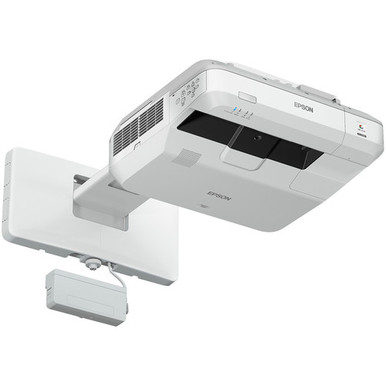
The Epson BL-710UI vs BL-725WI decision starts with two practical questions: what resolution does your content require, and where can the projector sit? Both projectors use an ultra-short-throw layout. The stated resolution separates them. The BL-710UI is WUXGA, while the BL-725WI is WXGA.
That difference can shape your choice for text-heavy slides, spreadsheets, diagrams, worship media, and classroom applications. Resolution is only one part of a reliable deployment, though. Mount geometry, image size, ambient light, the projection surface, source connections, control needs, and any planned touch or pen workflow all deserve attention.
This comparison maps each projector to likely deployment priorities and explains how to assess price-to-performance without guessing at current commerce details. It also covers three Epson alternatives for briefs that call for a stated brightness level or 4K resolution. Use the linked product pages to confirm current purchasing details and every installation-critical specification before committing a quote or schedule.
Products at a Glance
- Option 1: Epson BrightLink 710Ui WUXGA 1080p 3LCD Projector with Speaker
- For rooms standardized on WXGA that need an ultra-sho…: Epson BrightLink 725WI WXGA 3LCD Ultra Short Throw UST Laser Projector
- For golf simulator or professional AV buyers who need…: Epson PowerLite L895U Laser Golf Simulator Projector – 8,000 Lumens, WUXGA Professional Grade, 3LCD Tech [USED]
- For buyers evaluating a 2,200-lumen WXGA Epson projec…: Epson LightScene EV-110 2200-Lumen WXGA Laser 3LCD Projector (V11HA22020)
- For cinema-oriented buyers prioritizing 4K resolution…: Epson LS9000 Pro Cinema 4K HDR 3LCD Laser Projector
Quick Comparison Table
| Feature | Epson BrightLink 710Ui WUXGA 1080p 3LCD Projector with Speaker | Epson BrightLink 725WI WXGA 3LCD Ultra Short Throw UST Laser Projector | Epson PowerLite L895U Laser Golf Simulator Projector – 8,000 Lumens, WUXGA Professional Grade, 3LCD Tech [USED] | Epson LightScene EV-110 2200-Lumen WXGA Laser 3LCD Projector (V11HA22020) | Epson LS9000 Pro Cinema 4K HDR 3LCD Laser Projector |
|---|---|---|---|---|---|
| Brightness | 8,000 Lumens | 2200 lumens | |||
| Resolution | WUXGA | WXGA | WUXGA | WXGA | 4K |
| Best For | Schools, churches, and conference rooms that require WUXGA resolution and plan an ultra-short-throw installation. | Rooms standardized on WXGA that need an ultra-short-throw projector and can validate the remaining installation requirements. | Golf simulator or professional AV buyers who need a stated 8,000-lumen WUXGA option and are open to evaluating a used listing. | Buyers evaluating a 2,200-lumen WXGA Epson projector who can assess its placement and system requirements separately. | Cinema-oriented buyers prioritizing 4K resolution who are prepared to evaluate room placement and installation requirements independently. |
| Throw Type | Ultra short throw | Ultra short throw | |||
| Recommended Buyer | Schools, churches, and conference rooms that require WUXGA resolution and plan an ultra-short-throw installation. | Rooms standardized on WXGA that need an ultra-short-throw projector and can validate the remaining installation requirements. | Golf simulator or professional AV buyers who need a stated 8,000-lumen WUXGA option and are open to evaluating a used listing. | Buyers evaluating a 2,200-lumen WXGA Epson projector who can assess its placement and system requirements separately. | Cinema-oriented buyers prioritizing 4K resolution who are prepared to evaluate room placement and installation requirements independently. |
Product Images
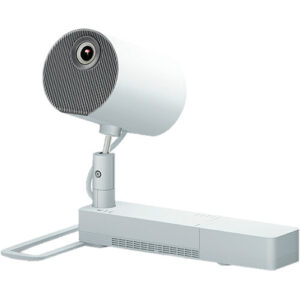
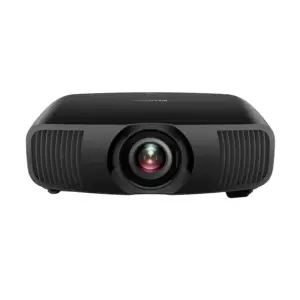
Projector Options from AudioVideoNation
1. Epson BrightLink 710Ui WUXGA 1080p 3LCD Projector with Speaker
Who should compare it: Schools, churches, and conference rooms that require WUXGA resolution and plan an ultra-short-throw installation.
Why it belongs here: The BL-710UI is one of the two projectors at the center of the comparison. Its documented WUXGA resolution and ultra-short-throw format define its role in the shortlist.
SKU: BL-710UI
Key Features
- WUXGA resolution
- Ultra short throw
- SKU BL-710UI
Things to Consider
Confirm rated brightness, exact throw geometry, supported image sizes, connectivity, mount compatibility, and required accessories before specifying it.
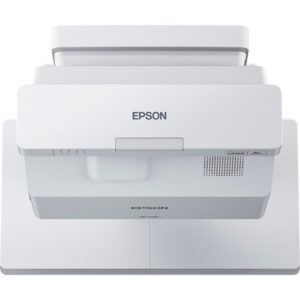
2. Epson BrightLink 725WI WXGA 3LCD Ultra Short Throw UST Laser Projector
Who should compare it: Rooms standardized on WXGA that need an ultra-short-throw projector and can validate the remaining installation requirements.
Why it belongs here: The BL-725WI is the WXGA half of the core comparison. Its ultra-short-throw format makes placement planning directly relevant to the buying decision.
SKU: BL-725WI
Key Features
- WXGA resolution
- Ultra short throw
- SKU BL-725WI
Things to Consider
Make sure WXGA matches the source and content standard. Confirm brightness, image-size range, mounting, connectivity, and accessory requirements for the room.
3. Epson PowerLite L895U Laser Golf Simulator Projector – 8,000 Lumens, WUXGA Professional Grade, 3LCD Tech [USED]
Who should compare it: Golf simulator or professional AV buyers who need a stated 8,000-lumen WUXGA option and are open to evaluating a used listing.
Why it belongs here: This projector provides an alternative with a stated 8,000-lumen brightness level and WUXGA resolution for a brief that extends beyond the two ultra-short-throw models.
SKU: PL-L895U-USED
Key Features
- 8,000 lumens
- WUXGA resolution
- SKU PL-L895U-USED
Things to Consider
This product is marked as used. Confirm condition, included items, throw and lens requirements, mounting needs, and current commerce details before purchase.
4. Epson LightScene EV-110 2200-Lumen WXGA Laser 3LCD Projector (V11HA22020)
Who should compare it: Buyers evaluating a 2,200-lumen WXGA Epson projector who can assess its placement and system requirements separately.
Why it belongs here: The EV-110 adds a WXGA alternative with a stated 2,200-lumen brightness figure for buyers whose brief differs from the core ultra-short-throw comparison.
SKU: EV-110
Key Features
- 2,200 lumens
- WXGA resolution
- SKU EV-110
Things to Consider
Confirm throw geometry, supported image size, mounting, connectivity, and room suitability. Do not assume it can replace an ultra-short-throw projector at the same position.
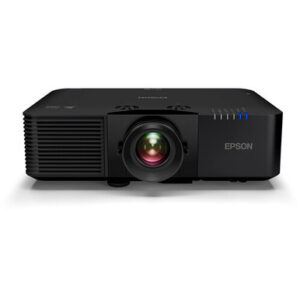
5. Epson LS9000 Pro Cinema 4K HDR 3LCD Laser Projector
Who should compare it: Cinema-oriented buyers prioritizing 4K resolution who are prepared to evaluate room placement and installation requirements independently.
Why it belongs here: The LS9000 supplies a 4K resolution alternative for buyers whose content requirement exceeds the WUXGA and WXGA choices in the main comparison.
SKU: LS9000
Key Features
- 4K resolution
- Projectors category listing
- SKU LS9000
Things to Consider
4K resolution alone does not establish deployment fit. Confirm brightness, throw geometry, image size, inputs, mounting, and included items on the product page.
Epson BrightLink 710Ui WUXGA 1080p 3LCD Projector with Speaker vs Epson BrightLink 725WI WXGA 3LCD Ultra Short Throw UST Laser Projector: Main Differences
- Choose Epson BrightLink 710Ui WUXGA 1080p 3LCD Projector with Speaker if Schools, churches, and conference rooms that require WUXGA resolution and plan an ultra-short-throw installation..
- Choose Epson BrightLink 725WI WXGA 3LCD Ultra Short Throw UST Laser Projector if Rooms standardized on WXGA that need an ultra-short-throw projector and can validate the remaining installation requirements..
- Choose Epson PowerLite L895U Laser Golf Simulator Projector – 8,000 Lumens, WUXGA Professional Grade, 3LCD Tech [USED] if Golf simulator or professional AV buyers who need a stated 8,000-lumen WUXGA option and are open to evaluating a used listing..
- Choose Epson LightScene EV-110 2200-Lumen WXGA Laser 3LCD Projector (V11HA22020) if Buyers evaluating a 2,200-lumen WXGA Epson projector who can assess its placement and system requirements separately..
- Choose Epson LS9000 Pro Cinema 4K HDR 3LCD Laser Projector if Cinema-oriented buyers prioritizing 4K resolution who are prepared to evaluate room placement and installation requirements independently..
Quick verdict: Epson BrightLink 710Ui vs 725Wi
Choose the BL-710UI when WUXGA resolution is part of the room specification and an ultra-short-throw installation suits the space. Choose the BL-725WI when WXGA matches your established content, source equipment, or fleet standard and you also need ultra-short-throw placement. That resolution split is the clearest documented difference between the two projectors.
Shared throw terminology does not make the projectors interchangeable. Confirm the exact throw ratio, supported image-size range, image offset, mounting pattern, and required clearances before reusing an existing mount or wall position. A small change in projector geometry can affect the installation plan.
Treat compatibility as a separate decision. Check every required video input, control connection, network function, and accessory against the planned system. If teachers or presenters expect a pen or touch workflow, verify that workflow and its required components for the exact SKU. Product-family assumptions are not enough for a final design.
WUXGA vs WXGA projector resolution
Resolution is the main content-quality distinction supported here. The BL-710UI is WUXGA, which is the higher-resolution format of the two. The BL-725WI is WXGA. WUXGA is the logical starting point for rooms that regularly show fine text, dense spreadsheets, detailed diagrams, or application interfaces where added image detail matters.
WXGA can still align with a room built around WXGA source material and presentation templates. Standardization has operational value. Staff can move between familiar rooms, content formatting stays consistent, and support teams avoid introducing a new display target without a clear need.
Audit the real content before choosing. Collect representative slides, documents, dashboards, videos, and classroom applications. Identify the smallest text that must remain readable from the farthest seat. Check the native output settings of permanent computers and conferencing equipment as well. A higher resolution label cannot correct a poor source file, undersized text, or an unsuitable viewing distance.
Ultra short throw projector comparison and installation checks
Both projectors are identified as ultra short throw, so each is designed around placement close to the presentation surface. This keeps the beam path out of much of the occupied room and can suit teaching or presentation areas where people regularly stand near the image.
Ultra-short-throw installation demands careful geometry. Survey the wall or screen for flatness, measure the intended image area, and document the mounting surface. Confirm the precise projector position instead of estimating from another model. Cable routes, connector clearance, ventilation space, service access, and the location of power and data outlets belong in the same drawing.
The projection surface also matters. Texture, seams, trim, whiteboards, and nearby fixtures can affect the usable area. Test or validate the planned surface before installation day. For any interactive workflow, confirm the supported image area, required accessories, calibration process, and software environment for the exact projector. Neither resolution nor throw type answers those questions on its own.
Deployment fit for schools, churches, and conference rooms
Schools should start with curriculum content and room standards. The BL-710UI fits a specification that calls for WUXGA and ultra-short-throw placement. The BL-725WI fits a WXGA standard with the same broad placement approach. Teachers who show detailed diagrams or dense application screens may place greater weight on WUXGA. A district maintaining an established WXGA fleet may place greater weight on consistency. Confirm brightness, connectivity, management requirements, mounting details, and planned classroom accessories before standardizing either projector.
Church teams should review lyrics, announcement slides, video, and any detailed presentation content used during services or meetings. Large text may place less pressure on resolution than intricate graphics or small on-screen controls. Ambient light, viewing distance, image size, surface choice, and sightlines may decide whether either ultra-short-throw projector fits the room. Verify those factors through a site survey.
Conference room teams should examine spreadsheets, shared documents, dashboards, and conferencing interfaces. WUXGA may better match a requirement for finer information display, while WXGA may align with an existing room template or source standard. Confirm that every permanent source and control system works with the chosen SKU.
Installers should document the decision, not merely the family name. Record the SKU, resolution requirement, mounting measurements, source settings, cabling, control plan, and acceptance criteria. That record helps prevent an apparently similar projector from being substituted without a technical review.
Price-to-performance, stock, and availability checks
Price-to-performance cannot be judged from resolution alone. Define the required outcome first, then compare current purchasing details on the linked product pages. The better value is the projector that meets the room specification without creating avoidable changes to mounting, cabling, content workflows, or support practices.
Build the comparison around the complete installation. Check the mount, projection surface, cable lengths, adapters, control integration, accessories, labor, and any source-equipment changes. Confirm what is included with the exact SKU before treating an existing accessory as reusable. A projector that appears attractive at the product level can be a poor system choice if it forces unplanned room work.
Stock and availability should be verified when the purchase and installation dates are set. Confirm that the quoted SKU matches the approved design, and avoid locking the installation schedule until current purchasing details have been checked. The product links are the right place to review live commerce information without relying on a static article.
Epson projector alternatives for a different brief
The three additional Epson projectors address different priorities and should not be treated as automatic substitutes for the two BrightLink models.
The Epson PowerLite L895U listing provides a stated 8,000 lumens and WUXGA resolution. It is also marked as used. It belongs in a separate evaluation when a golf simulator or professional AV brief calls for a documented brightness figure. Confirm condition, included items, throw requirements, mounting, and every other installation detail before specifying it.
The Epson LightScene EV-110 provides a stated 2,200 lumens and WXGA resolution. It gives buyers a WXGA option with an explicit brightness figure. Its placement requirements should be assessed independently because the available facts do not establish it as an ultra-short-throw replacement for the BL-725WI.
The Epson LS9000 provides 4K resolution. It is relevant when 4K is a firm content requirement rather than an optional upgrade. Resolution alone does not establish room fit, so verify brightness, throw geometry, image size, connectivity, and installation requirements on its product page.
These alternatives broaden the shortlist when the original brief changes. They do not remove the need for a site survey or an exact-SKU review.
Final Epson projector buying checklist
Use a short approval process before issuing the purchase order:
1. Set the content requirement. Decide whether WUXGA, WXGA, or 4K is required from actual source material and viewing distances.
2. Measure the room. Record the image area, projector position, mounting surface, obstructions, cable routes, ambient light, and service access.
3. Validate the system. Confirm inputs, control connections, source settings, network needs, accessories, and any planned pen or touch workflow for the exact SKU.
4. Review the installed cost. Include mounting, surface work, cabling, adapters, accessories, labor, and changes to existing equipment when comparing value.
5. Check live commerce details. Review the linked product page for current purchasing information, then match the quoted SKU to the approved design.
6. Write acceptance criteria. Define the required image size, content tests, control behavior, and staff workflow before installation.
For the central comparison, the decision remains direct: BL-710UI for a WUXGA requirement, or BL-725WI for a WXGA requirement. Both require an ultra-short-throw installation plan built around the actual room.
Related AudioVideoNation Links
- Browse Projector at AudioVideoNation
- Epson BrightLink 710Ui product page
- Epson BrightLink 725WI product page
- Epson PowerLite L895U used projector
- Epson LightScene EV-110 projector
Product Information Sources
- Epson BrightLink 710Ui WUXGA 1080p 3LCD Projector with Speaker product information
- Epson BrightLink 725WI WXGA 3LCD Ultra Short Throw UST Laser Projector product information
- Epson PowerLite L895U Laser Golf Simulator Projector – 8,000 Lumens, WUXGA Professional Grade, 3LCD Tech [USED] product information
- Epson LightScene EV-110 2200-Lumen WXGA Laser 3LCD Projector (V11HA22020) product information
- Epson LS9000 Pro Cinema 4K HDR 3LCD Laser Projector product information
FAQ
Which has the higher resolution, the Epson BL-710UI or BL-725WI?
The Epson BL-710UI has the higher stated resolution, with WUXGA versus WXGA for the BL-725WI. WUXGA is the more suitable starting point when fine text and detailed source content drive the specification.
Are the Epson BL-710UI and BL-725WI both ultra-short-throw projectors?
Yes, both projectors are identified as ultra short throw. Confirm each model's exact throw geometry, image-size range, mounting needs, and clearances before assuming they can use the same installation position.
Which projector should a school choose?
A school should choose the BL-710UI for a WUXGA requirement or the BL-725WI for an established WXGA standard, subject to a room-specific technical review. Brightness, mounting, connectivity, accessories, content, and support practices should also be checked.
What should I verify before using either projector in a bright room?
Verify the rated brightness of each projector against the room's ambient light, image size, and projection surface before buying. Light control, viewing distance, and the type of content shown also belong in the room assessment.
Which projector offers better price-to-performance?
Neither projector can be declared the better value without current commerce details and the complete installed-system requirements. Compare the live product information along with mounting, cabling, accessories, labor, and any changes required elsewhere in the room.
Can the L895U, EV-110, or LS9000 replace either BrightLink projector directly?
No, the three alternatives should not be treated as direct replacements without a new installation review. Their documented brightness or resolution may suit a different brief, but throw geometry, mounting, image size, connectivity, and room fit still need confirmation.
Conclusion
Use this Epson BL-710UI vs BL-725WI comparison to match documented specifications to the room and installation requirements. Review the linked product pages for current purchase details before ordering.
Products Used
| SKU | Product Name | URL |
|---|---|---|
| BL-710UI | Epson BrightLink 710Ui WUXGA 1080p 3LCD Projector with Speaker | View product |
| BL-725WI | Epson BrightLink 725WI WXGA 3LCD Ultra Short Throw UST Laser Projector | View product |
| PL-L895U-USED | Epson PowerLite L895U Laser Golf Simulator Projector – 8,000 Lumens, WUXGA Professional Grade, 3LCD Tech [USED] | View product |
| EV-110 | Epson LightScene EV-110 2200-Lumen WXGA Laser 3LCD Projector (V11HA22020) | View product |
| LS9000 | Epson LS9000 Pro Cinema 4K HDR 3LCD Laser Projector | View product |