Key Features
Teachers can lock the screen using the Screen Lock function, and unlock it by entering a password. Users can set the Screen Lock in the Settings menu to protect the device from unidentified users.
LG CreateBoard supports Secure Mode that disables the LG CreateBoard Share function to prevent unauthorized content from being shown on various devices.
USB Lock Mode is a security measure that helps prevent data from being copied to unauthorized devices, which is essential when being used in spaces where security is critical.
Users can set LG CreateBoard to delete files regularly for enhanced security.
Front-facing stereo 15W speakers
USB-C input provides data and 65W power delivery over one cable
Front access inputs for HDMI, USB-C, USB-A, and USB-B
QR code login verification
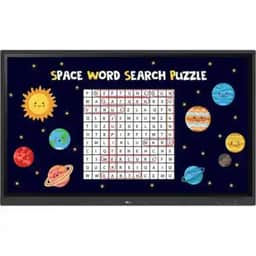
The LG 98TR3DK-B CreateBoard 98" UHD 4K Touchscreen Commercial Monitor is a 390 nits bright, interactive IPS LCD display, with up to 40 points of IR multi-touch input, made for collaborative learning environments. Connect sources via HDMI, VGA plus 3.5mm audio, USB-C, and OPS inputs. Data and control functions are available via RS-232C, RJ45 Gigabit Ethernet, and Wi-Fi connectivity. Additionally, a variety of USB inputs support media and peripheral devices as well as touch control.
Precise Multi-Touch Functionality
The LG CreateBoard can simultaneously detect up to 40 points of multi-touch input. This function offers a natural writing experience and makes collaboration easier. Whiteboarding software is included, with a variety of educational templates and teaching tools such as a ruler, table, sticky notes, and more.
Wireless Screen Share
LG CreateBoard Share enables users to show up to nine shared screens or a file on a screen in real-time when the LG CreateBoard Share app is installed on the device. Additionally, files from the host can be easily sent to any devices connected to the LG CreateBoard Share app.
Ready to Manage with LG ConnectedCare DMS
Maintenance is easy and fast with the ConnectedCare service, available separately. This cloud service solution from LG remotely monitors, controls, and manages the status of displays in user workplaces. This feature enables IT managers to operate and manage important resources on operating devices without physically visiting sites. ConnectedCare DMS now supports Common Alerting Protocol based security systems.
Frequently used controls such as the power on/off, scheduling, brightness, and screen lock functions can be applied using a remote control. Content including images, videos, audio messages, or live streaming can be remotely shared with connected devices. Additionally, broadcast messages like announcements, event updates, and bus schedules can be sent to the CreateBoard. When the message is sent out to the device, LG CreateBoard interrupts the current display and shares the message.
Bluetooth Connectivity
This display supports Bluetooth to connect wirelessly to various devices such as speakers, a mouse, keyboard, and more. Construct a hybrid environment so online and offline meetings and classes can proceed with ease.
Built-In OPS Slot
LG CreateBoard supports OPS (Open Pluggable Specification) devices, allowing you to easily and conveniently mount an OPS desktop at the back of the LG CreateBoard. This offers you more expanded functions without the hassle of connecting to an external desktop.
Multi-Source Smart Viewing
With the Smart Viewing feature, two or more sources can be displayed on the same screen simultaneously without having to repeat Alt-tab, making teaching more convenient and efficient. Two materials can be displayed side by side (multi window mode), or one material can be overlaid on the other one (picture-in-picture mode).
Secure Function
Screen Lock
- Teachers can lock the screen using the Screen Lock function, and unlock it by entering a password. Users can set the Screen Lock in the Settings menu to protect the device from unidentified users.
Secure Mode
- LG CreateBoard supports Secure Mode that disables the LG CreateBoard Share function to prevent unauthorized content from being shown on various devices.
USB Lock Mode
- USB Lock Mode is a security measure that helps prevent data from being copied to unauthorized devices, which is essential when being used in spaces where security is critical.
Auto-Remove Files
- Users can set LG CreateBoard to delete files regularly for enhanced security.
Additional Features
- Front-facing stereo 15W speakers
- USB-C input provides data and 65W power delivery over one cable
- Front access inputs for HDMI, USB-C, USB-A, and USB-B
- QR code login verification
- HDMI output for connecting a secondary screen or projector
- Set thresholds in eight categories including display temperature, memory usage, and signal
- Receive warning or error notifications based on threshold settings
- Remote monitoring and fault diagnosis