

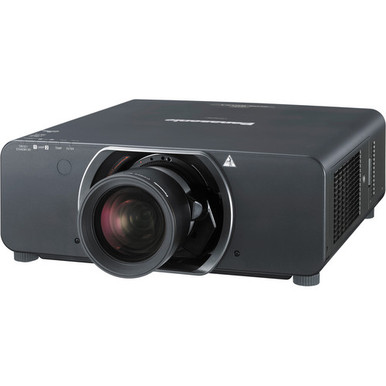
“Panasonic PT-DZ13KU vs PT-DZ16K2U: Which Projector Should You Choose?” is a practical question for teams planning a high-brightness AV installation. The supplied specifications create a clear split. The PT-DZ13KU is rated at 12,000 lumens with WUXGA resolution, while the PT-DZ16K2U is rated at 16,000 lumens with Full HD resolution. Those differences affect design decisions, but they do not identify a universal winner. Your screen, room lighting, content format, projection geometry, signal path, and budget still define the right choice. Churches, schools, conference technology teams, and installers also need current commercial details before issuing a purchase order. This comparison explains how to weigh the two Panasonic projectors, what to verify during system design, and when a lower-brightness ultra-short-throw alternative deserves consideration.
Products at a Glance
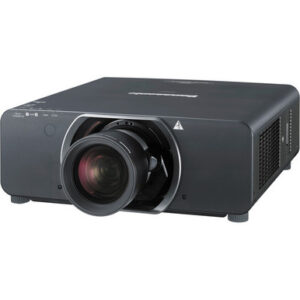
- Option 1: Panasonic PT-DZ13KU 3D WUXGA 720p DLP Projector
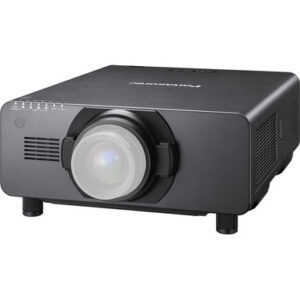
- For projects whose approved design calls for 16,000 l…: Panasonic PT-DZ16K2U Full HD 1080p DLP Projector
- For rooms that specifically require an ultra-short-th…: Panasonic PT-CMZ50 WUXGA Ultra-Short Throw Laser Projector – Professional Golf Simulator Display
Quick Comparison Table
| Feature | Panasonic PT-DZ13KU 3D WUXGA 720p DLP Projector | Panasonic PT-DZ16K2U Full HD 1080p DLP Projector | Panasonic PT-CMZ50 WUXGA Ultra-Short Throw Laser Projector – Professional Golf Simulator Display |
|---|---|---|---|
| Brightness | 12,000 Lumens | 16,000 lumens | 5200 lumens |
| Resolution | WUXGA | Full HD | WUXGA |
| Best For | Projects with an approved 12,000-lumen target and WUXGA requirement, subject to full installation and signal verification. | Projects whose approved design calls for 16,000 lumens and Full HD, subject to full installation and signal verification. | Rooms that specifically require an ultra-short-throw layout and have an approved 5,200-lumen, WUXGA design target. |
| Throw Type | Ultra short throw | ||
| Recommended Buyer | Projects with an approved 12,000-lumen target and WUXGA requirement, subject to full installation and signal verification. | Projects whose approved design calls for 16,000 lumens and Full HD, subject to full installation and signal verification. | Rooms that specifically require an ultra-short-throw layout and have an approved 5,200-lumen, WUXGA design target. |
Product Images

Projector Options from AudioVideoNation
1. Panasonic PT-DZ13KU 3D WUXGA 720p DLP Projector
Who should compare it: Projects with an approved 12,000-lumen target and WUXGA requirement, subject to full installation and signal verification.
Why it belongs here: It is one of the two projectors under comparison and supplies the 12,000-lumen, WUXGA side of the decision.
SKU: PT-DZ13KU
Key Features
- 12,000-lumen specified brightness
- WUXGA resolution designation
- SKU PT-DZ13KU for accurate quoting and procurement
Things to Consider
Confirm lens selection, throw geometry, input and control requirements, power, mounting, and current commercial details before approval.
2. Panasonic PT-DZ16K2U Full HD 1080p DLP Projector
Who should compare it: Projects whose approved design calls for 16,000 lumens and Full HD, subject to full installation and signal verification.
Why it belongs here: It is the higher-brightness product in the comparison, with a specified 16,000 lumens and Full HD resolution.
SKU: PT-DZ16K2U
Key Features
- 16,000-lumen specified brightness
- Full HD resolution designation
- SKU PT-DZ16K2U for accurate quoting and procurement
Things to Consider
Document why the project needs its brightness and resolution specifications, then verify lens, geometry, signal, control, mounting, power, and current commercial details.
3. Panasonic PT-CMZ50 WUXGA Ultra-Short Throw Laser Projector – Professional Golf Simulator Display
Who should compare it: Rooms that specifically require an ultra-short-throw layout and have an approved 5,200-lumen, WUXGA design target.
Why it belongs here: It provides a Panasonic alternative for projects built around ultra-short-throw placement, 5,200 lumens, and WUXGA resolution.
SKU: PT-CMZ50U
Key Features
- 5,200-lumen specified brightness
- WUXGA resolution designation
- Ultra-short-throw design
- SKU PT-CMZ50U for accurate quoting and procurement
Things to Consider
Its specified brightness is lower than both main projectors, so evaluate it as a geometry-led alternative rather than a direct substitute. Confirm the exact installation plan before purchase.
Panasonic PT-DZ13KU 3D WUXGA 720p DLP Projector vs Panasonic PT-DZ16K2U Full HD 1080p DLP Projector: Main Differences
- Choose Panasonic PT-DZ13KU 3D WUXGA 720p DLP Projector if Projects with an approved 12,000-lumen target and WUXGA requirement, subject to full installation and signal verification..
- Choose Panasonic PT-DZ16K2U Full HD 1080p DLP Projector if Projects whose approved design calls for 16,000 lumens and Full HD, subject to full installation and signal verification..
- Choose Panasonic PT-CMZ50 WUXGA Ultra-Short Throw Laser Projector – Professional Golf Simulator Display if Rooms that specifically require an ultra-short-throw layout and have an approved 5,200-lumen, WUXGA design target..
Quick answer: choose by brightness and resolution
Start with the PT-DZ13KU when your approved design calls for 12,000 lumens and WUXGA resolution. Choose the PT-DZ16K2U when the requirement is 16,000 lumens and Full HD. Simple on paper. The final decision still depends on whether the projector can meet the room’s geometry, signal, mounting, power, control, and operating requirements.
The PT-DZ16K2U has a 4,000-lumen advantage in specified brightness. That makes it the candidate to examine first when the system design demands output beyond the PT-DZ13KU’s rating. Do not treat extra specified brightness as an automatic reason to buy it. If 12,000 lumens already satisfies the documented target, the PT-DZ13KU may align more closely with the project.
Resolution is a separate branch of the decision. WUXGA and Full HD are different specifications, so match the projector to the content and workflow your organization has approved. Confirm the complete signal chain rather than assuming the resolution label answers every source and input question.
Panasonic PT-DZ13KU vs PT-DZ16K2U specifications
The PT-DZ13KU has a specified brightness of 12,000 lumens and WUXGA resolution. The PT-DZ16K2U moves to 16,000 lumens and uses a Full HD resolution designation. These are the two firm comparison points in the supplied product data.
Brightness needs to be judged within the complete projection design. Screen size, room light, image content, and the system’s required visual target all affect the output your team should specify. Record that target before comparing quotes. If the requirement falls within the PT-DZ13KU’s 12,000-lumen rating, added brightness alone does not settle the purchase. If the approved design calls for the PT-DZ16K2U’s 16,000-lumen level, the lower rating of the PT-DZ13KU creates a clear mismatch.
Treat resolution with the same discipline. The PT-DZ13KU’s WUXGA label and the PT-DZ16K2U’s Full HD label should be checked against presentation layouts, video content, computers, switchers, and distribution equipment. The supplied resolution terms do not establish every supported input format or signal behavior. Verify those details before approving the projector or the surrounding electronics.
Projector deployment fit for churches, schools, and AV teams
Institution type does not choose the projector. The room and program requirements do.
For a church, document the screen, ambient lighting conditions, camera or video workflow, presentation content, and every source used during services. Then decide whether the plan calls for 12,000 lumens with WUXGA or 16,000 lumens with Full HD. Confirm that the selected resolution also fits the content workflow instead of changing formats at the end of the project.
Schools should separate lecture halls and auditoriums from ordinary classrooms. A large instructional space can create different brightness and geometry demands from a small teaching room. Review text-heavy presentations, video playback, source computers, and any shared AV infrastructure. The projector must fit the approved design, not merely carry the larger lumen number.
Conference technology teams should map the full path from source to screen. Include room computers, guest devices, presentation switchers, signal transport, control systems, and the content format used most often. Installers then need to validate projection distance, lens choice, mounting position, service access, power, and cooling requirements.
Neither model can be assigned to an audience from brightness alone. Use the PT-DZ13KU and PT-DZ16K2U specifications as design inputs, then require the complete room plan to support the choice.
Installation planning, throw geometry, and signal checks
Projection geometry can rule out an otherwise suitable projector. Before committing to either Panasonic model, confirm the correct lens, required throw ratio, image size, projection distance, mounting location, and any permitted image offset with the installer. Lens compatibility must be established for the exact model. A shared manufacturer name is not proof that a particular lens will work.
The physical plan needs the same attention. Confirm the mounting method, structural support, power, airflow, service clearances, and cable routes. These checks belong in the design before procurement, especially when the projector will be installed over seating, on a high ceiling, or in a location with limited maintenance access.
Test the intended signal path as a system. The supplied facts identify WUXGA for the PT-DZ13KU and Full HD for the PT-DZ16K2U, but they do not define every input, source format, cable distance, control interface, or switching requirement. Have the integrator verify each connection and operational need against the exact product documentation. This prevents a brightness-led decision from overlooking an installation constraint.
Price-to-performance, stock, and availability
A defensible price-to-performance comparison requires current commercial details and a complete system scope. Check each linked product page when requesting a quote, then compare the projector within the deployed system rather than treating the chassis as the entire cost.
Include the correct lens, mount, signal transport, switching, control equipment, electrical work, installation labor, commissioning, and any project-specific support needs. A projector that meets the brightness target with fewer design changes can present a stronger value case even when another option has a larger lumen figure. The reverse is also true when the project genuinely needs 16,000 lumens and the lower-brightness choice would fail the approved requirement.
For the PT-DZ13KU, ask whether 12,000 lumens and WUXGA meet every must-have. For the PT-DZ16K2U, document why 16,000 lumens and Full HD are required. Then compare live commercial details against those needs.
Stock and availability can change between planning and purchase. Confirm both on the linked product pages and again when the order is prepared. Do not let an earlier quote or planning document substitute for a current availability check.
A practical decision framework for installers and buyers
First, lock the required brightness target. Use the room, screen, lighting, and content plan to decide whether the project calls for 12,000 or 16,000 lumens. If the requirement exceeds the PT-DZ13KU’s rating, remove it from consideration rather than relying on optimism.
Next, lock the resolution requirement. Decide whether the workflow calls for WUXGA or Full HD, then verify the source equipment and signal path. Do not approve a projector while leaving format decisions to installation day.
Third, validate physical fit. The installer should confirm lens compatibility, projection distance, image geometry, mount, power, airflow, cable routing, and maintenance access. Both products must pass these checks independently.
Finally, collect current quotes and availability information for every required system component. Compare each complete design against the same acceptance criteria. The right choice is the projector that passes all must-haves with a supportable deployed cost. If both pass, the documented preference for resolution, brightness margin, and live commercial terms becomes the tiebreaker.
When an ultra-short-throw Panasonic alternative makes sense
The Panasonic PT-CMZ50U belongs in a different design conversation. It is specified at 5,200 lumens, WUXGA resolution, and ultra-short throw. Its brightness rating sits below both projectors in the main comparison, so it should not be treated as a like-for-like replacement for a 12,000- or 16,000-lumen requirement.
Consider it when projection geometry drives the project and an ultra-short-throw layout is required. That can matter in rooms where the approved mounting position cannot accommodate the projection path planned for another projector. The 5,200-lumen target must still satisfy the room design.
Run the same checks before choosing it. Confirm image size, placement, surface, signal path, mounting, control, power, and current commercial details. If the room requires the higher brightness specified for the PT-DZ13KU or PT-DZ16K2U, changing throw type does not remove that requirement.
Related AudioVideoNation Links
- Browse Projector at AudioVideoNation
- Panasonic PT-DZ13KU projector
- Panasonic PT-DZ16K2U projector
- Panasonic PT-CMZ50 ultra-short-throw projector
Product Information Sources
- Panasonic PT-DZ13KU 3D WUXGA 720p DLP Projector product information
- Panasonic PT-DZ16K2U Full HD 1080p DLP Projector product information
- Panasonic PT-CMZ50 WUXGA Ultra-Short Throw Laser Projector – Professional Golf Simulator Display product information
FAQ
Which projector is brighter, the Panasonic PT-DZ13KU or PT-DZ16K2U?
The PT-DZ16K2U has the higher specified brightness at 16,000 lumens, compared with 12,000 lumens for the PT-DZ13KU. That is a 4,000-lumen difference, but the room design should determine whether the added rating is required.
What is the resolution difference between the PT-DZ13KU and PT-DZ16K2U?
The PT-DZ13KU is specified as WUXGA, while the PT-DZ16K2U is specified as Full HD. Match that distinction to your content workflow and verify the complete source and signal path separately.
Which Panasonic projector is better for a church or school?
Neither projector is automatically better for every church or school because the right choice depends on the approved brightness, resolution, geometry, and signal requirements. The PT-DZ13KU supplies 12,000 lumens with WUXGA, while the PT-DZ16K2U supplies 16,000 lumens with Full HD.
Which model has better price-to-performance?
Neither model can be declared the stronger price-to-performance choice without current commercial details and a completed system design. Compare live quotes for the full installed system against the same brightness, resolution, lens, mounting, signal, and control requirements.
Are the PT-DZ13KU and PT-DZ16K2U currently available?
Current stock and availability should be confirmed on each linked product page at the time of purchase. Recheck those details when preparing the order because planning documents and earlier quotes may no longer reflect live conditions.
Can the same projector lens be used with both models?
Lens compatibility must be verified for each exact projector and the planned image geometry before purchase. A shared Panasonic brand name does not establish compatibility, so confirm the lens, throw ratio, image size, and projection distance with the installer and exact product documentation.
Conclusion
Use this Panasonic PT-DZ13KU vs PT-DZ16K2U: Which Projector Should You Choose? comparison to match documented specifications to the room and installation requirements. Review the linked product pages for current purchase details before ordering.
Products Used
| SKU | Product Name | URL |
|---|---|---|
| PT-DZ13KU | Panasonic PT-DZ13KU 3D WUXGA 720p DLP Projector | View product |
| PT-DZ16K2U | Panasonic PT-DZ16K2U Full HD 1080p DLP Projector | View product |
| PT-CMZ50U | Panasonic PT-CMZ50 WUXGA Ultra-Short Throw Laser Projector – Professional Golf Simulator Display | View product |