

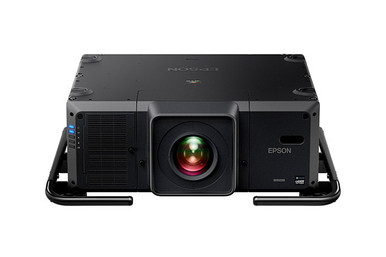
A 30,000-lumen specification starts the engineering conversation. It doesn’t finish it. This Epson L30000UNL Setup Guide and Buying Considerations article focuses on the choices that determine whether the projector belongs in your design: image requirements, lens planning, mounting, signal flow, control, commissioning, schedule, and installed cost. The supplied product data identifies the Epson Pro L30000UNL as a laser WUXGA 3LCD projector with 4K Enhancement and 30,000-lumen brightness. Those facts make it a candidate for demanding projection briefs, but they do not establish room fit on their own. Churches, schools, conference teams, and installers still need to validate the full system before releasing a purchase order. This guide lays out that validation process, then places the L30000UNL beside the supplied L30002UNL and three ultra-short-throw Epson options. You’ll leave with a practical checklist for choosing the exact product, confirming site readiness, and requesting live commerce details from each linked product page.
Products at a Glance
- Option 1: Epson Pro L30000UNL Laser WUXGA 3LCD Projector with 4K Enhancement
- For teams willing to compare the documented L30002UNL…: Epson Pro L30002UNL Laser WUXGA 3LCD Projector with 4K Enhancement
- For spaces that prioritize an ultra-short-throw layou…: Epson PowerLite 875E 5 Ultra Short Throw Display with 4K Enhancement (V11HC04120)
- For projects that require an interactive display and…: Epson BrightLink 870Ei Ultra Short Throw Interactive Display with 4K Enhancement (V11HC03020)
- For interactive rooms that favor ultra-short-throw pl…: Epson BrightLink 780Ei Ultra Short Throw Interactive Display with 4K Enhancement (V11HC10020)
Quick Comparison Table
| Feature | Epson Pro L30000UNL Laser WUXGA 3LCD Projector with 4K Enhancement | Epson Pro L30002UNL Laser WUXGA 3LCD Projector with 4K Enhancement | Epson PowerLite 875E 5 Ultra Short Throw Display with 4K Enhancement (V11HC04120) | Epson BrightLink 870Ei Ultra Short Throw Interactive Display with 4K Enhancement (V11HC03020) | Epson BrightLink 780Ei Ultra Short Throw Interactive Display with 4K Enhancement (V11HC10020) |
|---|---|---|---|---|---|
| Brightness | 30,000 lumens | 30,000 lumens | |||
| Resolution | WUXGA | WUXGA | 4K | 4K | 4K |
| Best For | Projects whose documented image plan calls for 30,000-lumen brightness and WUXGA resolution, after the optical, structural, signal, control, and electrical design has been verified. | Teams willing to compare the documented L30002UNL configuration with the L30000UNL before committing to an exact projector and optical package. | Spaces that prioritize an ultra-short-throw layout and can validate the product against their image-size, brightness, signal, mounting, and control requirements. | Projects that require an interactive display and ultra-short-throw placement, subject to verification of the room’s brightness, image-size, mounting, signal, and interaction needs. | Interactive rooms that favor ultra-short-throw placement and can confirm that the 780Ei meets the project’s documented image, signal, mounting, and control criteria. |
| Throw Type | Ultra short throw | Ultra short throw | Ultra short throw | ||
| Recommended Buyer | Projects whose documented image plan calls for 30,000-lumen brightness and WUXGA resolution, after the optical, structural, signal, control, and electrical design has been verified. | Teams willing to compare the documented L30002UNL configuration with the L30000UNL before committing to an exact projector and optical package. | Spaces that prioritize an ultra-short-throw layout and can validate the product against their image-size, brightness, signal, mounting, and control requirements. | Projects that require an interactive display and ultra-short-throw placement, subject to verification of the room’s brightness, image-size, mounting, signal, and interaction needs. | Interactive rooms that favor ultra-short-throw placement and can confirm that the 780Ei meets the project’s documented image, signal, mounting, and control criteria. |
Product Images
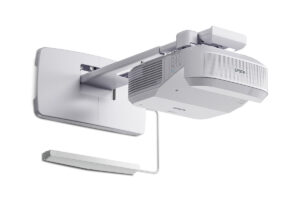
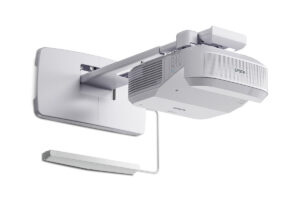
Projector Options from AudioVideoNation
1. Epson Pro L30000UNL Laser WUXGA 3LCD Projector with 4K Enhancement
Who should compare it: Projects whose documented image plan calls for 30,000-lumen brightness and WUXGA resolution, after the optical, structural, signal, control, and electrical design has been verified.
Why it belongs here: This is the exact projector addressed by the setup guide. Its supplied facts establish a 30,000-lumen, WUXGA profile, while the product name identifies laser, 3LCD, and 4K Enhancement.
SKU: L30000UNL
Key Features
- 30,000-lumen brightness listed in the supplied facts
- WUXGA resolution
- Laser light-source designation in the product name
- 3LCD imaging designation in the product name
- 4K Enhancement identified in the product name
Things to Consider
Confirm the required lens, throw geometry, physical specifications, mounting method, connections, control support, power needs, environmental limits, and package contents for the exact SKU before ordering.
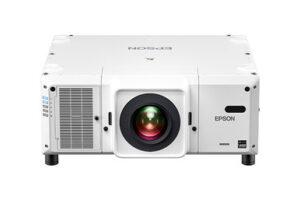
2. Epson Pro L30002UNL Laser WUXGA 3LCD Projector with 4K Enhancement
Who should compare it: Teams willing to compare the documented L30002UNL configuration with the L30000UNL before committing to an exact projector and optical package.
Why it belongs here: It gives buyers a closely named Epson Pro alternative with the same supplied 30,000-lumen and WUXGA facts. It belongs in the procurement review when the L30000UNL is being specified.
SKU: L30002UNL
Key Features
- 30,000-lumen brightness listed in the supplied facts
- WUXGA resolution
- Laser light-source designation in the product name
- 3LCD imaging designation in the product name
- 4K Enhancement identified in the product name
Things to Consider
The supplied facts do not distinguish this projector from the L30000UNL on brightness or resolution. Obtain a documented model comparison and verify lens, package, mounting, signal, control, and site requirements rather than assuming interchangeability.
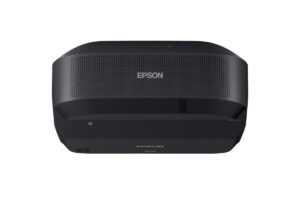
3. Epson PowerLite 875E 5 Ultra Short Throw Display with 4K Enhancement (V11HC04120)
Who should compare it: Spaces that prioritize an ultra-short-throw layout and can validate the product against their image-size, brightness, signal, mounting, and control requirements.
Why it belongs here: This PowerLite option introduces ultra-short-throw placement for projects where projector-to-surface geometry drives the design. Its supplied facts list 4K resolution, and its full name specifies 4K Enhancement.
SKU: PL-875E
Key Features
- Ultra short throw classification
- 4K resolution listed in the supplied facts
- 4K Enhancement identified in the product name
Things to Consider
Obtain a documented brightness figure and confirm image-size range, placement geometry, mounting, connections, control support, and package contents. Do not treat it as a like-for-like replacement for a projector with a listed 30,000-lumen output.
4. Epson BrightLink 870Ei Ultra Short Throw Interactive Display with 4K Enhancement (V11HC03020)
Who should compare it: Projects that require an interactive display and ultra-short-throw placement, subject to verification of the room’s brightness, image-size, mounting, signal, and interaction needs.
Why it belongs here: The BrightLink 870Ei adds listed interactivity to an ultra-short-throw format. It gives education and meeting-space buyers a different deployment path from the L30000UNL.
SKU: BL-870Ei
Key Features
- Ultra short throw classification
- Interactive display designation in the product name
- 4K resolution listed in the supplied facts
- 4K Enhancement identified in the product name
Things to Consider
Confirm brightness, supported interaction workflow, image geometry, mounting, connections, control, and package contents. Compare those documented details with the BrightLink 780Ei before selecting a model.
5. Epson BrightLink 780Ei Ultra Short Throw Interactive Display with 4K Enhancement (V11HC10020)
Who should compare it: Interactive rooms that favor ultra-short-throw placement and can confirm that the 780Ei meets the project’s documented image, signal, mounting, and control criteria.
Why it belongs here: The BrightLink 780Ei is another supplied interactive ultra-short-throw option with 4K Enhancement. It belongs in a review where interaction and close-to-surface placement are central requirements.
SKU: BL-780Ei
Key Features
- Ultra short throw classification
- Interactive display designation in the product name
- 4K resolution listed in the supplied facts
- 4K Enhancement identified in the product name
Things to Consider
The supplied facts do not establish how this product differs from the BrightLink 870Ei. Request a documented comparison and verify brightness, interaction, image geometry, mounting, connections, and package contents.
Epson Pro L30000UNL Laser WUXGA 3LCD Projector with 4K Enhancement vs Epson Pro L30002UNL Laser WUXGA 3LCD Projector with 4K Enhancement: Main Differences
- Choose Epson Pro L30000UNL Laser WUXGA 3LCD Projector with 4K Enhancement if Projects whose documented image plan calls for 30,000-lumen brightness and WUXGA resolution, after the optical, structural, signal, control, and electrical design has been verified..
- Choose Epson Pro L30002UNL Laser WUXGA 3LCD Projector with 4K Enhancement if Teams willing to compare the documented L30002UNL configuration with the L30000UNL before committing to an exact projector and optical package..
- Choose Epson PowerLite 875E 5 Ultra Short Throw Display with 4K Enhancement (V11HC04120) if Spaces that prioritize an ultra-short-throw layout and can validate the product against their image-size, brightness, signal, mounting, and control requirements..
- Choose Epson BrightLink 870Ei Ultra Short Throw Interactive Display with 4K Enhancement (V11HC03020) if Projects that require an interactive display and ultra-short-throw placement, subject to verification of the room’s brightness, image-size, mounting, signal, and interaction needs..
- Choose Epson BrightLink 780Ei Ultra Short Throw Interactive Display with 4K Enhancement (V11HC10020) if Interactive rooms that favor ultra-short-throw placement and can confirm that the 780Ei meets the project’s documented image, signal, mounting, and control criteria..
Deployment fit for a 30,000-lumen WUXGA projector
Begin with the image requirement. Document the planned image width and height, content aspect ratio, viewing positions, ambient-light conditions, screen surface, and material that viewers must read. A published brightness figure cannot predict the finished image without that context.
The L30000UNL has a listed brightness of 30,000 lumens and WUXGA resolution. Its full product name also identifies 4K Enhancement. Keep those two resolution references distinct during design review. The supplied facts support WUXGA and the stated enhancement designation. They do not support describing the projector as native 4K or assuming it will accept every source format associated with 4K.
Venue type alone should not decide the purchase. A church may prioritize readable lyrics across a wide seating area. A school may need an auditorium image that remains clear under planned lighting. A conference team may care most about fine presentation content and predictable source switching. Convert each goal into measurable requirements, then compare those requirements with documented product capabilities.
Epson L30000UNL setup starts with projector lens planning
Freeze the optical plan before ordering mounting hardware. Start with the required image dimensions and the measured distance between the intended projector position and screen. Then confirm which approved lens and placement range meet that geometry for the L30000UNL. Do not infer lens compatibility from another Epson model or from a familiar lens name.
Your optical worksheet should account for the actual mounting point, available structural locations, screen position, and any obstruction in the light path. Verify allowable offset and adjustment capabilities for the selected projector-and-lens combination. If the design depends on a specific lens-shift range or orientation, obtain documentation for that exact configuration.
Physical planning matters too. Confirm dimensions, operating weight with the selected lens, mount interface, approved installation orientation, service clearances, ventilation requirements, environmental limits, and electrical needs before construction begins. Those details affect rigging, access, power distribution, and long-term service work. Ask the installer to mark filter or service access areas on the drawing rather than placing the projector wherever the structure happens to allow.
Use the final drawing for approval by the AV designer, structural party, electrician, and venue owner. Small assumptions become expensive after lifts, rigging, or ceiling work have been scheduled.
Design the signal and control path before installation
Map every source, switcher, processor, transport device, and display endpoint. For each path, record the required resolution, refresh rate, connector, copy-protection behavior, color format, and cable distance. Then verify that the complete chain supports the chosen format. The phrase “4K Enhancement” in the product name is not a blanket promise about source acceptance or every 4K signal variation.
Long runs need special attention. Select cables or extension hardware only after checking both the source side and projector side. Include any conversion or scaling step in the drawing, and test the production source equipment before installation day.
Control deserves its own checklist. Confirm the available control connections and commands needed by the room system. Define startup, shutdown, source selection, status monitoring, and fault reporting based on documented capabilities. If network control is planned, involve the organization’s IT team early for addressing, security, and support ownership.
Plan audio as a separate system unless the approved documentation confirms the exact audio function you need. The supplied facts do not establish onboard sound, audio routing, or speaker capability.
Large-venue projector installation and commissioning checklist
Commissioning turns a collection of purchased parts into a working AV system. Assign each step to a named person and keep the results with the project record.
1. Approve the site. Verify structure, mounting position, electrical work, ventilation, access, screen location, and the unobstructed light path against the final drawings.
2. Check the delivered configuration. Match the projector SKU, lens, mount, transport hardware, and ordered accessories to the approved bill of materials before equipment reaches the installation position.
3. Bench-test the signal chain. Connect the actual switcher, source, transport equipment, and control system. Test every planned format and protected-content workflow that matters to the venue.
4. Mount and align. Use the approved hardware and installation method. Establish the physical image geometry first, then use only documented optical or image adjustments. Avoid making an unverified digital correction capability essential to the design.
5. Configure sources deliberately. Set output resolution and scaling based on the approved signal plan. Test WUXGA presentation content and any planned 4K-source workflow as separate cases.
6. Inspect real content. Review small text, graphics, video, dark material, and bright material from representative seats under planned room lighting.
7. Exercise operations. Run the system through a realistic operating period. Check image stability, source switching, control response, warning behavior, and recovery from a normal shutdown and restart.
8. Complete the handoff. Record settings, cable routes, equipment identifiers, access instructions, control procedures, and support contacts. Train operators with the same source devices they will use.
Fix failed tests before acceptance. A sharp demonstration image from one source does not validate every room workflow.
Epson L30000UNL vs L30002UNL and ultra-short-throw options
The supplied L30000UNL and L30002UNL facts overlap closely. Both are identified as Epson Pro laser WUXGA 3LCD projectors with 4K Enhancement and 30,000-lumen brightness. The provided information does not document their differences. Do not infer a configuration, lens, color, package, or installation distinction from the model suffix. Ask AudioVideoNation to document the exact difference and confirm every required component on the quote.
The PowerLite 875E, BrightLink 870Ei, and BrightLink 780Ei address a different placement approach. All three are listed as ultra short throw and carry a 4K resolution classification in the supplied facts, while their product names specify 4K Enhancement. The two BrightLink products are also identified as interactive displays. That makes interaction a valid decision point for classrooms, meeting spaces, or other projects where users must work directly with displayed content.
Do not compare these ultra-short-throw products with the L30000UNL on model names alone. Obtain documented brightness, image-size range, placement geometry, input, control, mounting, and interaction details for the exact alternative. The L30000UNL’s supplied 30,000-lumen figure cannot be treated as equivalent to an ultra-short-throw product whose brightness requirement has not yet been validated.
The same caution applies to the BrightLink 870Ei and 780Ei. Their provided facts do not establish a practical difference beyond their exact model identities. Compare their product documentation and quote details before choosing between them.
How to judge price-to-performance without guessing
Judge price-to-performance at the installed-system level. Build a worksheet that includes the projector, required lens, mount, rigging, signal transport, switching or processing, control integration, electrical work, commissioning, operator training, and site access. Mark each line as required, optional, or already owned. Confirm what the quoted package includes.
Next, connect every cost to a documented requirement. Paying for a 30,000-lumen specification makes sense only when the image, screen, lighting, and viewing plan calls for it. An ultra-short-throw layout may reduce one installation challenge, yet it must still meet the project’s brightness, image-size, interaction, signal, and mounting requirements.
Request current commercial details through the linked product pages. Compare quotes with the same scope and assumptions, including the exact SKU and optical package. A low equipment subtotal can hide required infrastructure. A higher equipment subtotal can also include components that another quote leaves separate. Normalize the scope before making a value judgment.
Reserve budget for verification and commissioning. Catching an optical or signal mismatch before installation protects the project from redesign work later.
Stock and availability planning for the full system
Treat availability as a project-schedule variable. Check the linked product page for live commerce details, then request written confirmation for the exact projector SKU, required lens, mount, signal hardware, and essential accessories. A projector arriving before a required optical or mounting component still leaves the system incomplete.
Set the substitution process before issuing the order. The L30002UNL cannot be assumed interchangeable with the L30000UNL from the supplied facts. The ultra-short-throw products are not automatic substitutes either. Any change requires a fresh check of brightness, resolution, optics, placement, mounting, signal, control, and interaction requirements.
Tie installation dates to confirmed component timing. This protects lift bookings, labor schedules, venue closures, and commissioning windows from avoidable changes.
Final Epson L30000UNL buying decision
Use five approval gates before purchasing:
1. The project requires the L30000UNL’s documented 30,000-lumen and WUXGA profile.
2. The selected lens and mounting location produce the required image geometry.
3. Structure, power, ventilation, signal transport, control, and service access are documented.
4. The exact L30000UNL configuration is preferred after a fact-based review of the L30002UNL and supplied ultra-short-throw alternatives.
5. The quote, component timing, commissioning scope, and project schedule align.
Pause the order if any gate remains open. The projector’s headline facts are clear, but installation success depends on the surrounding system. Send the seller the approved image requirement, room drawing, source list, control brief, installation date, and requested SKU. That gives the commercial and technical teams a precise basis for confirming the order.
Related AudioVideoNation Links
- Browse Projector at AudioVideoNation
- Epson Pro L30000UNL projector
- Epson Pro L30002UNL projector
- Epson PowerLite 875E ultra-short-throw display
- Epson BrightLink 870Ei interactive display
Product Information Sources
- Epson Pro L30000UNL Laser WUXGA 3LCD Projector with 4K Enhancement product information
- Epson Pro L30002UNL Laser WUXGA 3LCD Projector with 4K Enhancement product information
- Epson PowerLite 875E 5 Ultra Short Throw Display with 4K Enhancement (V11HC04120) product information
- Epson BrightLink 870Ei Ultra Short Throw Interactive Display with 4K Enhancement (V11HC03020) product information
- Epson BrightLink 780Ei Ultra Short Throw Interactive Display with 4K Enhancement (V11HC10020) product information
FAQ
How bright is the Epson L30000UNL?
The supplied product data lists the Epson L30000UNL at 30,000 lumens. Final image suitability still depends on screen size, screen surface, ambient light, content, and viewing conditions.
Is the Epson L30000UNL a native 4K projector?
The supplied data identifies WUXGA resolution and 4K Enhancement, so it does not support calling the L30000UNL a native 4K projector. Confirm accepted source formats and processing behavior for the exact signal chain before installation.
Which lens should be used with the L30000UNL?
Select a lens only after calculating the required image dimensions and measured throw distance, then verify that exact lens for the L30000UNL. Include mounting position, offset, adjustment needs, and physical clearances in the optical review.
Are the Epson L30000UNL and L30002UNL interchangeable?
The supplied facts do not establish that the Epson L30000UNL and L30002UNL are interchangeable. Both list 30,000 lumens and WUXGA resolution, but buyers should request a documented comparison of the exact configurations and required components.
When should an ultra-short-throw Epson option be considered?
Consider an ultra-short-throw Epson option when close-to-surface placement or listed interactivity matches the room design. Verify brightness, image size, mounting geometry, signals, and control before comparing the PowerLite or BrightLink products with the L30000UNL.
Where can buyers check current L30000UNL price and availability?
Buyers should use the linked AudioVideoNation product page or request a current quote for live price and availability details. Confirm the timing and scope of the projector, lens, mount, signal hardware, and required accessories as one system.
Conclusion
Use this Epson L30000UNL Setup Guide and Buying Considerations comparison to match documented specifications to the room and installation requirements. Review the linked product pages for current purchase details before ordering.
Products Used
| SKU | Product Name | URL |
|---|---|---|
| L30000UNL | Epson Pro L30000UNL Laser WUXGA 3LCD Projector with 4K Enhancement | View product |
| L30002UNL | Epson Pro L30002UNL Laser WUXGA 3LCD Projector with 4K Enhancement | View product |
| PL-875E | Epson PowerLite 875E 5 Ultra Short Throw Display with 4K Enhancement (V11HC04120) | View product |
| BL-870Ei | Epson BrightLink 870Ei Ultra Short Throw Interactive Display with 4K Enhancement (V11HC03020) | View product |
| BL-780Ei | Epson BrightLink 780Ei Ultra Short Throw Interactive Display with 4K Enhancement (V11HC10020) | View product |