

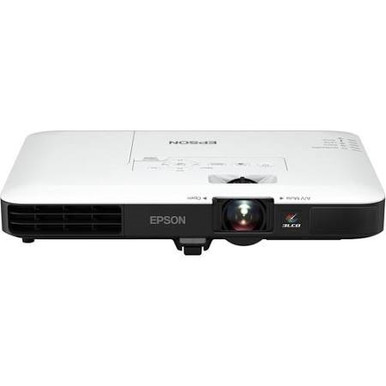
Buying a projector is only half the job. You also have to prove that its image, lens path, mounting point, signal chain, and procurement timing fit the room. This AV PL-L1100U Setup Guide and Buying Considerations article centers on the Epson Power Lite Pro L1100U WUXGA 1080p 3LCD Projector, SKU PL-L1100U. The provided data identifies 7,000-lumen brightness and WUXGA resolution, two useful starting points for churches, schools, conference rooms, and installed AV projects.
Those facts do not settle the deployment. Lens compatibility, throw geometry, source connections, control, mount capacity, power, airflow, and service access still need confirmation against current product documentation and the actual room. This guide maps that work in a practical order, compares the separate L1100UNL catalog listing, and explains how to assess the three supplied Epson lens listings without assuming that any lens fits the PL-L1100U. The goal is a defensible purchase list, a cleaner installer handoff, and fewer surprises during commissioning.
Products at a Glance
- Option 1: Epson Power Lite Pro L1100U WUXGA 1080p 3LCD Projector
- For buyers whose approved design or equipment record…: Epson Pro L1100UNL WUXGA 3LCD Laser Projector
- For projects whose current compatibility documentatio…: Epson V12H004M01 ELP-LM01 Medium-throw Zoom Lens 70.3mm-105.8mm F/2.0-2.7
- For designs whose current compatibility documentation…: Epson V12H004W08 Wide Throw #3 Zoom Lens ELPLW08
- For projects whose current compatibility documentatio…: Epson V12H004W05 ELPLW05 Wide-Throw Zoom Lens for Select Projectors
Quick Comparison Table
| Feature | Epson Power Lite Pro L1100U WUXGA 1080p 3LCD Projector | Epson Pro L1100UNL WUXGA 3LCD Laser Projector | Epson V12H004M01 ELP-LM01 Medium-throw Zoom Lens 70.3mm-105.8mm F/2.0-2.7 | Epson V12H004W08 Wide Throw #3 Zoom Lens ELPLW08 | Epson V12H004W05 ELPLW05 Wide-Throw Zoom Lens for Select Projectors |
|---|---|---|---|---|---|
| Brightness | 7000 Lumens | 12,000 lumen | |||
| Resolution | WUXGA | WUXGA | |||
| Best For | AV teams evaluating a 7,000-lumen WUXGA projector and prepared to verify the lens, room geometry, mounting, signal, and power requirements. | Buyers whose approved design or equipment record specifically names L1100UNL and requires WUXGA resolution. | Projects whose current compatibility documentation and throw calculation specifically call for SKU V12H004M01. | Designs whose current compatibility documentation and lens schedule specifically call for SKU V12H004W08. | Projects whose current compatibility documentation and throw calculation specifically call for SKU V12H004W05. |
| Throw Type | Short throw | ||||
| Recommended Buyer | AV teams evaluating a 7,000-lumen WUXGA projector and prepared to verify the lens, room geometry, mounting, signal, and power requirements. | Buyers whose approved design or equipment record specifically names L1100UNL and requires WUXGA resolution. | Projects whose current compatibility documentation and throw calculation specifically call for SKU V12H004M01. | Designs whose current compatibility documentation and lens schedule specifically call for SKU V12H004W08. | Projects whose current compatibility documentation and throw calculation specifically call for SKU V12H004W05. |
Product Images
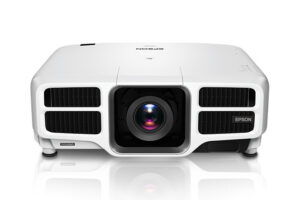

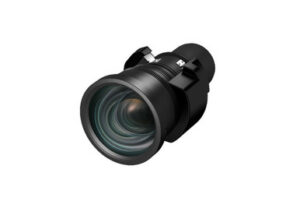

Projector Options from AudioVideoNation
1. Epson Power Lite Pro L1100U WUXGA 1080p 3LCD Projector
Who should compare it: AV teams evaluating a 7,000-lumen WUXGA projector and prepared to verify the lens, room geometry, mounting, signal, and power requirements.
Why it belongs here: This is the projector named by the guide and the only supplied product tied to both 7,000-lumen brightness and WUXGA resolution.
SKU: PL-L1100U
Key Features
- 7,000-lumen brightness in the provided product data
- WUXGA resolution in the provided product data
- Exact catalog SKU PL-L1100U
- Dedicated product page for current commerce details
Things to Consider
Confirm compatible lenses, throw geometry, inputs, physical requirements, mount capacity, power, ventilation, and included components before specifying the projector.
2. Epson Pro L1100UNL WUXGA 3LCD Laser Projector
Who should compare it: Buyers whose approved design or equipment record specifically names L1100UNL and requires WUXGA resolution.
Why it belongs here: This separate Epson WUXGA projector listing gives buyers a clear checkpoint when a quote, drawing, or replacement record references L1100UNL instead of PL-L1100U.
SKU: L1100UNL
Key Features
- WUXGA resolution in the provided product data
- Separate catalog SKU L1100UNL
- Listed in the Projectors category
- Dedicated product page for current commerce details
Things to Consider
Do not transfer the PL-L1100U's 7,000-lumen figure or accessory assumptions to this SKU. Verify its brightness, lens requirements, connections, mounting details, and other installation specifications independently.
3. Epson V12H004M01 ELP-LM01 Medium-throw Zoom Lens 70.3mm-105.8mm F/2.0-2.7
Who should compare it: Projects whose current compatibility documentation and throw calculation specifically call for SKU V12H004M01.
Why it belongs here: This cataloged lens gives installers a medium-throw option to investigate during placement planning without treating it as a confirmed PL-L1100U accessory.
SKU: V12H004M01
Key Features
- Catalog SKU V12H004M01
- Product name identifies the ELP-LM01 medium-throw zoom lens
- Listed in Accessories, Lenses, and Projectors categories
- Dedicated product page for current commerce details
Things to Consider
Confirm exact projector compatibility and calculate the required image size and lens-to-screen distance before ordering. The supplied data does not establish that this lens fits the PL-L1100U.
4. Epson V12H004W08 Wide Throw #3 Zoom Lens ELPLW08
Who should compare it: Designs whose current compatibility documentation and lens schedule specifically call for SKU V12H004W08.
Why it belongs here: This lens listing gives buyers another placement option to investigate when the verified system design names ELPLW08.
SKU: V12H004W08
Key Features
- Catalog SKU V12H004W08
- Product name identifies the ELPLW08 Wide Throw #3 zoom lens
- Listed in Accessories, Lenses, and Projectors categories
- Dedicated product page for current commerce details
Things to Consider
Do not use lens naming or lens-related catalog data as evidence of PL-L1100U compatibility or projector output. Validate the projector-and-lens pairing and throw calculation separately.
5. Epson V12H004W05 ELPLW05 Wide-Throw Zoom Lens for Select Projectors
Who should compare it: Projects whose current compatibility documentation and throw calculation specifically call for SKU V12H004W05.
Why it belongs here: This listing adds an ELPLW05 lens choice for teams whose approved design documentation identifies that exact SKU.
SKU: V12H004W05
Key Features
- Catalog SKU V12H004W05
- Product name identifies the ELPLW05 wide-throw zoom lens
- Listed in Lenses, Multimedia Projectors, Projectors, and Video categories
- Dedicated product page for current commerce details
Things to Consider
The product name limits this lens to select projectors. Confirm exact PL-L1100U compatibility, documented throw geometry, and positioning requirements before purchase.
Epson Power Lite Pro L1100U WUXGA 1080p 3LCD Projector vs Epson Pro L1100UNL WUXGA 3LCD Laser Projector: Main Differences
- Choose Epson Power Lite Pro L1100U WUXGA 1080p 3LCD Projector if AV teams evaluating a 7,000-lumen WUXGA projector and prepared to verify the lens, room geometry, mounting, signal, and power requirements..
- Choose Epson Pro L1100UNL WUXGA 3LCD Laser Projector if Buyers whose approved design or equipment record specifically names L1100UNL and requires WUXGA resolution..
- Choose Epson V12H004M01 ELP-LM01 Medium-throw Zoom Lens 70.3mm-105.8mm F/2.0-2.7 if Projects whose current compatibility documentation and throw calculation specifically call for SKU V12H004M01..
- Choose Epson V12H004W08 Wide Throw #3 Zoom Lens ELPLW08 if Designs whose current compatibility documentation and lens schedule specifically call for SKU V12H004W08..
- Choose Epson V12H004W05 ELPLW05 Wide-Throw Zoom Lens for Select Projectors if Projects whose current compatibility documentation and throw calculation specifically call for SKU V12H004W05..
Deployment fit for churches, schools, and conference rooms
Start with the room. Record the intended image dimensions, mounting zone, closest and farthest viewing positions, ambient light conditions, blackout options, content types, and normal operating schedule. For a church, note whether projection shares the room with stage lighting. In a school, document daylight control and every instructor source. Conference room teams should identify the smallest text participants must read and the computers or conferencing systems that will feed the projector.
WUXGA is the confirmed resolution for the PL-L1100U, but resolution alone does not guarantee readable content. Font size, viewing distance, source output, scaling, and screen dimensions all matter. Confirm that the complete signal path can carry the planned source format without an unwanted conversion.
Treat the listed 7,000 lumens the same way. It is a concrete brightness figure, not a room-performance guarantee. Image size, ambient light, screen characteristics, and the content being shown affect the result viewers see. Use those room details to define an acceptance target before ordering. A deployment fits only after the projector, lens plan, mounting position, and viewing conditions agree on paper.
Epson L1100U setup: lock the room plan first
Freeze the intended image rectangle before choosing a lens or drilling for a mount. Measure the distance from the planned lens position to the screen plane, then record any beams, lights, sprinklers, ceiling features, or architectural elements that restrict placement. Measurements should reflect the finished room, including the final screen position.
Build a one-page installation plan. Include the exact projector SKU, intended lens SKU, image dimensions, mounting coordinates, cable route, power location, control endpoint, and required service space. Confirm the projector's physical dimensions, weight, mounting requirements, power needs, and ventilation clearances in current documentation before selecting hardware. The supplied product data does not support guessing at any of them.
Keep adjustment room in the design. A placement that works only at the edge of a documented lens range leaves little tolerance for construction differences or revised screen dimensions. If the projector must be offset from the image centerline, verify the permitted positioning method and adjustment range for the exact projector-and-lens combination. Do this before approving the mount location.
Projector lens selection without compatibility guesswork
The supplied accessory list contains three lens products: V12H004M01, V12H004W08, and V12H004W05. Their catalog names use medium-throw or wide-throw language, but a name is not a throw calculation. It also does not prove compatibility with SKU PL-L1100U. Treat each lens as a candidate that requires written verification for the exact projector.
Use current manufacturer documentation or an approved projection calculator to check the combination. Enter the real image dimensions and measured lens-to-screen distance. Confirm that the proposed placement stays within the documented range, then check the required image positioning, orientation, and mechanical clearance. If the layout depends on optical adjustment, verify that capability and its limits rather than assuming it is present.
Match SKUs everywhere. The quote, purchase order, installer drawing, and equipment schedule should identify the same lens. A generic description such as medium zoom is too loose for procurement. Also confirm what arrives with the projector and what must be ordered separately. Before purchase, have the installer or designer sign off on the selected lens SKU and the calculation used to choose it.
Plan signal, control, power, and service access
Map every source from end to end. The drawing should show the source device, any switching or extension equipment, cable type, route length, wall plates, and the projector connection. Confirm the required physical inputs, supported source formats, content-protection needs, and control interfaces in the documentation for the exact SKU. WUXGA describes projector resolution, but it does not confirm every signal format or connection method.
Long cable routes need their own design. Choose transport and extension equipment for the measured distance and required signal, then test the full chain with the actual sources. Churches may need feeds from presentation and production systems. Schools often have instructor and room sources. Conference spaces can add conferencing hardware and guest laptops. Document each path.
Plan audio separately unless the approved design documentation says otherwise. Decide where sound is decoded, amplified, and routed. Then confirm power requirements, outlet placement, shutdown procedures, airflow, and access for service. Do not place a mount, cable tray, or ceiling feature where it blocks ventilation or future removal. An installer should be able to reach connections and service points without dismantling the room.
PL-L1100U and L1100UNL are separate buying decisions
SKU PL-L1100U and SKU L1100UNL are separate catalog records with different product names and links. Both supplied records identify WUXGA resolution. Apply the 7,000-lumen figure only to PL-L1100U, because that is the projector tied to that brightness fact in the provided data. Confirm the L1100UNL's brightness and every other required specification from its own current documentation.
Do not substitute one SKU because the names look similar. Match the SKU named by the system design, replacement record, compatibility documentation, and purchasing approval. Compare required lenses, connections, mounting details, physical requirements, included items, and operating needs for each projector. Those details can change the installation scope even when two catalog entries share a resolution.
If a seller quote and an installer drawing name different SKUs, stop the order. Resolve the discrepancy first. The same rule applies to lenses. Exact identifiers prevent a purchasing shortcut from becoming a field-installation problem.
Installation and commissioning checklist
Inspect the delivered product identifiers against the approved purchase list before installation. Bench-test the planned projector, lens, signal equipment, control path, and real sources when the project schedule allows it. That check can expose an ordering or signal-chain error while the equipment is still accessible.
At installation, set the mount and lens position from the approved drawing. Use mechanical alignment first. Apply only the image adjustments documented for the exact projector, and avoid relying on electronic correction to rescue inaccurate placement. Check focus across the intended image, confirm that the image fills the planned area, and test under the room's real lighting conditions.
Commission every source and operating mode the room will use. Verify source acquisition, displayed content, control commands, startup and shutdown behavior, and the separate audio path where applicable. Label cables and record final settings. Finish with a short acceptance test that the owner can repeat. Save the equipment schedule, lens calculation, drawings, and configuration record for future service or replacement planning.
Stock and availability: verify live buying details
Availability can change between design approval and purchase. Use each linked AudioVideoNation product page for current commerce details, then confirm the exact SKU, required quantity, fulfillment timing, included components, and applicable purchasing terms before issuing an order.
Coordinate the projector and any verified lens as one procurement package. A projector without the required lens cannot complete the planned installation. Do not schedule lift rental, installer labor, or room closure around an unconfirmed delivery date. Recheck the line items when the order acknowledgment arrives, especially if purchasing and installation are handled by different teams.
Price-to-performance: compare the installed system
Price-to-performance starts with the completed installation, not a single product line. Compare the current projector cost alongside any required lens, mount, signal transport, switching, control hardware, power work, cabling, access equipment, commissioning labor, and planned service support. Use the linked product pages for live commerce information rather than carrying a figure from an older quote or article.
Judge performance against written requirements. For the PL-L1100U, the confirmed starting facts are 7,000-lumen brightness and WUXGA resolution. The remaining decision depends on verified geometry, source compatibility, physical installation requirements, and the room's viewing conditions. A lower equipment total can lose its advantage if it requires a costly room change or cannot use the planned mounting position.
Before approval, run a final go-or-hold review. The projector SKU must match the design. Lens compatibility and throw geometry need documentation. Mount capacity, power, airflow, signal transport, control, and service access must be resolved. Current price and availability should fit the project schedule and budget. Once those items agree, the buying decision has a practical basis rather than a model-name assumption.
Related AudioVideoNation Links
- Browse Projector at AudioVideoNation
- Epson Power Lite Pro L1100U projector
- Epson Pro L1100UNL projector
- Epson ELP-LM01 V12H004M01 lens
- Epson ELPLW08 V12H004W08 lens
Product Information Sources
- Epson Power Lite Pro L1100U WUXGA 1080p 3LCD Projector product information
- Epson Pro L1100UNL WUXGA 3LCD Laser Projector product information
- Epson V12H004M01 ELP-LM01 Medium-throw Zoom Lens 70.3mm-105.8mm F/2.0-2.7 product information
- Epson V12H004W08 Wide Throw #3 Zoom Lens ELPLW08 product information
- Epson V12H004W05 ELPLW05 Wide-Throw Zoom Lens for Select Projectors product information
FAQ
What PL-L1100U image specifications are confirmed in this guide?
The provided product data confirms 7,000-lumen brightness and WUXGA resolution for SKU PL-L1100U. Room performance still depends on image size, ambient light, screen characteristics, source quality, and correct lens selection.
Which lens should I use with the Epson PL-L1100U?
No specific lens can be confirmed for the PL-L1100U from the supplied data alone. Check current compatibility documentation and calculate the required image size and lens-to-screen distance before selecting V12H004M01, V12H004W08, V12H004W05, or another documented option.
Are PL-L1100U and L1100UNL the same catalog product?
No, PL-L1100U and L1100UNL should be treated as separate catalog products with different SKUs and product pages. Both supplied records identify WUXGA resolution, but specifications and accessory requirements must be verified for each SKU independently.
Is 7,000 lumens enough for my room?
The 7,000-lumen figure cannot establish room suitability without the image size, ambient light, screen characteristics, and viewing requirements. Document those conditions and use them as acceptance criteria for the final projector-and-lens design.
How should I check PL-L1100U price, stock, and availability?
Check the linked AudioVideoNation product page for current price and availability details before issuing an order. Confirm the exact SKU, required quantity, fulfillment timing, included components, and any separately required lens at the same time.
What should an installer verify before mounting the PL-L1100U?
The installer should verify the exact projector and lens SKUs, calculated geometry, mount capacity, power, airflow, signal path, control plan, and service access before drilling. The approved drawing and purchase list should match before installation begins.
Conclusion
Use this AV PL-L1100U Setup Guide and Buying Considerations comparison to match documented specifications to the room and installation requirements. Review the linked product pages for current purchase details before ordering.
Products Used
| SKU | Product Name | URL |
|---|---|---|
| PL-L1100U | Epson Power Lite Pro L1100U WUXGA 1080p 3LCD Projector | View product |
| L1100UNL | Epson Pro L1100UNL WUXGA 3LCD Laser Projector | View product |
| V12H004M01 | Epson V12H004M01 ELP-LM01 Medium-throw Zoom Lens 70.3mm-105.8mm F/2.0-2.7 | View product |
| V12H004W08 | Epson V12H004W08 Wide Throw #3 Zoom Lens ELPLW08 | View product |
| V12H004W05 | Epson V12H004W05 ELPLW05 Wide-Throw Zoom Lens for Select Projectors | View product |