

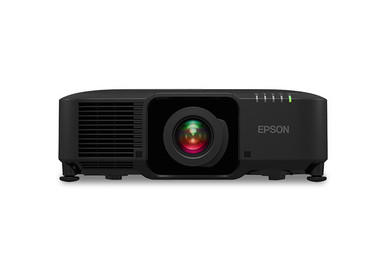
This Epson EB-PU1007B Setup Guide and Buying Considerations article addresses a common planning gap. A 7,000-lumen rating is useful, but it cannot tell you whether the image geometry, signal path, screen, and operating workflow fit your room. The Epson EB-PU1007B 7000 Lumen Laser Projector is the focus. The guide also examines the Epson V12H004W08 Wide Throw #3 Zoom Lens ELPLW08 and three ultra-short-throw Epson displays as possible parts of a broader buying decision. You will learn what to measure, which product details to confirm, how to approach commissioning, and where alternatives may fit. The goal is a defensible purchase for a church, school, conference room, or managed AV deployment. Check each linked product page for current commercial details before ordering.
Products at a Glance
- Option 1: Epson EB-PU1007B 7000 Lumen Laser Projector
- For measured installations that call for a wide-throw…: Epson V12H004W08 Wide Throw #3 Zoom Lens ELPLW08
- For rooms where ultra-short-throw placement and 4K en…: Epson PowerLite 875E 5 Ultra Short Throw Display with 4K Enhancement (V11HC04120)
- For schools and collaboration spaces with a defined r…: Epson BrightLink 870Ei Ultra Short Throw Interactive Display with 4K Enhancement (V11HC03020)
- For interactive teaching or collaboration deployments…: Epson BrightLink 780Ei Ultra Short Throw Interactive Display with 4K Enhancement (V11HC10020)
Quick Comparison Table
| Feature | Epson EB-PU1007B 7000 Lumen Laser Projector | Epson V12H004W08 Wide Throw #3 Zoom Lens ELPLW08 | Epson PowerLite 875E 5 Ultra Short Throw Display with 4K Enhancement (V11HC04120) | Epson BrightLink 870Ei Ultra Short Throw Interactive Display with 4K Enhancement (V11HC03020) | Epson BrightLink 780Ei Ultra Short Throw Interactive Display with 4K Enhancement (V11HC10020) |
|---|---|---|---|---|---|
| Brightness | 7000 Lumen | 12,000 lumen | |||
| Resolution | 4K | 4K | 4K | ||
| Best For | Teams planning a fixed laser-projection installation that calls for a documented 7,000-lumen brightness rating. | Measured installations that call for a wide-throw zoom lens after explicit projector-compatibility and geometry confirmation. | Rooms where ultra-short-throw placement and 4K enhancement are documented priorities without a defined need for an interactive display. | Schools and collaboration spaces with a defined requirement for an interactive ultra-short-throw display with 4K enhancement. | Interactive teaching or collaboration deployments that require an ultra-short-throw layout and warrant a model-specific BrightLink review. |
| Throw Type | Ultra short throw | Ultra short throw | Ultra short throw | ||
| Recommended Buyer | Teams planning a fixed laser-projection installation that calls for a documented 7,000-lumen brightness rating. | Measured installations that call for a wide-throw zoom lens after explicit projector-compatibility and geometry confirmation. | Rooms where ultra-short-throw placement and 4K enhancement are documented priorities without a defined need for an interactive display. | Schools and collaboration spaces with a defined requirement for an interactive ultra-short-throw display with 4K enhancement. | Interactive teaching or collaboration deployments that require an ultra-short-throw layout and warrant a model-specific BrightLink review. |
Product Images
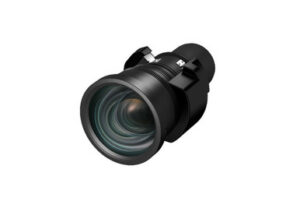
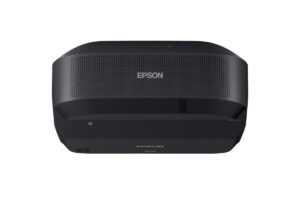
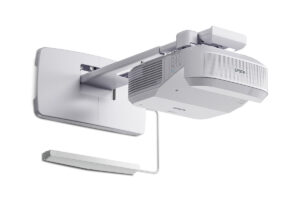
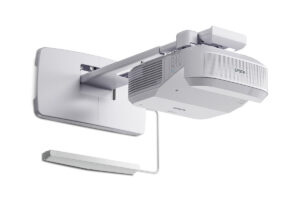
Projector Options from AudioVideoNation
1. Epson EB-PU1007B 7000 Lumen Laser Projector
Who should compare it: Teams planning a fixed laser-projection installation that calls for a documented 7,000-lumen brightness rating.
Why it belongs here: This projector is the subject of the guide and has a documented 7,000-lumen rating with a laser designation. It anchors the fixed-install evaluation while prompting buyers to verify lens geometry, resolution, connections, control, and installation details.
SKU: EB-PU1007B
Key Features
- 7,000-lumen rated brightness
- Laser projector design
- Exact EB-PU1007B procurement identity
- Listed for multimedia projection and video applications
Things to Consider
Confirm native resolution, accepted signals, throw range, compatible lenses, connectors, control methods, mounting orientation, clearances, and package contents before specifying the projector.
2. Epson V12H004W08 Wide Throw #3 Zoom Lens ELPLW08
Who should compare it: Measured installations that call for a wide-throw zoom lens after explicit projector-compatibility and geometry confirmation.
Why it belongs here: This lens gives buyers a specific Epson wide-throw zoom option to investigate during image-geometry planning. It also exposes a key procurement dependency that must be resolved before the projector and mount locations are approved.
SKU: V12H004W08
Key Features
- Wide Throw #3 designation
- Zoom-lens format
- ELPLW08 model identity
- Epson projector-lens accessory
Things to Consider
Do not assume compatibility with the EB-PU1007B. Verify the exact supported projector list, throw-ratio range, image-size limits, adjustment range, orientation, and package contents before adding it to the order.
3. Epson PowerLite 875E 5 Ultra Short Throw Display with 4K Enhancement (V11HC04120)
Who should compare it: Rooms where ultra-short-throw placement and 4K enhancement are documented priorities without a defined need for an interactive display.
Why it belongs here: This display provides an alternative path for rooms designed around ultra-short-throw placement and 4K enhancement. It helps buyers separate a close-to-wall requirement from the EB-PU1007B installation approach.
SKU: PL-875E
Key Features
- Ultra-short-throw design
- 4K enhancement
- PowerLite 875E display format
Things to Consider
Do not interpret 4K enhancement as a native 4K specification. Confirm brightness, native resolution, accepted signals, connectors, control, mounting requirements, image-size range, and included components.
4. Epson BrightLink 870Ei Ultra Short Throw Interactive Display with 4K Enhancement (V11HC03020)
Who should compare it: Schools and collaboration spaces with a defined requirement for an interactive ultra-short-throw display with 4K enhancement.
Why it belongs here: This BrightLink display combines three documented selection points: ultra-short-throw placement, interaction, and 4K enhancement. It belongs in the evaluation when collaboration or classroom interaction is part of the approved workflow.
SKU: BL-870Ei
Key Features
- Ultra-short-throw design
- Interactive display format
- 4K enhancement
- BrightLink 870Ei model identity
Things to Consider
Confirm how its interaction functions fit the planned computers, software, users, and support process. Verify brightness, native resolution, accepted signals, mounting requirements, control, and package contents separately.
5. Epson BrightLink 780Ei Ultra Short Throw Interactive Display with 4K Enhancement (V11HC10020)
Who should compare it: Interactive teaching or collaboration deployments that require an ultra-short-throw layout and warrant a model-specific BrightLink review.
Why it belongs here: This display gives buyers a second exact BrightLink model to evaluate for ultra-short-throw interaction and 4K enhancement. Its inclusion supports a documented model comparison instead of assuming that BrightLink products share the same specifications.
SKU: BL-780Ei
Key Features
- Ultra-short-throw design
- Interactive display format
- 4K enhancement
- BrightLink 780Ei model identity
Things to Consider
Compare its documented interaction, brightness, native resolution, signals, connections, control, mounting needs, image-size limits, and included components with the project brief and the BrightLink 870Ei.
Epson EB-PU1007B 7000 Lumen Laser Projector vs Epson V12H004W08 Wide Throw #3 Zoom Lens ELPLW08: Main Differences
- Choose Epson EB-PU1007B 7000 Lumen Laser Projector if Teams planning a fixed laser-projection installation that calls for a documented 7,000-lumen brightness rating..
- Choose Epson V12H004W08 Wide Throw #3 Zoom Lens ELPLW08 if Measured installations that call for a wide-throw zoom lens after explicit projector-compatibility and geometry confirmation..
- Choose Epson PowerLite 875E 5 Ultra Short Throw Display with 4K Enhancement (V11HC04120) if Rooms where ultra-short-throw placement and 4K enhancement are documented priorities without a defined need for an interactive display..
- Choose Epson BrightLink 870Ei Ultra Short Throw Interactive Display with 4K Enhancement (V11HC03020) if Schools and collaboration spaces with a defined requirement for an interactive ultra-short-throw display with 4K enhancement..
- Choose Epson BrightLink 780Ei Ultra Short Throw Interactive Display with 4K Enhancement (V11HC10020) if Interactive teaching or collaboration deployments that require an ultra-short-throw layout and warrant a model-specific BrightLink review..
Define deployment fit for a 7,000-lumen laser projector
Start with the room and its users. A church may need readable lyrics, presentation slides, and video under several lighting scenes. A classroom team may care most about text, diagrams, and a repeatable startup routine. Conference room staff may need small spreadsheet labels and remote-participant content to remain legible from the back row. Write those needs down before selecting equipment.
The EB-PU1007B has a documented brightness rating of 7,000 lumens and a laser designation. Judge that rating alongside the intended image size, ambient light, screen surface, content, and viewer positions. Brightness alone does not settle the decision. A larger image spreads the available light across a wider area, while uncontrolled room light can reduce perceived contrast.
Set acceptance criteria early. Record the smallest text users must read, normal lighting scenes, primary content types, operating hours, and the seats that require a clear view. If windows or house lights cannot be controlled, assess the proposed image under those real conditions. This turns deployment fit into a testable requirement instead of a guess based on one specification.
Epson EB-PU1007B setup starts with a site survey
Measure first. Record the available image width and height, screen or wall location, usable lens-to-screen distance, ceiling height, proposed mounting point, structural restrictions, and any lights, beams, fans, or loudspeakers that cross the projection path. Note how installers will reach the projector after commissioning.
Confirm the EB-PU1007B throw range and compatible lens choices against those measurements before ordering. Verify allowable image sizes, mounting orientation, optical adjustment ranges, and the required relationship between the lens and image area. Do not infer any of those details from the 7,000-lumen rating. A few inches of overlooked geometry can change the lens or mounting plan.
Resolution needs a separate check. Match the projector's documented native resolution and accepted input formats to the sources, switcher, conferencing platform, and content used in the room. Confirm the desired aspect ratio too. A school showing computer interfaces may set different readability targets from a worship space showing large text. Finish the survey with cable distances, equipment-rack location, power access, ventilation clearances, and a safe service route.
Epson projector lens selection and the ELPLW08 zoom lens
Lens choice controls whether the planned image can be created from the available mounting position. The Epson V12H004W08 Wide Throw #3 Zoom Lens ELPLW08 is a real wide-throw zoom lens option in the supplied product set. Treat it as a candidate for evaluation, not as a confirmed EB-PU1007B match.
Before adding the ELPLW08 to a bill of materials, obtain explicit compatibility confirmation for the EB-PU1007B. Then check the published throw-ratio range, zoom range, supported image dimensions, optical adjustment limits, and installation orientation. Use the measured lens-to-screen distance and required image width in Epson's current lens documentation. Keep adjustment margin for final alignment rather than designing at an undocumented limit.
Confirm package contents as well. The buying team should know whether the approved projector configuration includes the required lens or needs a separate lens purchase. Check mounting clearance around the chosen lens and preserve access for installation and later service. Do not plan around electronic geometry correction unless its availability and adjustment range are documented. Correct physical placement gives the installer a stronger starting point.
Plan signal, control, audio, power, and mounting infrastructure
Draw the complete signal path before installation. Include every source, switcher, extender, adapter, wall plate, and display endpoint. Record the resolution and refresh format expected from each source, then verify that the EB-PU1007B and every component in the chain accept those formats. Confirm the projector's connector types directly from current product documentation.
Decide where audio will be handled. Do not rely on the projector for an audio function that has not been confirmed. Churches may route sound through an installed audio system, while classrooms and conference rooms may use a separate room-audio design. Document the handoff point between video and audio.
Control deserves the same care. If the room needs scheduled operation, monitoring, a control processor, or a wall-panel workflow, verify the required interfaces and commands before procurement. Plan power, cable support, network access, mounting hardware, and equipment clearances with the responsible trades. A qualified installer should confirm structural attachment and applicable electrical requirements. Label both ends of every cable and leave a signal-flow drawing for support staff.
Commission the Epson EB-PU1007B with repeatable checks
Bench-test first. Confirm that the carton, label, purchase order, and project documentation all identify SKU EB-PU1007B. If a separate lens has been selected after compatibility verification, install it according to the current instructions. Feed the intended source through the actual switching and extension chain before the projector is lifted into place. This can expose format, cable, or control issues while the equipment remains accessible.
After mounting, establish the image with correct physical placement and documented optical adjustments. Use electronic geometry tools only when their support is confirmed and the design requires them. Test focus across the image, edge alignment, cropping, aspect ratio, fine text, grayscale detail, and each normal source. Run these checks under the room's real lighting scenes.
Test the operating workflow from a cold start. Staff should know how to select a source, adjust approved room controls, shut down, and report a fault. Record the final configuration, source settings, cable routes, control steps, and acceptance results. Give the owner a short handoff session and keep the verified documentation with the room's support records.
Ultra-short-throw Epson projector alternatives
A different room layout may point away from the EB-PU1007B. The Epson PowerLite 875E is an ultra-short-throw display with 4K enhancement. It gives buyers an alternative when close-to-wall placement is a core design requirement. The Epson BrightLink 870Ei and BrightLink 780Ei also combine ultra-short-throw placement with 4K enhancement, and both are identified as interactive displays.
Choose by workflow. A school or collaboration room with a defined interaction requirement should examine the BrightLink options. A room that needs ultra-short-throw placement without an established interactive requirement can compare the PowerLite 875E against the rest of the brief. The EB-PU1007B remains the relevant candidate when the design calls for its documented 7,000-lumen laser-projector profile and the planned lens geometry is validated.
These products are alternatives, not automatic substitutes. Confirm brightness, native resolution, accepted signals, control interfaces, mounting requirements, image-size range, and package contents for each one. Keep the phrase 4K enhancement precise. It should not be treated as a native 4K specification without supporting documentation. Interaction also affects software, training, cabling, and room ownership, so define that need before paying for it.
Stock and availability checks plus price-to-performance
Stock and availability can change between planning, approval, and purchase. Use the linked AudioVideoNation product page for each shortlisted item, then confirm current commercial details again when the purchase order is prepared. A status seen during early design should not become an assumption in the final bill of materials.
Evaluate price-to-performance at the configured-system level. Include the projector or display, any verified lens requirement, mount, screen, cabling, signal distribution, control equipment, installation labor, access equipment, and commissioning. A lower product-page figure can lose its advantage if the room requires extra infrastructure. A higher figure needs to support a documented requirement, not a vague preference.
Compare each configuration against the same approved criteria: image geometry, room-lighting conditions, required content detail, interaction, control workflow, support access, and source compatibility. Use live product pages or a current quote for commerce information. Verify warranty and service terms before relying on them. This approach keeps the decision tied to the finished deployment while avoiding unsupported claims about value or availability.
Final projector deployment checklist
Use a simple approval gate before releasing the order:
- The use case, audience, content, image size, and lighting scenes are documented.
- The proposed mounting position and projection path have been measured on site.
- The EB-PU1007B lens choice and image geometry have written compatibility support.
- Native resolution, accepted signals, connectors, control methods, orientation, and clearances are confirmed from current documentation.
- The signal, audio, power, network, mounting, and service plans have named owners.
- The full configured cost and current commercial details have been checked.
- Commissioning tests and staff handoff requirements are part of the project scope.
The EB-PU1007B is a credible candidate where a 7,000-lumen laser projector matches the approved brief. It still needs a verified lens, infrastructure, and commissioning plan. The PowerLite 875E, BrightLink 870Ei, and BrightLink 780Ei belong on the shortlist when ultra-short-throw placement or interaction changes the room requirements. Let the measured site and documented workflow decide.
Related AudioVideoNation Links
- Browse Projector at AudioVideoNation
- Epson EB-PU1007B 7000 Lumen Laser Projector
- Epson ELPLW08 Wide Throw #3 Zoom Lens
- Epson PowerLite 875E Ultra Short Throw Display
- Epson BrightLink 870Ei Interactive Display
Product Information Sources
- Epson EB-PU1007B 7000 Lumen Laser Projector product information
- Epson V12H004W08 Wide Throw #3 Zoom Lens ELPLW08 product information
- Epson PowerLite 875E 5 Ultra Short Throw Display with 4K Enhancement (V11HC04120) product information
- Epson BrightLink 870Ei Ultra Short Throw Interactive Display with 4K Enhancement (V11HC03020) product information
- Epson BrightLink 780Ei Ultra Short Throw Interactive Display with 4K Enhancement (V11HC10020) product information
FAQ
Is the Epson EB-PU1007B bright enough for a church, school, or conference room?
A 7,000-lumen rating alone cannot establish room fit, so validate the EB-PU1007B against image size, ambient light, screen surface, content, and viewing expectations. Assess the proposed image under the room's normal lighting scenes and use documented acceptance criteria.
Which lens should I use with the Epson EB-PU1007B?
Choose a lens only after the room geometry and explicit EB-PU1007B compatibility have been confirmed. The ELPLW08 is identified as a Wide Throw #3 Zoom Lens, but buyers must verify that exact pairing and its published throw range before specifying it.
Does the Epson EB-PU1007B support 4K?
Do not assume the EB-PU1007B is a 4K projector without confirming its native resolution and accepted input resolutions on current product documentation. The PowerLite 875E, BrightLink 870Ei, and BrightLink 780Ei are explicitly identified with 4K enhancement, which should not be confused with an unsupported native 4K claim.
When should I consider an ultra-short-throw Epson display instead?
Consider an ultra-short-throw Epson display when close-to-wall placement is a firm room requirement. The PowerLite 875E offers an ultra-short-throw format with 4K enhancement, while the BrightLink 870Ei and 780Ei add an interactive-display requirement to that decision.
What information does an installer need before mounting the EB-PU1007B?
An installer needs the approved image size, measured throw distance, verified lens, mounting position, structural plan, cable path, power location, source formats, control requirements, and clearance instructions. The team should also define commissioning tests and a safe service route before installation begins.
How should buyers check price, stock, and availability?
Buyers should use the linked AudioVideoNation product pages or a current quote for live price, stock, and availability details. Recheck those details when the order is approved, and compare the complete configured cost rather than the projector or display alone.
Conclusion
Use this Epson EB-PU1007B Setup Guide and Buying Considerations comparison to match documented specifications to the room and installation requirements. Review the linked product pages for current purchase details before ordering.
Products Used
| SKU | Product Name | URL |
|---|---|---|
| EB-PU1007B | Epson EB-PU1007B 7000 Lumen Laser Projector | View product |
| V12H004W08 | Epson V12H004W08 Wide Throw #3 Zoom Lens ELPLW08 | View product |
| PL-875E | Epson PowerLite 875E 5 Ultra Short Throw Display with 4K Enhancement (V11HC04120) | View product |
| BL-870Ei | Epson BrightLink 870Ei Ultra Short Throw Interactive Display with 4K Enhancement (V11HC03020) | View product |
| BL-780Ei | Epson BrightLink 780Ei Ultra Short Throw Interactive Display with 4K Enhancement (V11HC10020) | View product |