

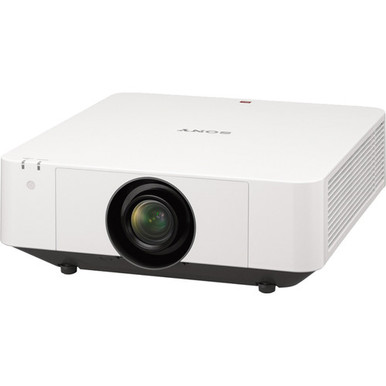
Choosing between two projectors with closely related model names is hard when purchase decisions affect mounts, cabling, room schedules, and approvals. The Sony VPL-FWZ60 vs VPL-FWZ65 comparison starts with one documented common point: both products are identified as Sony WXGA projectors. That alone does not reveal which one better fits a classroom, sanctuary, or meeting room. The choice depends on deployment facts that need confirmation before ordering, including image brightness for the room, lens and throw geometry, connections, control support, physical dimensions, and current commerce details.
This guide keeps the distinction accountable. It explains what the supplied product records establish, where they do not support a winner, and how to turn those gaps into a practical verification list. It also shows when a WUXGA Sony alternative may deserve a separate look. Use the linked product pages for current price and availability, then match the confirmed configuration to your screen, sources, installation plan, and support requirements.
Products at a Glance
- Option 1: Sony VPL-FWZ60 WXGA 720p 3LCD Projector
- For teams considering the VPL-FWZ65 for a WXGA projec…: Sony VPL-FWZ65 WXGA 720p 3LCD Projector
- For teams that want a separate WUXGA comparison befor…: Sony VPL-FHZ90L 9000-Lumen WUXGA Laser Theater Projector VPLFHZ90L/W (NO LENS)
Quick Comparison Table
| Feature | Sony VPL-FWZ60 WXGA 720p 3LCD Projector | Sony VPL-FWZ65 WXGA 720p 3LCD Projector | Sony VPL-FHZ90L 9000-Lumen WUXGA Laser Theater Projector VPLFHZ90L/W (NO LENS) |
|---|---|---|---|
| Resolution | WXGA | WXGA | WUXGA |
| Best For | Teams evaluating the VPL-FWZ60 for a WXGA installation after confirming room, signal, and installation requirements. | Teams considering the VPL-FWZ65 for a WXGA project after verifying its exact configuration and deployment fit. | Teams that want a separate WUXGA comparison before committing to either WXGA model. |
| Recommended Buyer | Teams evaluating the VPL-FWZ60 for a WXGA installation after confirming room, signal, and installation requirements. | Teams considering the VPL-FWZ65 for a WXGA project after verifying its exact configuration and deployment fit. | Teams that want a separate WUXGA comparison before committing to either WXGA model. |
Product Images
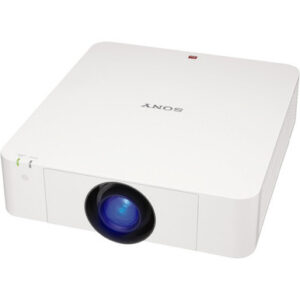
Projector Options from AudioVideoNation
1. Sony VPL-FWZ60 WXGA 720p 3LCD Projector
Who should compare it: Teams evaluating the VPL-FWZ60 for a WXGA installation after confirming room, signal, and installation requirements.
Why it belongs here: The VPL-FWZ60 is one of the two Sony projectors at the center of this comparison. Its supplied record identifies WXGA resolution, making it directly relevant to buyers planning a WXGA deployment.
SKU: VPL-FWZ60
Key Features
- WXGA resolution
- Sony VPL-FWZ60 model
- Listed in Multimedia Projectors, Projectors, and Video categories
- Ordering reference: SKU VPL-FWZ60
Things to Consider
Confirm brightness, lens and throw requirements, connectivity, control support, mounting details, power needs, and physical dimensions for this SKU before ordering. Use the linked page for live price and availability.
2. Sony VPL-FWZ65 WXGA 720p 3LCD Projector
Who should compare it: Teams considering the VPL-FWZ65 for a WXGA project after verifying its exact configuration and deployment fit.
Why it belongs here: The VPL-FWZ65 is the second Sony projector named in the comparison. Its supplied record also identifies WXGA resolution, so it should be evaluated against the same room and installation brief as the VPL-FWZ60.
SKU: VPL-FWZ65
Key Features
- WXGA resolution
- Sony VPL-FWZ65 model
- Listed in Multimedia Projectors, Projectors, and Video categories
- Ordering reference: SKU VPL-FWZ65
Things to Consider
Do not infer a performance advantage from the model number. Confirm brightness, optics, throw geometry, inputs, control, mounting, power, and physical fit, then check the linked page for live commerce details.
3. Sony VPL-FHZ90L 9000-Lumen WUXGA Laser Theater Projector VPLFHZ90L/W (NO LENS)
Who should compare it: Teams that want a separate WUXGA comparison before committing to either WXGA model.
Why it belongs here: This product gives buyers a supplied WUXGA Sony option to examine if the project's resolution requirement changes from WXGA or remains undecided.
SKU: VPL-FHZ90L/W
Key Features
- WUXGA resolution
- Sony VPL-FHZ90L model
- Listed in the Projectors category
- Ordering reference: SKU VPL-FHZ90L/W
Things to Consider
This product sits outside the direct FWZ60 and FWZ65 comparison. Confirm its complete optical configuration, throw calculation, mounting needs, inputs, control support, and installed cost for the intended room.
Sony VPL-FWZ60 WXGA 720p 3LCD Projector vs Sony VPL-FWZ65 WXGA 720p 3LCD Projector: Main Differences
- Choose Sony VPL-FWZ60 WXGA 720p 3LCD Projector if Teams evaluating the VPL-FWZ60 for a WXGA installation after confirming room, signal, and installation requirements..
- Choose Sony VPL-FWZ65 WXGA 720p 3LCD Projector if Teams considering the VPL-FWZ65 for a WXGA project after verifying its exact configuration and deployment fit..
- Choose Sony VPL-FHZ90L 9000-Lumen WUXGA Laser Theater Projector VPLFHZ90L/W (NO LENS) if Teams that want a separate WUXGA comparison before committing to either WXGA model..
Sony WXGA projector comparison: what the records confirm
The VPL-FWZ60 and VPL-FWZ65 are each identified as Sony projectors with WXGA resolution. They also share the same supplied category context: Multimedia Projectors, Projectors, and Video. Those facts establish a common starting point. They do not establish a performance tie. The records supplied for this article do not support a brightness, optics, connectivity, control, size, or operating comparison, so a responsible recommendation cannot come from the model number alone.
Treat the choice as a verification exercise. Keep SKU VPL-FWZ60 and SKU VPL-FWZ65 separate on quotes, purchase orders, and installer notes. Ask AudioVideoNation or the project lead to confirm the exact configuration tied to each SKU. Then compare only the details that affect your room and signal path.
Closely related names can encourage an easy assumption: that the VPL-FWZ65 is a direct step up or that the VPL-FWZ60 is interchangeable. The provided facts do not prove either conclusion. Both belong on the initial shortlist if WXGA is the required resolution. Neither should win until the buyer has confirmed the deployment details, current price, and availability on the linked product pages.
WXGA resolution: match it to your content
Both supplied records identify WXGA resolution, so resolution alone cannot separate the two Sony models. Start by deciding whether WXGA matches the content and viewing conditions your project must support. A conference room team may care about small spreadsheet text and shared desktop windows. A school may prioritize lesson slides, documents, and video sources. A church may need lyrics, presentation graphics, and camera feeds to remain readable from the back of the room.
Use real content during approval. Put the smallest text, busiest slide, and most demanding source expected in the room on the test list. Confirm how each candidate accepts and displays those sources, especially when the source device uses a different output format. If the project has a mandated native resolution or a standard set by an IT department, document it before requesting a quote.
The key point is simple. WXGA gives you a shared resolution class, but it does not prove equal image processing, input handling, or suitability at a chosen screen size. Those are product-specific checks. If your requirement is WUXGA instead of WXGA, compare the separate Sony VPL-FHZ90L/W record rather than assuming either FWZ model will satisfy the revised specification.
Deployment fit for schools, churches, and conference rooms
Start deployment planning with the room. Record screen dimensions, projector position, mounting limits, audience distance, ambient light during actual use, and the source devices that will connect. Give that same brief to every vendor and installer. It creates an apples-to-apples evaluation for the VPL-FWZ60 and VPL-FWZ65.
For a classroom, verify that the planned image remains readable under the lighting teachers will use, not only during a dark demonstration. Confirm connections for instructor computers, document cameras, switching systems, and any control platform already installed. In a church, account for the full throw path, sightlines, booth location, presentation computers, cameras, and service-day lighting. Conference room teams should check the room-control workflow, table connections, conferencing sources, and how users will switch inputs.
The supplied product facts do not identify a brighter option or a different throw arrangement. Ask for confirmed brightness, compatible lens or optical configuration, throw calculations, image-positioning capability, and input or control details for each exact SKU. Then have the installer mark pass, fail, or requires redesign against every room requirement.
Define the consequence of failure, too. A mount change, cable replacement, or altered screen position can erase an attractive purchase-price difference. If the projector will replace an existing product, photograph labels and connections, measure the installed geometry, and capture current control commands before selection. That work turns deployment fit into evidence instead of a guess.
Installation and replacement checks for both projectors
Do not approve either Sony projector as a drop-in replacement from its name or WXGA resolution. A successful replacement depends on dimensions, weight, mounting pattern, lens relationship, throw range, power requirements, signal connections, and control behavior. Confirm each item against the installed room and the exact SKU under consideration.
Start with geometry. The installer should calculate the required image size from the available mounting point and verify any positioning adjustments needed to align the picture with the screen. Next, check infrastructure: power location, cable types and lengths, switcher or receiver output, control wiring, and network policy. Finish with service access. Make sure the final position leaves a practical path for setup and maintenance without disrupting ceilings, lighting, or nearby equipment.
For new construction, capture these decisions in the AV drawings and equipment schedule. For an existing room, compare the candidate against the current projector line by line. Never assume the VPL-FWZ60 and VPL-FWZ65 share a chassis, connection panel, lens arrangement, or command set simply because their model names are close.
Ask the seller or installer to record the verified answers in the quote. That creates a usable approval trail for procurement and protects the installation team from having to resolve a late mismatch on site.
Stock, availability, and price-to-performance
Stock and availability can change, so use each linked AudioVideoNation product page for live commerce details and confirm the exact SKU before submitting an order. If timing is critical, ask whether the quoted item can meet the required delivery window and keep that confirmation with the purchase record. Do this for both models. A product that fits technically but misses a school break, conference-room shutdown, or scheduled installation window may not fit the project.
Judge price-to-performance against confirmed requirements, not the model suffix. Start with the current product-page price or a formal quote. Add any lens or optical components, mounts, adapters, cabling, signal conversion, control programming, labor, lift access, and room changes required by the verified design. The result is the installed cost, which is the useful number for comparison.
Then separate required capabilities from optional ones. Give value only to details your room will use. If one model has a confirmed capability that removes an external component or avoids installation work, include that saving. If a distinction has no role in the design, it should not decide the purchase.
The better value is the candidate that passes every required check at the lower acceptable installed cost and can meet the project schedule. The supplied facts do not establish that winner. Current price, availability, and configuration confirmation must complete the comparison.
When to compare the WUXGA Sony VPL-FHZ90L/W
The provided alternatives include the Sony VPL-FHZ90L/W, identified in its record as a WUXGA projector. It belongs in a separate branch of the decision. Consider it when the project specification calls for WUXGA or when stakeholders want to examine a WUXGA option before approving a WXGA purchase.
Restart the room check for this product. Do not carry over assumptions about lens needs, throw geometry, mounting, brightness, inputs, control, or physical fit from the VPL-FWZ60 or VPL-FWZ65. Confirm the complete configuration tied to SKU VPL-FHZ90L/W and compare its installed cost with the same scope used for the two WXGA models.
This alternative can help expose the real decision. If WXGA is fixed by design, stay focused on the two named products. If the resolution requirement remains open, settle it with representative content and stakeholder approval first. That prevents a procurement discussion from mixing unlike requirements and makes the final quote easier to defend.
Decision framework: VPL-FWZ60 or VPL-FWZ65?
Choose the VPL-FWZ60 if its verified configuration passes the room, source, installation, service, budget, and schedule checks and the VPL-FWZ65 offers no confirmed project benefit worth its installed-cost difference. Choose the VPL-FWZ65 under the mirror condition: it passes every requirement and has a confirmed, useful advantage or better procurement outcome for the project. If both pass with no meaningful difference, let current installed cost, delivery timing, and purchasing standards break the tie.
Before approval, assemble a one-page decision record. Write the required resolution and image size. Add the confirmed brightness and throw calculation for the exact configuration. Record source connections, control method, mounting and power needs, physical fit, and any required accessories. Attach current quotes and delivery confirmation. Finally, note who approved the content test and installation design.
This method works for a single meeting room and for a campus rollout. On a multiroom project, repeat the geometry and ambient-light check for each room type instead of assuming one result covers every space. Standardization has value only after the selected product fits the full set of rooms.
Based strictly on the supplied facts, there is no defensible universal winner between the VPL-FWZ60 and VPL-FWZ65. Both are documented as WXGA Sony projectors. The right choice is the one whose confirmed details close your deployment checklist with the least acceptable installed cost and procurement risk.
Related AudioVideoNation Links
- Browse Projector at AudioVideoNation
- Sony VPL-FWZ60 product page
- Sony VPL-FWZ65 product page
- Sony VPL-FHZ90L/W product page
Product Information Sources
- Sony VPL-FWZ60 WXGA 720p 3LCD Projector product information
- Sony VPL-FWZ65 WXGA 720p 3LCD Projector product information
- Sony VPL-FHZ90L 9000-Lumen WUXGA Laser Theater Projector VPLFHZ90L/W (NO LENS) product information
FAQ
Do the Sony VPL-FWZ60 and VPL-FWZ65 have the same resolution?
Yes, both supplied product records identify WXGA resolution. Resolution therefore cannot decide this comparison by itself, so buyers should verify the configuration and installation details tied to each SKU.
What documented difference makes one projector the better choice?
No documented technical difference in the supplied facts makes either projector a universal winner. Compare confirmed brightness, optics, throw geometry, connections, control support, physical fit, installed cost, and delivery timing before choosing.
Which projector is better for a bright room?
Neither projector can be selected for a bright room from the supplied facts alone. Measure the room's actual lighting and planned image size, then obtain a confirmed brightness specification for each exact configuration.
Can the VPL-FWZ60 and VPL-FWZ65 be treated as drop-in replacements?
Do not treat the VPL-FWZ60 and VPL-FWZ65 as drop-in replacements until an installer confirms physical and electrical compatibility. Check dimensions, mounting, optics, throw, power, connections, and control behavior against the existing installation.
How should buyers compare price-to-performance?
Compare live product-page pricing against the confirmed capabilities and installation work each room requires. Include mounts, optical components, cabling, adapters, programming, labor, access equipment, and room changes when calculating installed cost.
How can buyers check current stock and availability?
Use the linked AudioVideoNation product pages or request confirmation for the exact SKU before ordering. For schedule-sensitive work, keep the quoted delivery timing with the project record and recheck it before final approval.
Conclusion
Use this Sony VPL-FWZ60 vs VPL-FWZ65 comparison to match documented specifications to the room and installation requirements. Review the linked product pages for current purchase details before ordering.
Products Used
| SKU | Product Name | URL |
|---|---|---|
| VPL-FWZ60 | Sony VPL-FWZ60 WXGA 720p 3LCD Projector | View product |
| VPL-FWZ65 | Sony VPL-FWZ65 WXGA 720p 3LCD Projector | View product |
| VPL-FHZ90L/W | Sony VPL-FHZ90L 9000-Lumen WUXGA Laser Theater Projector VPLFHZ90L/W (NO LENS) | View product |