

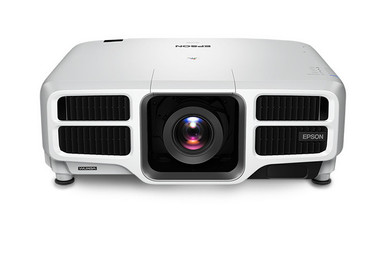
Epson L1750UNL vs L25000U is a decision that starts with the room, not the model number. Both projectors have WUXGA resolution, so buyers must look beyond pixel count and assess brightness requirements, installation details, procurement timing, and total installed cost. The L25000U has a documented brightness of 25,000 lumens. The L1750UNL remains a WUXGA candidate, but its brightness and configuration details should be confirmed for the exact SKU before system sizing. This comparison helps AV buyers, installers, churches, schools, and conference room teams build that decision around verified requirements. It also covers the questions that can make or break a deployment: optics, mounting, signal paths, control, availability, and price-to-performance. Use the linked product pages for current commerce details, then validate the complete design before ordering.
Products at a Glance
- Option 1: Epson V11H679820 Pro L25000U WUXGA 1080p 3LCD Projector 25000 Lumens
- For teams evaluating a WUXGA Epson Pro projector and…: Epson Pro L1750UNL WUXGA 1080p 3LCD Projector
- For designs whose room calculations and content requi…: Epson LightScene EV-110 2200-Lumen WXGA Laser 3LCD Projector (V11HA22020)
- For buyers prioritizing confirmed 4K resolution who c…: Epson LS9000 Pro Cinema 4K HDR 3LCD Laser Projector
- For projects whose validated content, room, and image…: Epson Home Cinema 4010 4K PRO-UHD 3-Chip 3LCD Home Theater Video Projector
Quick Comparison Table
| Feature | Epson V11H679820 Pro L25000U WUXGA 1080p 3LCD Projector 25000 Lumens | Epson Pro L1750UNL WUXGA 1080p 3LCD Projector | Epson LightScene EV-110 2200-Lumen WXGA Laser 3LCD Projector (V11HA22020) | Epson LS9000 Pro Cinema 4K HDR 3LCD Laser Projector | Epson Home Cinema 4010 4K PRO-UHD 3-Chip 3LCD Home Theater Video Projector |
|---|---|---|---|---|---|
| Brightness | 25000 Lumens | 2200 lumens | 2,400 lumens | ||
| Resolution | WUXGA | WUXGA | WXGA | 4K | 4K |
| Best For | Projects whose validated design calls for WUXGA resolution and a documented 25,000-lumen brightness figure. | Teams evaluating a WUXGA Epson Pro projector and prepared to verify brightness, optics, and installation requirements for the exact SKU. | Designs whose room calculations and content requirements explicitly accept 2,200 lumens and WXGA resolution. | Buyers prioritizing confirmed 4K resolution who can validate all remaining room, optical, installation, and system requirements. | Projects whose validated content, room, and image-size requirements align with 4K resolution and 2,400 lumens. |
| Recommended Buyer | Projects whose validated design calls for WUXGA resolution and a documented 25,000-lumen brightness figure. | Teams evaluating a WUXGA Epson Pro projector and prepared to verify brightness, optics, and installation requirements for the exact SKU. | Designs whose room calculations and content requirements explicitly accept 2,200 lumens and WXGA resolution. | Buyers prioritizing confirmed 4K resolution who can validate all remaining room, optical, installation, and system requirements. | Projects whose validated content, room, and image-size requirements align with 4K resolution and 2,400 lumens. |
Product Images
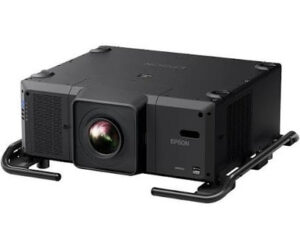
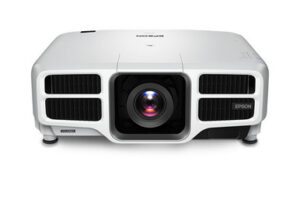
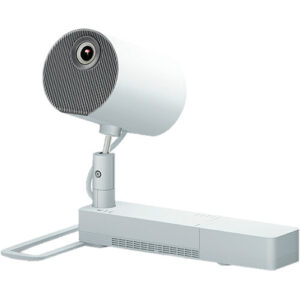
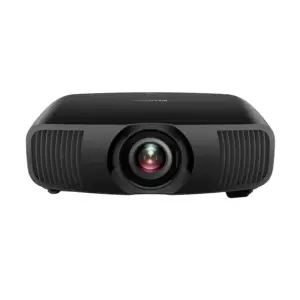

Projector Options from AudioVideoNation
1. Epson V11H679820 Pro L25000U WUXGA 1080p 3LCD Projector 25000 Lumens
Who should compare it: Projects whose validated design calls for WUXGA resolution and a documented 25,000-lumen brightness figure.
Why it belongs here: The L25000U is one of the two core comparison products and supplies the clearest documented brightness reference: 25,000 lumens at WUXGA resolution.
SKU: L25000U
Key Features
- 25,000-lumen brightness
- WUXGA resolution
- SKU L25000U for quote and configuration matching
Things to Consider
Confirm compatible optics, throw geometry, mounting, electrical needs, signal support, control, included items, service terms, and live commerce details before ordering.
2. Epson Pro L1750UNL WUXGA 1080p 3LCD Projector
Who should compare it: Teams evaluating a WUXGA Epson Pro projector and prepared to verify brightness, optics, and installation requirements for the exact SKU.
Why it belongs here: The L1750UNL is the other core comparison product. Its confirmed WUXGA resolution lets buyers evaluate it against the same content and signal-resolution brief as the L25000U.
SKU: L1750UNL
Key Features
- WUXGA resolution
- SKU L1750UNL for procurement matching
- Listed in the Multimedia Projectors, Projectors, and Video categories
Things to Consider
Verify current rated brightness and the complete configuration before comparing value or sizing the room. Also confirm optics, throw, mounting, signals, control, included items, and live commerce details.
3. Epson LightScene EV-110 2200-Lumen WXGA Laser 3LCD Projector (V11HA22020)
Who should compare it: Designs whose room calculations and content requirements explicitly accept 2,200 lumens and WXGA resolution.
Why it belongs here: The EV-110 provides a documented 2,200-lumen, WXGA alternative that helps buyers test whether the project brief truly requires the resolution and brightness class of the two main candidates.
SKU: EV-110
Key Features
- 2,200-lumen brightness
- WXGA resolution
- SKU EV-110 for procurement matching
Things to Consider
Its WXGA resolution differs from the WUXGA comparison models. Recheck source resolution, content layout, brightness calculations, optics, and installation requirements rather than treating it as a direct replacement.
4. Epson LS9000 Pro Cinema 4K HDR 3LCD Laser Projector
Who should compare it: Buyers prioritizing confirmed 4K resolution who can validate all remaining room, optical, installation, and system requirements.
Why it belongs here: The LS9000 gives buyers a provided 4K alternative when the project brief prioritizes a higher resolution class than WUXGA.
SKU: LS9000
Key Features
- 4K resolution
- SKU LS9000 for procurement matching
- Listed in the Projectors category
Things to Consider
Resolution alone does not establish fit for a professional room. Confirm brightness, image size, ambient-light requirements, optics, mounting, signals, control, and service needs.
5. Epson Home Cinema 4010 4K PRO-UHD 3-Chip 3LCD Home Theater Video Projector
Who should compare it: Projects whose validated content, room, and image-size requirements align with 4K resolution and 2,400 lumens.
Why it belongs here: The Home Cinema 4010 adds a provided reference point with documented 4K resolution and 2,400-lumen brightness.
SKU: HC-4010
Key Features
- 4K resolution
- 2,400-lumen brightness
- SKU HC-4010 for procurement matching
Things to Consider
Confirm that its documented brightness meets the room calculation and verify optics, placement, mounting, signal, control, service, and other installation requirements.
Epson V11H679820 Pro L25000U WUXGA 1080p 3LCD Projector 25000 Lumens vs Epson Pro L1750UNL WUXGA 1080p 3LCD Projector: Main Differences
- Choose Epson V11H679820 Pro L25000U WUXGA 1080p 3LCD Projector 25000 Lumens if Projects whose validated design calls for WUXGA resolution and a documented 25,000-lumen brightness figure..
- Choose Epson Pro L1750UNL WUXGA 1080p 3LCD Projector if Teams evaluating a WUXGA Epson Pro projector and prepared to verify brightness, optics, and installation requirements for the exact SKU..
- Choose Epson LightScene EV-110 2200-Lumen WXGA Laser 3LCD Projector (V11HA22020) if Designs whose room calculations and content requirements explicitly accept 2,200 lumens and WXGA resolution..
- Choose Epson LS9000 Pro Cinema 4K HDR 3LCD Laser Projector if Buyers prioritizing confirmed 4K resolution who can validate all remaining room, optical, installation, and system requirements..
- Choose Epson Home Cinema 4010 4K PRO-UHD 3-Chip 3LCD Home Theater Video Projector if Projects whose validated content, room, and image-size requirements align with 4K resolution and 2,400 lumens..
Epson projector comparison at a glance
The clearest shared specification is WUXGA resolution. That makes either Epson projector relevant when WUXGA matches the source material, content layout, and display standard selected for the project. Resolution alone does not settle the purchase, though. Text size, viewing distance, screen dimensions, room lighting, and content design all affect what the audience sees.
The L25000U adds one decisive documented figure: 25,000 lumens. Put it on the shortlist when the design calculation specifically calls for a WUXGA projector in that brightness class. The L1750UNL should move forward only after its rated brightness and complete configuration are confirmed for SKU L1750UNL.
There is no responsible universal winner here. The right choice is the projector whose verified specifications meet the room plan without adding unused capacity or forcing costly installation changes.
WUXGA resolution and 25,000-lumen brightness planning
Both projectors are identified as WUXGA models, so the comparison should focus on how that resolution will be used. Review the native resolution of presentation computers, media systems, cameras, switchers, and distribution hardware. The full signal chain should support the format selected for the room. Also test representative slides, spreadsheets, worship lyrics, classroom diagrams, and conferencing layouts at the planned image size.
Brightness requires a room-based calculation. The L25000U is documented at 25,000 lumens, but that number is an input rather than a guarantee of the final image. Ambient light, screen size, screen material, throw distance, image content, and the desired visual contrast all influence the result. A qualified designer or installer should calculate the required output for the actual space.
For the L1750UNL, obtain the current brightness documentation tied to the exact SKU before comparing it with the L25000U. Do not substitute a figure recalled from another model or configuration. Once that value is verified, apply the same room assumptions to both projectors so the comparison stays fair.
Deployment fit for churches, schools, and conference rooms
Churches should begin with the sanctuary or meeting space. Measure the intended image width and document how much lighting remains on during services. Lyrics, camera feeds, presentation graphics, and video can place different demands on the image. If the calculation calls for the L25000U's documented 25,000-lumen output, it becomes a direct candidate. If another output level is appropriate, verify the L1750UNL before deciding.
Schools need to separate standard classrooms from lecture halls, auditoriums, and multipurpose spaces. A single model choice based on the word “school” can oversize one room and underserve another. Check viewing distance, text size, operating schedule, mounting access, source resolution, control requirements, and the staff's maintenance plan for every room type.
Conference room teams should test the content people actually share. Dense spreadsheets and multi-person conferencing layouts need different evaluation than full-screen video. Since both Epson models are WUXGA, compare readability at the planned screen size and seating distance rather than treating resolution as the differentiator.
Installers should translate these audience needs into measurable criteria. Record target image dimensions, ambient-light conditions, placement options, cable distances, control needs, electrical provisions, and service access. Then request documentation for each exact SKU and reject assumptions based only on a product family name.
Projector deployment planning: optics, mounting, and signal paths
Confirm the optical plan before approving either projector. Obtain the compatible lens choices, throw-ratio ranges, image-shift capabilities, and installation limits for the exact configuration under consideration. Measure from the intended lens position to the screen plane and account for structural obstacles. Never infer lens inclusion or throw behavior from the model name.
The physical installation needs the same discipline. Verify projector dimensions, weight, mounting hardware, electrical requirements, ventilation clearances, operating orientation, and safe service access. For suspended or difficult locations, include the mounting structure and future access method in the design review.
Next, map every source-to-projector path. Confirm supported inputs, signal formats, cable lengths, extenders, switching equipment, control interfaces, and monitoring needs against current documentation. If audio is part of the room design, plan it as a separate system requirement until the selected projector configuration has been fully verified.
How to judge projector price-to-performance
Price-to-performance should compare total installed cost with the project's measured requirements. Start with a like-for-like quote for each exact SKU. Ask each supplier to identify the projector, required optics, included items, mounting hardware, signal transport, control components, commissioning work, training, service coverage, and any project-specific accessories.
Then score value against the design brief. The L25000U's 25,000-lumen figure has value when that output is needed. Extra brightness that the room cannot use should not receive automatic credit. The L1750UNL may remain viable, but only a verified brightness figure and full configuration can support a fair value comparison.
Also account for labor and operational effects. A projector that requires changes to structure, power, cabling, placement, or service access can alter the project total even when its product quote looks attractive. Use the same installation assumptions, expected operating plan, and support requirements for both options. That produces a defensible comparison without relying on an isolated purchase price.
Stock and availability without procurement surprises
Treat availability as a live procurement input, not a fixed product specification. Visit each linked product page for current commerce details, then confirm the exact SKU, lead time, allocation status, delivery estimate, and included configuration directly with the seller before issuing a purchase order.
Timing matters beyond the projector itself. Required optics, mounts, signal equipment, and control components must arrive in time for staging and installation. Ask whether the quoted schedule covers the complete package. For date-sensitive projects, document an approved alternate and identify which design checks must be repeated if the model or configuration changes.
Alternative Epson projectors in the provided selection
The Epson LightScene EV-110 belongs in a different specification bracket. It is documented at 2,200 lumens with WXGA resolution. Consider it only when both figures satisfy the room design. It should not be treated as a direct substitute for either WUXGA comparison model without checking content resolution, image size, ambient light, optics, and installation needs again.
Two provided products offer another resolution path. The Epson LS9000 is identified as 4K, while the Epson Home Cinema 4010 is identified as 4K with 2,400-lumen brightness. Those facts may warrant evaluation when 4K is a firm requirement, but they do not establish deployment compatibility. Confirm every remaining requirement before moving them into a church, school, conference, or professional installation plan.
These alternatives help clarify the brief. Decide first whether the project calls for WUXGA, WXGA, or 4K. Then calculate brightness and validate the full installation rather than choosing from resolution labels alone.
Final selection checklist for the L1750UNL and L25000U
Start by freezing the room requirements. Record the screen dimensions, viewing distances, ambient-light conditions, content types, source resolution, placement limits, and installation date. A written brief keeps the comparison from drifting toward whichever specification sounds largest.
For the L25000U, confirm that WUXGA and 25,000 lumens align with the design calculation. For the L1750UNL, confirm WUXGA plus its current rated brightness and configuration details. Apply identical assumptions to both candidates.
Before ordering, verify compatible optics, throw geometry, mounting, electrical needs, signal formats, inputs, control, monitoring, ventilation, service access, included items, and support terms. Request current quotes and delivery information for the exact SKUs. Finally, review representative content at the planned image size whenever the project process allows.
Choose the projector that clears every required check at the stronger total installed value. If either candidate depends on an unverified specification, keep the decision open until that point is documented.
Related AudioVideoNation Links
- Browse Projector at AudioVideoNation
- Epson Pro L25000U product page
- Epson Pro L1750UNL product page
- Epson LightScene EV-110 product page
- Epson LS9000 product page
Product Information Sources
- Epson V11H679820 Pro L25000U WUXGA 1080p 3LCD Projector 25000 Lumens product information
- Epson Pro L1750UNL WUXGA 1080p 3LCD Projector product information
- Epson LightScene EV-110 2200-Lumen WXGA Laser 3LCD Projector (V11HA22020) product information
- Epson LS9000 Pro Cinema 4K HDR 3LCD Laser Projector product information
- Epson Home Cinema 4010 4K PRO-UHD 3-Chip 3LCD Home Theater Video Projector product information
FAQ
Do the Epson L1750UNL and L25000U have the same resolution?
Yes, both projectors are identified as WUXGA models. Buyers should therefore compare verified brightness, optics, installation needs, availability, and total installed value rather than using resolution as the deciding factor.
Is the L25000U automatically the better choice because it has 25,000 lumens?
No, the L25000U is the better fit only when the room calculation calls for its documented 25,000-lumen output and the rest of its configuration meets the project requirements. Unneeded output should not outweigh optics, installation, support, and total-cost considerations.
How should buyers compare L1750UNL and L25000U brightness?
Buyers should compare the L25000U's documented 25,000 lumens with a current, verified brightness figure for the exact L1750UNL SKU. Apply the same screen size, ambient light, screen material, and image criteria to both calculations.
Which projector is right for a church, school, or conference room?
Neither projector can be selected from the venue label alone. Measure the room, define the content and image size, calculate brightness, and verify optics, signals, control, mounting, electrical needs, and service access for the specific installation.
How should stock and availability be checked?
Check the linked product page and confirm the exact SKU, lead time, delivery estimate, and included configuration with the seller before ordering. Verify that required optics, mounts, and related system components can meet the same project schedule.
Can the Epson EV-110 replace the L1750UNL or L25000U?
The EV-110 should not be treated as a direct replacement without redesign because it is documented at 2,200 lumens and WXGA resolution. It is an alternative only when those figures and its verified installation requirements satisfy the room brief.
Conclusion
Use this Epson L1750UNL vs L25000U comparison to match documented specifications to the room and installation requirements. Review the linked product pages for current purchase details before ordering.
Products Used
| SKU | Product Name | URL |
|---|---|---|
| L25000U | Epson V11H679820 Pro L25000U WUXGA 1080p 3LCD Projector 25000 Lumens | View product |
| L1750UNL | Epson Pro L1750UNL WUXGA 1080p 3LCD Projector | View product |
| EV-110 | Epson LightScene EV-110 2200-Lumen WXGA Laser 3LCD Projector (V11HA22020) | View product |
| LS9000 | Epson LS9000 Pro Cinema 4K HDR 3LCD Laser Projector | View product |
| HC-4010 | Epson Home Cinema 4010 4K PRO-UHD 3-Chip 3LCD Home Theater Video Projector | View product |