

Ceiling Projector Buying Guide: Placement, Models, and Mounts
A ceiling projector makes sense when you want a permanent image position, open floor space, and cables routed away from tables and walkways. The buying decision has two separate parts: the projector must create the required image from the available mounting point, and the mount must fit both the projector and the building structure. Do not choose either item independently. Confirm throw distance, image offset or lens shift, projector weight, mounting-hole compatibility, ceiling construction, extension needs, service access, and cable path before ordering.
The honest tradeoff is permanence. Once aligned, a fixed installation is repeatable, but moving the screen or changing image size can require physical adjustment. Ventilation, service access, and future replacement also need thought. A low ceiling may call for a low-profile mount; a high ceiling may need an extension. The shortest drop is not always correct because the lens still has to reach the screen within its adjustment range.
Browse the full projectors category for additional lens and room options. For larger fixed installations, the large conference room projector guide provides a useful related shortlist. Mount hardware is available in the projector mounts category.
Three Ceiling-Mountable Projectors and Two Mounts Compared
These five products were published and marked in stock during research. Prices shown are the latest catalog values verified for this draft and may change. A “universal” product title is not permission to skip compatibility checks; only the Epson ELPMB68 listing supplies a verified load capacity.
| Product | Type | Verified installation details | Verified price | Best fit |
|---|---|---|---|---|
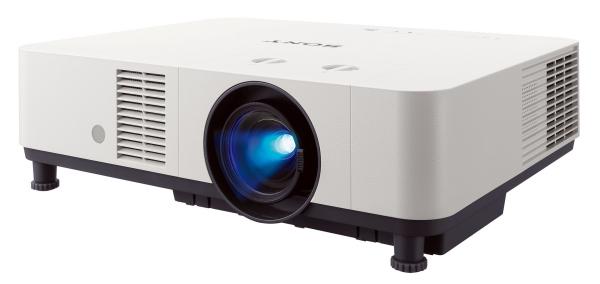
| Sony VPL-PHZ60 | Laser 3LCD projector | 1920 x 1200, 16:10; +55% vertical lens shift; wide throw-ratio range; accepts 4K/30p and scales it to Full HD | $3,192.76 | Replacing an existing installed projector |
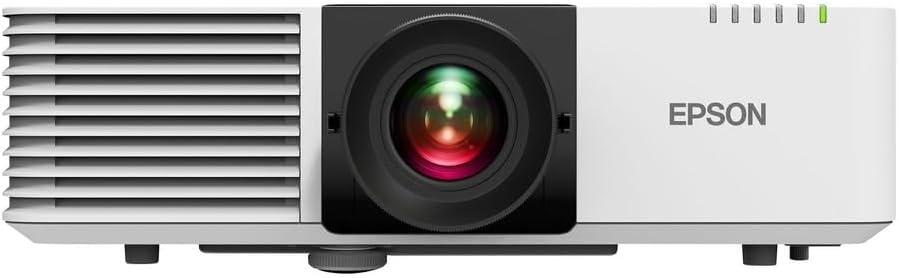
| Epson PowerLite L520W | Long-throw 3LCD projector | Ceiling mountable, 16:10 aspect ratio; brightness, resolution, zoom, lens shift, and ports are not supplied in its listing | $2,223.22 | A conservative long-throw shortlist based on format and placement |
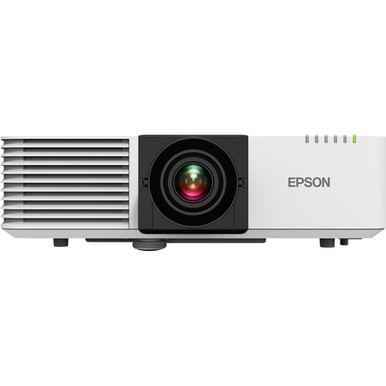
| Epson PowerLite L530U | Laser 3LCD projector | 5,200 lumens; WUXGA 1920 x 1200; 1.35-2.2:1 throw; 1.6x zoom; horizontal and vertical lens shift; ceiling mountable | $2,297.72 | Well-documented education or corporate installation |
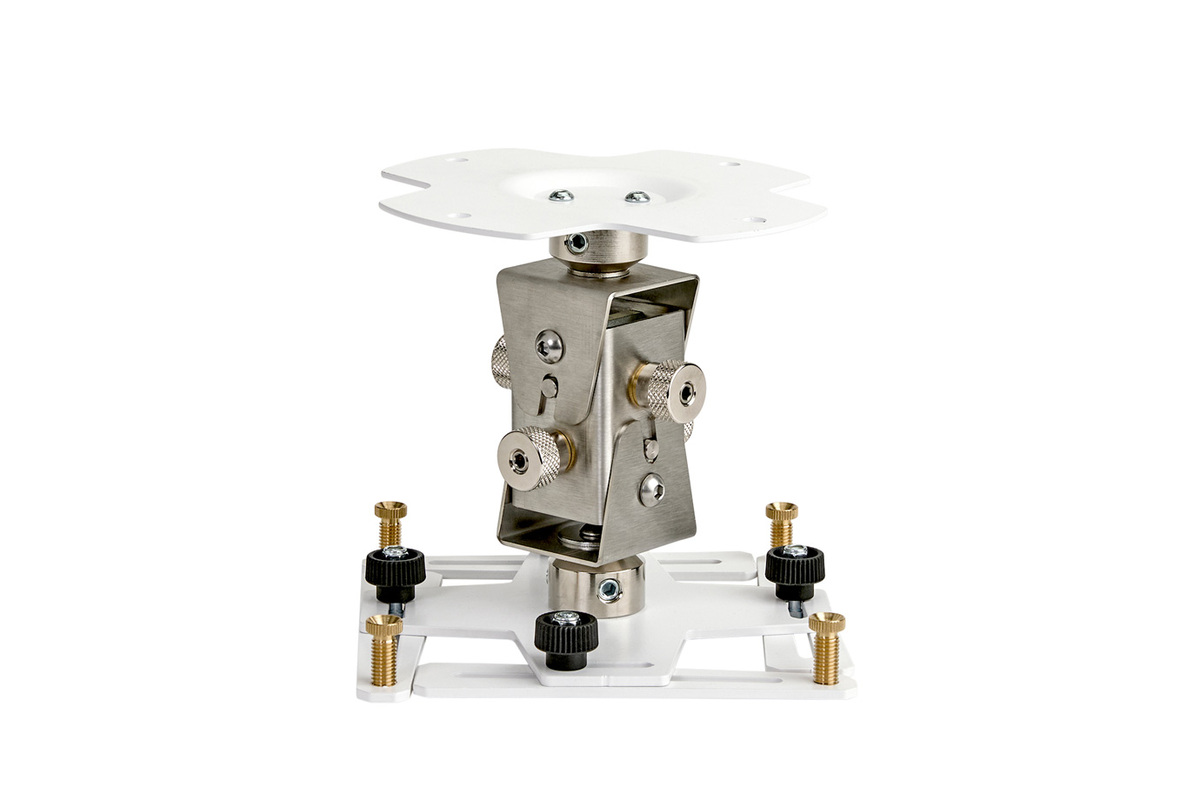
| Epson ELPMB68 | Projector ceiling mount | Highly adjustable with precision adjustment; supports up to 99 lb (45 kg) | $982.99 | Heavy projectors and precise professional alignment |
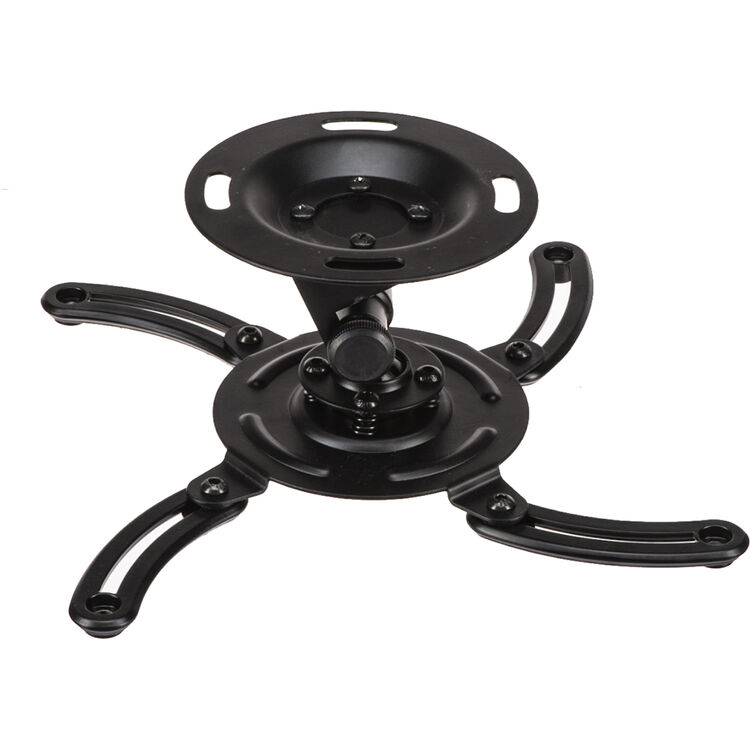
| Mustang MV-PROJSP-FLAT | Universal ceiling projector mount | Flat ceiling-mount design; exact load capacity and fit pattern are not stated in the product copy | $49.99 | Budget shortlist pending projector-specific fit confirmation |
How to Plan a Ceiling Mounted Projector
Start with screen size and throw distance
Throw ratio relates image width to lens-to-screen distance. In practical terms, multiply the desired image width by a projector’s throw ratio to estimate the placement range, then verify the result in the model’s installation documentation. Use image width, not diagonal size, and measure from the lens rather than the front or rear of the cabinet. The Epson L530U has a verified 1.35-2.2:1 throw range and is documented at an 80-inch screen size from 7.64 feet. Its zoom range provides placement flexibility, but the exact final position still depends on the chosen screen.
The Epson L520W is confirmed as long throw, yet its listing intentionally supplies no numerical throw range. That makes it a candidate for projects that already need a long-throw category, not a model you should locate by guesswork. Ask for the model-specific placement data before drilling. Sony’s VPL-PHZ60 listing states that its wide throw-ratio range can simplify replacing an existing ceiling-mounted unit, but the catalog copy does not provide the numerical range.
Deciding How High to Mount Projector Hardware
There is no universal height such as a fixed number of inches below the ceiling. Mount the lens at a height that lets the model reach the screen within its optical offset or lens-shift range, while maintaining ventilation and service clearance. Start with the screen’s planned top and bottom edges, identify the projector’s allowed vertical image position, and account for whether the chassis will be inverted. If people can stand beneath the unit, also consider head clearance and local requirements.
Lens shift is preferable to relying on large amounts of digital keystone correction because it repositions the image optically. The Sony listing confirms +55% vertical lens shift. The Epson L530U lists vertical shift of plus or minus 50% and horizontal shift of plus or minus 20%, plus horizontal and vertical keystone correction. Those ranges add flexibility, but they should be checked against the exact screen geometry; percentages can be defined relative to image dimensions and installation orientation.
Match the ceiling projector mount to the hardware
A mount has to satisfy more than weight. Check the mounting-hole layout, center of gravity, adjustment, ceiling interface, and extension support. The ELPMB68 is the only mount here with a verified capacity: up to 99 pounds. That does not establish compatibility with every lighter projector. The Mustang title describes it as universal and flat, but its product data does not state a load limit or fit pattern, so confirm both for the exact projector.
Attach to structure, not finish material
Projector weight must transfer to suitable structure. Drywall and suspended-ceiling tiles are not automatically structural attachment points. Wood framing, concrete, steel, and drop ceilings require different methods. A qualified installer should evaluate uncertain, public, or commercial locations and include a suitable safety provision when required.
Plan power, signal, and control before closing the ceiling
Map the entire cable route, not just the visible drop. Long HDMI runs may require a different cable strategy than a short table connection. The Epson L530U is installation-friendly on paper because its listing confirms HDBaseT, two HDMI inputs, HDMI output, VGA, Ethernet, RS-232, built-in Wi-Fi, and a 10W speaker. The Sony accepts native 4K/30p signals and scales them to its Full HD output. Confirm which source formats, control system, and audio path the room will use before cable is pulled.
Allow airflow and maintenance access
Do not crowd intake or exhaust vents against the ceiling, a beam, or cables. Use the model’s required clearance and preserve access to filters, connections, focus controls, and mounting fasteners. The L530U states 20,000 light-source hours at full brightness and 30,000 at low brightness, but still needs inspection and access.
Room and Product Tradeoffs
-
Long throw keeps hardware away from the screen but needs depth. Confirm that the lens-to-screen distance exists without placing the unit behind a beam or outside the room.
-
Lens shift improves placement flexibility but has limits. More adjustment is not a reason to ignore the initial centerline and height plan.
-
A low-profile mount saves headroom but reduces vertical freedom. High ceilings may need an extension to put the lens in a workable range.
-
A lower-priced mount can require more verification. Missing load and interface data should trigger a compatibility check, not an assumption.
-
Permanent installation improves consistency but complicates change. Future screens and replacement projectors may have different throw or mounting requirements.
Who Should Buy What?
Choose the Sony VPL-PHZ60 when an existing 16:10 installation needs flexible optical placement and the ability to accept 4K/30p sources while displaying Full HD. The Epson L520W fits a buyer who has already established the need for a 16:10, long-throw, ceiling-mountable 3LCD model and is willing to verify the unpublished performance and lens details before purchase. The Epson L530U is the strongest all-around projector verdict because its listing provides the most complete installation data: WUXGA resolution, 5,200 lumens, zoom, throw range, lens shift, ceiling support, and extensive connections.
For mounting, the Epson ELPMB68 is the documented heavy-duty option, with precision adjustment and a stated 99-pound capacity. The Mustang MV-PROJSP-FLAT is a budget candidate only after its capacity, interface, and required ceiling hardware are confirmed for your exact unit. Send AudioVideoNation’s pre-sales team the projector model, screen size, lens-to-screen distance, ceiling type, and desired drop for a fit check before ordering; nationwide shipping is available.
Ceiling Projector FAQ
How high should I mount a projector?
Use the projector’s optical offset or lens-shift limits to determine height relative to the screen; there is no single correct drop for every model. Also preserve ventilation, service, and head clearance. Screen position and projector orientation must be part of the same calculation.
Can every projector be ceiling mounted?
No. Confirm that the projector supports inverted or ceiling operation and has a compatible mounting interface. Also verify ventilation requirements and image-orientation controls. The three projector listings compared here explicitly describe ceiling mounting or ceiling placement.
Can I attach a projector mount to drywall or a ceiling tile?
Do not assume finish material can carry an overhead load. The mount generally needs attachment to suitable building structure or a properly designed structural interface. Ceiling construction and local requirements vary, so use a qualified installer when the attachment method is uncertain.
Is lens shift the same as keystone correction?
No. Lens shift moves the image optically while keystone correction digitally reshapes it. Lens shift is normally the preferred installation adjustment. Keystone can help with small geometry corrections, but it should not replace selecting the correct throw position and mount height.
What should I check before buying a ceiling projector mount?
Verify projector weight, mounting-hole pattern, center of gravity, adjustment range, ceiling interface, extension compatibility, fasteners, cable access, and service clearance. A stated load capacity is necessary but does not by itself guarantee that a mount fits a particular projector or ceiling.