

Interactive Displays and Training Room Displays for Schools: Buyer Guide
Schools and training teams need displays that can handle instruction, collaboration, and day-to-day room use. Some rooms call for an interactive ultra short throw laser display. Others only need a commercial screen for schedules, dashboards, or overflow content. This guide separates the true interactive options from the companion displays so you can build the right mix for classrooms, labs, and training rooms.
Product Images


Quick Picks
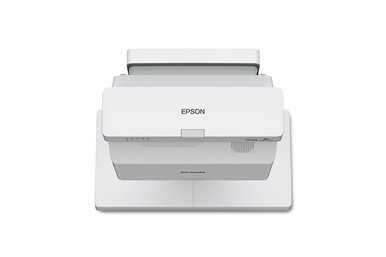
- BL-770FI: Epson BrightLink 770Fi 1080p 3LCD Interactive Ultra Short Throw Lamp-Free Laser Display – Classrooms and training rooms that need interactive instruction at the front of the room.
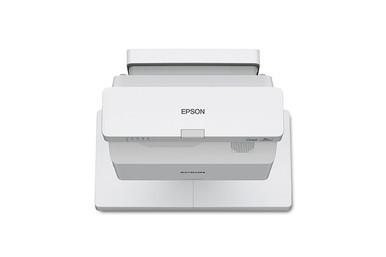
- BL-760WI: Epson BrightLink 760Wi WXGA 3LCD Interactive Lamp-Free Laser Display – Classrooms, labs, and smaller training rooms where WXGA is acceptable for the content being shown.
- QM43R-BL: Samsung QM43R-B 43" 3840×2160 4k LED 500nit SSSP 6.0 HDMI 2 – Training-room support displays, hallway notices, and room-status screens near learning spaces.
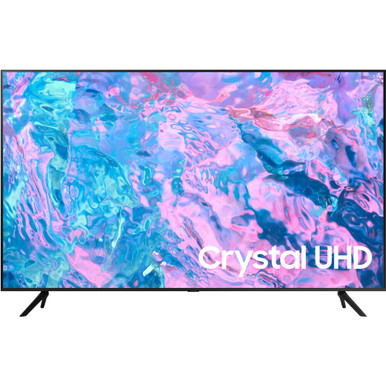
- QB49R: Samsung QB49R 49'' HDR 4K UHD Commercial Smart LED Display – Larger support screens for training-room dashboards, notices, or playback areas.
How to Choose
Start with the room. Not the spec sheet. Check viewing distance, room light, mounting limits, source devices, control needs, and who owns maintenance after the install. Then match the products to those needs instead of buying by screen size or headline resolution alone.
Separate Interactive Teaching from Support Signage
One common mistake is buying every school display as if it does the same job. The main teaching surface may need touch, pen input, ultra short throw placement, and controls teachers can use without thinking about them. A hallway or training-room support screen may only need readable text, dependable playback, and simple content scheduling. The Epson BrightLink models are the true interactive choices here. The Samsung commercial displays make more sense as companion screens.
Resolution and Content Detail Matter
The BrightLink 770Fi lists 1080p resolution. The BrightLink 760Wi lists WXGA. That matters when instructors show detailed web apps, spreadsheets, design tools, or small text from the back of the room. WXGA can still do the job in many classrooms, but match it to the curriculum, seating distance, and source devices before assuming every interactive system will feel the same.
Plan the Room Around the Presenter
Interactive ultra short throw systems need careful placement. Confirm the wall surface, mounting height, power, cable path, and how the instructor will teach. At the board. From a laptop. Moving around the room. A good install can cut down shadows and keep controls close. A bad one can make a strong interactive display annoying to use.
Build a Standard Classroom Package
For multi-room rollouts, define one repeatable package: primary interactive display, mount, cabling, audio, source connection, support display if needed, and spare accessories. Standard setups help IT teams troubleshoot faster and give teachers a familiar room experience across buildings.
Product Notes
Epson BrightLink 770Fi 1080p 3LCD Interactive Ultra Short Throw Lamp-Free Laser Display
The Epson BrightLink 770Fi is the strongest interactive fit in this batch because it is listed as a 1080p 3LCD interactive ultra short throw lamp-free laser display.
Best for: Classrooms and training rooms that need interactive instruction at the front of the room.
- Interactive ultra short throw format listed in the product name
- 1080p 3LCD display details are listed in the catalog name
- Lamp-free laser wording suggests lower lamp-maintenance planning than legacy lamp projectors
- Ultra short throw placement can help reduce presenter shadows when installed correctly
- Verify current price, lead time, and accessories on the product page before ordering.
What to consider: Confirm included accessories, mounting requirements, touch/pen workflow, and software compatibility with the school or training platform.
Epson BrightLink 760Wi WXGA 3LCD Interactive Lamp-Free Laser Display
The Epson BrightLink 760Wi is another true interactive BrightLink option. It fits rooms that can use WXGA resolution and need an interactive lamp-free laser display.
Best for: Classrooms, labs, and smaller training rooms where WXGA is acceptable for the content being shown.
- WXGA 3LCD interactive lamp-free laser display listed in the catalog name
- Interactive BrightLink format for instructional spaces
- Ultra short throw style can support front-of-room teaching when mounted properly
- A useful comparison point when budget and content resolution needs differ from the 770Fi
- Verify current price, lead time, and accessories on the product page before ordering.
What to consider: WXGA may be a poor match for small text, detailed software demos, or high-resolution design content. Match it to the curriculum and seating distance.
Samsung QM43R-B 43" 3840×2160 4k LED 500nit SSSP 6.0 HDMI 2
The Samsung QM43R-B is not an interactive classroom display, but it can work as a companion commercial screen for room schedules, notices, dashboards, or secondary content in training areas.
Best for: Training-room support displays, hallway notices, and room-status screens near learning spaces.
- 43-inch 4K commercial display wording appears in the catalog name
- Compact size for support signage and secondary screens
- Can keep schedules or room information visible without taking over the main teaching surface
- Works best when paired with a defined content source or signage player
- Verify current price, lead time, and accessories on the product page before ordering.
What to consider: Do not buy this as the primary interactive teaching surface. Use it as a support display unless the product page confirms the interaction tools you need.
Samsung QB49R 49'' HDR 4K UHD Commercial Smart LED Display
The Samsung QB49R is also a companion commercial display, not an interactive teaching display. It fits training rooms that need a larger non-touch screen for information, playback, or signage.
Best for: Larger support screens for training-room dashboards, notices, or playback areas.
- 49-inch HDR 4K UHD commercial smart LED display listed in the catalog name
- Larger than the 43-inch companion option while still manageable in compact spaces
- Useful for content that does not require touch or pen input
- Can support room communication alongside an interactive front-of-room system
- Verify current price, lead time, and accessories on the product page before ordering.
What to consider: If instructors need annotation, touch, or pen input on this screen, verify those requirements separately. The catalog name does not list interactive tools.
Buying Checklist
- Confirm dimensions, mounting pattern, power location, cable pathway, and service access before approving the order.
- Check whether the room needs a display, projector, tuner, control interface, mount, speakers, or collaboration device in the same purchase.
- Review product-page availability before quoting an install date, especially for multi-room or multi-campus projects.
- Ask whether open-box or used inventory is acceptable; it can fit some budgets but needs closer condition review.
FAQs
Are the Samsung QB49R and QM43R-B interactive displays?
The catalog names shown here do not list interactive touch or pen tools for those Samsung models. Treat them as companion commercial displays unless the product page confirms the interaction tools you need.
Which BrightLink model should a school choose?
Start with resolution and room use. The 770Fi lists 1080p, which is better for detailed content. The 760Wi lists WXGA and may suit rooms with simpler presentation needs.
Why does ultra short throw matter in a classroom?
Ultra short throw placement can reduce presenter shadows and keep the projector close to the wall. It still needs accurate mounting and a suitable display surface.
What should be included in a classroom display quote?
Include the display, mount, cabling, power needs, source adapters, audio requirements, installation labor, training, and any software or content-management tools.