
Epson PowerLite 2250U vs 2255U: 5000-Lumen WUXGA Projector Comparison
8th Jan 2026

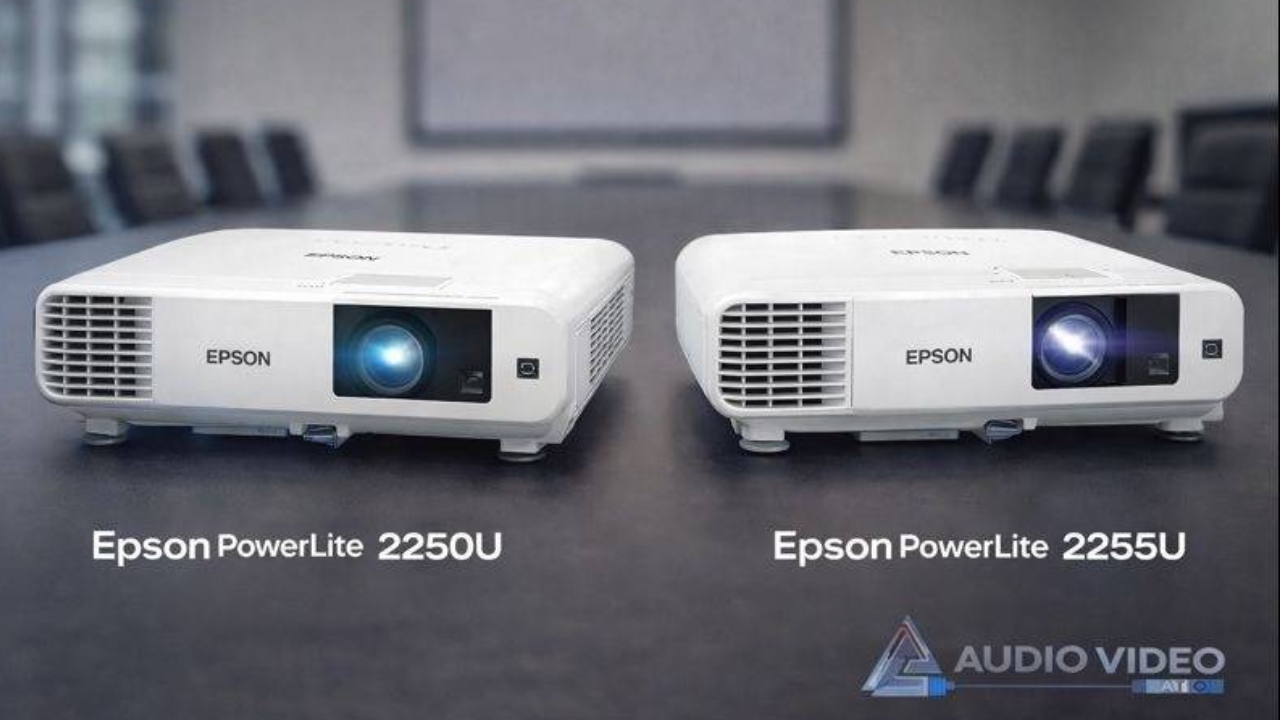
Choosing the right business or classroom projector often comes down to brightness, resolution, connectivity, and long-term reliability. The Epson PowerLite 2250U and PowerLite 2255U are two popular 5000-lumen WUXGA projectors built to deliver clear images and consistent performance in professional settings.
At first glance, these two models look very similar, offering high brightness, sharp WUXGA resolution, and Epson’s proven 3LCD color technology.
This comparison breaks down what these projectors have in common, where they differ, and which one is best for classrooms, conference rooms, training spaces, and hybrid meeting environments.
Overview of Epson’s 5000-Lumen Business Projectors
Epson has long been a trusted name in the business and education projector space. Their 5000-lumen projectors are designed to perform reliably in rooms with ambient light, making them ideal for:
- Conference rooms
- Classrooms and lecture halls
- Training centers
- Corporate meeting spaces
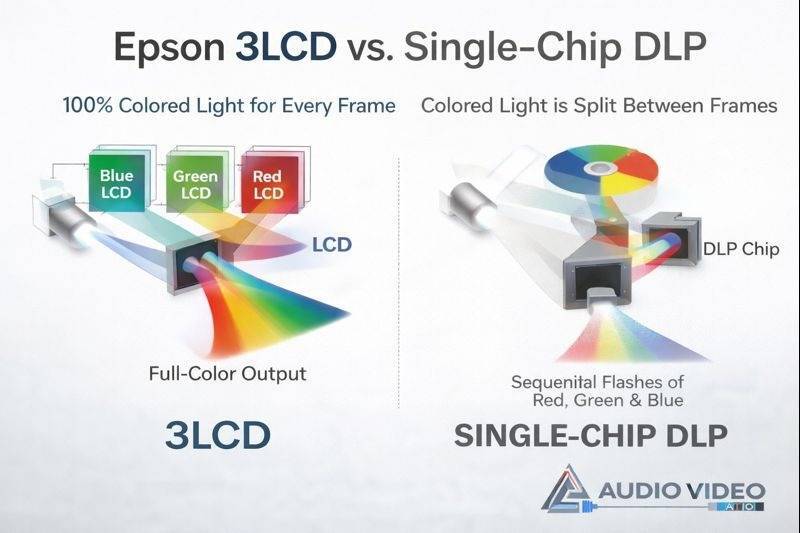
Both the PowerLite 2250U and 2255U use Epson’s 3LCD projection technology, which displays 100% of the color signal for every frame. Unlike single-chip DLP projectors, 3LCD projectors deliver equal color and white brightness, resulting in more accurate colors, clearer text, and more comfortable long-term viewing.
With WUXGA (1920 × 1200) native resolution, these projectors provide more vertical pixels than standard 1080p, which is especially useful for presentations, spreadsheets, documents, and detailed visuals.
If you’re still deciding whether a projector is the right solution for your space, especially when compared to a large-screen television, it’s worth understanding the strengths of each option. We’ve covered this topic in detail in our guide on choosing between a TV and a projector for large-screen viewing, which breaks down image size, brightness, room lighting, and overall value.
What Both Projectors Have in Common
From a core performance standpoint, the Epson PowerLite 2250U and 2255U share many of the same strengths.
5000 Lumens of Brightness
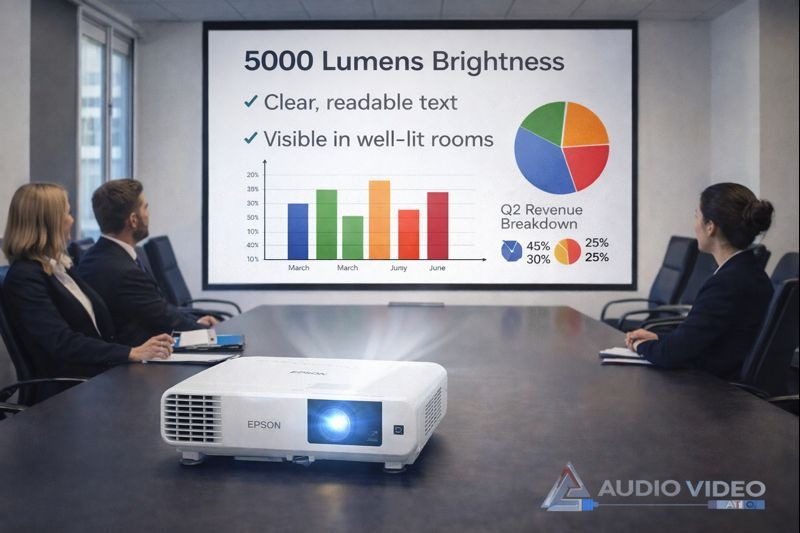
Both models deliver 5000 lumens of color and white brightness. Thus, both qualify as high-brightness projectors for business, making them suitable for rooms with lights on or large projection surfaces. This level of brightness is ideal for business projectors and classroom projectors where visibility is critical.
WUXGA Resolution (1920 × 1200)
The WUXGA resolution ensures crisp text, sharp charts, and detailed images. It’s particularly beneficial for professional presentations and educational content where clarity matters more than cinematic visuals.
Epson 3LCD Color Accuracy
Epson’s 3LCD, 3-chip technology produces vibrant colors, smooth gradients, and a wider color gamut. This makes both projectors reliable choices for long presentations without color distortion or eye fatigue.
Built-In 16W Speaker
Each projector includes a 16-watt built-in speaker, capable of handling audio for small to medium rooms without requiring external speakers.
Installation & Control Features
Both models support:
- Ceiling mounting
- Rear projection
- Vertical and horizontal keystone correction
- Ethernet and RS-232 control
- Compatibility with Crestron RoomView for remote monitoring
From a performance and reliability standpoint, both projectors meet the expectations of modern business and education environments.
Key Differences Between Epson PowerLite 2250U and 2255U
While the core image quality is the same, the real differences come down to connectivity and flexibility.
Wireless Connectivity
The biggest distinction is wireless capability.
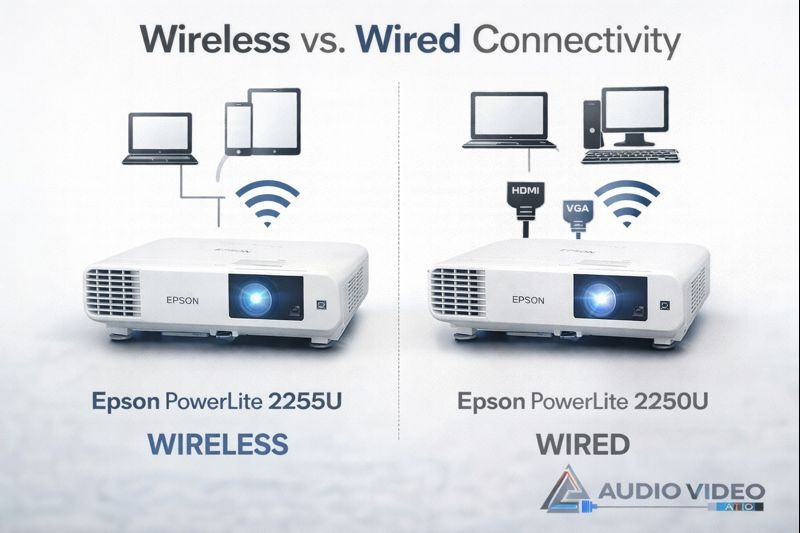
The Epson PowerLite 2255U includes a built-in wireless LAN module and supports wireless screen mirroring, making it well-suited for environments where presenters frequently change devices or prefer cable-free setups.
The PowerLite 2250U, on the other hand, is designed primarily for wired connections. Wireless functionality is optional and requires a separate adapter, which makes it better suited for fixed installations where devices remain permanently connected.
For IT-managed environments, the wired-first design of the 2250U can also reduce troubleshooting and support requests.
Installation Flexibility
Both projectors offer flexible throw distances and zoom, but their connectivity influences how they’re typically installed.
- The 2255U works well in dynamic spaces where users connect laptops, tablets, or smartphones.
- The 2250U is ideal for permanent setups where HDMI or VGA connections are already in place.
Best Use Environments
Because of its built-in wireless features, the 2255U is often preferred in collaborative environments. The 2250U is more commonly chosen for traditional classrooms and boardrooms where reliability and simplicity are the priority.
Price & Value Considerations
Without focusing on exact pricing, the positioning is straightforward:
- The 2255U offers added value through wireless convenience.
- The 2250U offers strong performance at a more streamlined feature set.
Which One Is Better for Your Use Case?
Choosing between these two Epson projectors depends largely on how you plan to use them.
Classrooms
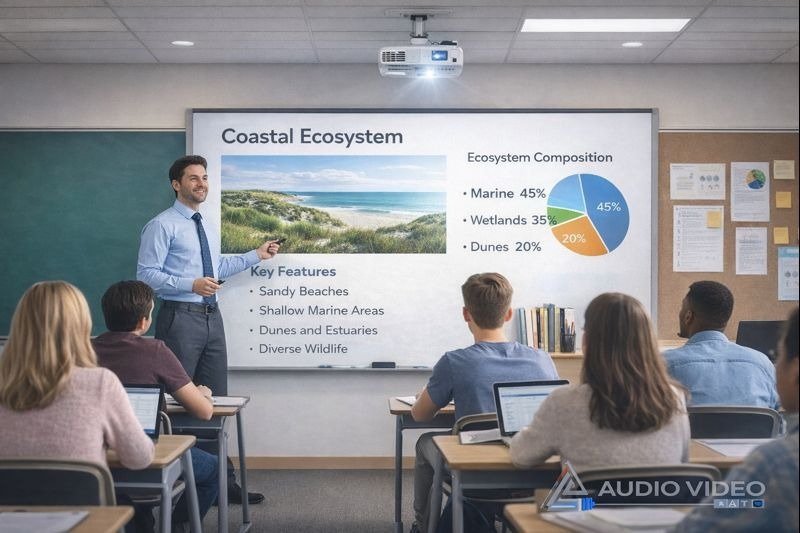
With high brightness and WUXGA resolution, both models function well as an Epson classroom projector, delivering clear visuals even in well-lit learning spaces. In US classrooms, fixed instructor stations and consistent device setups make the Epson PowerLite 2250U a dependable choice. It delivers high brightness, excellent text clarity, and reliable wired connections that are easy for IT teams to manage.
Corporate Boardrooms
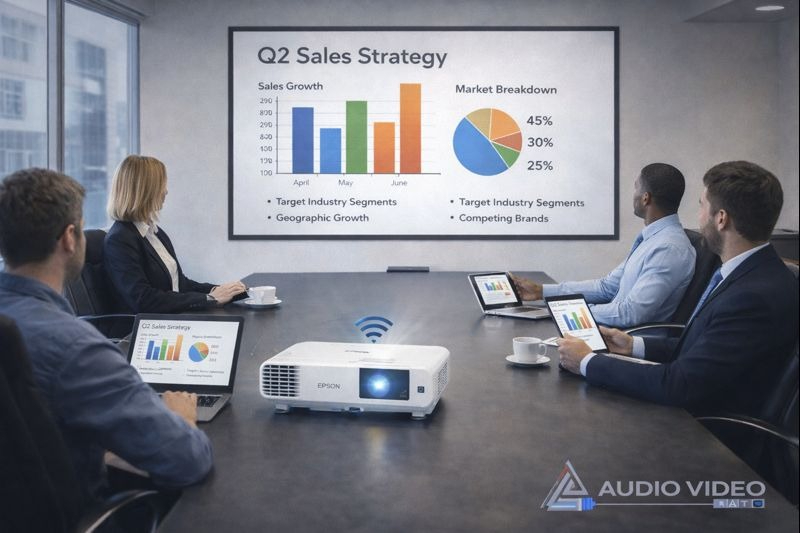
For corporate meeting rooms in the US, the Epson PowerLite 2255U supports flexible, bring-your-own-device presentations, thanks to its wireless connectivity. As a conference room projector, the 2255U simplifies presentations with wireless screen mirroring and reduced cable clutter.
Alt text - Epson conference room projector for corporate meeting rooms in the US
Training Centers
Training environments benefit from both models. If sessions are structured and use dedicated hardware, the 2250U works well. If multiple presenters rotate frequently, the 2255U offers greater flexibility.
Hybrid Meetings
For hybrid or collaborative meetings where wireless screen sharing is common, the 2255U is generally the better choice. Its wireless features make it easier to integrate with modern workflows.
Side-by-Side Comparison Table
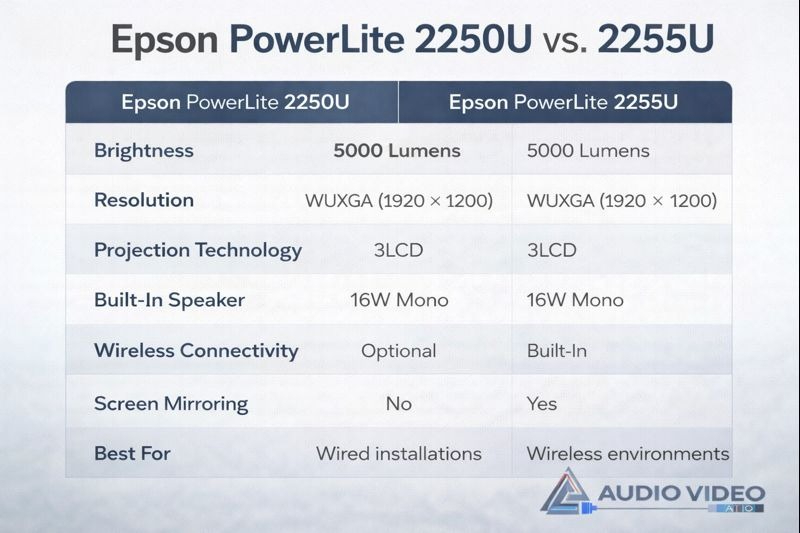
Alt text - Epson PowerLite 2250U vs 2255U projector comparison chart
Here’s a quick side-by-side overview for fast decision-making:
|
Feature |
Epson PowerLite 2250U |
Epson PowerLite 2255U |
|
Brightness |
5000 Lumens |
5000 Lumens |
|
Resolution |
WUXGA (1920 × 1200) |
WUXGA (1920 × 1200) |
|
Projection Technology |
3LCD |
3LCD |
|
Built-In Speaker |
16W Mono |
16W Mono |
|
Wireless Connectivity |
Optional |
Built-In |
|
Screen Mirroring |
No |
Yes |
|
Best For |
Wired installations |
Wireless environments |
|
Typical Use Case |
Fixed classrooms, boardrooms |
BYOD meetings, collaboration |
Frequently Asked Questions (FAQ)
Is there a difference in image quality between the two?
No. Both projectors use the same 3LCD technology, brightness level, and native WUXGA resolution, so image quality is effectively identical.
Are these projectors suitable for rooms with ambient light?
Yes. With 5000 lumens of brightness, both models perform well in rooms where lights are on, making them ideal business and classroom projectors.
Do either of these projectors support 4K?
No. Both projectors support up to WUXGA resolution and do not support native 4K or HDR formats.
Can I ceiling mount both projectors?
Yes. Both the PowerLite 2250U and 2255U are ceiling-mount compatible and support rear projection.
Which projector is better for wireless presentations?
The Epson PowerLite 2255U is better suited for wireless presentations due to its built-in wireless LAN and screen mirroring support.
Is the Epson PowerLite 2250U or 2255U better for business presentations?
The Epson PowerLite 2255U is better for business presentations that require wireless screen sharing and quick device switching, while the 2250U is ideal for fixed, wired setups where simplicity and reliability are the priority.
Which projector should I choose for a school or business?
For schools or businesses, choose the Epson PowerLite 2250U if you need a reliable wired setup with consistent performance, especially in fixed environments. The Epson PowerLite 2255U is better when wireless connectivity and flexible device sharing are priorities.
Why Buy from Audio Video Nation?
When investing in a professional projector, where you buy matters just as much as what you buy. At Audio Video Nation, we specialize in commercial and professional AV solutions, not just consumer electronics.
When you purchase from us, you benefit from:
- Expert product guidance to match the right projector to your space
- Trusted brands like Epson with full manufacturer support
- Reliable shipping and careful handling of professional equipment
- Knowledgeable support before and after your purchase
Whether you’re outfitting a single conference room or an entire facility, our team helps ensure you choose equipment that performs reliably long after installation. As a professional AV provider serving businesses, schools, and institutions, Audio Video Nation helps customers choose equipment that fits their space, budget, and technical needs.
If you’re unsure which model fits your space, our team can help you evaluate room size, lighting, and connectivity needs. Contact here.
Final Recommendation
Both the Epson PowerLite 2250U and 2255U are excellent 5000-lumen WUXGA projectors built for professional use. If you prefer a dependable, wired setup for classrooms or fixed installations, the PowerLite 2250U is a strong choice. If wireless connectivity and flexible collaboration are priorities, the PowerLite 2255U offers added convenience without sacrificing performance. Both projectors are designed to meet the demands of modern North American business environments, where reliability and ease of use are critical.
Whether used in classrooms or boardrooms, both models deliver the performance expected from a professional projector for presentations. Understanding how you’ll use the projector is the key to choosing the right model, and either way, you’re getting Epson’s proven image quality and reliability.